AgencyAnalytics
AgencyAnalytics
  • Pricing
  • Login
  • Start Trial

Digital Marketing Dashboard for Live Campaign Tracking and Client Reporting

Bring all your client’s digital marketing metrics together in one place. From SEO and PPC to social and email, a customizable dashboard makes reporting faster and clearer—for both your agency and your clients. Join over 7,000 successful agencies and experience the benefits of using a customizable digital marketing dashboard!
Start Your Free Trial Preview Dashboard
Digital Marketing Dashboard Template Example

Digital Marketing Dashboards as Unique as Your Agency

Customizable Digital Marketing Dashboard for Smarter Performance Insights

Tracking digital performance across dozens of platforms shouldn’t slow you down. With a white label dashboard, connect data from 80+ tools and turn it into one easy-to-navigate dashboard.

Highlight conversion rates, ad spend, organic traffic, and campaign engagement with widgets customized to your client’s priorities. Whether you're monitoring a Facebook campaign or reviewing SEO progress, everything’s live, branded, and ready to share.

Stop jumping between platforms and start delivering insights your clients understand and appreciate.
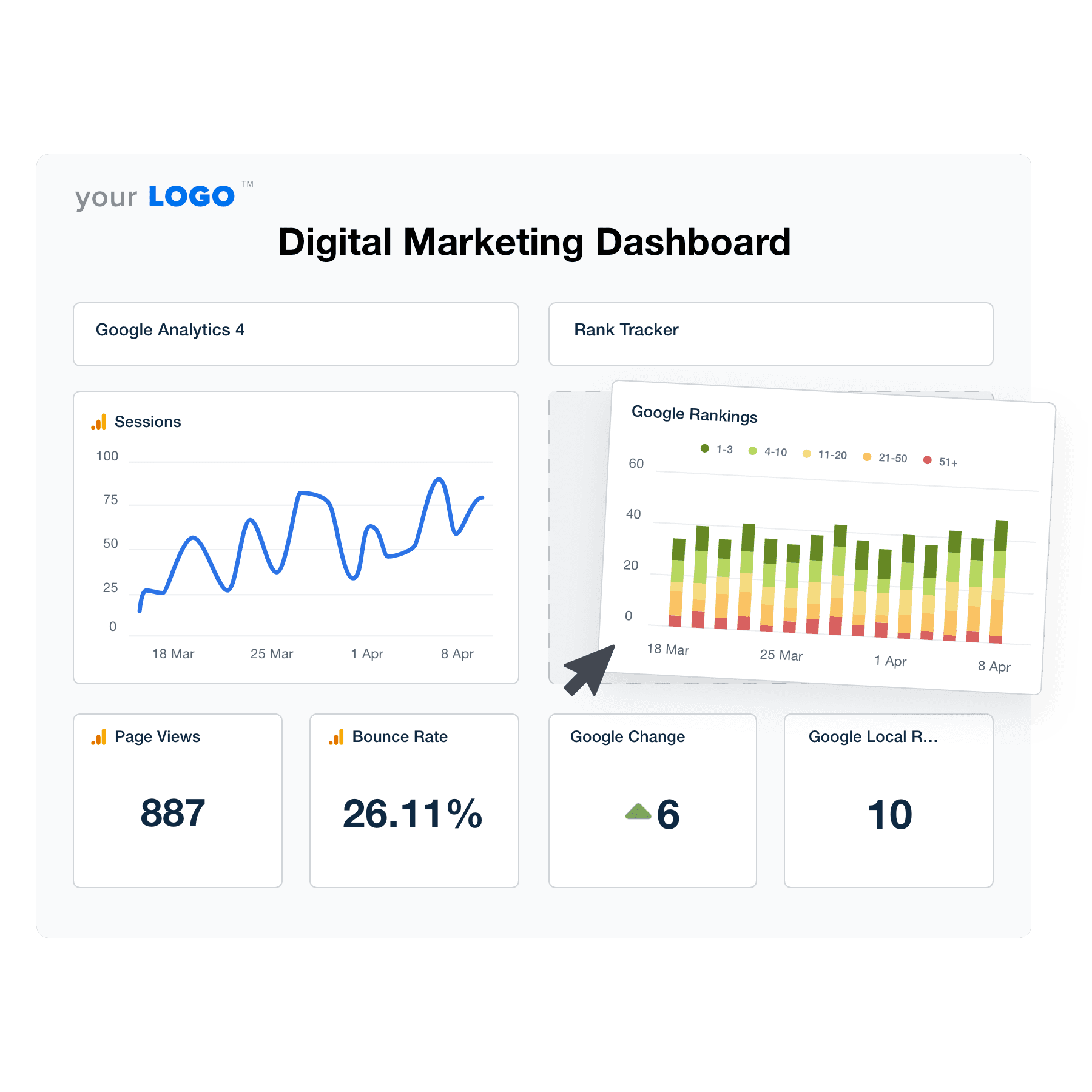

Easily Track All Your Client’s Digital Marketing Metrics
An illustration of the drag-and-drop digital marketing dashboard builder for marketing agencies
Easily Track All Your Client’s Digital Marketing Metrics

Easily Report on All Your Client’s Digital Marketing Data

Start Your Free Trial

Custom Digital Marketing Dashboards as Unique as Your Agency

Key Performance Indicators at a Glance

Include KPIs Across All Your Clients’ Marketing Channels

As a digital marketing agency, your success hinges on your ability to access, analyze, and act upon the wealth of data generated across numerous platforms.

A digital marketing dashboard transforms the data collection processes, providing a central hub that integrates all of your clients’ data sources, including Google Analytics, built-in SEO tools, social media platforms, email marketing software, PPC campaigns, and much more.
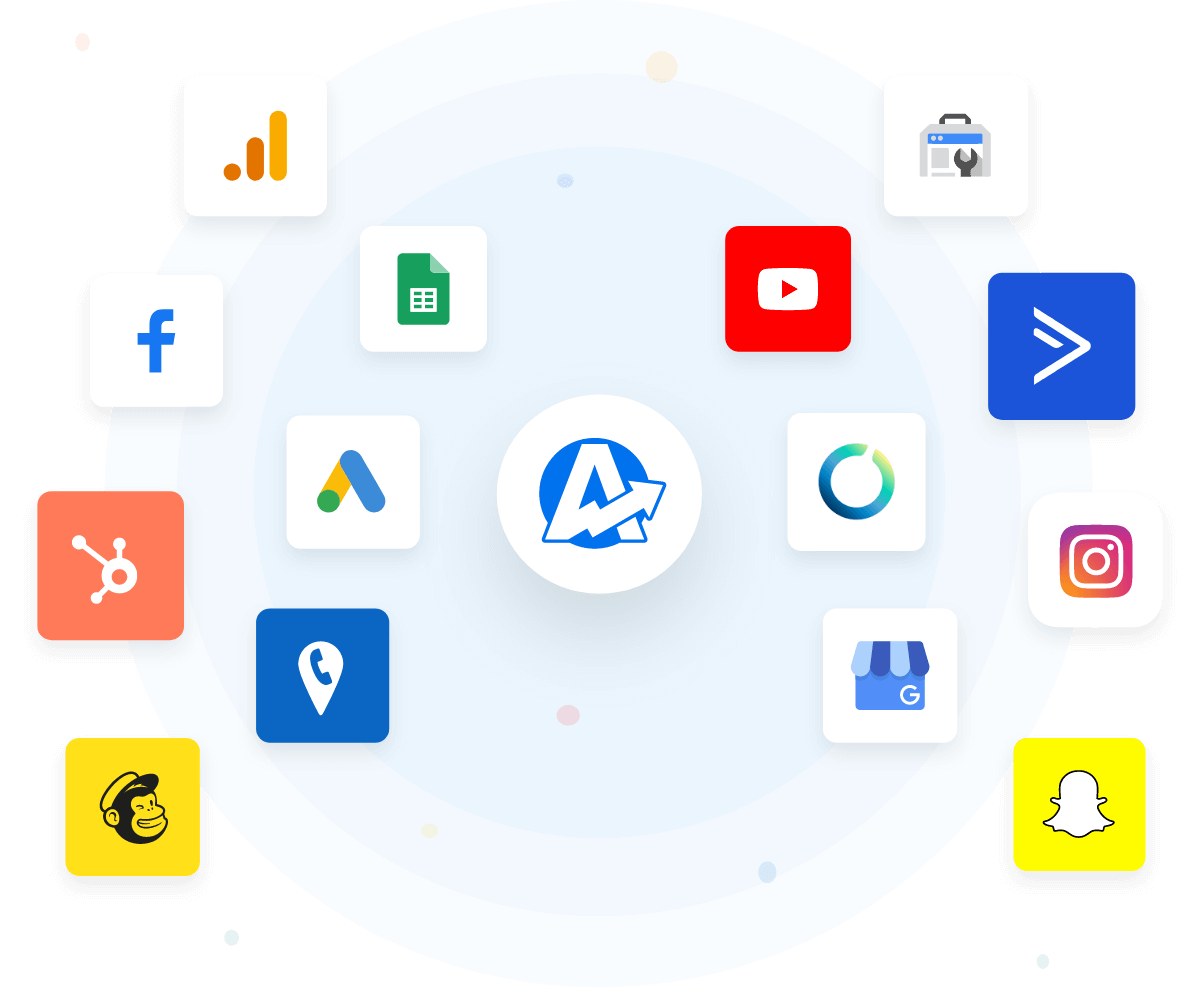
View All 80+ Integrations
Marketing Platform Reporting Integrations
View All 80+ Integrations
Drag & Drop Dashboard Builder

Customize Your Marketing Dashboards Your Way

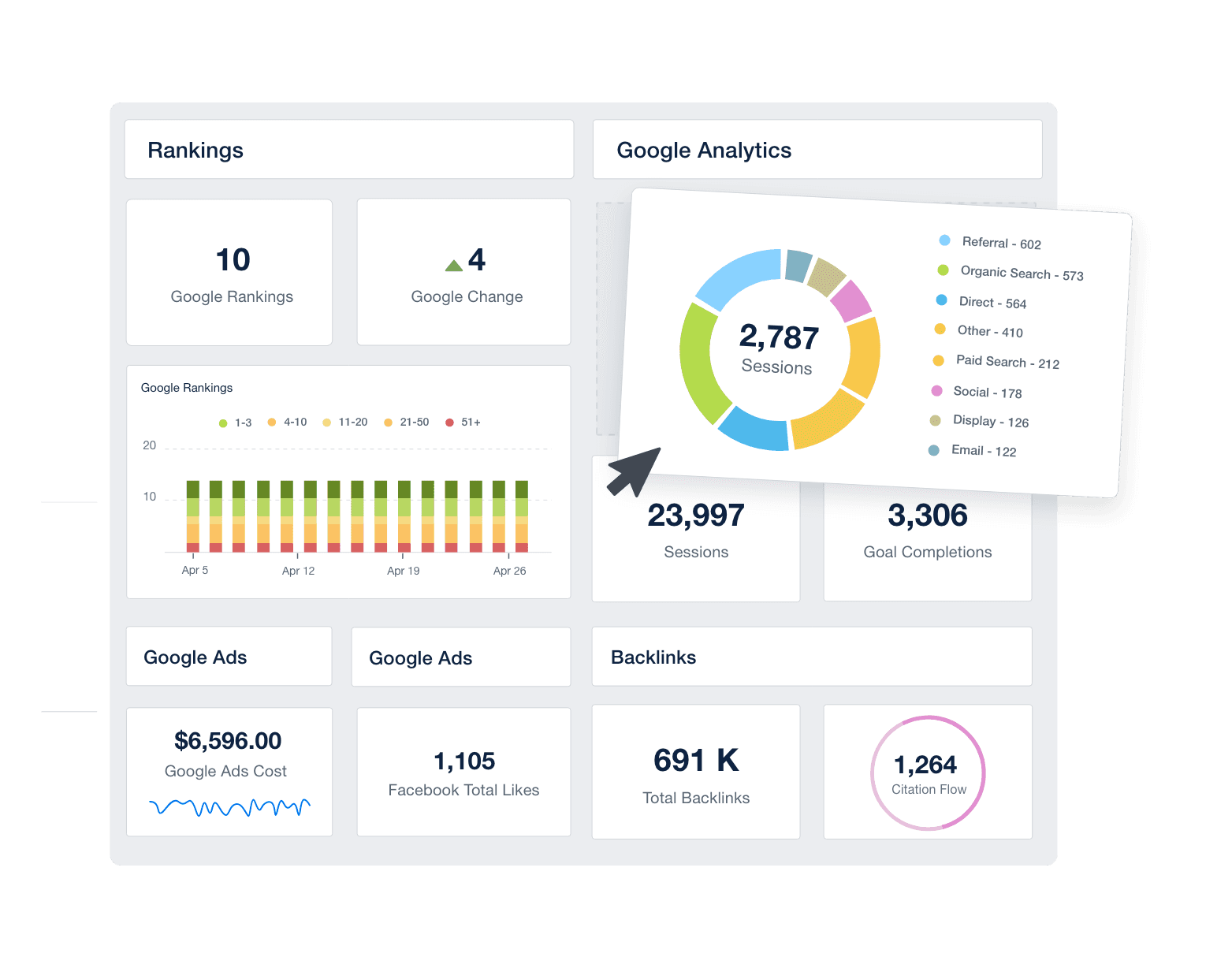
Building custom marketing dashboards doesn't need to take all day. Start with one of the pre-built templates and use the intuitive drag-and-drop report builder to customize exactly which metrics your clients will see. Easily turn these custom marketing dashboards into emailable marketing reports in minutes.
Explore Customization Options
Drag and Drop Report & Dashboard Builder
Explore Customization Options
TAKE CONTROL OF YOUR AGENCY’S BRANDING

White Labeled Digital Marketing Dashboards

TIE YOUR RESULTS TO YOUR AGENCY’S BRAND

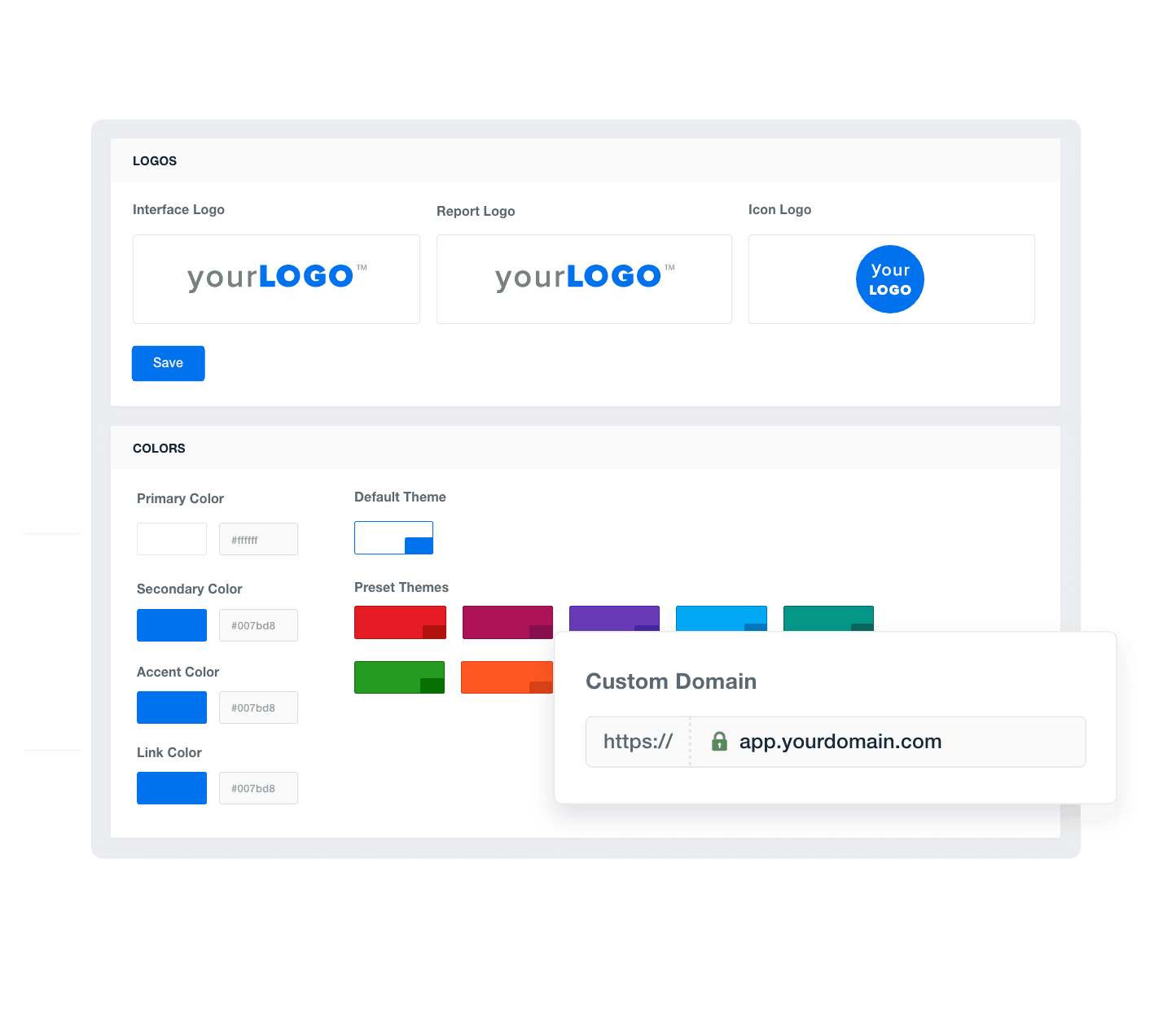
Take control of your branding with fully white-labeled dashboards that match your agency’s brand. Upload your agency logo, add your brand’s color palette, and more. With AgencyAnalytics, you have everything you need to call these digital marketing dashboards your own.

TAKE YOUR AGENCY BRANDING EVEN FURTHER

On the Agency plan and higher, create multiple white label profiles that showcase different logos and color schemes for different client-facing dashboards. For a complete white-labeled experience, host your digital marketing dashboards on your own custom domain and send reports from your agency's email address. 
See White Label Options
An example of how to add your marketing agency's branding to customizable marketing reporting software
See White Label Options
MANAGE YOUR ENTIRE DIGITAL MARKETING AGENCY

Client & Staff Management

GIVE CLIENTS THEIR OWN LOGIN

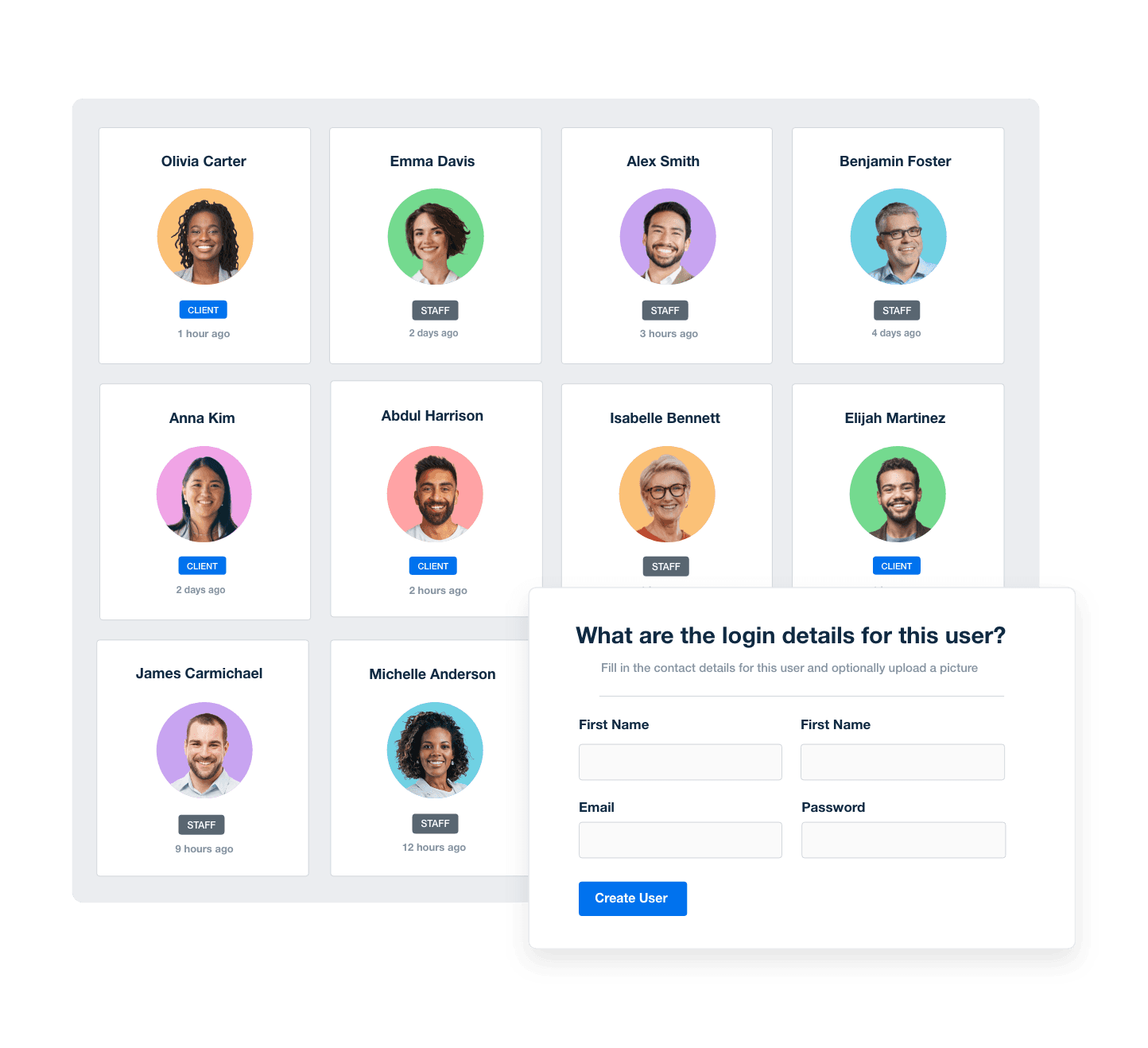
Provide each client with their own login to a real-time digital marketing dashboard they can access at any time. With granular user permissions, you’re in complete control over exactly which metrics each client sees.

STREAMLINE YOUR STAFF WORKFLOWS

Save time and scale your agency by streamlining your staff’s workflows. Assign staff members to clients and create one-off or recurring tasks for each campaign. AgencyAnalytics gives you everything you need to put your client dashboards and reporting on autopilot.
View All Management Features
Screenshot of AgencyAnalytic's staff and client management software
View All Management Features
Dashboard & Report Templates

Create Custom Marketing Dashboards & Reports in Minutes

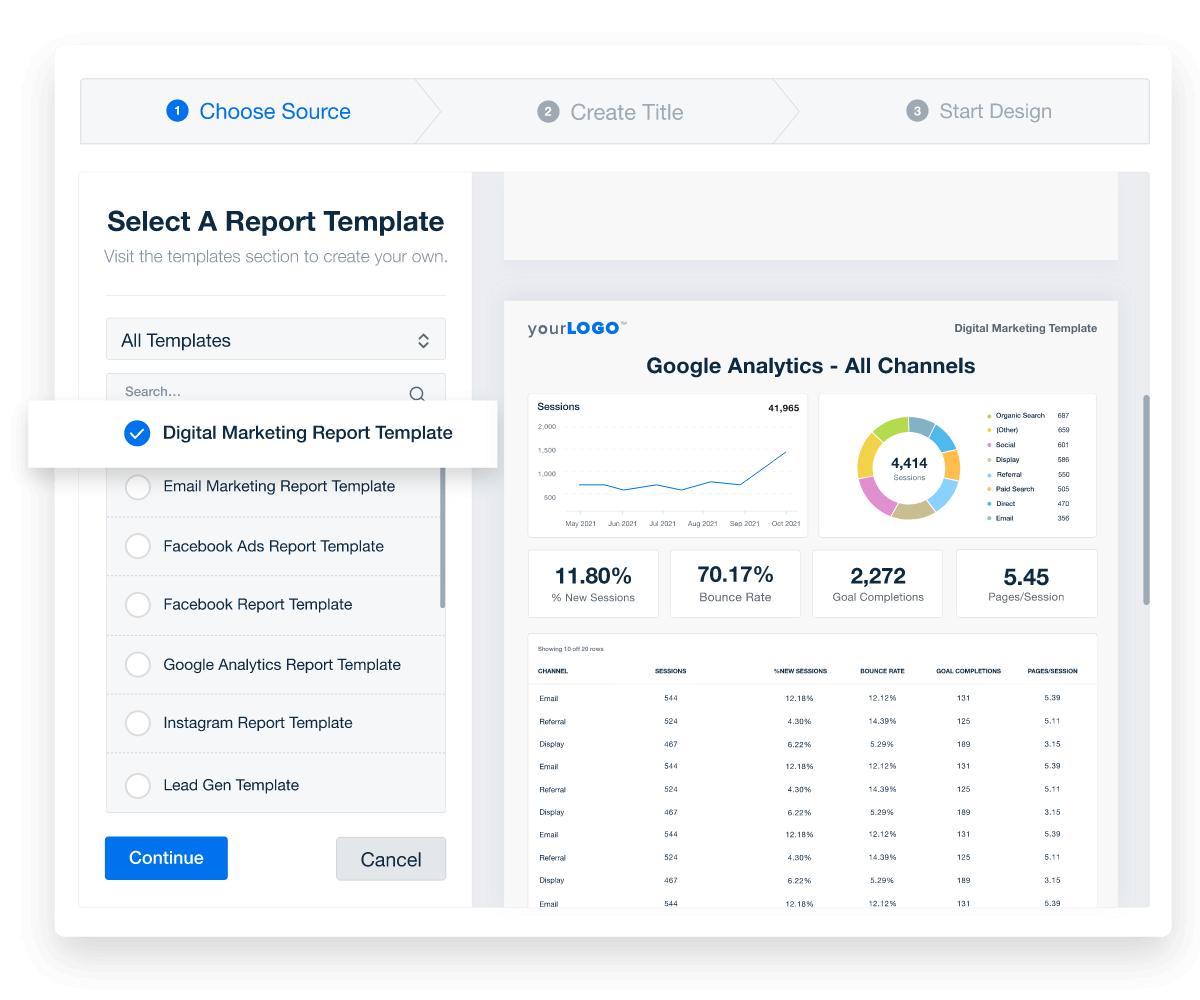
Get your client metric monitoring up and running right away with dozens of prebuilt dashboards and report templates. Plus, each of our 80+ marketing integrations comes with its own pre-built metrics dashboard, giving your agency plenty of options to build a comprehensive reporting platform for your clients.
Choose Your Template
Create custom marketing reports
Choose Your Template
Automated Reports

Put Your Reporting on Autopilot

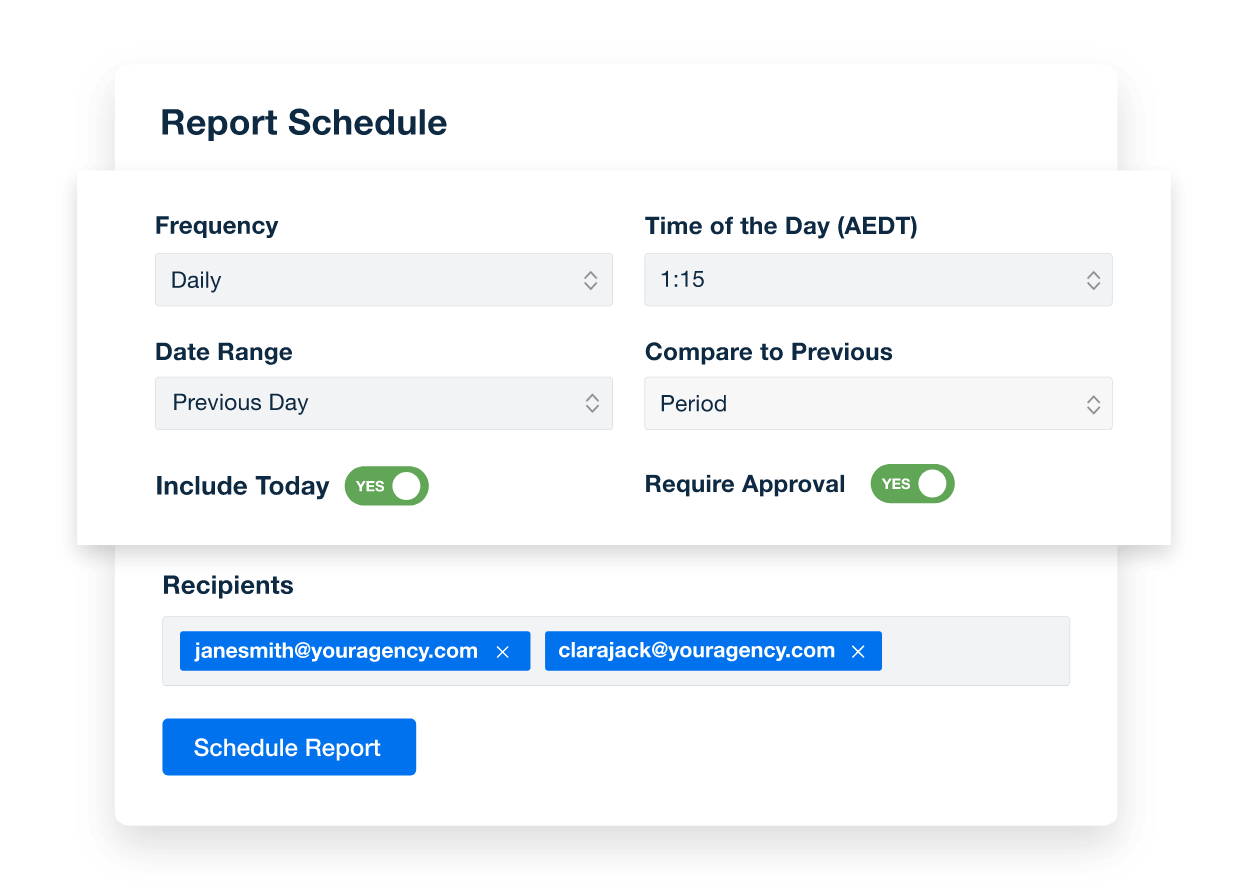
Use your digital marketing dashboard as a starting point to effortlessly build and schedule automated marketing reports your clients will actually look forward to reading.

Create Custom Dashboards
How to Schedule Automated Client Reports
Create Custom Dashboards

Sign up for your free trial now!

No credit card required. No setup hassle. Just instant access to automated reporting, custom dashboards, and multi-channel insights.

Start Your Free Trial
An icon showing a user clicking to start a free trial
Start Your Free Trial

Highlight Key Metrics With a Customizable Digital Marketing Dashboard Template
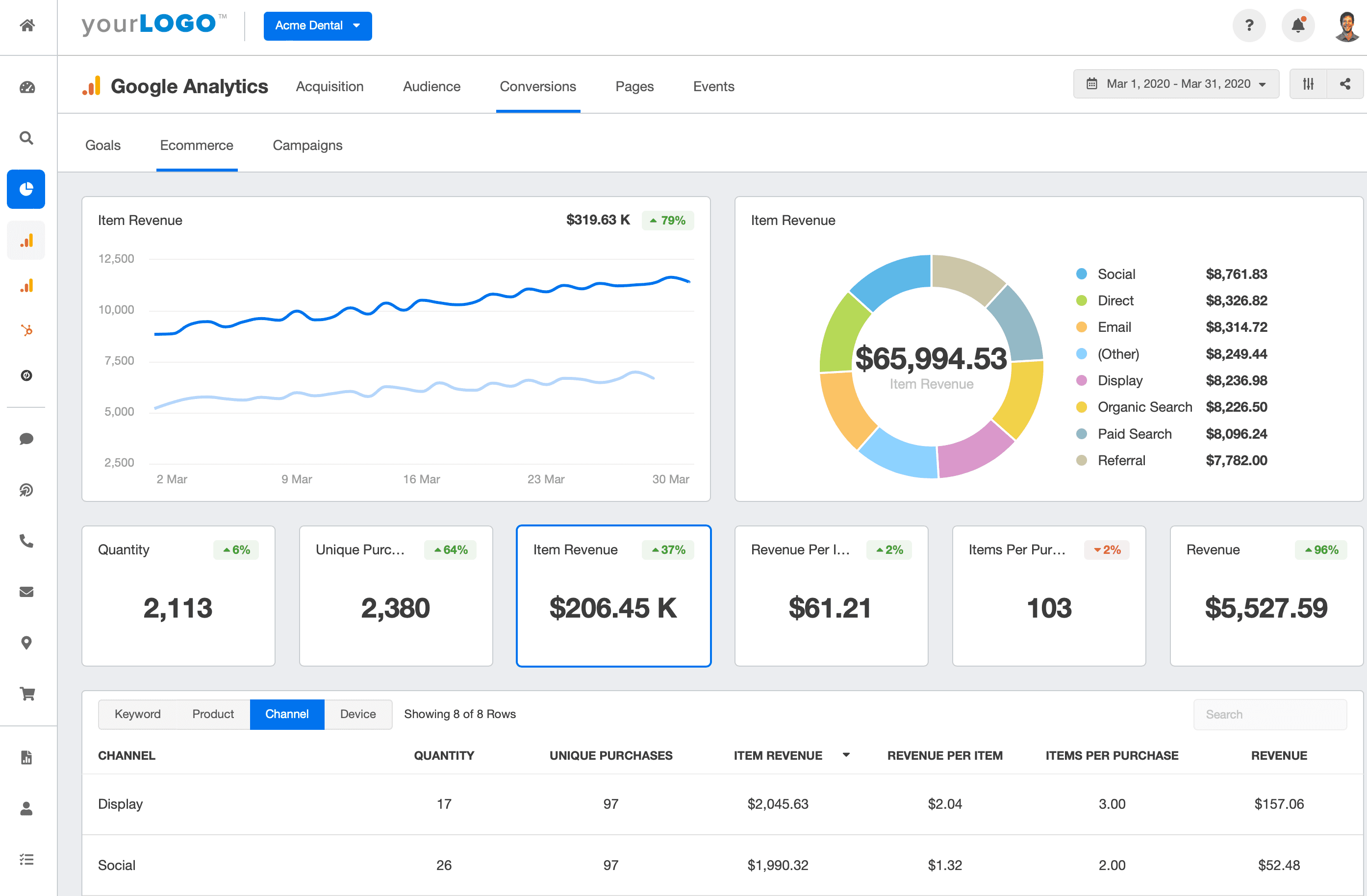
Automatically include Google Analytics data to highlight the most crucial key performance indicators, or add additional widgets to include the data your clients want to see. The web analytics dashboard section provides a clear, concise overview, you reinforce your agency's efforts, spotlighting the tangible impact of your strategies through robust website analytics. Your clients’ successes and the value your agency brings will be impossible to ignore.

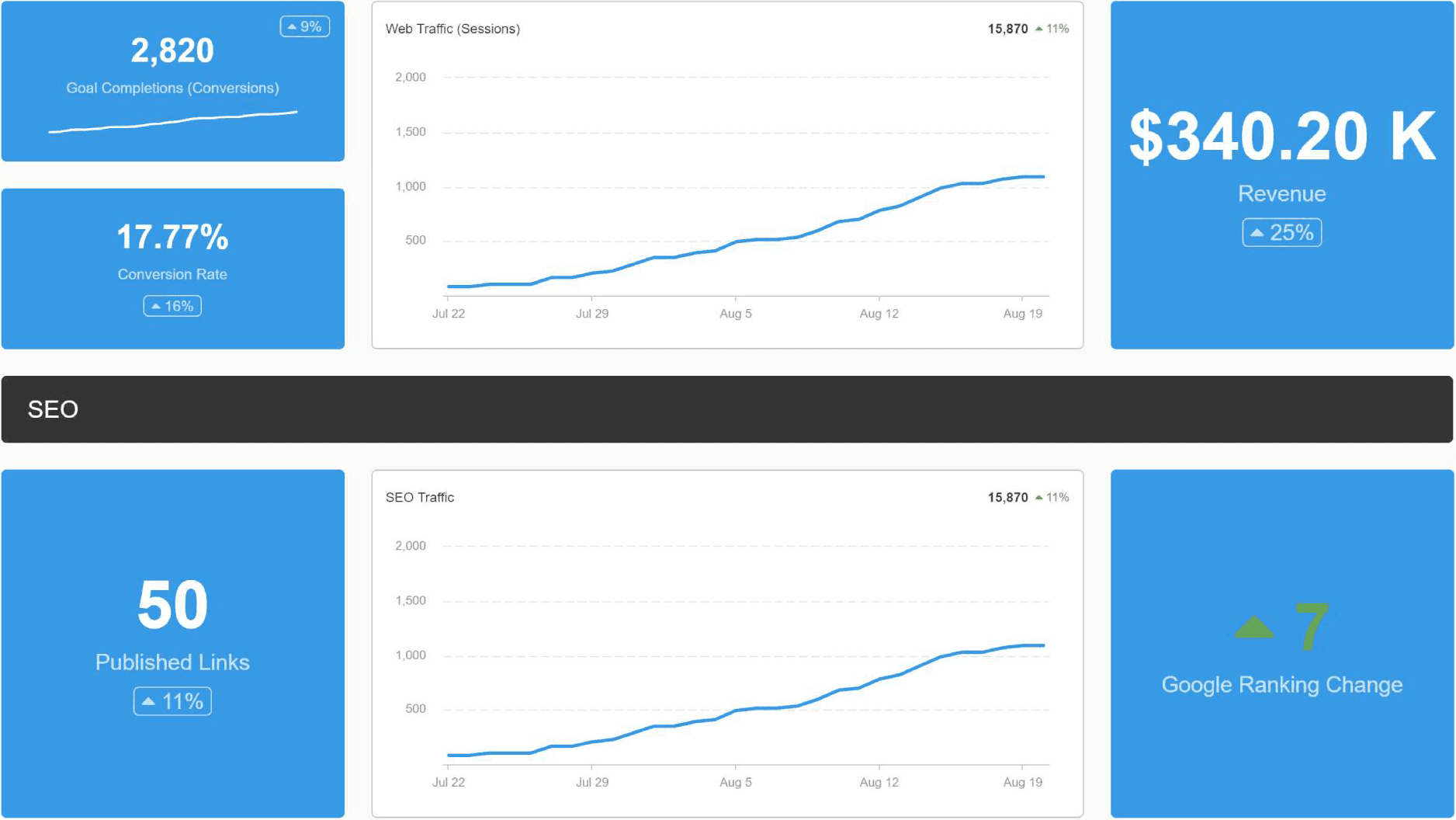
The AgencyAnalytics digital marketing dashboard tool uses advanced data visualization tools to put critical SEO indicators at the forefront. Watch as website traffic trends and SEO performance metrics come to life in your client-facing SEO analytics dashboard, offering a compelling demonstration of your agency's impact.

Go beyond your typical SEO dashboard or content marketing dashboard and provide clear data and striking visualizations that reinforce the positive contribution your SEO efforts have made on your client's bottom line.

Seamlessly integrate email marketing analytics by including crucial email performance KPIs that showcase the impact of your agency’s email marketing strategies. Vividly illustrate the effectiveness of client campaigns, reinforcing your agency's pivotal role in driving results. The power of email marketing has never been clearer.

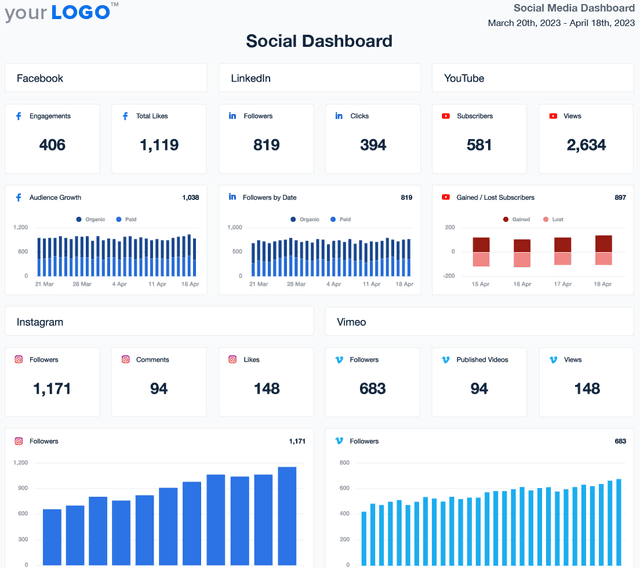
Underline the effectiveness of your agency’s online marketing campaigns. This digital marketing dashboard puts a spotlight on the most crucial social media metrics by automatically integrating social media analytics. Leverage the customizable dashboard template to effortlessly analyze data and present a compelling narrative of your agency’s impact.

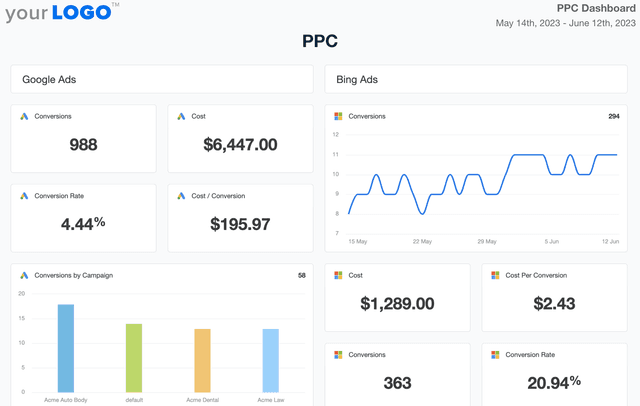
A cornerstone feature of an online marketing dashboard, this section highlights your clients’ most critical PPC key performance indicators, such as conversion rate, cost per conversion, and top keywords. Getting a concise overview of PPC campaign performance provides clients with immediate insight into the effectiveness and return on investment of their advertising spend.

Regardless of the type of marketing campaign you’re running for your clients, one of the most important KPIs that marketing analytics dashboards should include is the number of goal completions, also known as conversions. Once you set what’s considered a conversion in Google Analytics, this data will automatically be pulled into your dynamic dashboard. This can include anything from a customer filling out a form, purchasing a product, and more.

As with any kind of marketing campaign—whether online or offline—it’s absolutely essential you track how much revenue your agency is driving. Our digital marketing dashboard template gives you a quick look at how much money each client campaign is earning, which you can then include in your marketing reports.

Tracking the number of people visiting a client’s website - and its growth over time - tells you how well several key components of the campaign are performing. For starters, this KPI can indicate how compelling your client’s offer is. It can also indicate whether or not you’re targeting the correct channels to drive maximum growth. Finally, the number of sessions a client’s website receives can also show how effective your ads’ call to action (CTA) is.

Instagram conversions metrics inside a Google Analytics dashboard

Build custom digital marketing dashboards that deliver results

Save time and impress clients with a powerful, results-driven dashboard template. Access the free digital marketing dashboard template today!

Preview the Dashboard
Illustration of a user at a marketing agency trying the client reporting features from AgencyAnalytics
Preview the Dashboard

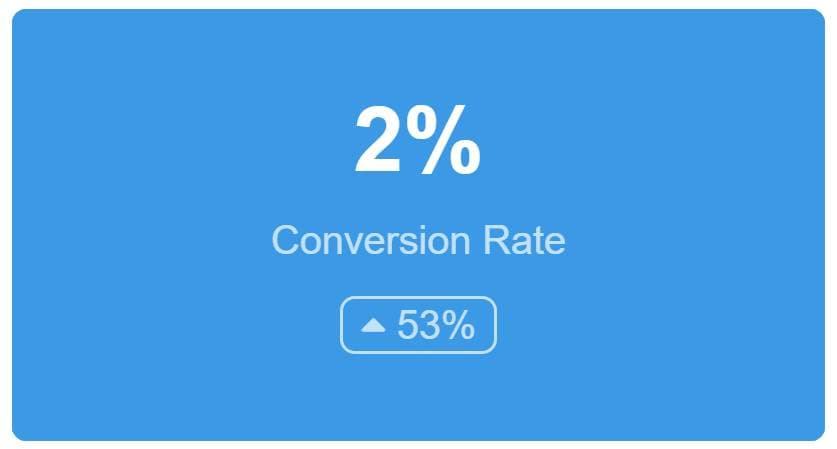
While similar, the conversion rate KPI is a little different than the goal completion KPI. Instead of tracking the number of customers converting, conversion rate gives you a look at how many people are converting compared to the total number of people visiting your client’s website. This metric is measured in the form of a percentage and is calculated as the number of conversions divided by the number of total web sessions.

An essential facet to search engine optimization (SEO) is acquiring backlinks or links from other websites that lead back to your client’s website. These are also called inlinks or inbound links. The best digital marketing dashboard allows you to easily report on the links you've built throughout your SEO campaign.

Email marketing is an essential part of your lead generation efforts and digital marketing campaigns. Building a healthy email list has a variety of long-term benefits for your client, especially when it comes to connecting with new and existing customers. In fact, you’re much more likely to get higher click-through and conversion rates with email campaigns over other avenues like social media. If your customer wants to build a robust email list, tracking the number of new email subscribers with powerful digital marketing dashboard tools is essential.

After building up your client’s initial email list, you’ll want to track how many of those subscribers are actually opening the marketing emails that you send. Whether you are sending on-off emails or a marketing automation nurture stream, these numbers inform the current state and provide insights for future improvements.

This is a long-term metric to track, especially since email subscribers often open fewer emails as time goes on. If you see a decline in the number of emails opened over time, you might have a problem. Perhaps you’re sending too many emails over a short amount of time. More likely than not, your emails aren’t interesting or engaging enough for your email subscribers. A decline in this metric provides you a unique opportunity to re-engage with your clients’ customers.

When it comes to social media, there’s power in the number of followers you have. A higher follower count can mean your client’s brand is growing in popularity. It can also mean your marketing campaigns are helping drive more people to your client’s brand.

Different social media platforms gather different audiences, so you’ll want to track how many followers you have on each. The digital marketing dashboard tracks how many followers you have on each platform so you can know where to focus next.

Pay-per-click (PPC) cost measures how much money you’re spending across all of your PPC campaigns. The digital marketing dashboard template compiles all of the data between ad networks, including Google Ads, Facebook Ads, LinkedIn Ads, and more. Throughout your PPC campaign, a dedicated dashboard helps to ensure you’re staying within your budget to accurately report what you’re spending on PPC ads to your clients.

If you’re running a PPC campaign within your overall digital marketing campaign, the number of PPC conversions you get is a quick indication of the campaign’s success. A higher number of conversions means more people are clicking on your ads and buying your client’s products, while a lower number means the opposite.

However, there’s more to glean from PPC conversions than you might think, especially when compared to other marketing KPIs. For example, you might be getting a high number of PPC conversions, but you might not be reaching as many potential customers as you could. Or, maybe you’re getting a low number of conversions, meaning your ads aren’t as effective as they could be. Whatever you learn from this number, you communicate more clearly with your clients when you have a clearer look at this metric.

Conversion Rate Report Widget from the Digital Marketing Dashboard Template

FAQs About Custom Digital Marketing Dashboards

Still have questions about how to create and use custom Digital Marketing Dashboards? Don’t worry, we’ve got you covered.

  • A digital marketing dashboard is a marketing analytics tool that consolidates data from multiple platforms into one high-level view. It helps digital marketers track key performance indicators, assess the effectiveness of marketing efforts, and align activities with broader marketing strategies.

  • To build a white label digital marketing performance dashboard, start with a pre-built marketing dashboard template from AgencyAnalytics, connect your client’s marketing tools, and apply your agency’s branding. On select plans, use your own domain and color palette to create a seamless client experience.

  • A digital marketing dashboard improves visibility, reduces reporting time, and supports client retention. It serves as a central source of truth for your marketing team, helping them monitor marketing performance dashboards, optimize campaigns, and showcase results from efforts like lead generation and content marketing.

  • By unifying data from different platforms, the dashboard lets marketing teams make faster, data-driven decisions. Teams can analyze trends, monitor real-time performance, and adjust marketing strategies with confidence, using consistent insights from their marketing analytics dashboards.

  • Digital marketing dashboards are built for marketing teams who manage multiple clients or channels. Whether you're tracking social media, email, or SEO, these dashboards help digital marketers stay focused on results and simplify reporting across all marketing dashboard tools.

  • Unlike basic marketing dashboard tools or platforms like Google Data Studio, AgencyAnalytics provides a fully managed marketing dashboard tool built specifically for agencies. It combines flexibility with ease of use, offering a complete digital marketing dashboard example for streamlined reporting.

  • Yes. Choose from marketing dashboard templates or build from scratch. Rearrange widgets, add data sources, and focus on metrics that reflect your client’s unique goals—whether it's SEO, paid media, or content marketing dashboard insights.

  • The digital marketing dashboard provides agencies with a complete view of multi-channel performance, helping them prove the impact of every campaign. Other popular dashboards include the social media dashboards for platform-specific engagement metrics, the SEO dashboards for tracking rankings and search traffic, the PPC dashboards for measuring paid media success, and the website analytics dashboards for analyzing user activity on client websites.

  • Use the Digital Marketing Dashboard to bring metrics from SEO, PPC, social, and other channels into a single view. Compare KPIs across platforms, identify trends, and evaluate performance without switching between tools. Custom widgets and visualizations simplify analysis and help surface insights that drive strategy.

More templates
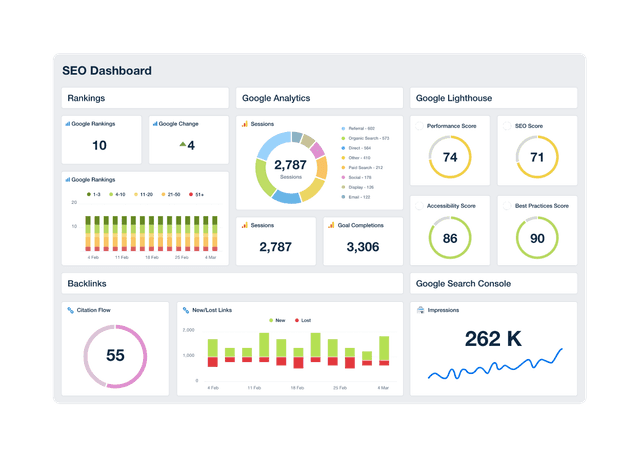
An example of a professional and customizable SEO dashboard template

SEO Dashboard

Track keyword rankings, organic traffic, backlinks, and goal completions in a customizable SEO reporting dashboard. Automate reporting, give clients live access to campaign data, and use up-to-date insights to improve performance and prove ROI. Join over 7,000 satisfied customers and experience the benefits of using an SEO dashboard!
PPC Dashboard Template Example

PPC Dashboard

Track spend, conversions, and click-through rates in a fully customizable PPC dashboard. Automate reporting, provide clients with live insights, and optimize paid media strategies across platforms like Google Ads, Facebook Ads, and Microsoft Ads—all from one place. Monitor PPC campaign results without the hassle of manual data collection.
Social Media Dashboard Template Example

Social Media Dashboard

Track engagement, reach, clicks, and conversions across Facebook, Instagram, LinkedIn, YouTube, and more—all from one customizable social media analytics dashboard. Deliver live insights, save time, and keep clients aligned with your agency’s strategy. Join over 7,000 satisfied customers and experience the benefits of using a social media dashboard!
View All Templates

See how 7,000+ marketing agencies help clients win

Start Your Trial Now

Free 14-day trial. No credit card required.

Callout Get StartedSwoosh
Logo
G2 Users Love Us
AgencyAnalytics - G2 Leader Winter 2026
AgencyAnalytics - G2 Momentum Leader Winter 2026
G2 Crowd

4.7 out of 5

Capterra

4.8 out of 5

Product
Platform features
Agency solutions
Data integrations
Compare platforms
Reviews
Pricing
Company
About
Careers
Hiring
Media Kit
Contact
Get Started
Start Free Trial
Book a Demo
Quick Start Guide