AgencyAnalytics
AgencyAnalytics
  • Pricing
  • Login
  • Start Trial

Link-Building Dashboard for Backlink Tracking and Client Reporting

Track backlink growth, referring domains, and link quality in a fully customizable link-building dashboard. Automate reporting, provide clients with up-to-date insights, and refine link-building strategies to improve search rankings and SEO performance. Enjoy a clear view of data that informs strategy and frees up time for what truly counts: executing effective link-building campaigns.
Start Your Free Trial Preview Dashboard
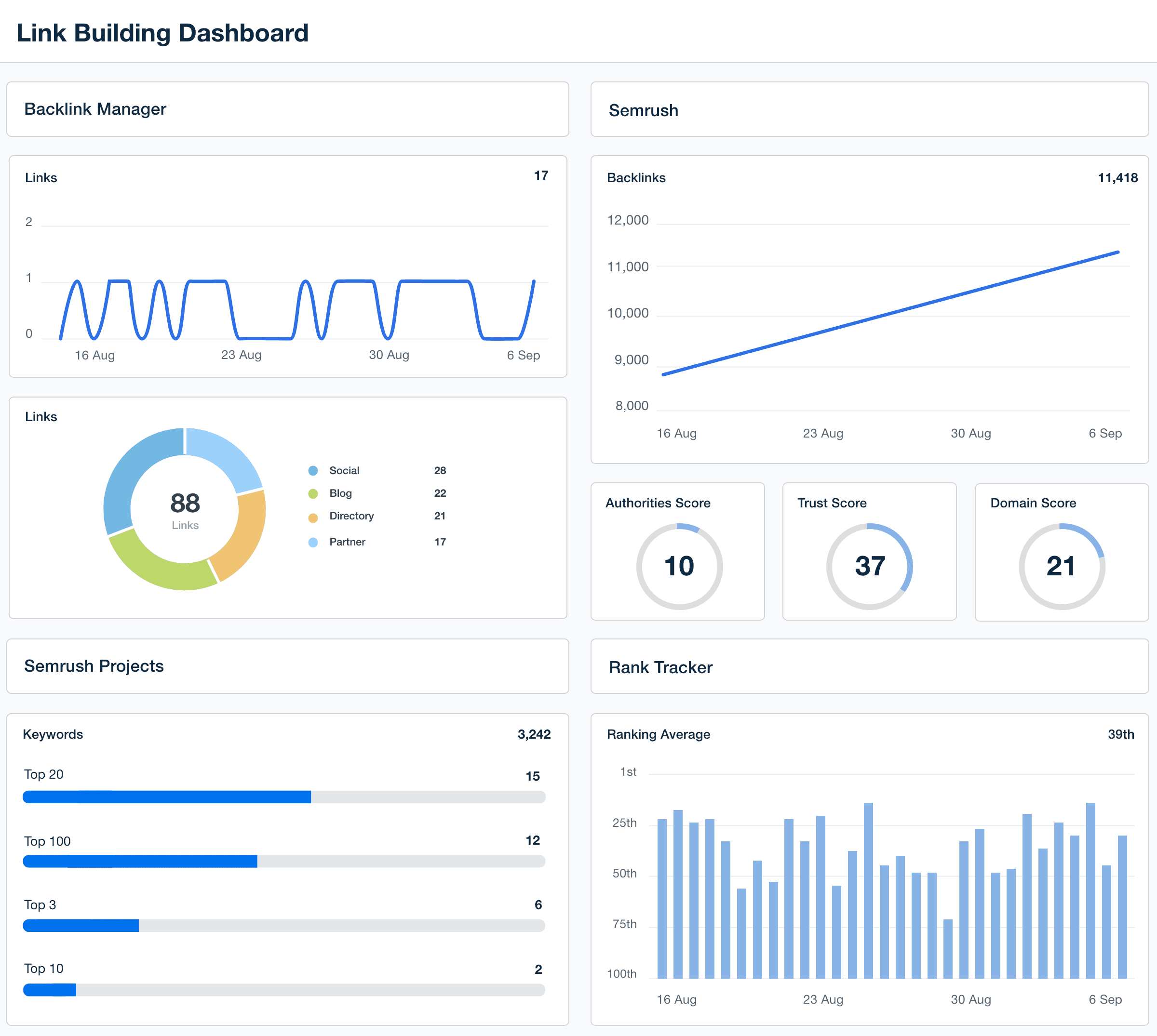
Link Building Dashboard Example

Custom Link-Building Dashboards as Unique as Your Agency

Customizable Link-Building Dashboard for Smarter SEO Insights

A white-labeled link-building dashboard consolidates backlink data, making it easier to monitor total links, domain authority, and new vs. lost backlinks. Customize widgets, white label dashboards, and highlight the KPIs that matter most to your clients—all in an intuitive, easy-to-analyze format.

Provide clients with a live, up-to-date view of their link-building progress while streamlining internal analysis. With automated reporting and seamless integration with tools like Ahrefs, Semrush, and Majestic, agencies quickly identify trends and optimize outreach efforts for better SEO results.
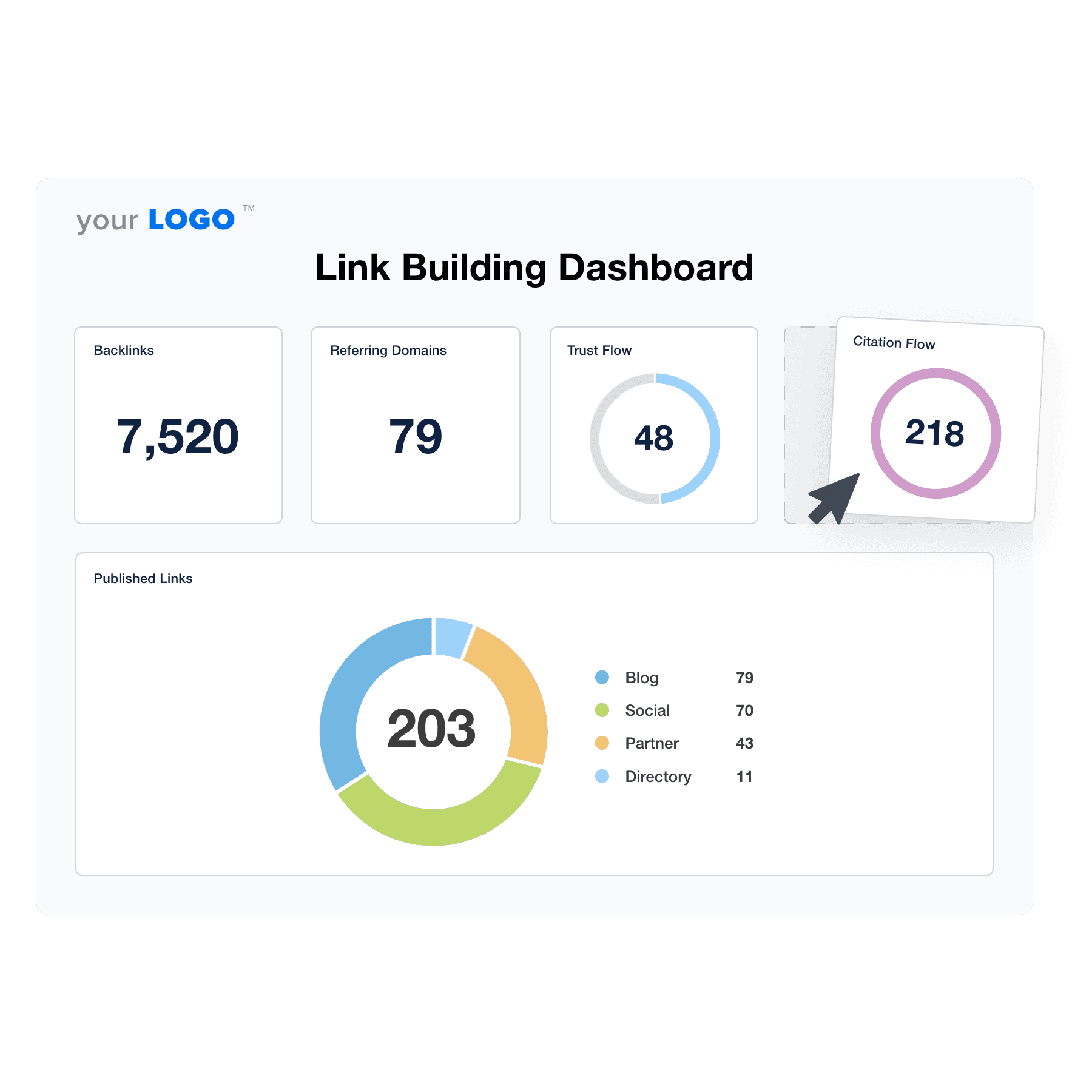

Create Professional Link-Building Dashboards in Minutes
An example of the drag-and-drop link building dashboard template for marketing agencies
Create Professional Link-Building Dashboards in Minutes

Easily Report on All Your Client's Link Building Metrics

Start Your Free Trial

Custom Link-Building Dashboards as Unique as Your Agency

Seamless Integration

Instantly Access All Your Clients’ Link-Building Data

Centralize all your data with access to over 80 marketing platform integrations and data points. Eliminate the hassle of juggling multiple tools, allowing your agency to quickly analyze comprehensive data from a single dashboard. Streamline your workflow, enhance your strategic decisions, and deliver impactful client reports faster and more efficiently.
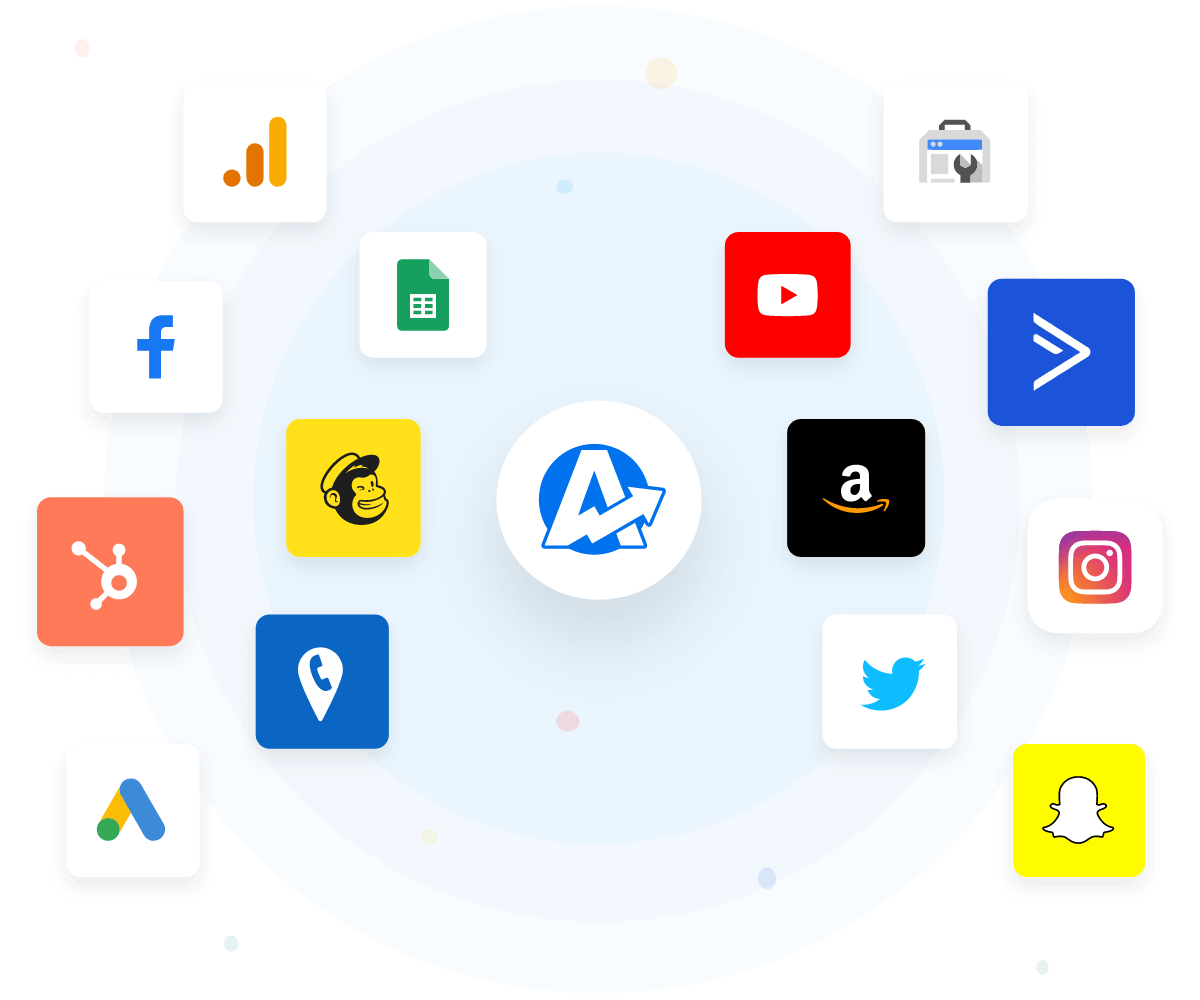
View All Integrations
An example of the available marketing platform integrations AgencyAnalytics offers to connect your clients' marketing data
View All Integrations
Customized Client Experience

White Label Your Link-Building Dashboards

Showcase your agency’s expertise with white label dashboards customized with your branding. Streamline client reporting by integrating your logo and color scheme, reinforcing your brand identity in every interaction. Make every report a testament to your agency's professionalism, enhancing client trust and setting your services apart from competitors.
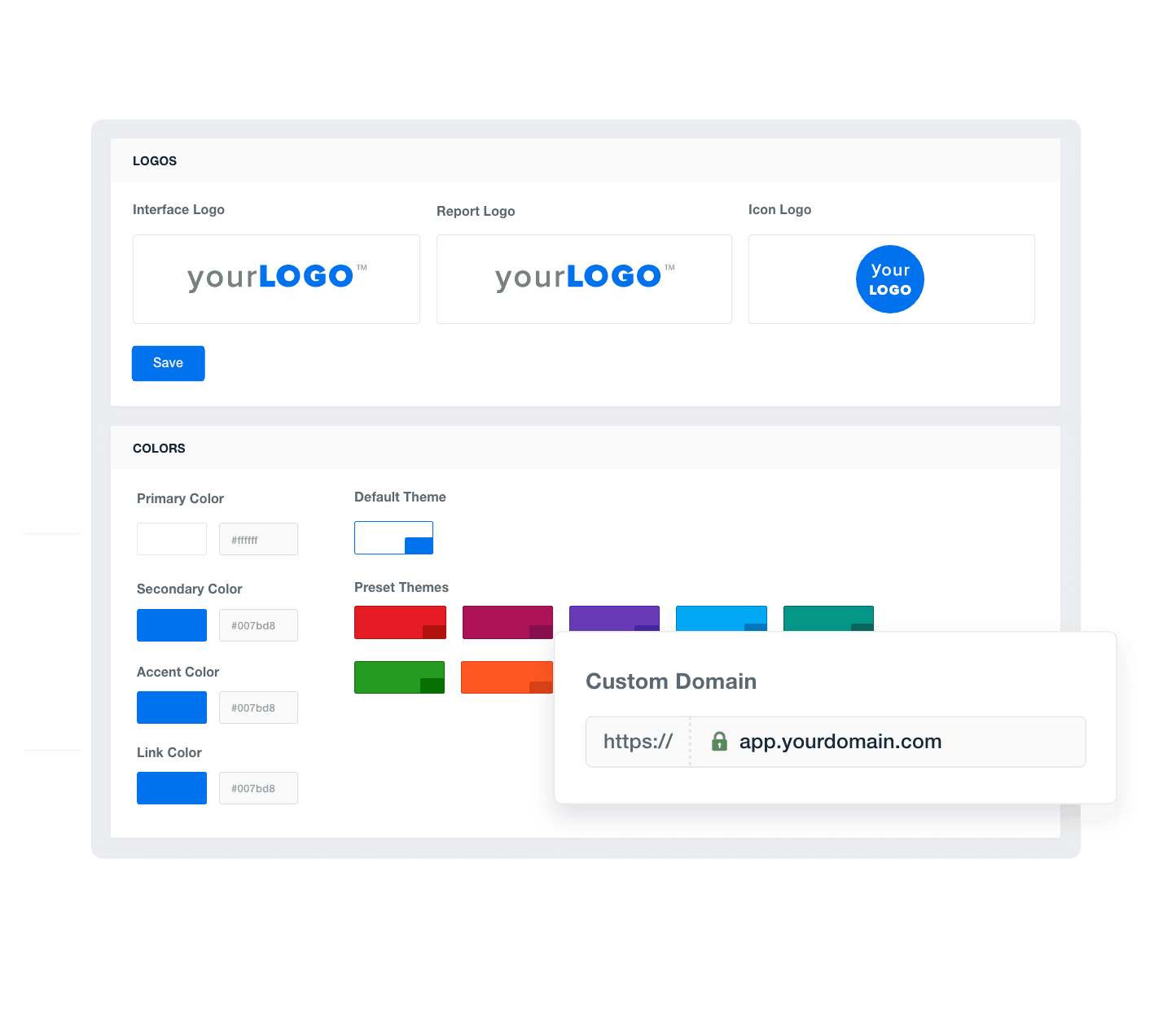
Add Your Agency's Branding
An example of how to add your marketing agency's branding to customizable marketing reporting software
Add Your Agency's Branding
Tailored Insights

Provide Granular Insights With Custom Metrics

Maximize the impact of your reporting by creating custom metrics that blend data from over 80 integrations. Deliver nuanced, in-depth insights unique to each client's needs. Dive deeper into link-building metrics and elevate your strategic recommendations, ensuring your client reports are comprehensive and informative, setting your agency apart as a data-driven leader.
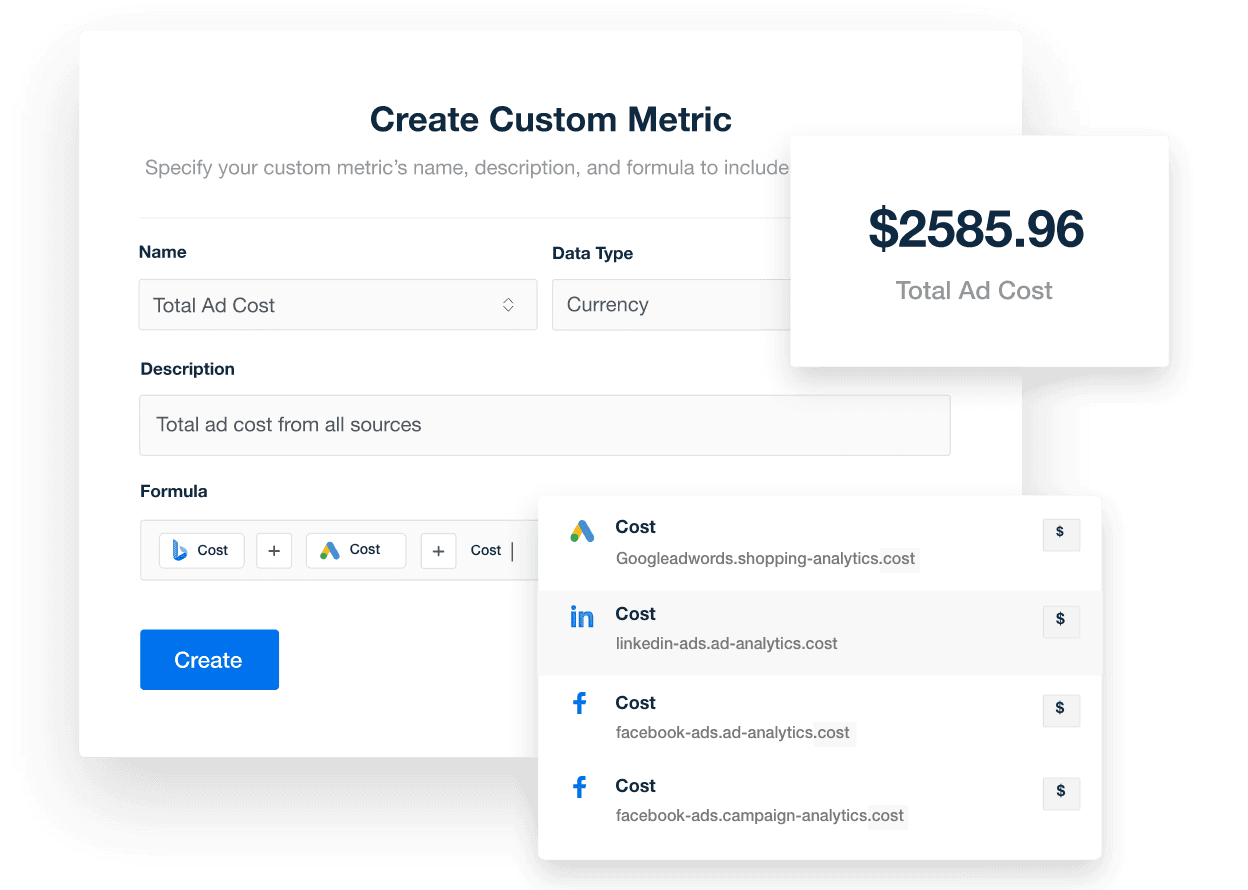
Explore Custom Metrics
A screenshot of the AgencyAnalytics custom marketing metrics feature
Explore Custom Metrics
Agency-Wide Efficiency

Monitor All of Your Clients at a Glance

Boost your agency's efficiency with custom dashboards that aggregate critical metrics for multiple clients in a single, streamlined view. Save time and enhance accuracy by quickly comparing performance across clients. Equip your team with the tools to make informed decisions faster, optimize strategies effectively, and demonstrate your commitment to excellence in every client interaction.
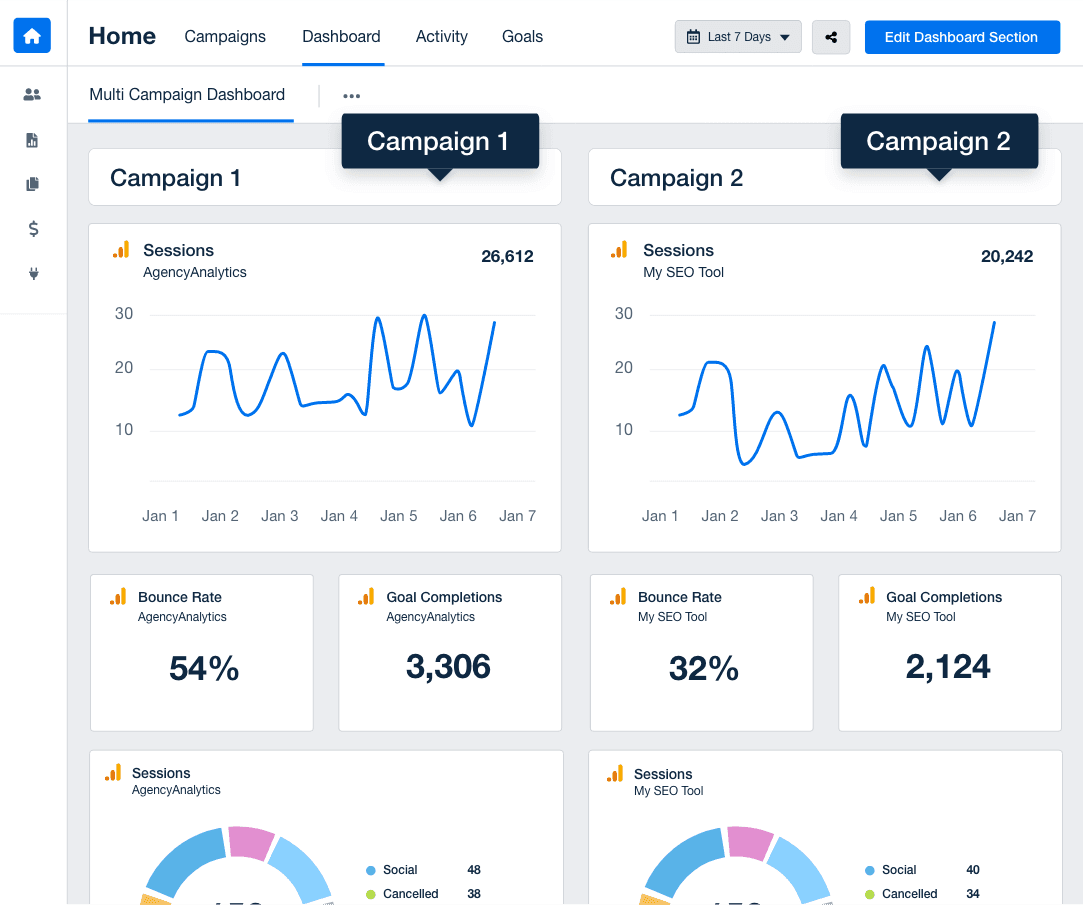
Discover Multi-Client Dashboards
An example of a multi-client or multi-location marketing dashboard
Discover Multi-Client Dashboards
Expert Help When You Need It

Customer Support is Our Top Priority

AgencyAnalytics’ live chat service operates 24/5, ensuring you get quick responses—usually in less than three minutes—so you can keep your projects moving without delay. With a client satisfaction rate above 95%, our team is proficient in assisting with everything from Google Search Console dashboards to complex analytics setups, helping you provide top-notch services to your clients.

You care about your client’s success. We care about yours.
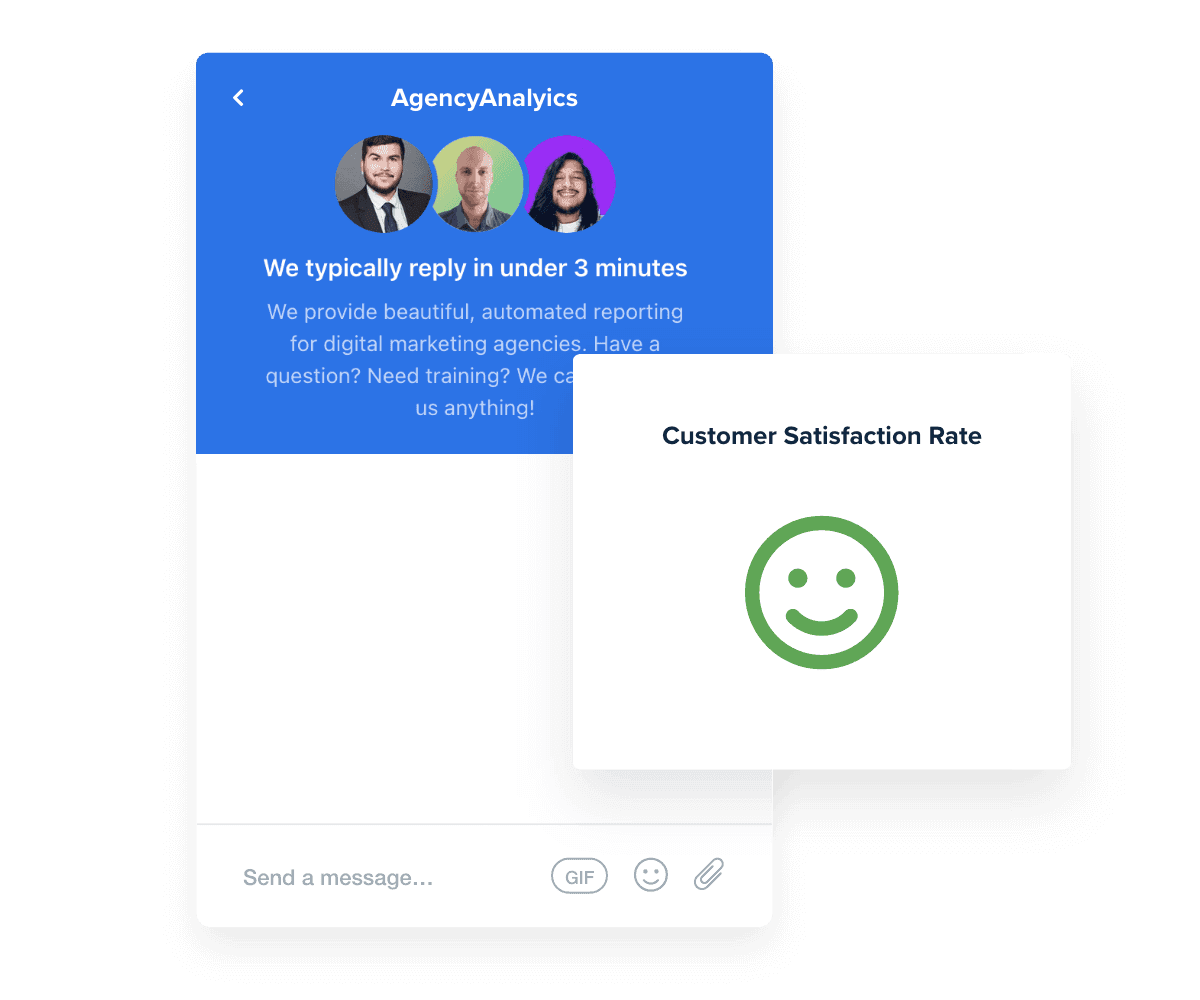
Read Reviews
Best in Class Customer Support for Marketing Agencies
Read Reviews
Give Your Agency Time To Grow

Report Smarter. Not Harder.

Streamline your reporting process by automatically integrating vital link-building metrics alongside SEO data from over 80 other data sources into a single platform.

Harness key insights from SEO tools and link-building software like Ahrefs, Semrush, Majestic, Google Search Console, and Google Analytics to provide clients with a comprehensive view of their link-building progress.

Customize each link-building dashboard to suit client-specific needs and effortlessly duplicate them for swift client onboarding. Leverage the time saved on client reporting and data visualization to expand your agency’s reach and impact.
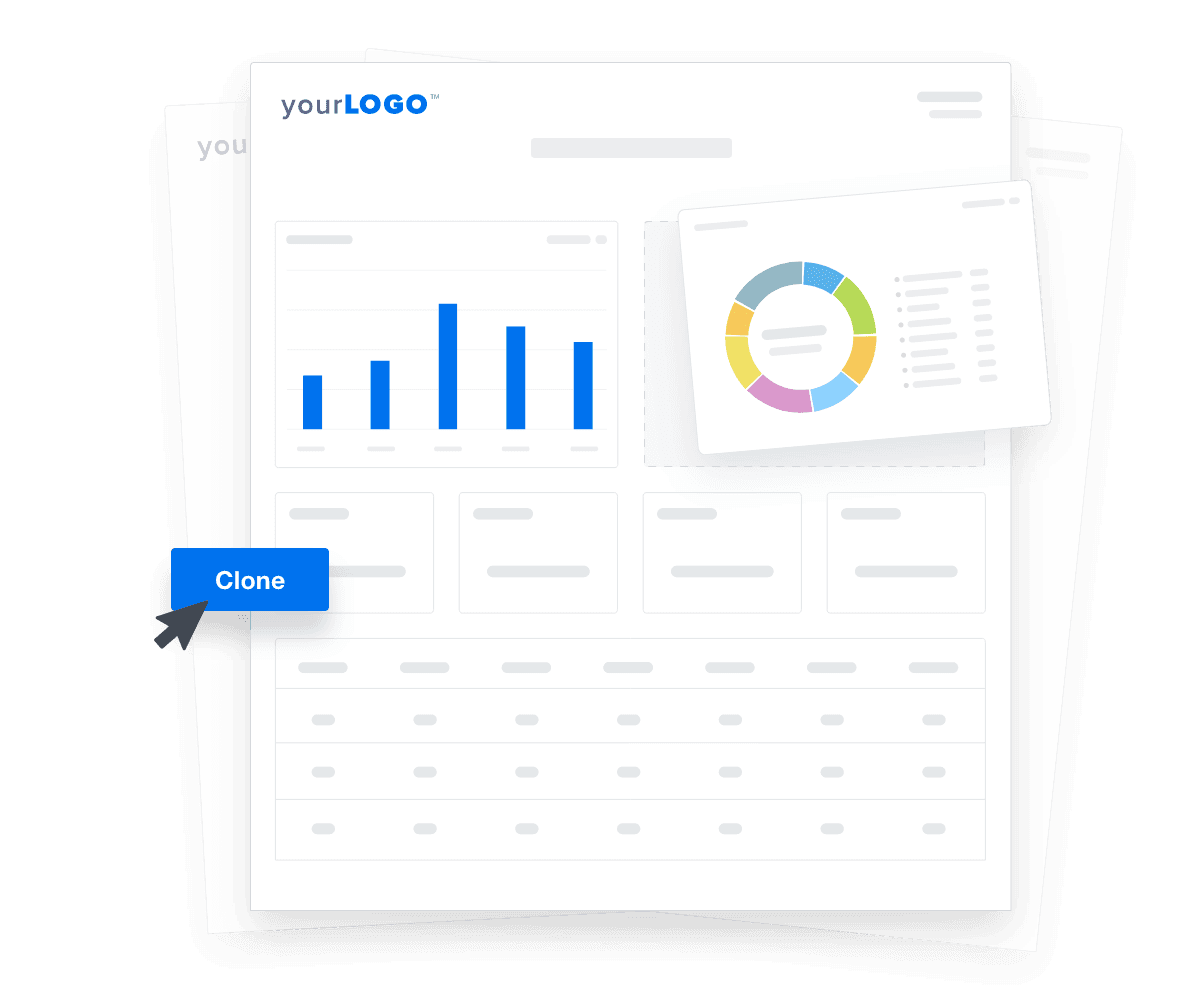

Create Custom Dashboards
An illustration of cloning marketing reports and dashboards for faster client onboarding
Create Custom Dashboards

Sign up for your free trial now!

No credit card required. No setup hassle. Just instant access to automated reporting, custom dashboards, and multi-channel insights.

Start Your Free Trial
An icon showing a user clicking to start a free trial
Start Your Free Trial

7 Sections To Include in a Link-Building Dashboard
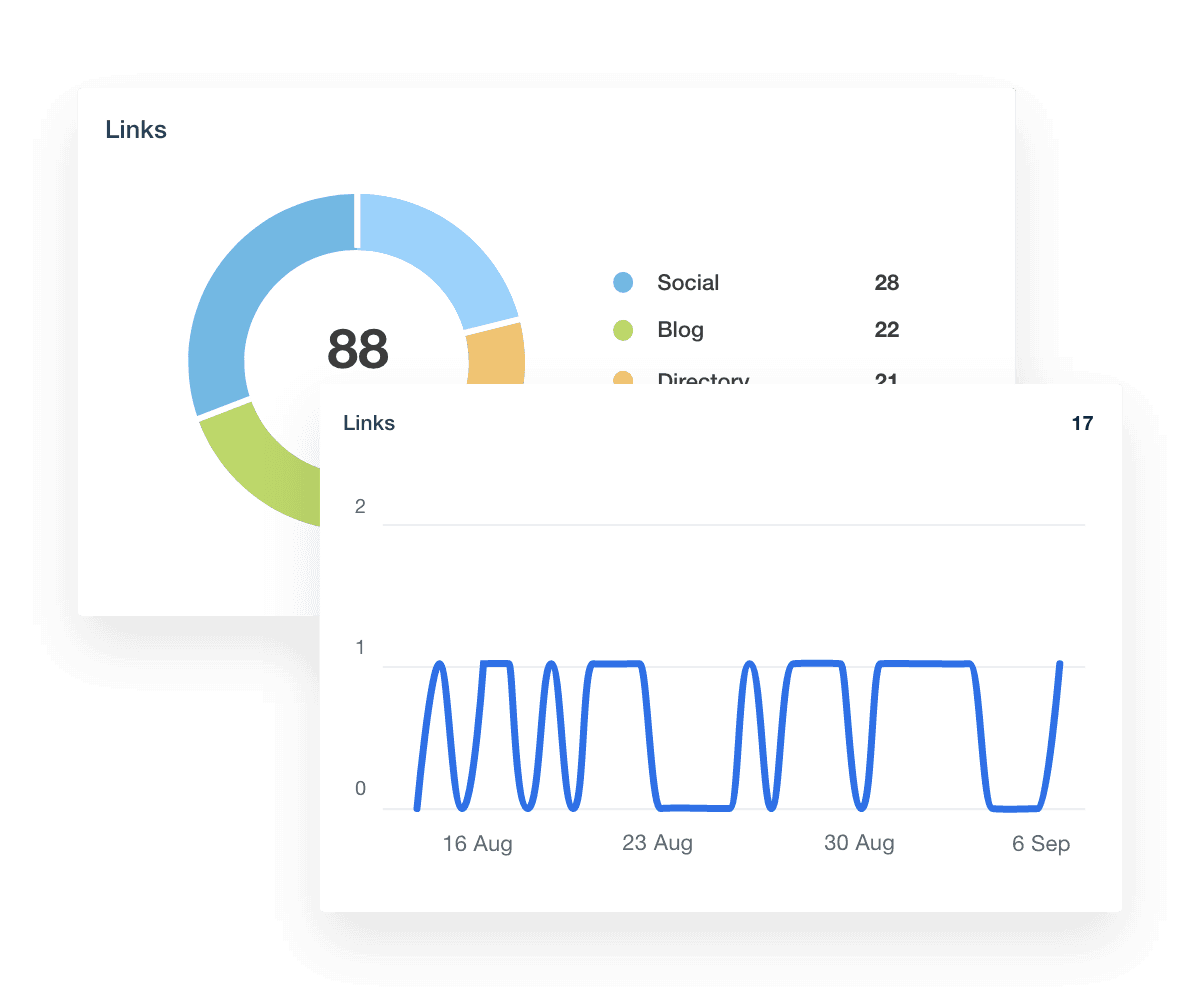
As your agency amplifies its link-building strategies, Backlink Manager becomes indispensable. This sophisticated software organizes and tracks all links pointing to client websites, making it easier to assess the health and value of each connection.

Integrating Backlink Manager data into your agency's link-building dashboard offers a clear advantage: it allows your team to monitor and optimize the backlink profiles. This tool provides a real-time view of link status, anchor text distribution, and the domains linking to your clients, ensuring you quickly catch and address potentially harmful links.

With advanced features like backlink audits and competitor analysis, your agency fine-tunes outreach campaigns and strengthens SEO performance. By leveraging these insights, you safeguard your clients' SEO health, drive more organic traffic, and improve keyword rankings, showcasing the tangible benefits of your link-building expertise.

Semrush is a powerful tool that elevates your agency’s SEO and link-building capabilities. It provides comprehensive analytics across your clients’ online presence, from organic search rankings to backlink auditing.

Plugging Semrush into your dashboard brings everything onto the same page—backlink analytics, link profiles, and real-time reporting on how those links affect your client's SEO performance. You'll have the insights to see which links boost page authority and which might drop the ball.

When it comes to heavy lifting, like disavowing links or conducting a backlink audit, Semrush is the best tool for the job. It gives you the power to clean up bad links and reinforce strong ones.

Here are some key Semrush metrics for monitoring a client’s backlink profile, their level of importance, and practical use cases for each:

Semrush Projects makes handling your clients' SEO and link-building a breeze. Think of it as your go-to for zeroing in on how specific domains are doing, giving you the lowdown on everything that matters in your link-building campaign.

Adding Semrush Projects to your link-building dashboard means you’re always clued in on keyword rankings and new top-positions snagged. You get to see which strategies are firing on all cylinders and the ones that need a tweak. Plus, it’s great for linking all that hard work directly to better rankings in the search engines.

When you’re building links, knowing their impact makes all the difference. That’s where Rank Tracker comes in, giving you the real scoop on how your efforts are boosting your clients' search rankings.

A keyword rank tracker is essential for showing clients exactly what your link-building efforts have achieved. It lets you see where their keywords stand and how they rank with each new link you secure. This isn’t just about tracking; it’s about proving that your strategies work. You’ll spot which links bring the best SEO juice and adjust your tactics.

Plus, keeping an eye on the competition’s rankings helps you strategize to keep your clients ahead. With Rank Tracker on your dashboard, every link counts, and you show clients how much your hard work is paying off.

Link Building Dashboard Backlink Manager Metrics

Build automated link-building analytics dashboards that deliver results

Save time and impress clients with a powerful, results-driven dashboard template. Access the free link-building analytics dashboard template today!

Preview the Dashboard
Illustration of a user at a marketing agency trying the client reporting features from AgencyAnalytics
Preview the Dashboard

Google Analytics analyzes how your link-building strategy performs, tracking site traffic, user engagement, and more—right from your dashboard.

When you integrate Google Analytics into your link-building dashboard, you unlock a detailed view of how sites linking back and keyword strategies bolster your client's SEO performance, how organic search traffic responds to new links and adjustments in link anchor text, and how broken or dead links affect traffic. You’re equipped to monitor backlinks, conduct keyword research, and gauge the health of your linking pages—all from one place.

With Google Analytics, you ensure that your link-building process is not just operational but optimal. You show clients the direct impact of your efforts through essential metrics like page visits, user engagement, and conversion rates. By effectively managing and showcasing these metrics, your agency stands out as the right team with the best link-building tools, ready to guide website owners to the top of their game.

After diving into session metrics, turn your focus to Google Search Console—a key tool in understanding the SEO landscape from a link-building perspective.

Adding Google Search Console to your link-building dashboard offers a fresh angle on your strategies. GSC breaks down which of your clients' pages are hitting the mark in search rankings and highlights any potential snags, like broken or dead links that might be dragging performance down. It’s great for spotting top-performing content and understanding how links are bolstering—or hurting—site authority.

With these insights, your team fine-tunes where and how they build links, making sure every effort aligns perfectly with overall SEO goals. It’s all about giving your clients a clear view of the value you’re bringing to the table and proving your agency’s chops in effectively managing their digital growth.

Including goal tracking in a link-building dashboard is essential for highlighting progress against client objectives. It provides a clear view of how link-building efforts are performing in relation to set goals, enabling agencies to demonstrate value and make informed adjustments.

Setting KPI goals that resonate with your clients is crucial for measuring success and steering campaigns. Here are three best practices to consider:

  • Align With Client Objectives: Ensure each goal directly contributes to the client's overarching business targets.

  • Quantify Outcomes: Choose metrics that offer clear, numerical insights into performance.

  • Regular Review: Adjust goals periodically based on campaign data and market changes to keep them relevant and achievable.

Google Analytics Metrics Widgets

FAQs About Custom Link-Building Dashboards

Still have questions about how to create and use custom Link-Building Dashboards? Don’t worry, we’ve got you covered.

  • A Link Building Dashboard is a customizable reporting tool that consolidates key metrics related to a website's backlink profile into a single interface. It visualizes SEO metrics tied to your client’s link-building efforts and provides a centralized view of backlink data such as referring domains, link anchor text, and page authority, helping link builders evaluate their overall link profile and progress in search engines.

  • To create a white label Link Building Dashboard, connect your client’s backlink data to a reporting platform like AgencyAnalytics, select a dashboard layout, and apply your agency’s branding. On select plans, you can manage multiple clients and campaigns using fully branded dashboards that streamline the link building process.

  • Track metrics like referring domains, page authority, link anchor text, and sites linking to your domain. The dashboard also supports tracking performance by campaign, helping agencies measure guest posting results, outreach effectiveness, and the overall success of each link building strategy.

  • The dashboard helps agencies optimize SEO by showing how each link building campaign affects domain authority and organic visibility. Use it to guide your link building tool decisions, identify gaps in your link profile, and align each new backlink with your broader SEO metrics and strategy.

  • No, this dashboard is not a link-building tool itself—it doesn’t perform outreach or automate placements. However, it’s designed to report on the outcomes of your agency’s link-building efforts. Use it alongside the best link-building tools to measure campaign performance, track keyword research results, and deliver white label reporting that proves value to clients.

  • Yes. Tailor the dashboard to highlight the metrics that align with each client’s link building goals. Whether you're focusing on outreach growth, anchor text diversity, or the impact of high-authority links, you can adjust the layout to support your link building tool of choice and strategy focus.

  • Popular dashboards include the PPC reporting dashboard for tracking PPC performance, the social media dashboard for measuring social media impact, and the SEO reporting dashboards for SEO campaign reporting. Agencies also use the website analytics dashboard to provide web analytics overviews and the digital marketing dashboards to review digital marketing metrics.

More templates
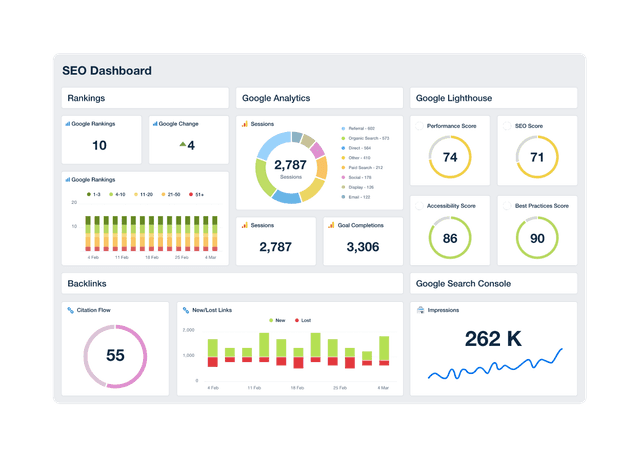
An example of a professional and customizable SEO dashboard template

SEO Dashboard

Track keyword rankings, organic traffic, backlinks, and goal completions in a customizable SEO reporting dashboard. Automate reporting, give clients live access to campaign data, and use up-to-date insights to improve performance and prove ROI. Join over 7,000 satisfied customers and experience the benefits of using an SEO dashboard!
Google Analytics 4 Dashboard Example

Google Analytics Dashboard

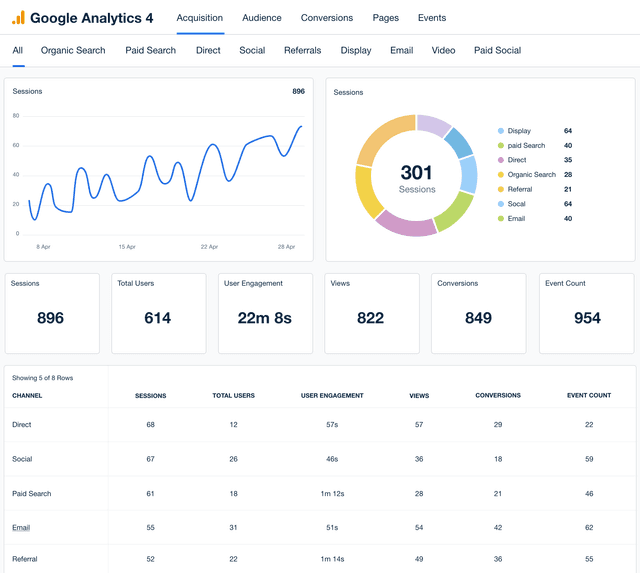
Track traffic, engagement, and conversions in a fully customizable Google Analytics dashboard. Automate reporting, simplify analysis, and provide clients with live insights that drive smarter optimization decisions. Find out why over 7,000 successful agencies choose AgencyAnalytics to gain insights, impress clients, and win back billable hours.
An example of AgencyAnalytics' Web Analytics Dashboard template

Web Analytics Dashboard

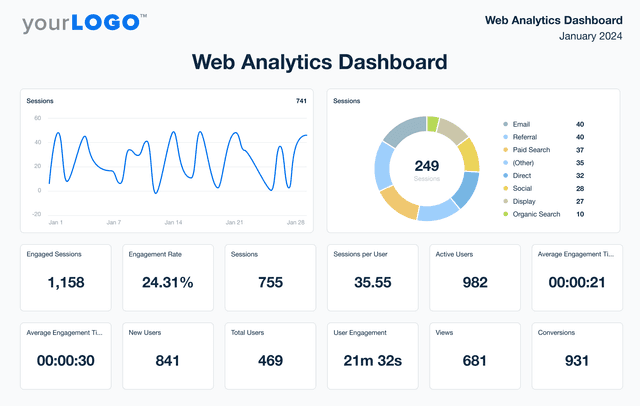
Unify web analytics from platforms like Google Analytics, Matomo, and 80+ marketing channels in a single dashboard. Monitor live engagement metrics, optimize campaign performance, and present insights in a client-friendly format that reflects your agency’s brand. Give your agency the edge to make smarter marketing decisions and improve results.
View All Templates

See how 7,000+ marketing agencies help clients win

Start Your Trial Now

Free 14-day trial. No credit card required.

Callout Get StartedSwoosh
Logo
G2 Users Love Us
AgencyAnalytics - G2 Leader Winter 2026
AgencyAnalytics - G2 Momentum Leader Winter 2026
G2 Crowd

4.7 out of 5

Capterra

4.8 out of 5

Product
Platform features
Agency solutions
Data integrations
Compare platforms
Reviews
Pricing
Company
About
Careers
Hiring
Media Kit
Contact
Get Started
Start Free Trial
Book a Demo
Quick Start Guide