AgencyAnalytics
AgencyAnalytics
  • Pricing
  • Login
  • Start Trial

Ecommerce Report Template for Clear, Actionable Insights

Revenue trends, conversion rates, and customer insights—all in one place. The customizable Ecommerce Report Template takes the guesswork out of ecommerce reporting, helping you present sales data in a way that drives smarter decisions.
Preview TemplateStart Your Free Trial
Ecommerce Report Template Example

Customizable Ecommerce Report Templates That Prove Your Impact

Share polished, client-ready reports that clearly show how your agency drives ecommerce growth. Customize layouts, apply white-label branding, and tailor each report to highlight the KPIs that matter most—like revenue, ROAS, and conversion rates.

Templates connect to live data from 80 ecommerce and marketing platform integrations to eliminate manual work and reduce errors. Deliver consistent, transparent reporting that keeps clients informed and reinforces your agency’s role as a strategic partner.
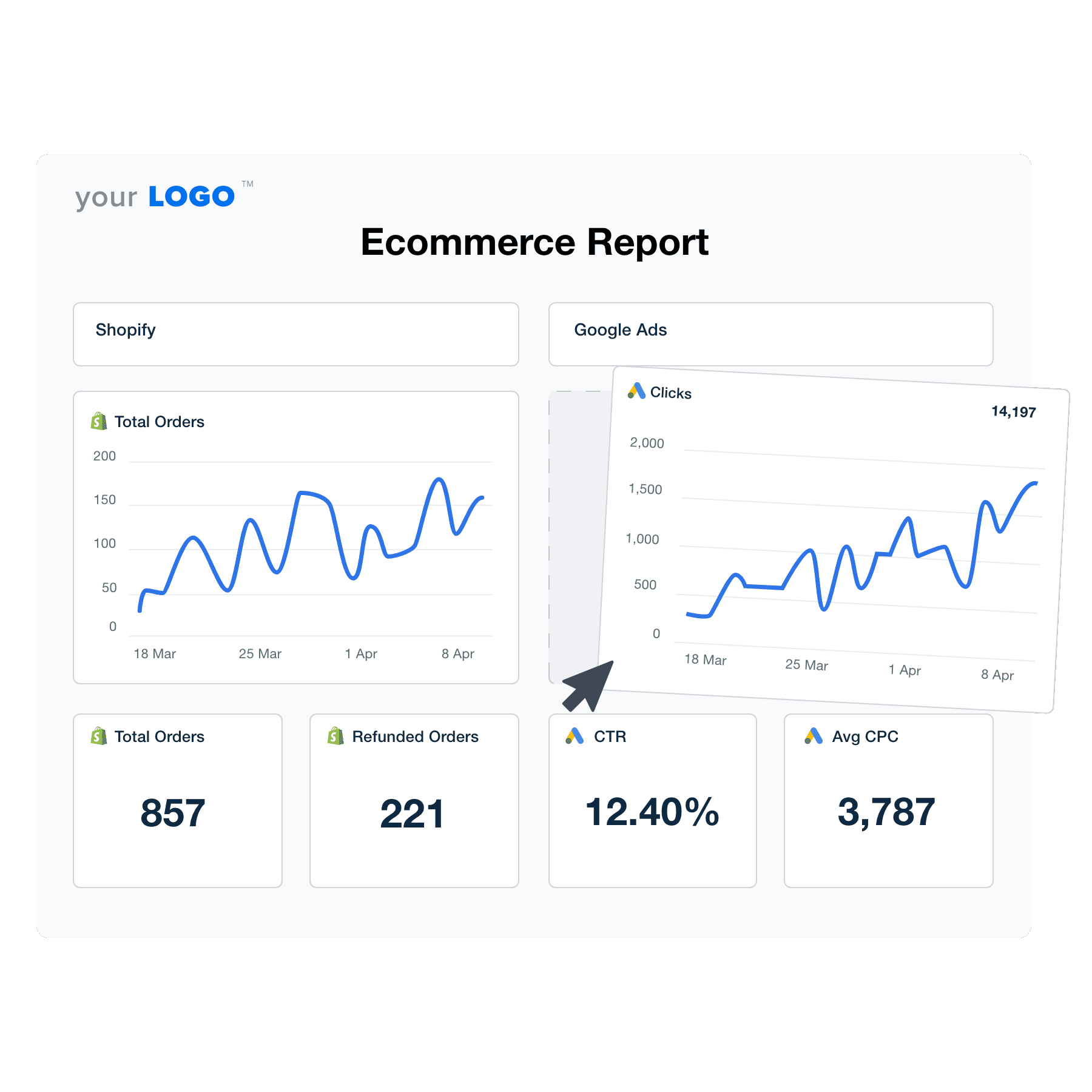

Create Professional Ecommerce Reports in Minutes
An illustration of the drag-and-drop Ecommerce report template builder
Create Professional Ecommerce Reports in Minutes

Easily Report on Your Client's Ecommerce Analytics

Start Your Free Trial

Custom Ecommerce Reports as Unique as Your Agency
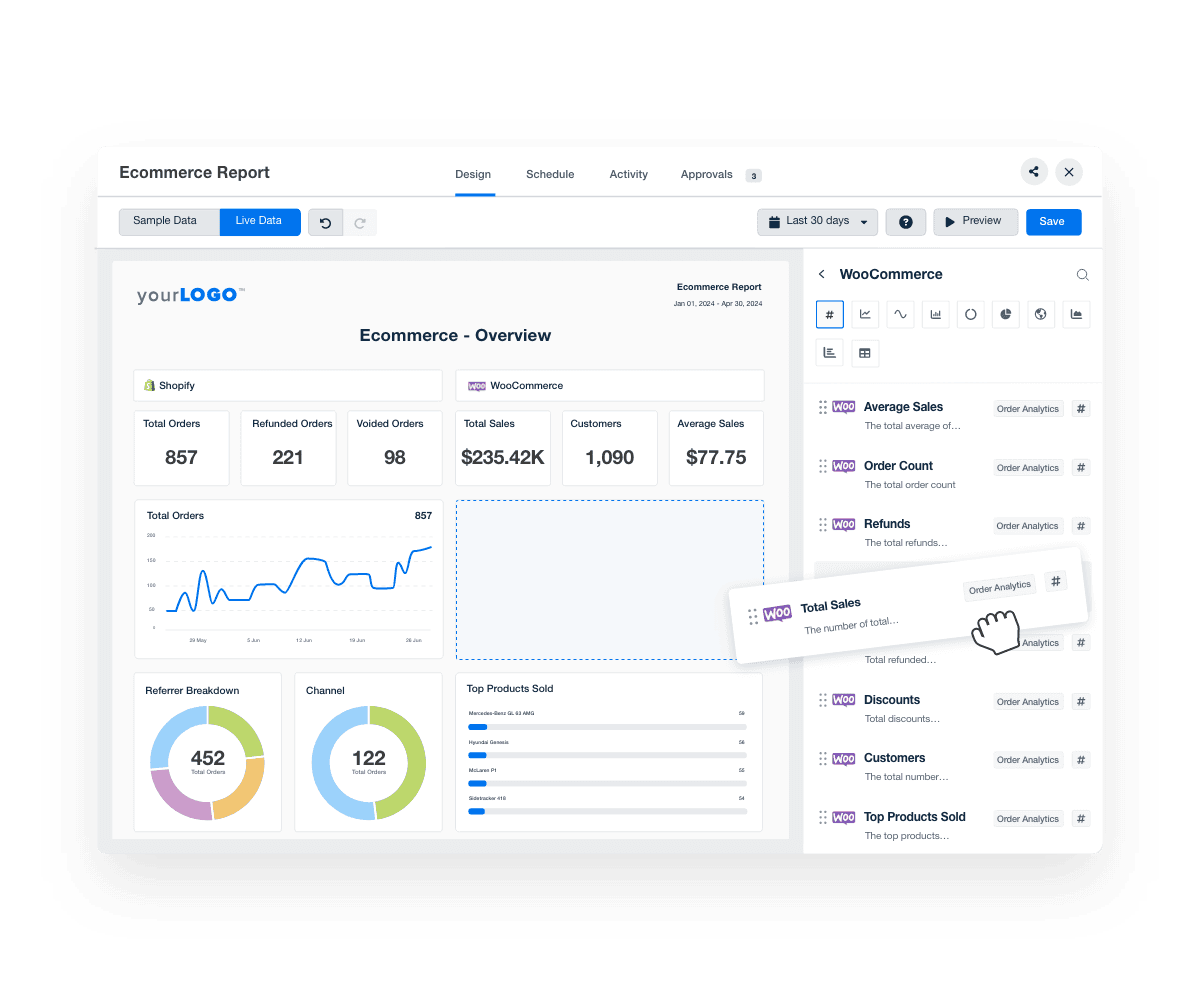
Accelerate Your Reporting

Create Ecommerce Reports in Minutes–Not Hours

Craft detailed ecommerce reports in a flash and let your team focus on higher-value tasks like strategy refinement and client interactions. 

Respond to market changes, identify trends, and solve client needs faster.

Get Started with Automated Reporting
WooCommerce Drag and Drop Report Editor
Get Started with Automated Reporting
Streamline Your Data

Instantly Access All Your Clients’ Ecommerce Metrics

Effortlessly pull all your clients' ecommerce data from Shopify, WooCommerce, BigCommerce, and more and place them alongside key metrics from over 80 marketing integrations and data points—all in one location. 

Tie performance to customer acquisition cost by aligning ecommerce transactions to ad spend, website traffic, earned media value, and more.

Pull and integrate data seamlessly from diverse sources and eliminate the hassle of managing multiple tools.

View All 80+ Integrations
An example of the available marketing platform integrations AgencyAnalytics offers to connect your clients' marketing data
View All 80+ Integrations
AI Insights That Drive Results

Turn Ecommerce Metrics into Insights in Seconds

With AI-powered insights, surface actionable recommendations for your client's ecommerce business faster than ever.

Ask AI transforms complex ecommerce data into client-ready takeaways in seconds. From top-selling products to conversion trends and customer behavior, AI Summary delivers high-level overviews that help your team stay focused and give your clients confidence in your ecommerce strategy.
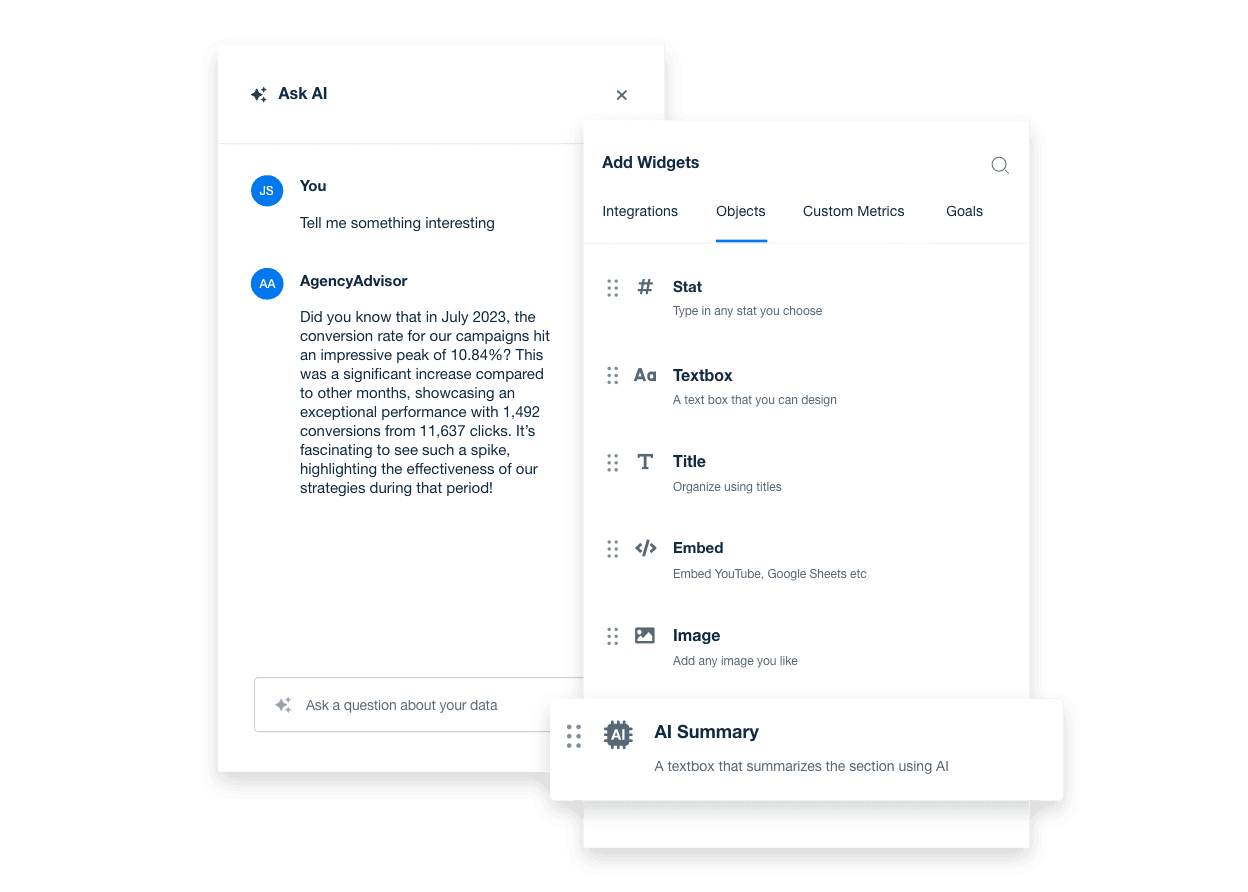
Discover AI Reporting Tools
An example showing how to unlock powerful AI insights for real-time marketing decisions using AgencyAnalytics' AI reporting tools
Discover AI Reporting Tools
Showcase Your Brand

White Label Your Ecommerce Reports

Fully customize and white label your ecommerce reports to reinforce your agency's brand with every client interaction. 

Match your agency's logo and colors to provide a professional and consistent look that builds trust and enhances your agency's credibility.
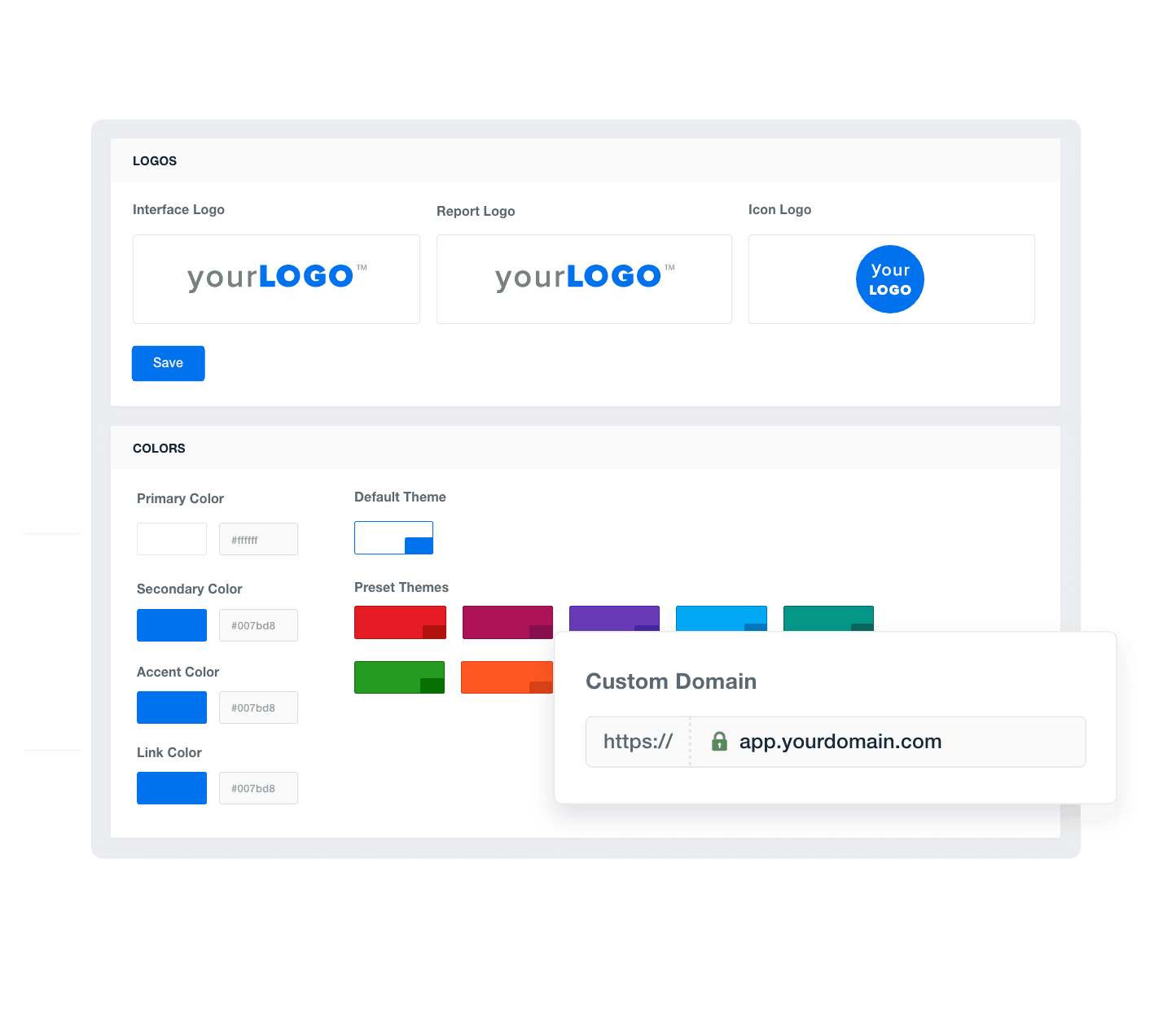
Add Your Agency's Branding
An example of how to add your marketing agency's branding to customizable marketing reporting software
Add Your Agency's Branding
Define Your Client’s Success

Set Ecommerce Goals and Hit Targets

Track progress and highlight achievements directly within reports with custom goal-setting and annotations. Mark important milestones to help clients see the value your agency delivers. 

Strengthen client relationships through transparent and measurable success that builds trust.
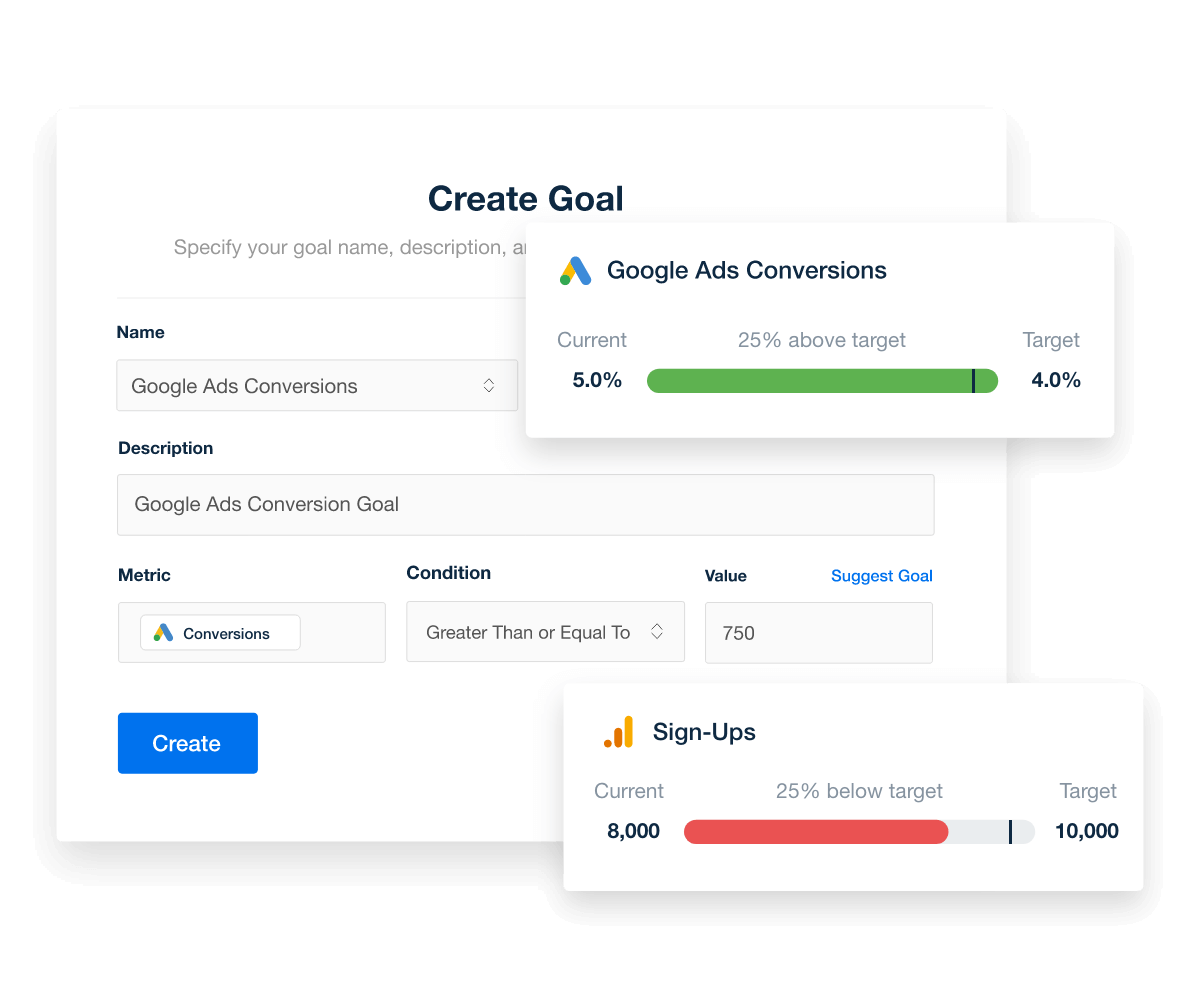
Explore Goal & Budget Tracking
Set and automatically track marketing goals, thresholds, and campaign performance targets
Explore Goal & Budget Tracking
Never Miss a Deadline

Put Your Ecommerce Reporting on Autopilot

Automate your communication by scheduling client reports to deliver consistent and timely updates directly to your clients' inboxes. 

Save time, reinforce your agency's commitment to transparency and proactive management, and boost client satisfaction and retention.
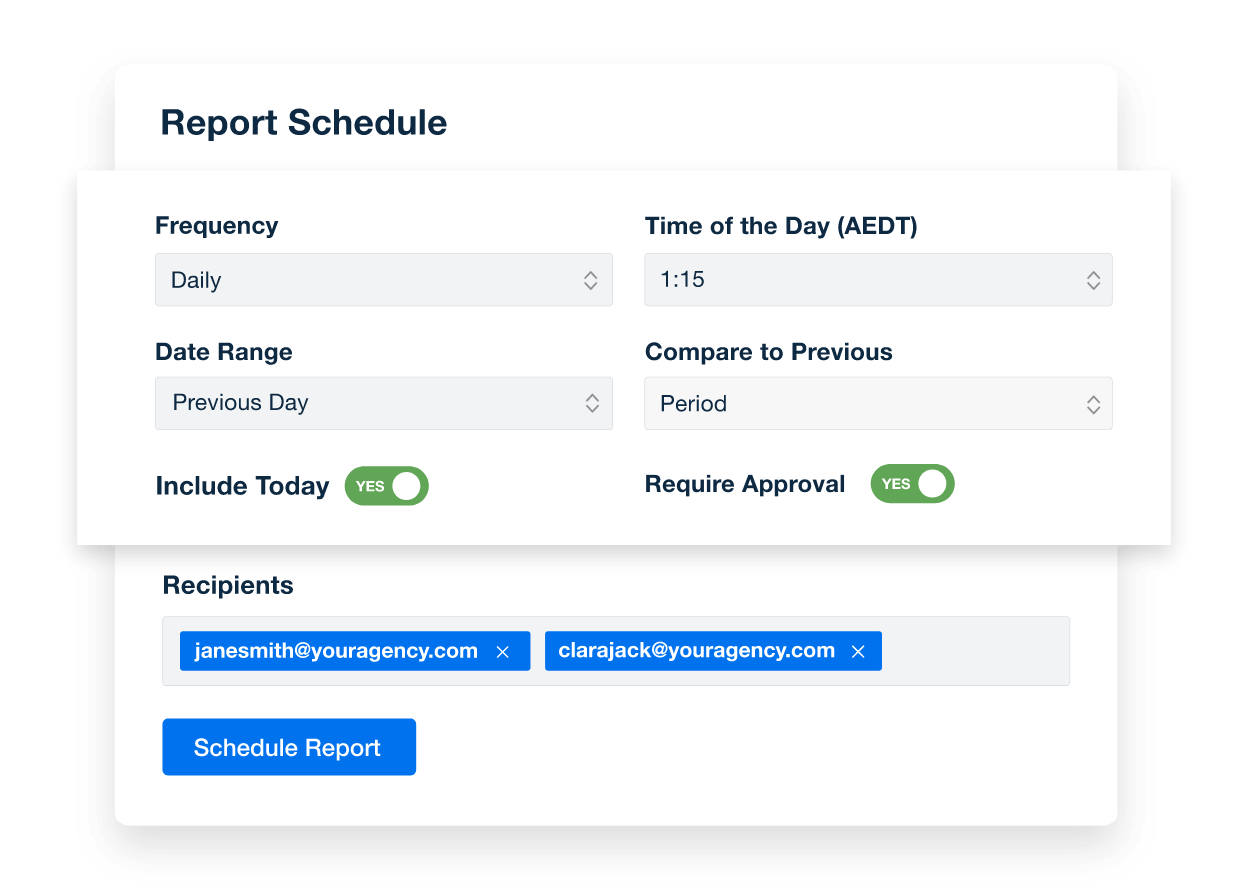
Create Custom Dashboards
An example of how to schedule automated marketing reports for marketing agency clients
Create Custom Dashboards
11-Second Smart Reports

Automate Reporting and Focus On What Matters

Smart Reports leverage each client's connected integrations to deliver tailored insights and ensure every report is as unique as the client it serves. 

Give clients a clear view of their key metrics and showcase your agency’s skill at collecting and interpreting data faster than ever.
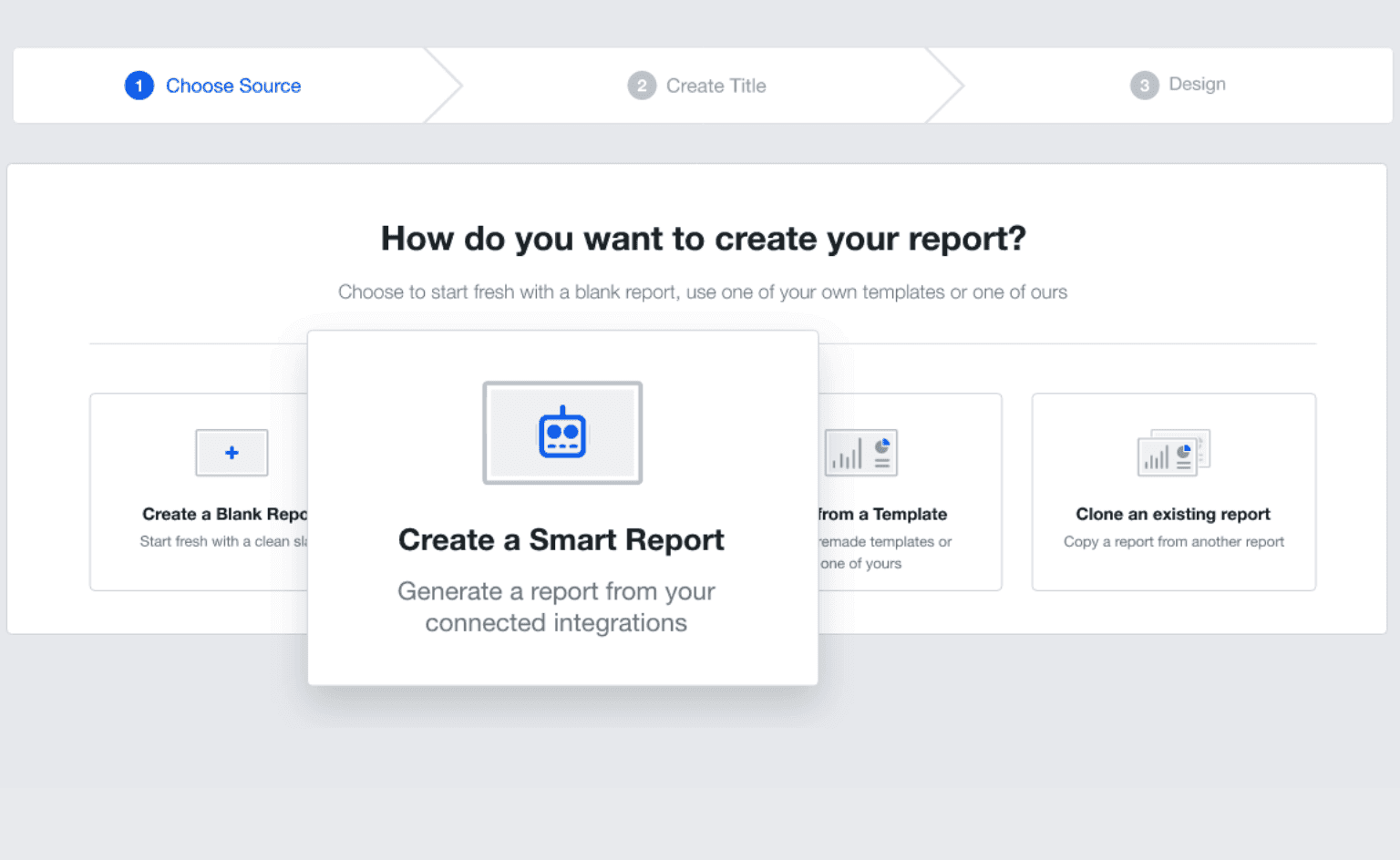

Report Smarter in Seconds
Smart Reports Press Release Feature Image
Report Smarter in Seconds

Sign up for your free trial now!

No credit card required. No setup hassle. Just instant access to automated reporting, custom dashboards, and multi-channel insights.

Start Your Free Trial
An icon showing a user clicking to start a free trial
Start Your Free Trial

11 Key Sections Included in the Ecommerce Report Template
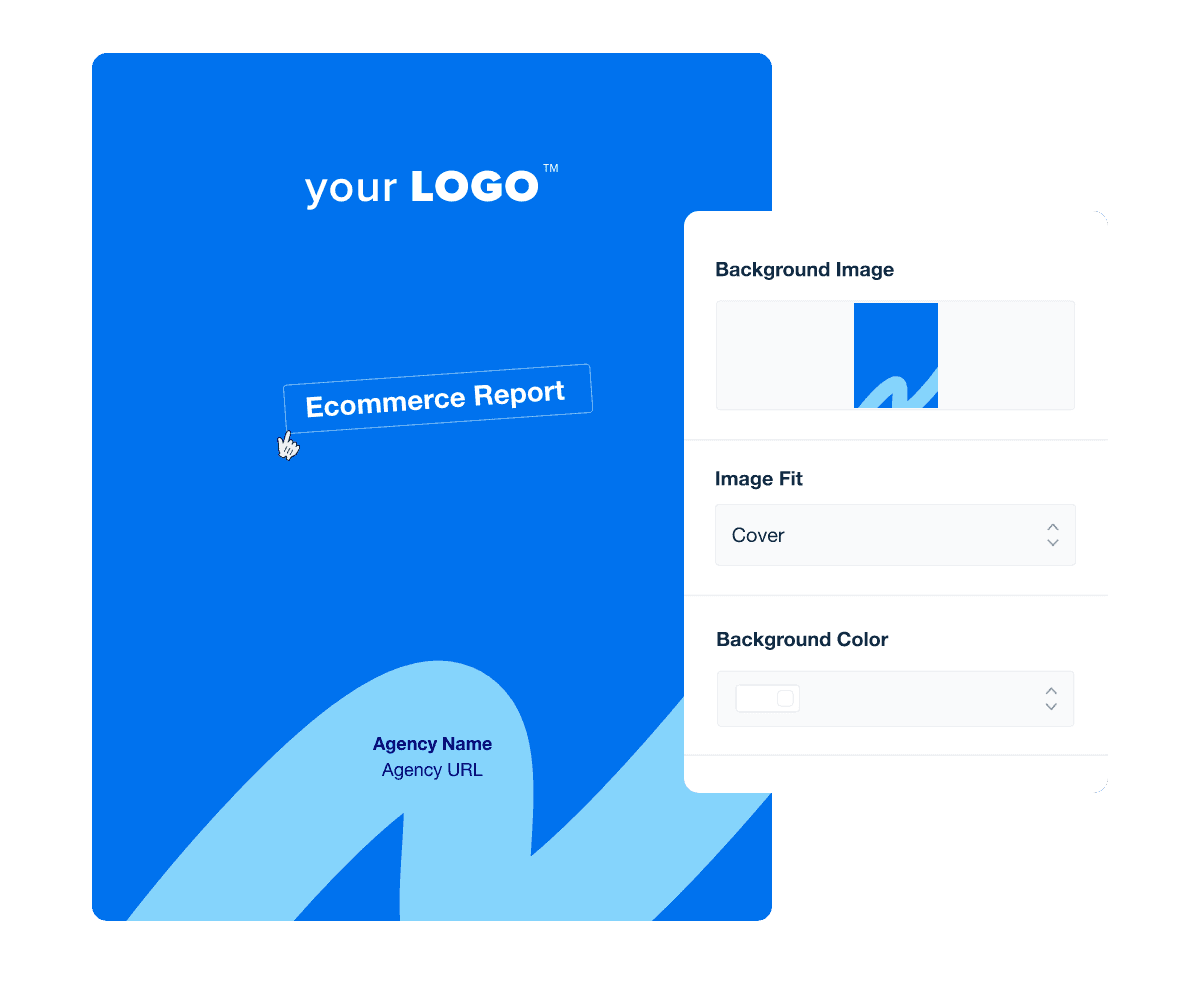
Forget boring reports that go ignored. A professional and branded ecommerce report cover page captures attention, reinforces your agency's identity, and inspires confidence in your expertise at first glance.

Your cover page should clearly indicate the reporting period, specifying whether the data covers a monthly, quarterly, or specific campaign. This way, your clients immediately understand the timeframe of the insights and set clear expectations for the marketing report.

Save your designs as custom templates to ensure consistent quality across all client reports. This streamlines your workflow and maintains brand uniformity, saving you time and guaranteeing the ecommerce analytics reports you deliver all meet the same high standards.

Busy clients don't have time to sift through pages of data. An executive summary provides a concise overview of key findings and strategic recommendations. This section distills complex data into actionable insights, allowing busy stakeholders to grasp the most critical aspects of the report quickly.

An effective ecommerce report summary delivers clear, impactful insights. Here are some best practices to follow:

  • Prioritize Key Findings: Highlight the most significant data points and trends at the very beginning.

  • Be Concise: Use clear, straightforward language to ensure readability and ease of understanding.

  • Align With Objectives: Tailor the summary to reflect the specific goals and KPIs of the ecommerce campaign, ensuring relevance and utility.

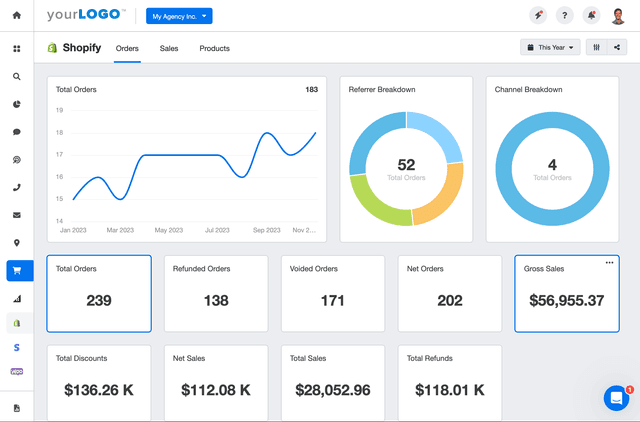
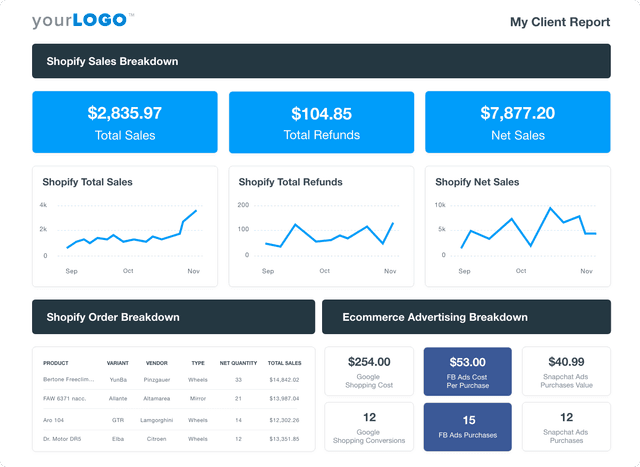
Total sales quantifies the complete revenue an online store generates within a specified period. This metric shows the effectiveness of marketing campaigns and the overall health of an ecommerce business.

In ecommerce reporting, Total Sales offer a clear snapshot of business performance and directly reflect the success of ecommerce strategy and customer acquisition efforts. Agencies use this data to refine marketing campaigns and ensure alignment with the financial outcomes of their client's ecommerce platform (e.g., Shopify, WooCommerce, etc.).

Total Sales also interacts with other marketing channels and ecommerce data to provide a comprehensive view of where revenue originates and how it trends over time. Including this metric helps agencies assess customer lifetime value and predict future customer behavior.

Through effective data integration in customer relationship management systems (CRM), Total Sales informs decisions on inventory management, marketing channel adjustments, and strategic planning for an ecommerce business.

Net Sales represent the total revenue from sales minus returns, allowances, and discounts. This figure provides an assessment of an ecommerce business's profitability.

By including Net Sales in marketing reports, agencies deliver a realistic view of the financial outcomes of campaigns and the effectiveness of search engine optimization, promotions, and other marketing efforts in driving sales and profit.

Net Sales data also helps agencies optimize marketing campaigns by revealing the true revenue impact of each marketing strategy on the client's online store. This allows agencies to make targeted adjustments in marketing platforms and channels to improve client customer acquisition and retention.

Total Refunds measure the total amount reimbursed to customers for returned or unsatisfactory products. This customer data is crucial for assessing customer satisfaction and the return policy's impact on an ecommerce business.

Incorporating Total Refunds reveals the cost implications of returns and insights into potential issues with product quality or customer expectations.

Monitoring Total Refunds helps agencies advise their clients on refining product offerings, enhancing customer service, and improving the overall online shopping experience. Additionally, analyzing refund trends will guide adjustments in inventory reports and marketing strategies to reduce future refunds and increase customer satisfaction.

Sales by Channel breaks down revenue according to the different sales channels used in an ecommerce business. Depending on the business model, this includes marketing channels as well as the sales channels (such as Online or In-Store) where transactions occur. This helps identify which customer segments drive the most value and optimize marketing efforts accordingly.

Sales by Channel data is critical for assessing the performance of various platforms, from online store searches to other sales channels like marketplaces or social media. It helps agencies focus on the channels that yield the highest returns.

Understanding channel-specific sales data helps ensure that investment in advertising, search engine optimization, and customer engagement is directed toward the most profitable avenues. For clients, this boosts sales and improves customer acquisition and retention, contributing to business growth and long-term success.

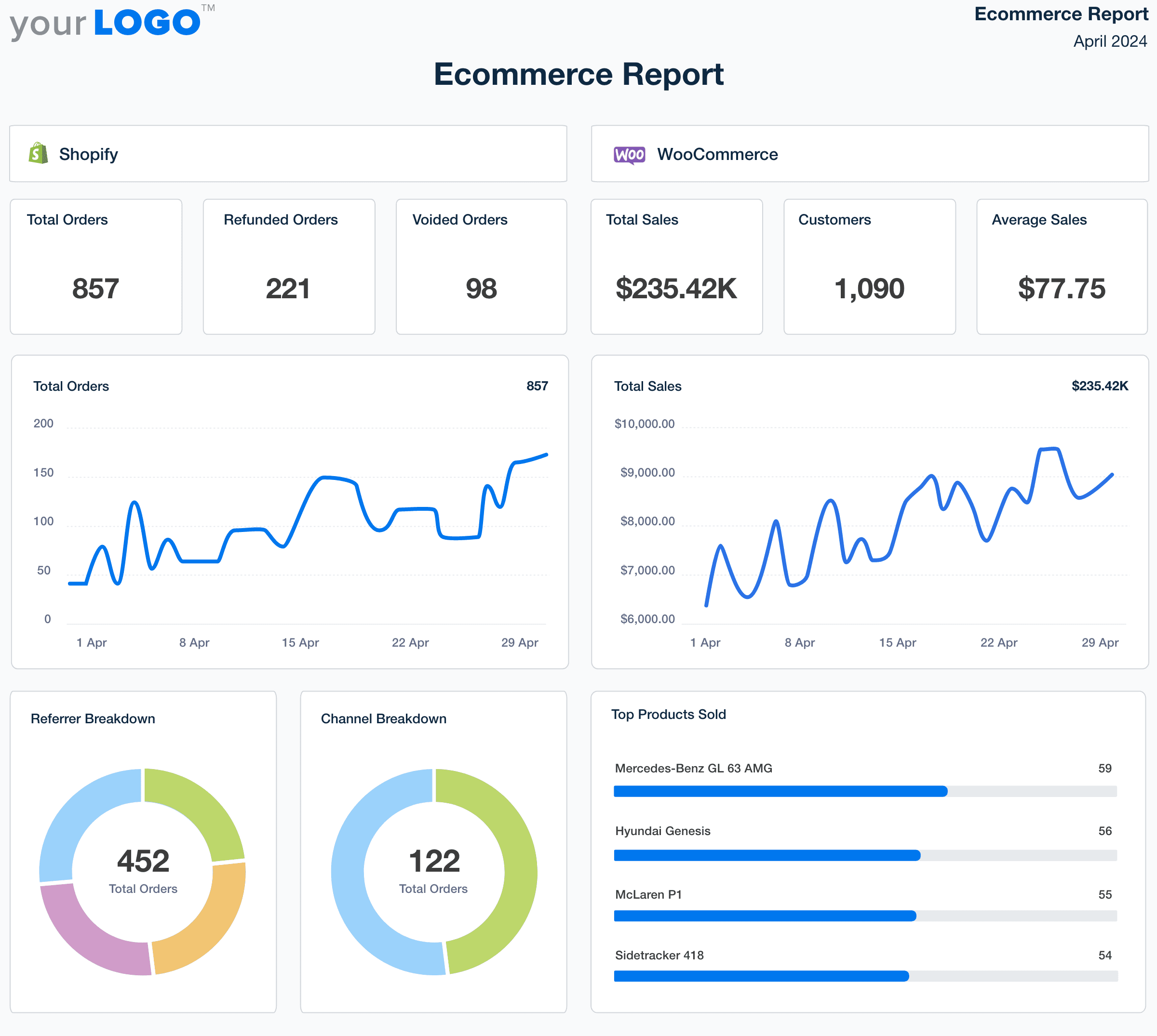
Ecommerce Report Template Cover Page Example

Build custom Ecommerce marketing reports that deliver results

Save time and impress clients with a powerful, results-driven report template. Access the free Ecommerce marketing report template today!

Preview the Template
Illustration of a user at a marketing agency trying the client reporting features from AgencyAnalytics
Preview the Template

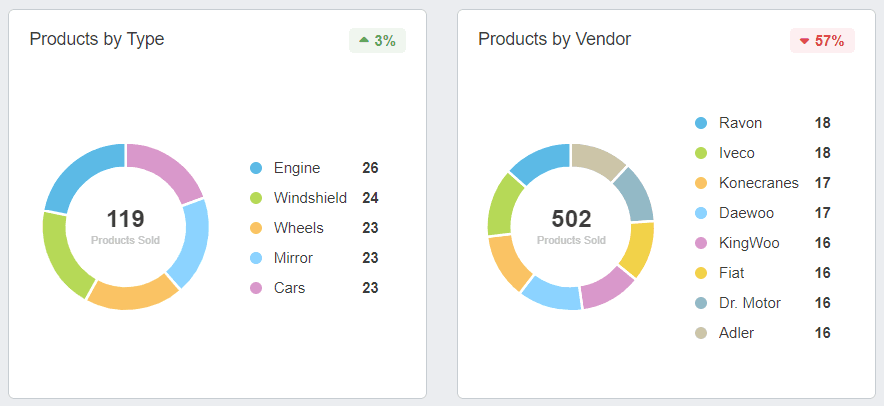
Products by Type categorize sales data according to different product categories or vendors within ecommerce businesses. This helps in understanding product performance and aligning inventory management with consumer preferences.

Understanding how different types of products contribute to overall sales helps craft targeted marketing campaigns that promote high-performing products more effectively and adjust strategies for underperforming categories.

Top Products Sold identifies the best-selling items in an ecommerce business, providing crucial data on what drives the majority of revenue.

Featuring Top Products Sold in ecommerce reports allows marketing agencies to spotlight the products that resonate most with customers. This data is key for crafting focused marketing campaigns that leverage these items’ popularity and success—to drive promotions, optimize search engine optimization efforts around these products, and create targeted content that increases visibility and sales.

Understanding which products top the sales charts helps in managing inventory more effectively and planning future product development. For clients, this ensures that marketing resources are invested in areas with the highest return on investment.

Average Order Value (AOV) calculates the average amount spent each time a customer places an order from an ecommerce business. This metric is crucial for understanding spending behavior and strategizing upsell opportunities.

By analyzing Average Order Value, agencies recommend specific tactics such as bundling products, offering upsells at checkout, or providing targeted promotions that encourage higher spending.

Effective management of AOV allows agencies to tailor their approach to attract customers and maximize the value of each transaction, which contributes to business growth and enhances Customer Lifetime Value (CLV) for clients.

Google Shopping Conversions track the number of successful purchases made through Google ads, showing how effective the channel is in driving sales for an ecommerce business.

Google Shopping Conversions data helps agencies evaluate the performance of these ads in real time to see the direct impact of their Google Shopping campaigns on sales. By analyzing conversion rates, agencies fine-tune ad placements, adjust bidding strategies, and optimize product listings to enhance visibility and attract more buyers.

Effective management of Google Shopping Conversions helps maximize advertising spend, improve return on investment, and ensure that marketing efforts directly contribute to the bottom line of the ecommerce business.

Facebook Ads purchases, Snapchat Ads purchases, Instagram Ads purchases, and TikTok Ads purchases count the number of transactions directly attributed to social media advertising.

Social shopping purchase metrics are vital for marketing agencies to measure social media’s effectiveness as a sales driver. These metrics provide clear insight into the success of social media campaigns in converting viewers into buyers. By monitoring purchases made through social media advertising, agencies optimize ad targeting, creative content, and spending to maximize conversion rates.

Analyzing these purchases helps refine social marketing strategies, ensuring ad investments convert into sales. Tailoring social campaigns based on social ads purchase data supports sales performance, long-term customer acquisition, and social engagement strategies.

An example of the Ecommerce Products by Type and by Vendor Metrics in pie charts

FAQs About Custom Ecommerce Report Templates

Still have questions about how to create and use custom Ecommerce Report Templates? Don’t worry, we’ve got you covered.

  • An Ecommerce Report Template is a structured framework designed to help agencies and businesses track, analyze, and communicate the performance of their online sales and marketing efforts. It consolidates data from various sources, providing insights into how different strategies contribute to the overall ecommerce business success.

  • Essential metrics encompass total sales, conversion rates, average order value, and customer acquisition costs. Incorporating data from tools like Google Analytics and Google Ads allows for a comprehensive view of marketing performance. Additionally, tracking the effectiveness of advertising campaigns and the performance of various marketing campaigns provides a holistic understanding of the ecommerce strategy.

  • By analyzing key performance indicators, businesses can identify which marketing campaigns are most effective in driving sales and customer engagement. This insight enables the adjustment of strategies to optimize marketing performance, allocate resources efficiently, and enhance the overall ecommerce strategy.

  • Yes, ecommerce reporting can be automated using platforms that integrate data from various sources into one cohesive Ecommerce dashboard. Automation streamlines the reporting process, reduces manual errors, and ensures timely delivery of insights, allowing businesses to focus on strategic decision-making.

  • Utilizing an Ecommerce Report Template offers several advantages:

    • Efficiency: Saves time in data collection and analysis.

    • Clarity: Presents data in an understandable format for stakeholders.

    • Consistency: Standardizes reporting across different marketing campaigns.

    • Actionability: Highlights areas for improvement to drive business growth.

  • Absolutely. The template can be tailored to align with specific business objectives, target audiences, and marketing strategies. Customization options may include selecting particular metrics, adjusting visual elements, and integrating additional data sources to provide a more holistic view of marketing activities.

  • Agencies showcase SEO performance first using the SEO report template, followed by social media results with the social media analytics report. Paid advertising metrics are detailed in the PPC monthly report template, and website visitor data is highlighted in the website analytics report template. These reports are often combined into a single digital marketing report template.

More templates
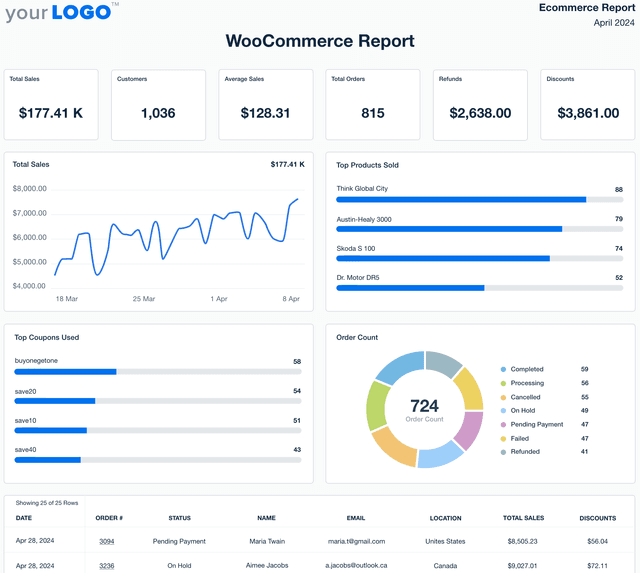
WooCommerce Report Template Example

WooCommerce Report

Eliminate manual data work and generate professional WooCommerce reports in minutes. Use the customizable WooCommerce Report Template to track sales, revenue, and customer trends while showcasing the impact of your agency’s efforts on ecommerce growth.
Shopify Report Template Example

Shopify Report

Eliminate manual data work and create polished Shopify reports in minutes. The customizable Shopify Report Template pulls revenue, order trends, and customer insights into one report—giving clients a clear view of what’s driving their store’s growth.
A screenshot of an example ecommerce dashboard

Ecommerce Dashboard

Track sales, conversion rates, PPC performance, and SEO in a fully customizable ecommerce dashboard. Consolidate key metrics in one place, automate reporting, and provide clients with live insights to optimize their online store’s growth. Find out why over 7,000 successful agencies choose AgencyAnalytics to save time, boost profitability, and keep clients on the path to growth.
View All Templates

See how 7,000+ marketing agencies help clients win

Start Your Trial Now

Free 14-day trial. No credit card required.

Callout Get StartedSwoosh
Logo
G2 Users Love Us
AgencyAnalytics - G2 Leader Winter 2026
AgencyAnalytics - G2 Momentum Leader Winter 2026
G2 Crowd

4.7 out of 5

Capterra

4.8 out of 5

Product
Platform features
Agency solutions
Data integrations
Compare platforms
Reviews
Pricing
Company
About
Careers
Hiring
Media Kit
Contact
Get Started
Start Free Trial
Book a Demo
Quick Start Guide