AgencyAnalytics
AgencyAnalytics
  • Pricing
  • Login
  • Start Trial

PPC Dashboard for Ad Performance Tracking and Client Reporting

Track spend, conversions, and click-through rates in a fully customizable PPC dashboard. Automate reporting, provide clients with live insights, and optimize paid media strategies across platforms like Google Ads, Facebook Ads, and Microsoft Ads—all from one place. Monitor PPC campaign results without the hassle of manual data collection.
Start Your Free Trial Preview Dashboard
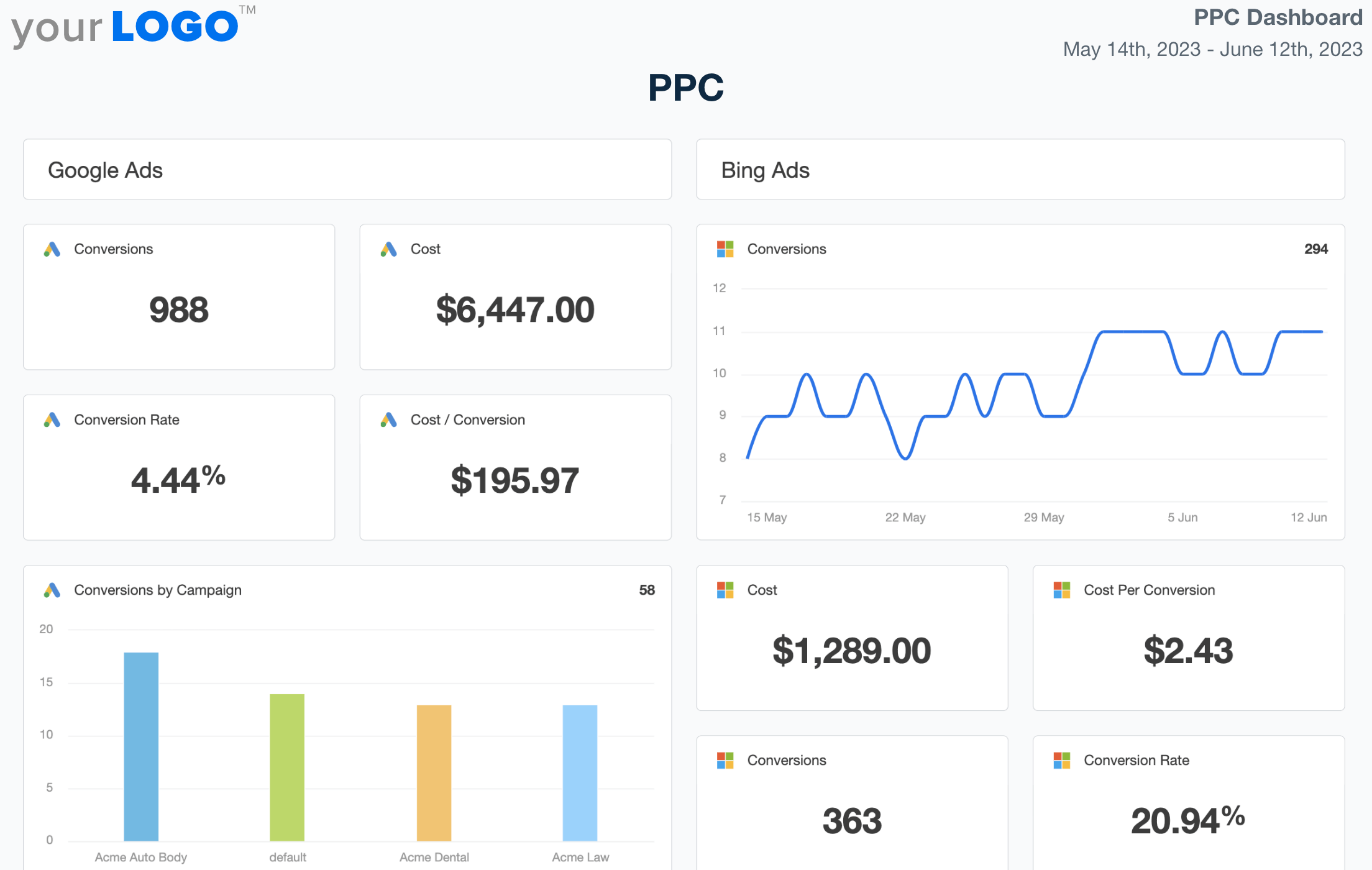
PPC Dashboard Template Example

Professional PPC Dashboards as Unique as Your Agency

Customizable PPC Dashboard for Smarter Ad Campaign Management

A white-labeled PPC dashboard consolidates campaign performance data across all major ad platforms, including Google, Bing, Meta, LinkedIn, and more. Customize widgets, white label dashboards, and highlight the KPIs that matter most to your clients—all in one clear, easy-to-analyze format.

Provide clients with a live, up-to-date view of their PPC campaigns while streamlining internal analysis. With automated reporting and flexible data visualization options, agencies cut back on manual work and focus more on optimizing bids, improving conversions, and increasing ROI.
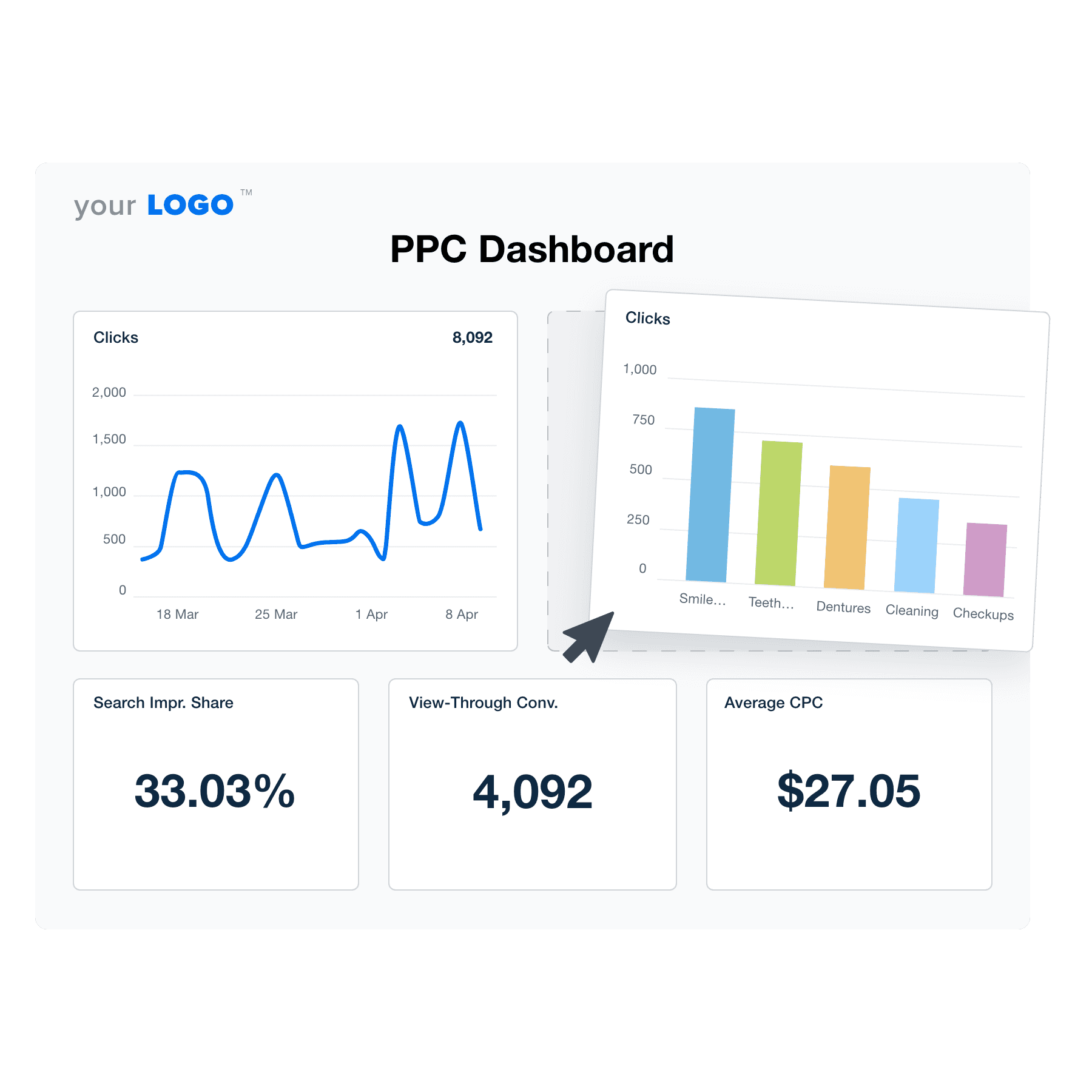

Create Professional PPC Dashboards in Minutes
An example of the drag-and-drop PPC dashboard template for marketing agencies
Create Professional PPC Dashboards in Minutes

Easily Report on Your Client's PPC Performance

Start Your Free Trial

Custom PPC Dashboards as Unique as Your Agency

All Your Online Advertising Data in One Place

Integrate Data From All Your Clients' Paid Channels

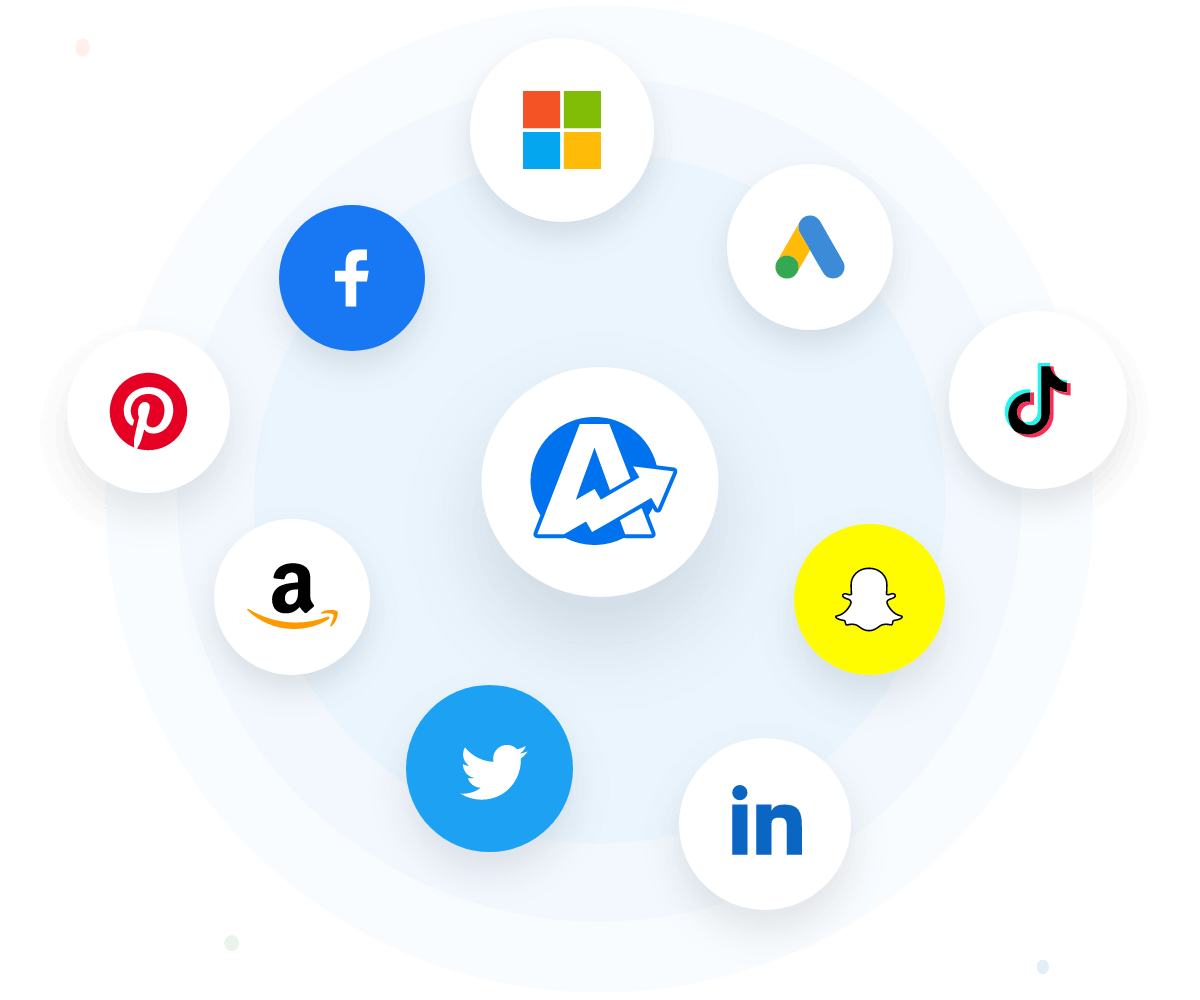
Integrate insights from your clients' PPC marketing channels, including Facebook advertising campaigns, Google Ads, AdRoll, and more. Even infuse data points across 80+ platforms to grasp overall performance! Start saving time and impress clients with beautiful, customized reporting.

House your client's digital marketing metrics in a central, convenient hub. Cut down report preparation time, track real-time PPC insights, and optimize data-tracking with one platform.
View All Integrations
ppc integrations
View All Integrations
100% White Labeled PPC Dashboards

Feature Your Logo & Branding

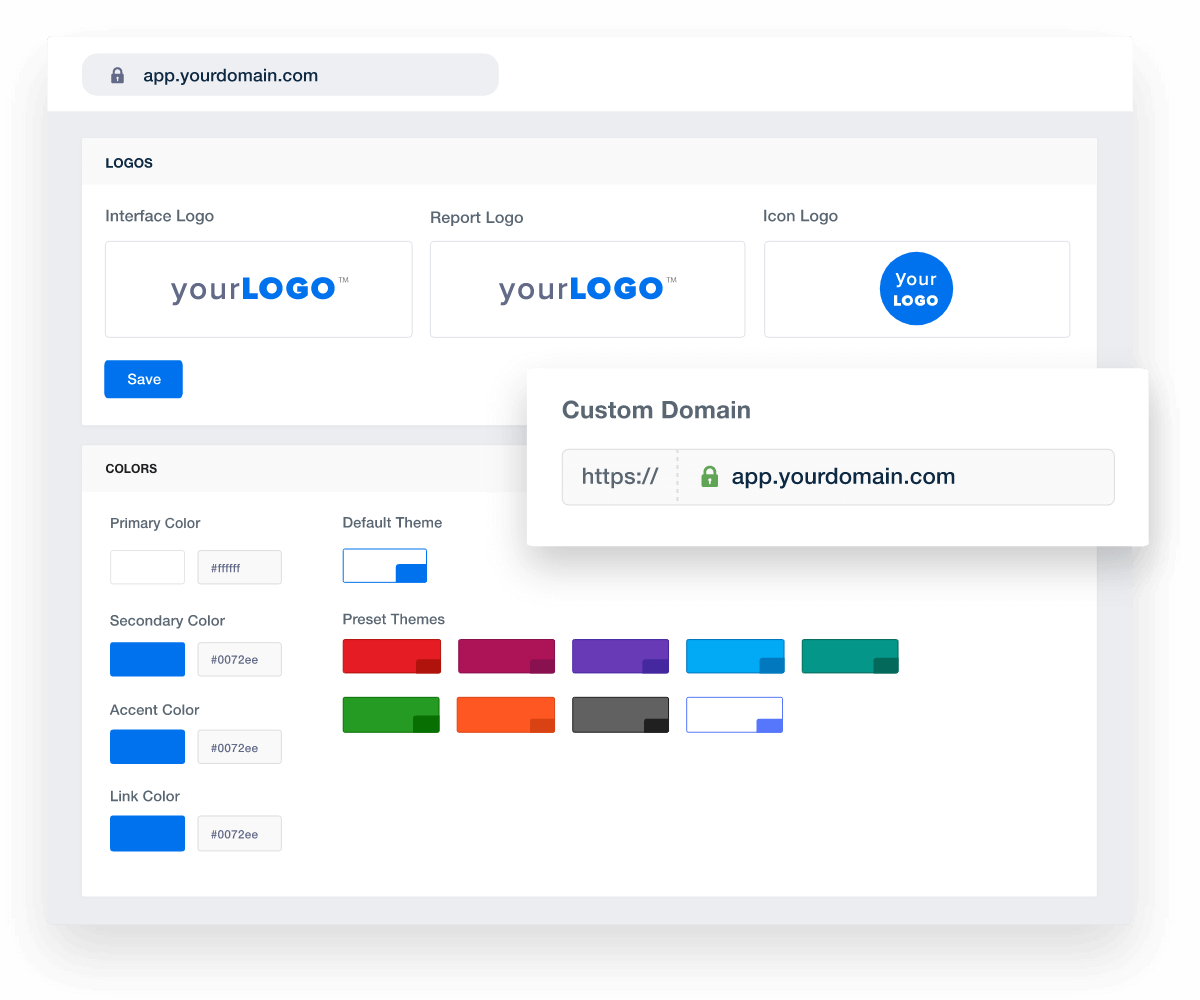
Presentation goes a long way. Use the white label feature to add your agency's logo, brand colors, and even a custom cover page. That way, all your dashboards and reports look like they were created in-house. That extra bit of customization makes a difference!

Deliver reporting that makes a favorable impression. Share actionable insights, demonstrate attention to detail, and show that your agency means business.
View All White Label Features
An example of how to set up white labeled marketing agency reports and dashboards
View All White Label Features
Impressions, CTR, Clicks and More

Share Actionable PPC Analytics

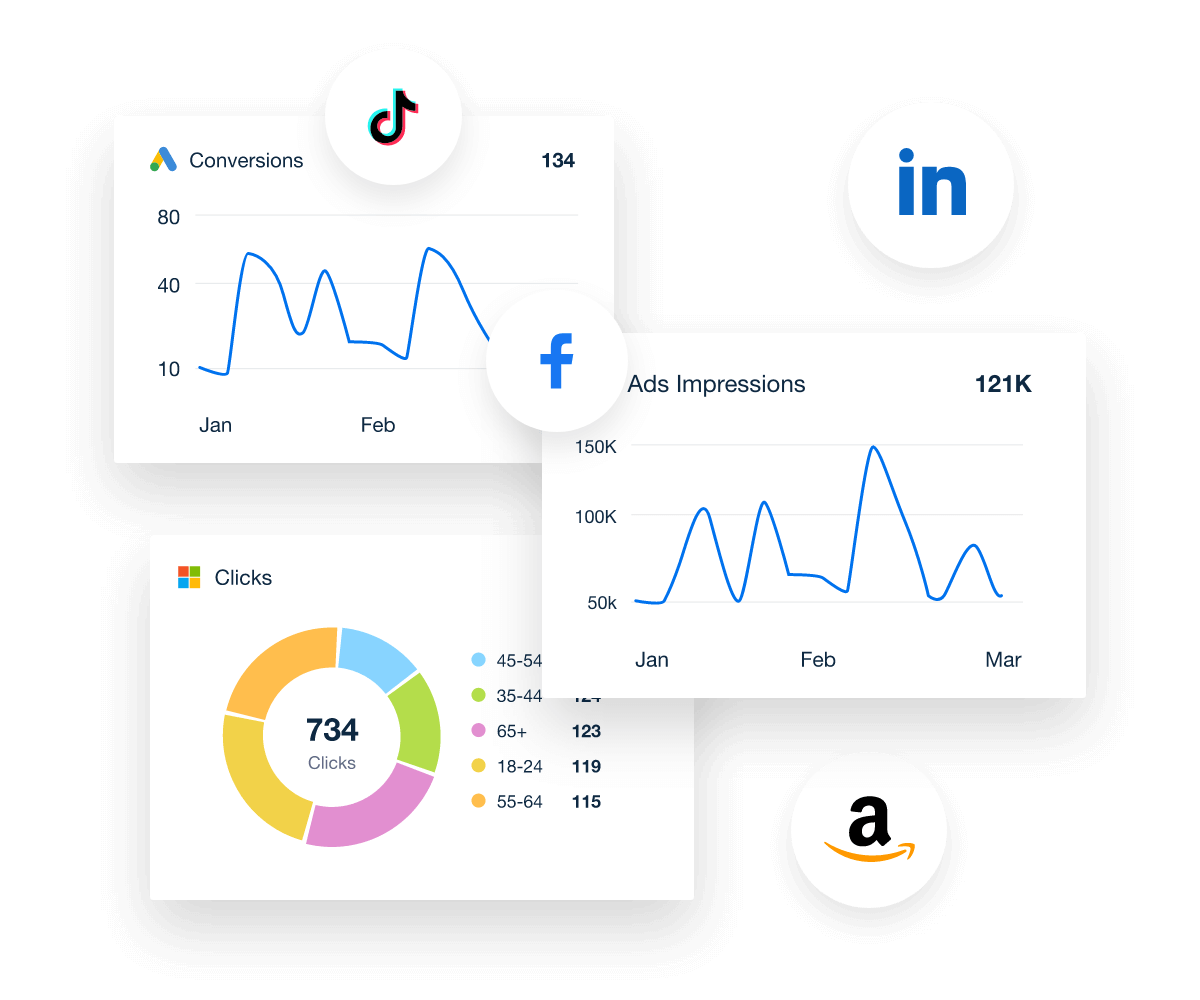
Clients need data to make sound decisions. Customize dashboards to provide an in-depth breakdown or a high-level overview, whatever works for your client. Showcase impressions, cost, conversions, clicks–all in a visual, easy-to-understand format.

Need to shift things around? No worries. Drag-and-drop widgets, add custom comments and even replicate sections from existing dashboards. Take reporting to the next level with a tool that's built for your agency's needs.
Preview the PPC Dashboard Template
ppc analytics in ppc dashboard template
Preview the PPC Dashboard Template
ADD GOALS & BUDGET TRACKING

Align PPC Metrics With Your Client’s Goals

Don't just show the numbers–tell a story with your client's data. With the goals feature, create custom targets that show the real-time progress of PPC campaigns. Whether it's achieving quarterly conversions or weekly form sign-ups, present actionable insights that clients will value.

To explain complex metrics, directly add custom comments and annotations to data visualizations. Contextualize upticks, sudden drops, or emerging trends. That way, clients will have a crystal-clear understanding of what their marketing results mean.
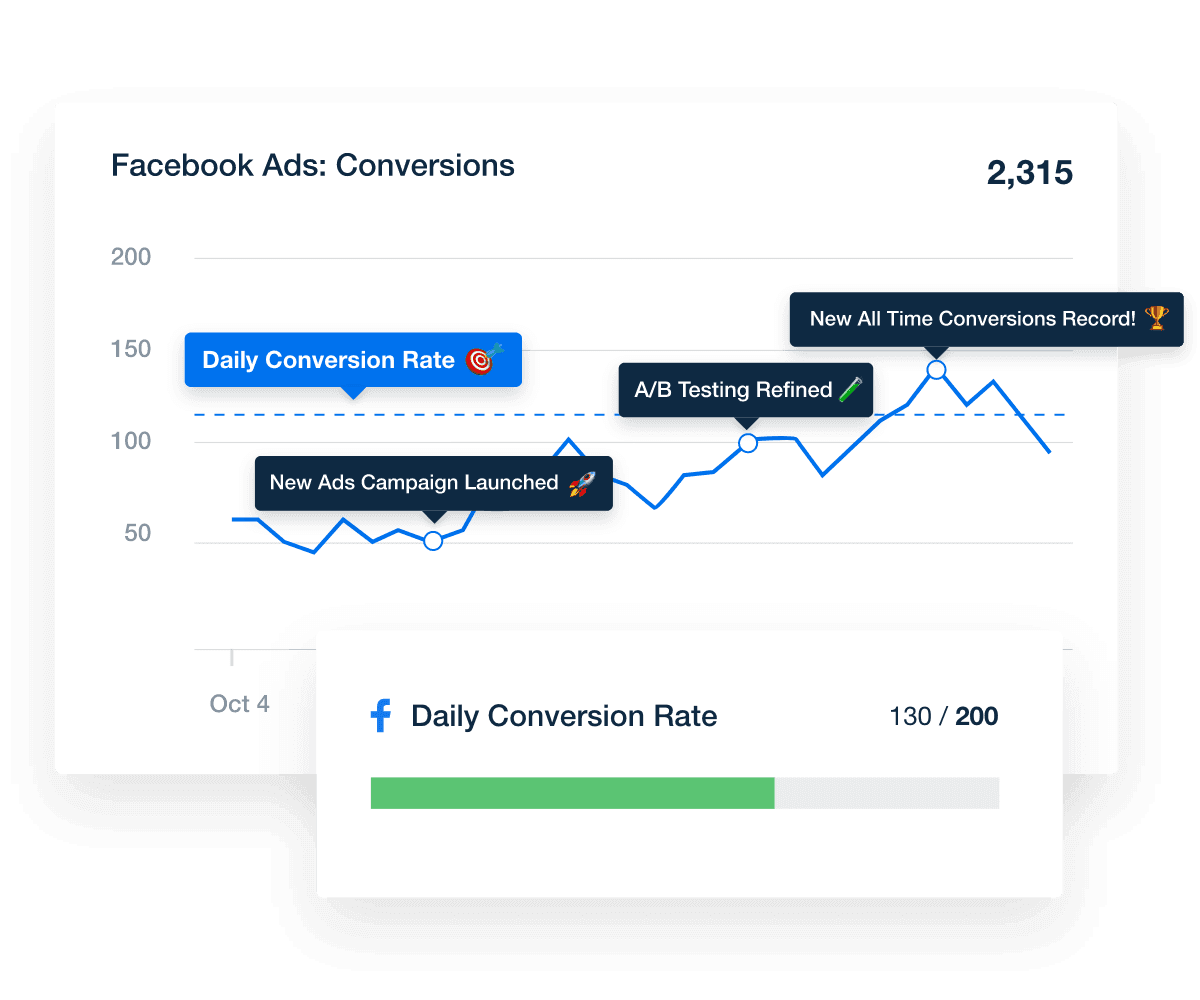
Tell the Full Story
A screenshot of annotations applied to a chart
Tell the Full Story
Include Your Margin in All PPC Dashboards

Add a Custom Markup to PPC Spend

Most clients simply want to know your agency's upfront cost. To make things easier, automatically add your markup to PPC ad spend. That way, clients aren't left with multiple invoices or confusion about pricing. Instead, they'll see a single cost that lets them know exactly how much they have to pay.

Integrate pricing directly into your agency's reporting structure. Maintain transparency and keep clients in the loop with ease.
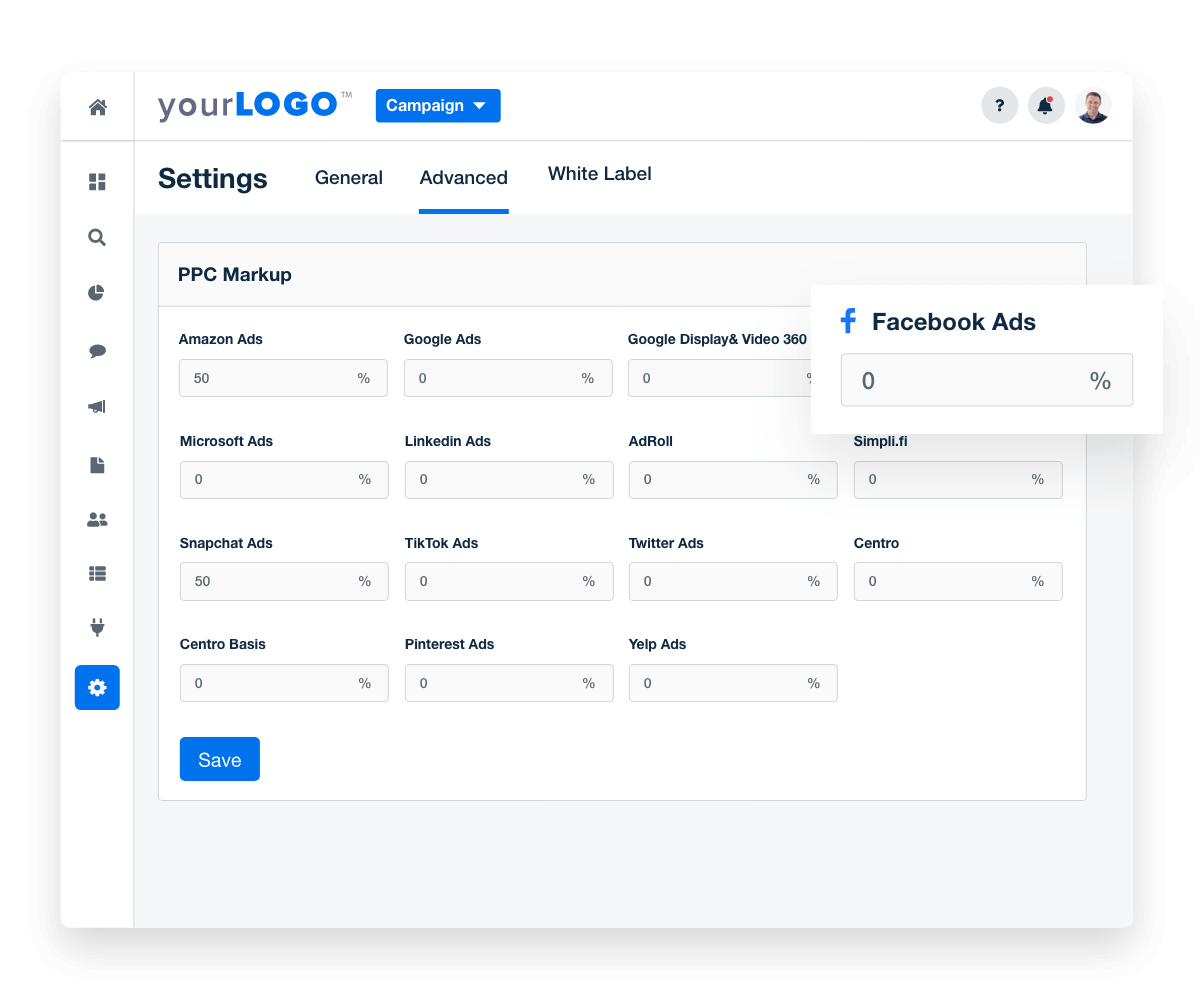
Add Your PPC Markup
custom ppc markup in ppc dashboard
Add Your PPC Markup
GET A BIRD'S EYE VIEW

Use an Account-Level Agency Dashboard

With so many campaigns in conjunction, your agency needs a system to track the moving parts. With an account-level dashboard, consolidate insights from multiple client metrics into a single interface. Get a comprehensive overview without breaking a sweat!

Ensure that all critical KPIs are in direct view. Quickly identify ad campaign hiccups, monitor trends, and compare performance across client accounts. Optimize your data-tracking process and ensure nothing slips through the cracks.
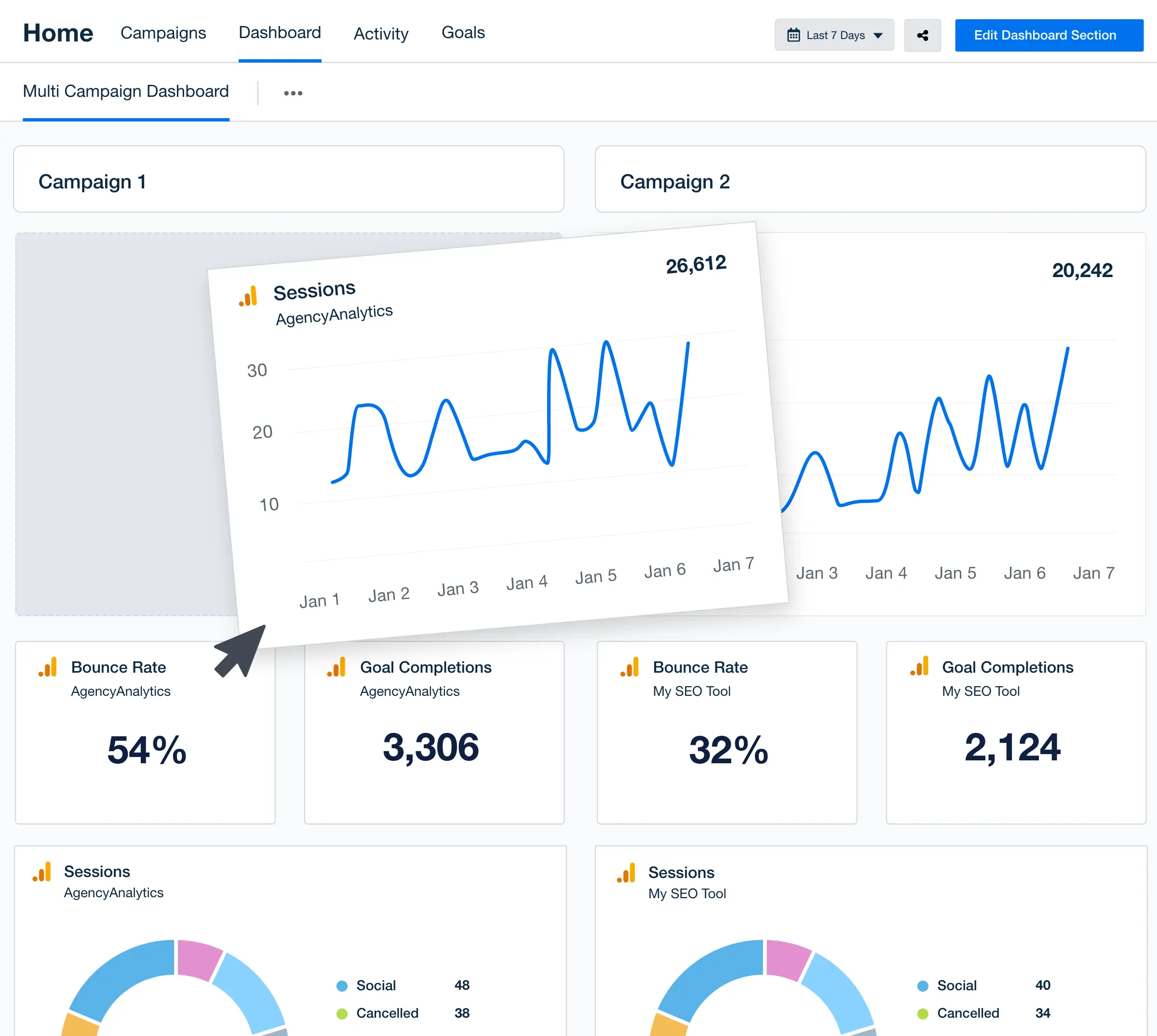
Discover Multi-Client Dashboards
Drag-and-Drop Agency-Level Account Dashboard Builder
Discover Multi-Client Dashboards
Unlimited Number of Users on Select Plans

Grant Clients Access To Their Data

Transparency breeds trust. Granting live dashboard access allows your agency to share PPC performance with clients, showing that you've got nothing to hide. Reduce follow-up times and give clients the autonomy to track performance whenever they choose.

Worried about sharing too much data (like vanity metrics)? Simply set user permissions beforehand. That way, clients will only see relevant insights that are straightforward, relevant, and actionable. You've also got the option to schedule automated, static PPC reports!
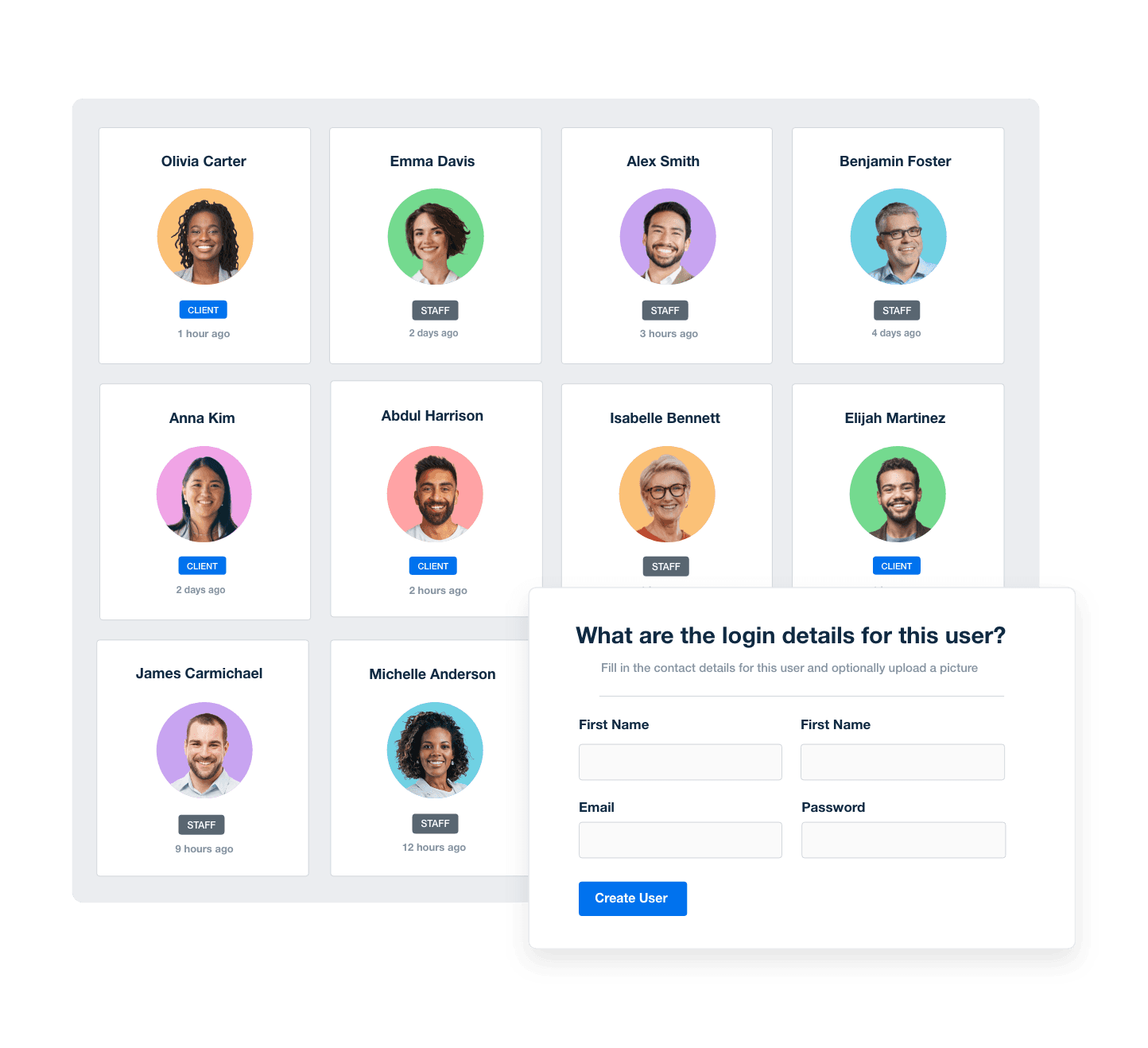
Manage Your Entire Agency
Screenshot of AgencyAnalytic's staff and client management software
Manage Your Entire Agency
SAY BYE-BYE TO LAST-MINUTE CLIENT REPORTING

Automate Report Scheduling & Approval

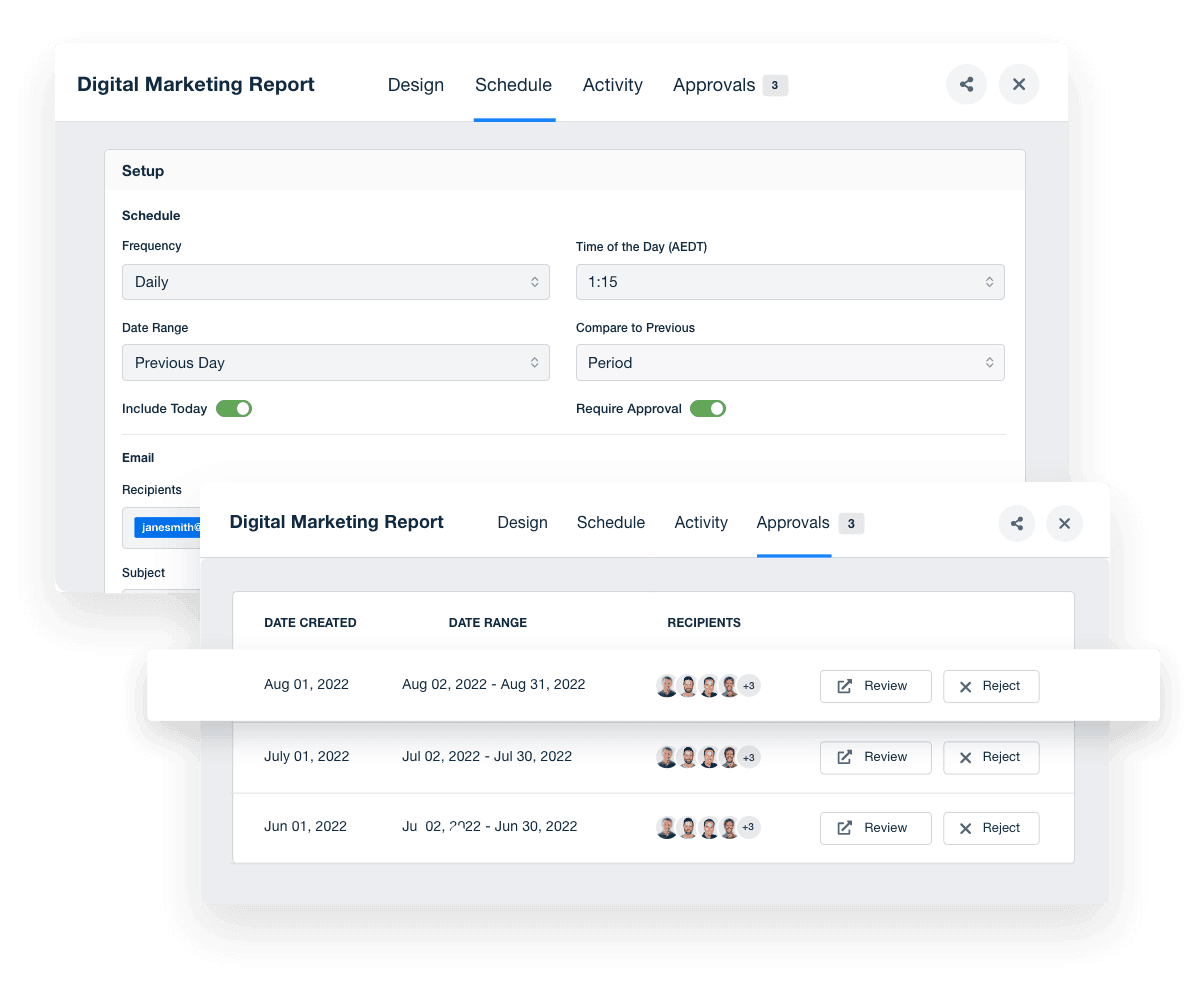
Use the scheduling feature to put things on autopilot and deliver insights just on time. On select plans, get notified before each report is sent out. That way, you'll have a heads-up to do a final approval and add expert commentary.

Choose the exact day and time to share reports. That way, clients know when to expect them, which creates consistency. Whether it's a weekly update or a monthly deep dive, you’ll be in control of how and when key information is communicated.

View Report Automation Options
An example of the AgencyAnalytics report scheduling feature for automated marketing reports
View Report Automation Options

Sign up for your free trial now!

No credit card required. No setup hassle. Just instant access to automated reporting, custom dashboards, and multi-channel insights.

Start Your Free Trial
An icon showing a user clicking to start a free trial
Start Your Free Trial

9 Sections To Include in a PPC Reporting Dashboard

Ready to deliver PPC dashboards that provide the most value to your clients? Here are a few key sections to include. The best part? This clean format also reiterates your agency's expertise in managing PPC campaigns, which builds client confidence.
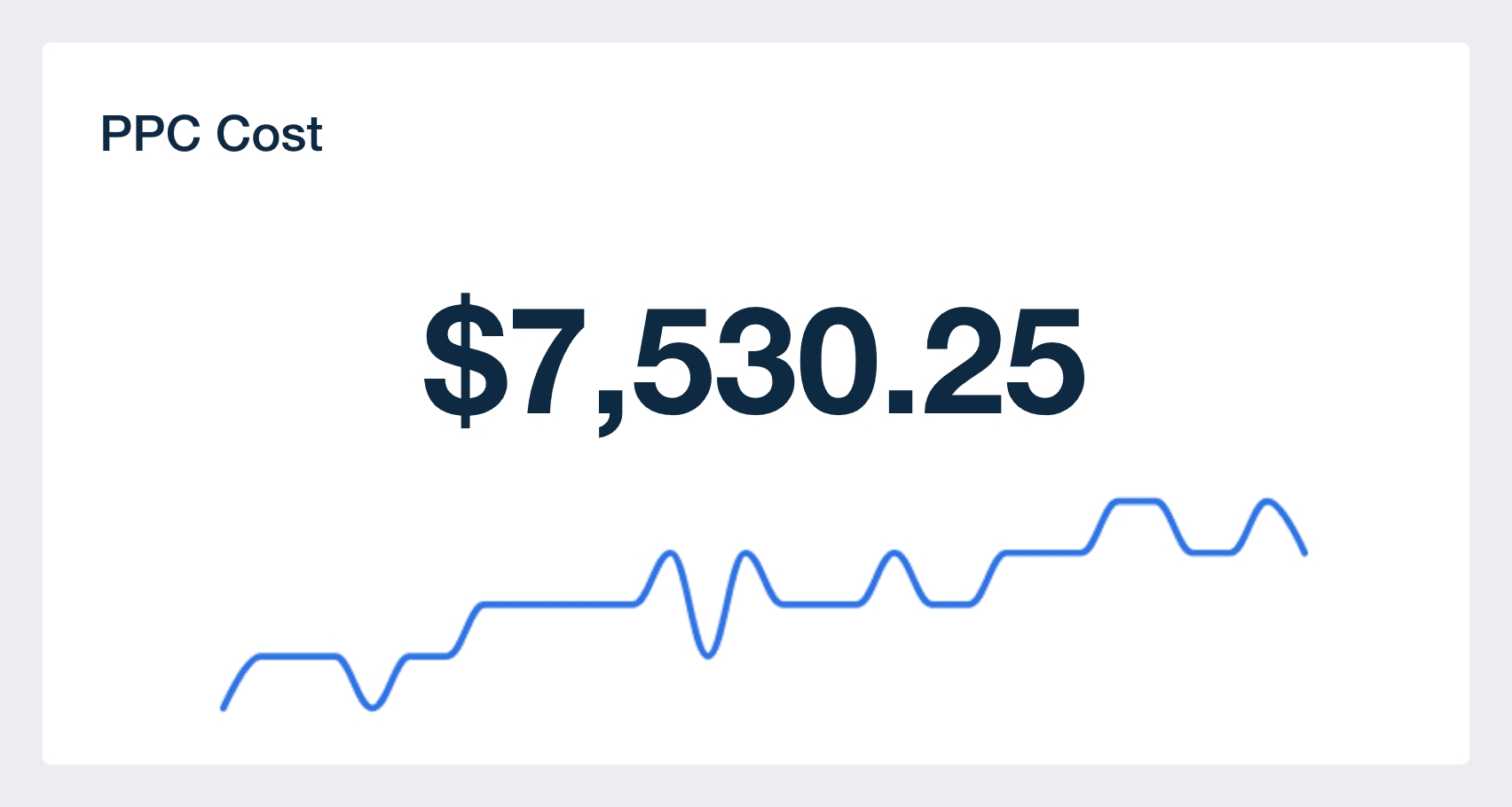

Display the cost of all of your client's PPC ad campaigns in a single place, which makes it easier to track your overall cost vs. budget. This keeps transparency on the table, ensuring they know exactly how much has been invested so far.

It’s important to remember that some platforms (like Google Ads) will sometimes spend marginally more than your client's daily budget to maximize the number of clicks. To ensure things go according to plan, monitor the total monthly amount on this PPC dashboard closely, especially for stricter budgets.

Conversions are one of the most important numbers to include in a client's PPC dashboard. This metric is calculated by counting the number of times someone clicks on one of their ads and completes a call to action (e.g., purchasing a product or signing up for a newsletter).

A high number of conversions shows that your client's PPC strategy is encouraging users to engage and take action. On the other hand, a low number may mean improvements are needed. For example, consider refining ad copy, adding more strategically placed CTAs, or trying a different bidding strategy.

Conversion rate is expressed as a percentage, showing the total number of conversions achieved relative to the number of clicks.

By examining conversion rate alongside the number of conversions, your agency will better assess the effectiveness of campaign CTAs and the appeal of a client's offerings.

For example, say a client has a high number of conversions but a low conversion rate. It suggests that their ads have potential to perform better with optimization tweaks.

Cost per conversion shows how much is spent to win a new customer or achieve a desired outcome (e.g., an online sale). This metric shows whether your client's expenditure is yielding a significant enough ROI.

A low cost per conversion generally means that your client's campaign is cost-efficient. Essentially, they're spending less to acquire each conversion, which is a positive sign.

However, if conversions are low despite a low cost, it might indicate low-quality leads or a budget that isn't competitive enough. To fix this, refine your client's targeting strategy, ensuring they're spending enough to acquire conversion-oriented customers.

Impressions measure how many users view your client's ad. While this metric doesn't include clicks or conversions, it shows whether PPC campaigns are receiving enough visibility and reach.

A high number of impressions means your client's ad is frequently displayed, which increases the chances of brand recognition. However, if impressions are high but engagement is low, it could signal a disconnect between ad content and what resonates with the audience.

PPC cost metric in PPC Dashboard template

Build automated PPC reporting dashboards that deliver results

Save time and impress clients with a powerful, results-driven dashboard template. Access the free PPC reporting dashboard template today!

Preview the Dashboard
Illustration of a user at a marketing agency trying the client reporting features from AgencyAnalytics
Preview the Dashboard

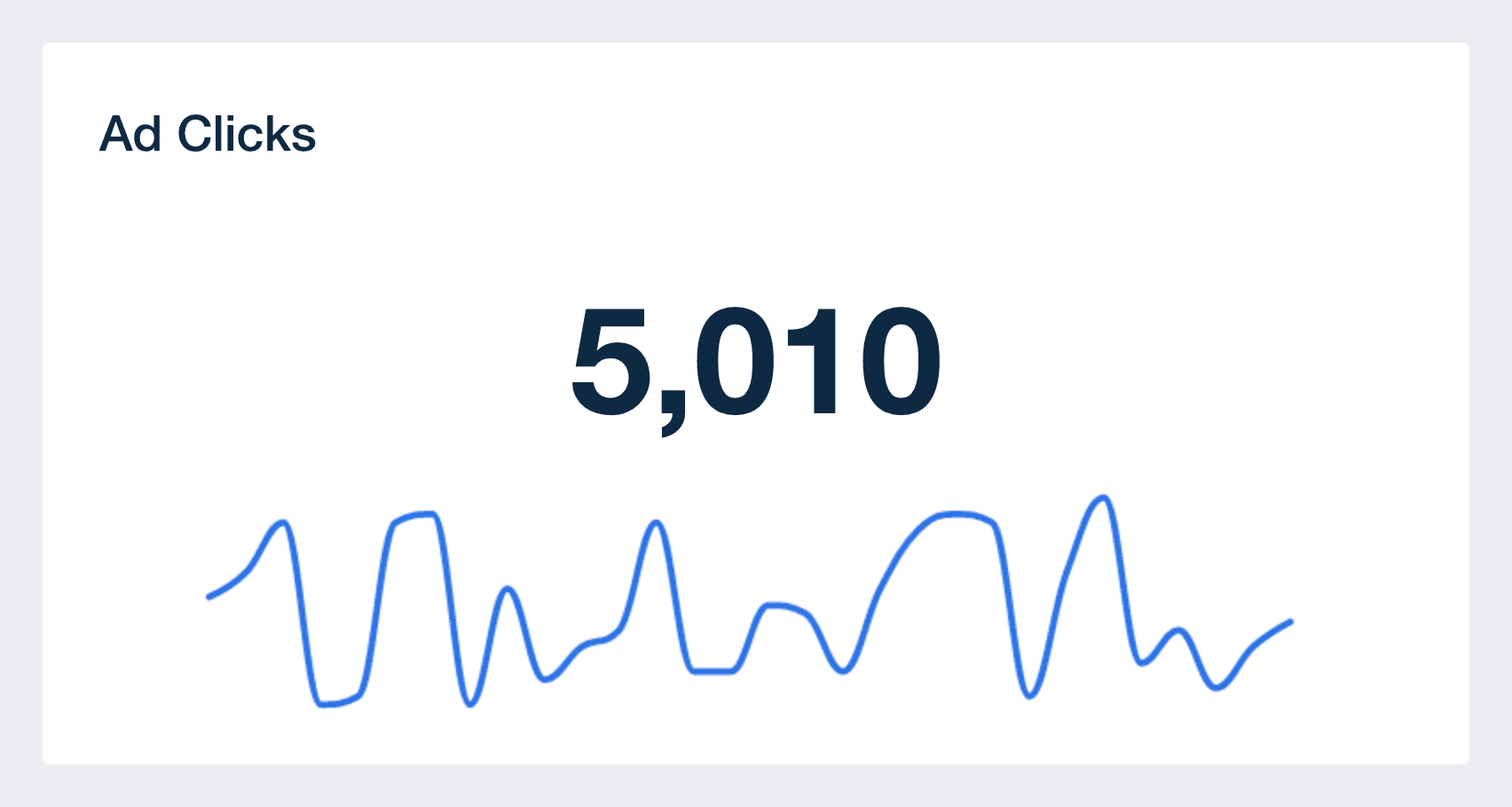
Clicks show how many users interact with your client's ads by clicking on them, which indicates some level of heightened interest.

A high number of clicks may be be a good indicator of campaign success, especially if this is your client's end goal. If these clicks aren't leading to the desired concrete actions (e.g., form submissions), determine if there are any roadblocks in the conversion funnel. For example, this may include a lengthy checkout process or a sign-up form with too many fields.

Click-through rate (CTR) measures the percentage of users that click on your client's ad, compared to the total number of impressions. This metric shows whether ad campaigns are effective in getting users to act, beyond passive viewing.

A high CTR means your client's ad is compelling and relevant to the target audience. On the other hand, a low CTR may signal that a few tweaks are needed (e.g., adjusting keywords or using a different creative).

View-through conversions (VTC) occur when a user sees your client's ad but doesn’t click on it. Instead, they return to the site within 30 days and complete a conversion.

In PPC advertising, it’s a valuable metric to monitor (especially for display ads), as it measures the indirect impact of ad impressions on conversions. Since display ads often have a minimal CTR, it can be incredibly difficult to determine how effective they are. VTCs show a more accurate performance overview, which shows that your agency's strategy is effective.

Easily add goal tracking to your PPC reporting dashboards to create a clear connection between marketing efforts and client objectives. Whether you're measuring conversions, lead quality, or engagement, a transparent view of goal progress helps your agency prove value and adjust strategies with confidence.

This is a dynamic way to show real-time progress, visualize performance, and maintain data transparency. Plus, it equips your agency to make any PPC campaign optimizations if needed (e.g., adjusting ad spend to achieve more conversions).

PPC clicks metric in PPC Dashboard template

FAQs About Custom PPC Dashboards

Still have questions about how to create and use custom PPC Dashboards? Don’t worry, we’ve got you covered.

  • A PPC Dashboard is a reporting tool that pulls data from multiple PPC integrations into one platform. It gives marketing agencies a clear overview of ad performance across platforms like Google Ads, LinkedIn Ads, and Twitter Ads—highlighting ad group metrics, clicks, conversions, and ad copy effectiveness.

  • To build a white label PPC Dashboard, connect your PPC data sources to a reporting platform like AgencyAnalytics, choose your dashboard design, and apply your branding. On select plans, the dashboard can be fully white labeled with your agency’s logo and custom domain in just a few clicks.

  • Agencies should track top PPC dashboard metrics like ad clicks, impressions, conversions, cost-per-click, and return on ad spend. These PPC dashboard metrics offer insights into which campaigns are performing well and which need optimization—especially when tied to goals from platforms like Google Analytics.

  • By consolidating performance metrics from multiple data sources, the PPC Dashboard simplifies reporting and enhances clarity. Agencies quickly and easily generate customized dashboards and send reports directly to clients from one platform, offering a consistent view of results across campaigns.

  • The dashboard helps agencies identify what’s working and where to cut costs. By analyzing PPC data, such as costs, clicks, ad group performance, and conversion rates, teams can adjust campaigns, including ad copy or audience targeting, quickly to improve ROI and ensure budgets are allocated effectively.

  • Absolutely. With built-in reporting tools, agencies pull data, generate monthly reports, and deliver marketing reports that reflect PPC campaign performance. Customized reports are easy to build and export, whether for internal review or client presentation.

  • Yes. Agencies easily create a PPC dashboard tailored to each client’s goals by choosing relevant performance metrics, adjusting the layout, and integrating only the needed data sources. These custom dashboards support more relevant, actionable insights at every level.

  • The PPC dashboard gives agencies real-time visibility into ad spend, conversions, and cost-per-click metrics. Other popular dashboards include the social media dashboard to report on engagement and follower growth, the SEO dashboard to demonstrate improvements in organic search, the website analytics dashboard to track on-site user behavior, and the digital marketing dashboard to connect results across all channels.

More templates
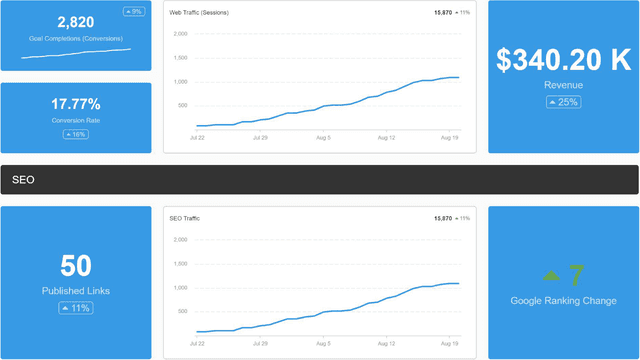
Digital Marketing Dashboard Template Example

Digital Marketing Dashboard

Bring all your client’s digital marketing metrics together in one place. From SEO and PPC to social and email, a customizable dashboard makes reporting faster and clearer—for both your agency and your clients. Join over 7,000 successful agencies and experience the benefits of using a customizable digital marketing dashboard!
An example of a professional and customizable SEO dashboard template

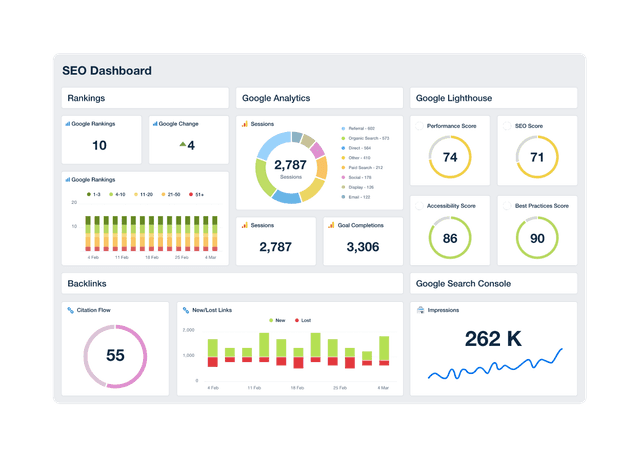
SEO Dashboard

Track keyword rankings, organic traffic, backlinks, and goal completions in a customizable SEO reporting dashboard. Automate reporting, give clients live access to campaign data, and use up-to-date insights to improve performance and prove ROI. Join over 7,000 satisfied customers and experience the benefits of using an SEO dashboard!
Social Media Dashboard Template Example

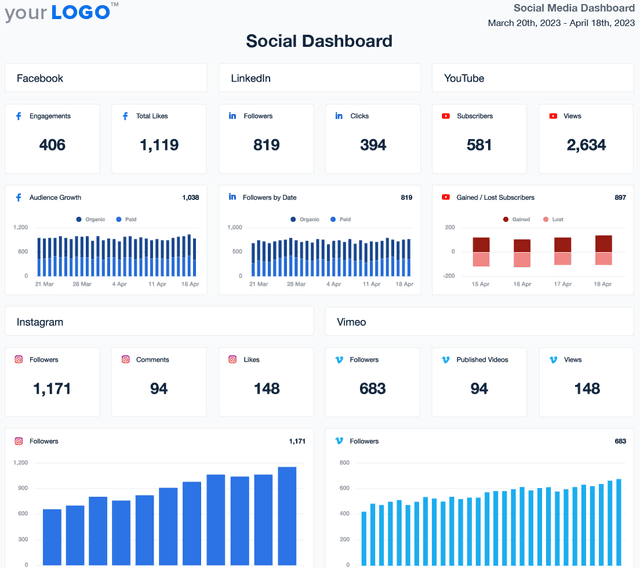
Social Media Dashboard

Track engagement, reach, clicks, and conversions across Facebook, Instagram, LinkedIn, YouTube, and more—all from one customizable social media analytics dashboard. Deliver live insights, save time, and keep clients aligned with your agency’s strategy. Join over 7,000 satisfied customers and experience the benefits of using a social media dashboard!
View All Templates

See how 7,000+ marketing agencies help clients win

Start Your Trial Now

Free 14-day trial. No credit card required.

Callout Get StartedSwoosh
Logo
G2 Users Love Us
AgencyAnalytics - G2 Leader Winter 2026
AgencyAnalytics - G2 Momentum Leader Winter 2026
G2 Crowd

4.7 out of 5

Capterra

4.8 out of 5

Product
Platform features
Agency solutions
Data integrations
Compare platforms
Reviews
Pricing
Company
About
Careers
Hiring
Media Kit
Contact
Get Started
Start Free Trial
Book a Demo
Quick Start Guide