AgencyAnalytics
AgencyAnalytics
  • Pricing
  • Login
  • Start Trial

WooCommerce Dashboard for Store Metrics and Client Reporting

Track store performance, revenue trends, and customer behavior in a customizable WooCommerce dashboard. Provide clients with live access to ecommerce analytics, automate reporting, and optimize campaigns without logging into individual WordPress accounts.
Start Your Free Trial Preview Dashboard
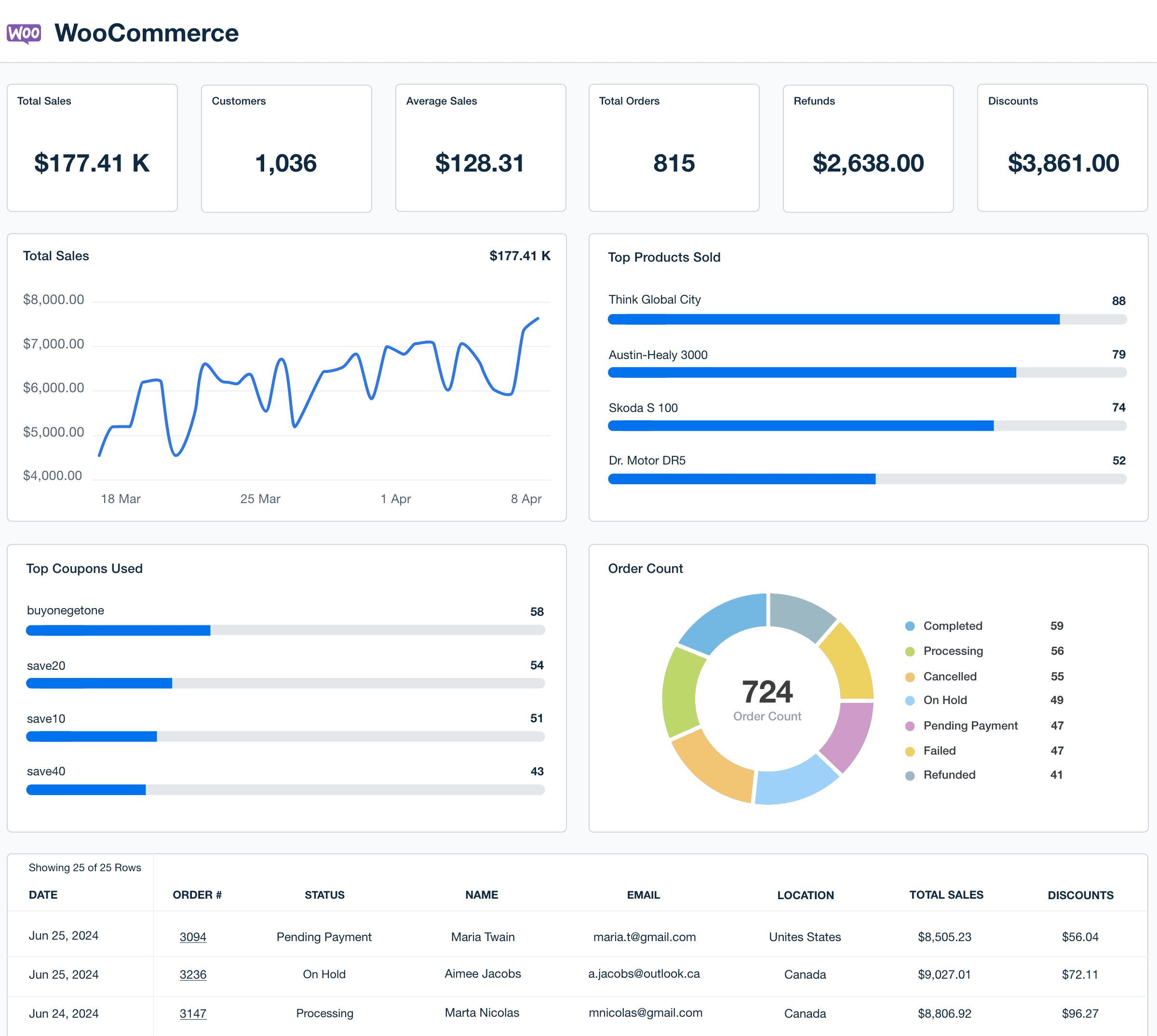
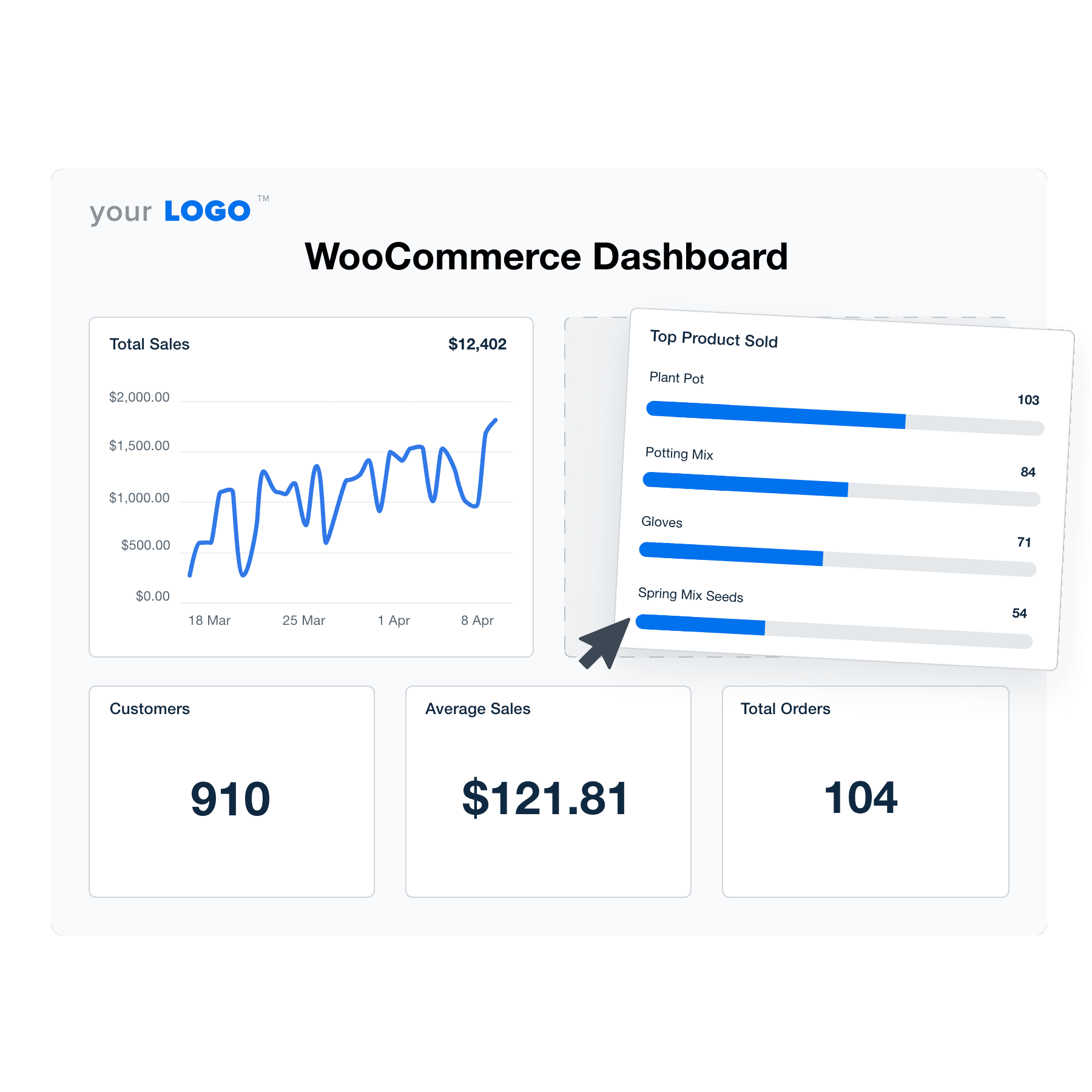
WooCommerce Dashboard Template Example

Custom WooCommerce Dashboards as Unique as Your Agency

Customizable WooCommerce Dashboard for Clear Ecommerce Insights

A white label WooCommerce dashboard centralizes online store data in one intuitive view. Monitor key metrics like order volume, average order value, conversion rate, and product performance—then visualize it in a format clients understand.

Personalize each dashboard with your agency’s branding, filter by campaign or timeframe, and focus on the KPIs that matter most to your clients. Whether the goal is driving more repeat purchases or spotting high-performing products, everything is easier to act on when presented clearly.

Create Professional WooCommerce Dashboards in Minutes
An example of the drag-and-drop WooCommerce dashboard template for marketing agencies
Create Professional WooCommerce Dashboards in Minutes

Easily Report on Your Client's WooCommerce Performance

Start Your Free Trial

Custom WooCommerce Dashboards as Unique as Your Agency

Seamless Connectivity

Instantly Access All Your Clients’ WooCommerce Data

Effortlessly pull all your clients' ecommerce data from the WooCommerce data integration alongside more than 80 integrations, streamlining the collection and analysis of data from multiple sources into one report. Quickly create comprehensive, customized reports that empower your agency to meet each client’s specific needs with precision and ease.

View All 80+ Integrations
An example of the available marketing platform integrations AgencyAnalytics offers to connect your clients' marketing data
View All 80+ Integrations
Customized Professionalism

White Label Your WooCommerce Dashboards

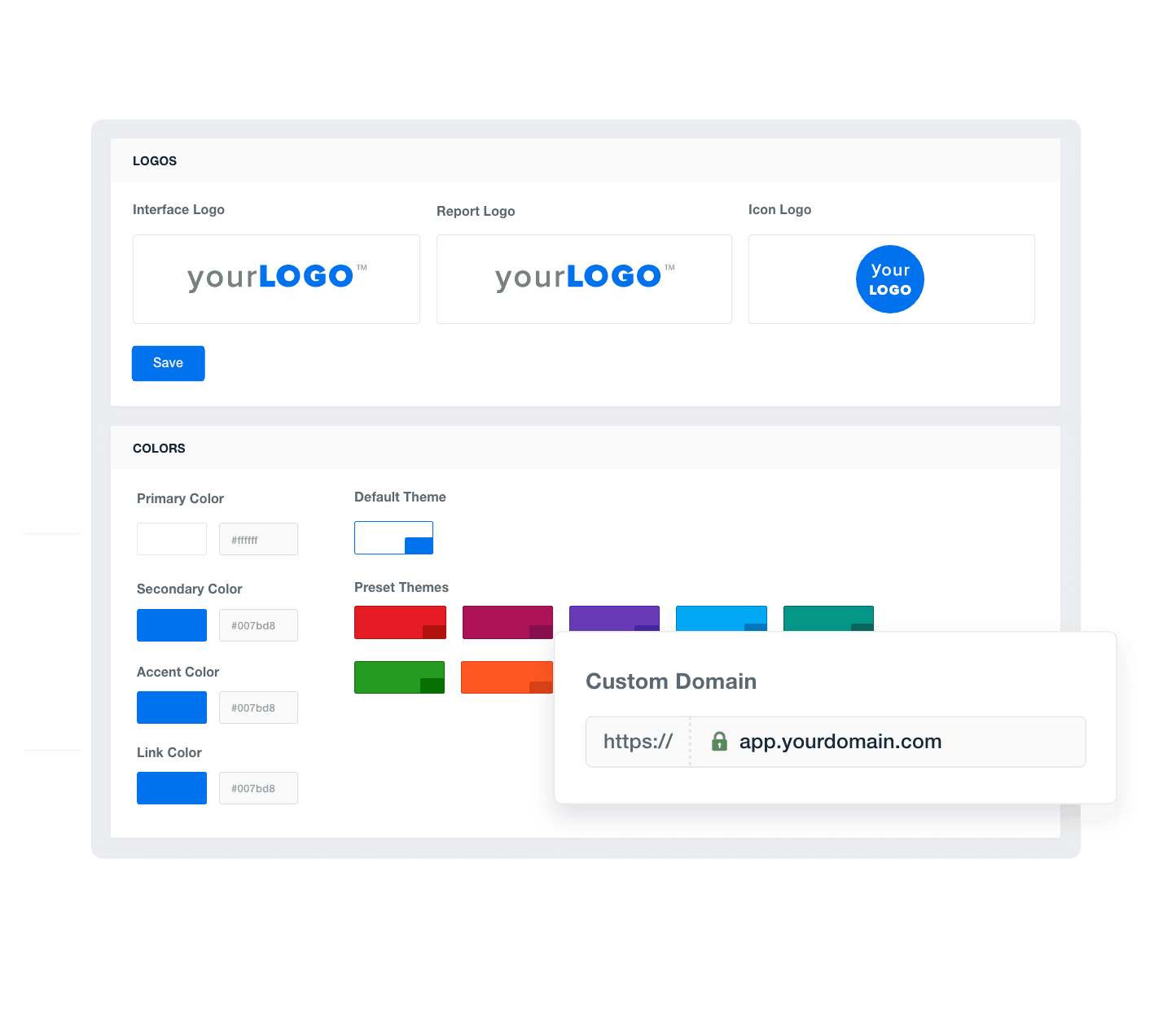
AgencyAnalytics’ white-label dashboards deliver insights in a format that reflects your brand. Present data with your own logos and colors to strengthen client trust and enhance your agency’s visibility, establishing a strong, professional image in all communications.
Add Your Agency's Branding
An example of how to add your marketing agency's branding to customizable marketing reporting software
Add Your Agency's Branding
Precision Analytics

Provide Granular Insights with Custom Metrics

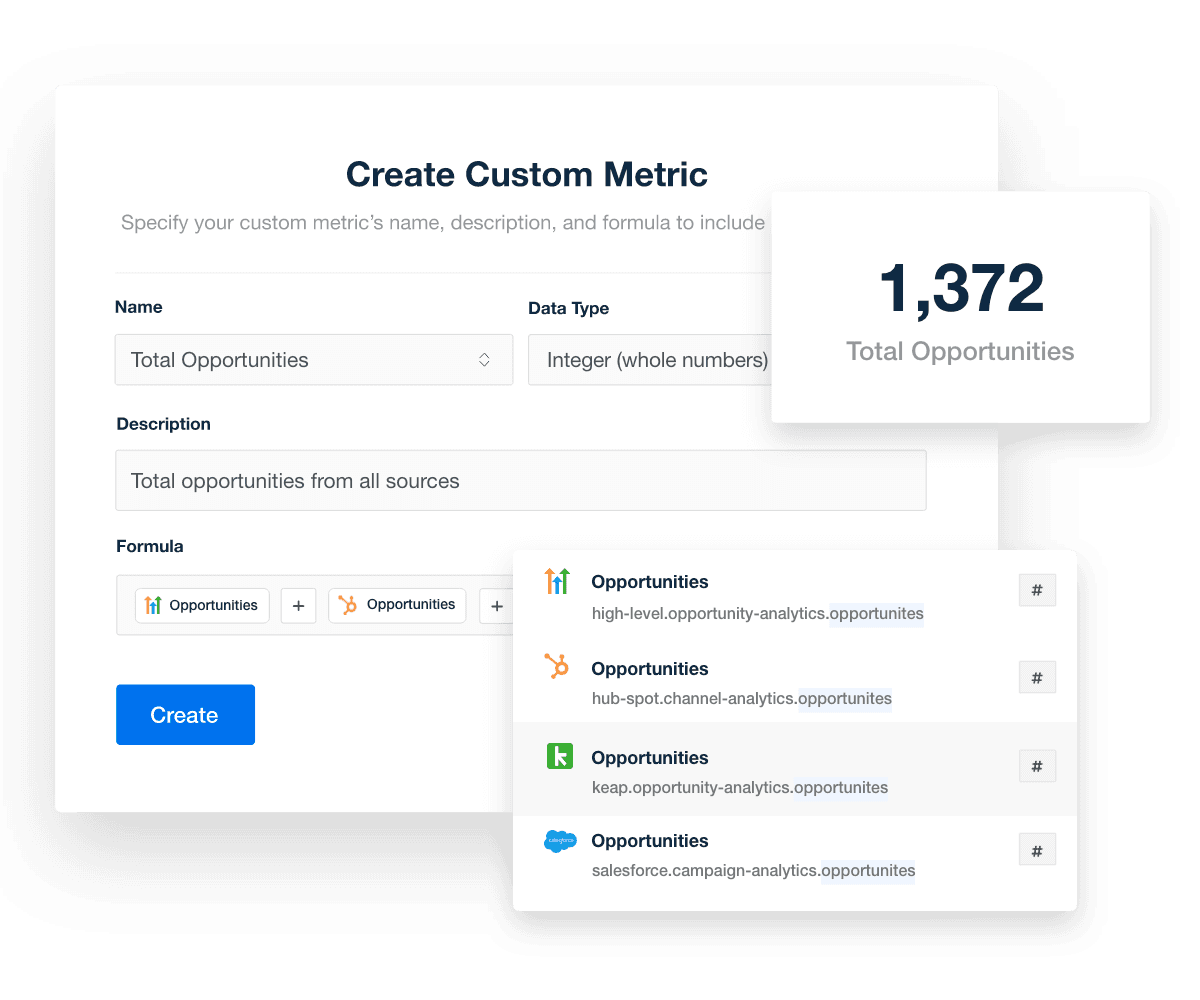
Harness the power of 80+ integrations to create custom metrics tailored specifically for your clients. Import historical data from diverse sources into unique, insightful metrics to deliver the most in-depth analysis possible. Reveal deeper trends and opportunities and deliver data-driven recommendations that drive client success.
Explore Custom Metrics
Highlevel Dashboard Template Custom Metrics
Explore Custom Metrics
Unified Campaign Management

Monitor All of Your Clients at a Glance

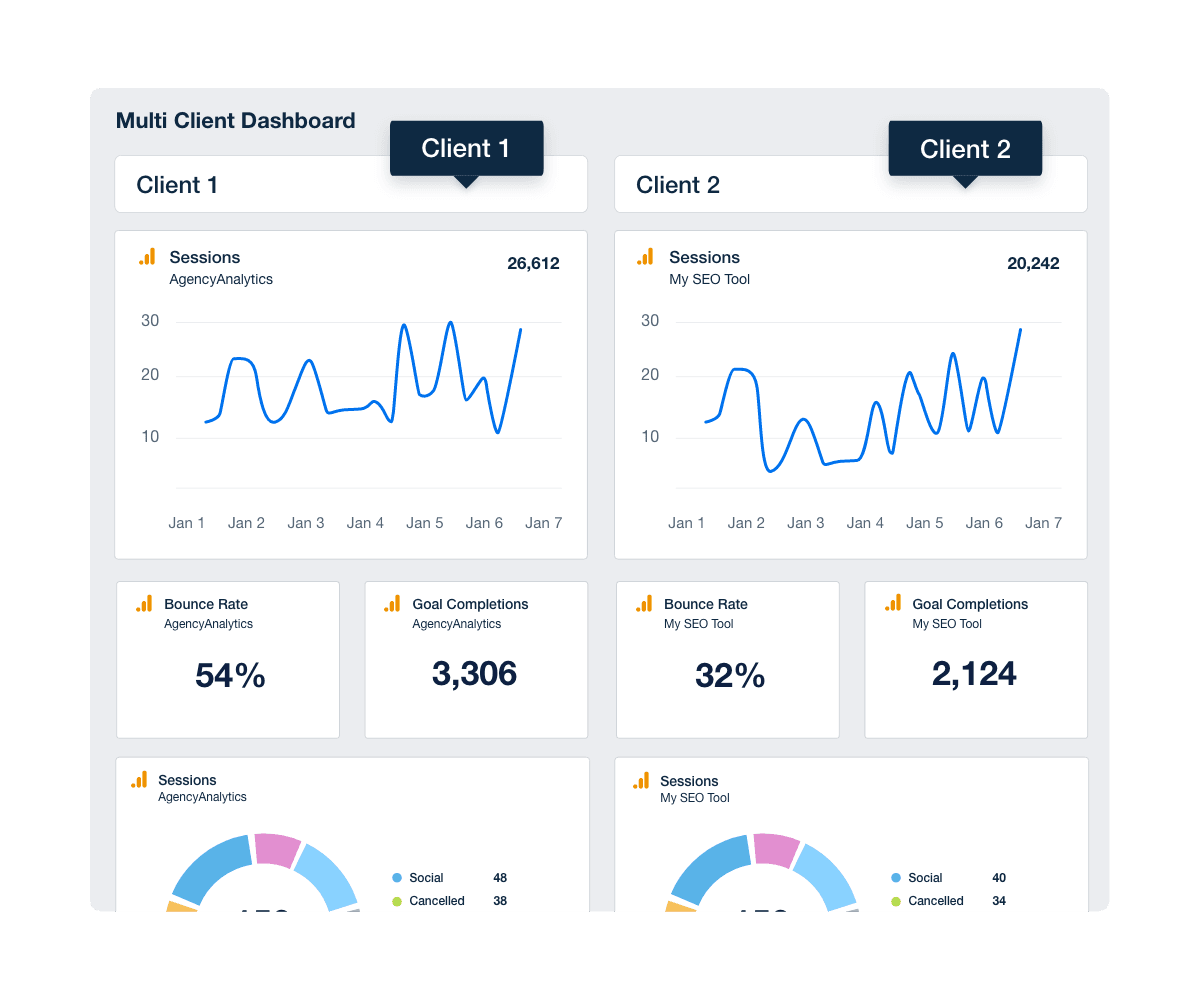
Build custom dashboards to streamline crucial metrics and data from multiple clients in one accessible location. Enhance efficiency and monitor and compare client performances simultaneously. With all the data at your fingertips, quickly identify trends, make data-driven decisions, and provide targeted recommendations that elevate client satisfaction and retention.
Discover Multi-Client Dashboards
An example of how to track important KPIs across more than one of your client campaigns using a multi-client agency dashboard
Discover Multi-Client Dashboards
Dedicated Support

Customer Support is Our Top Priority

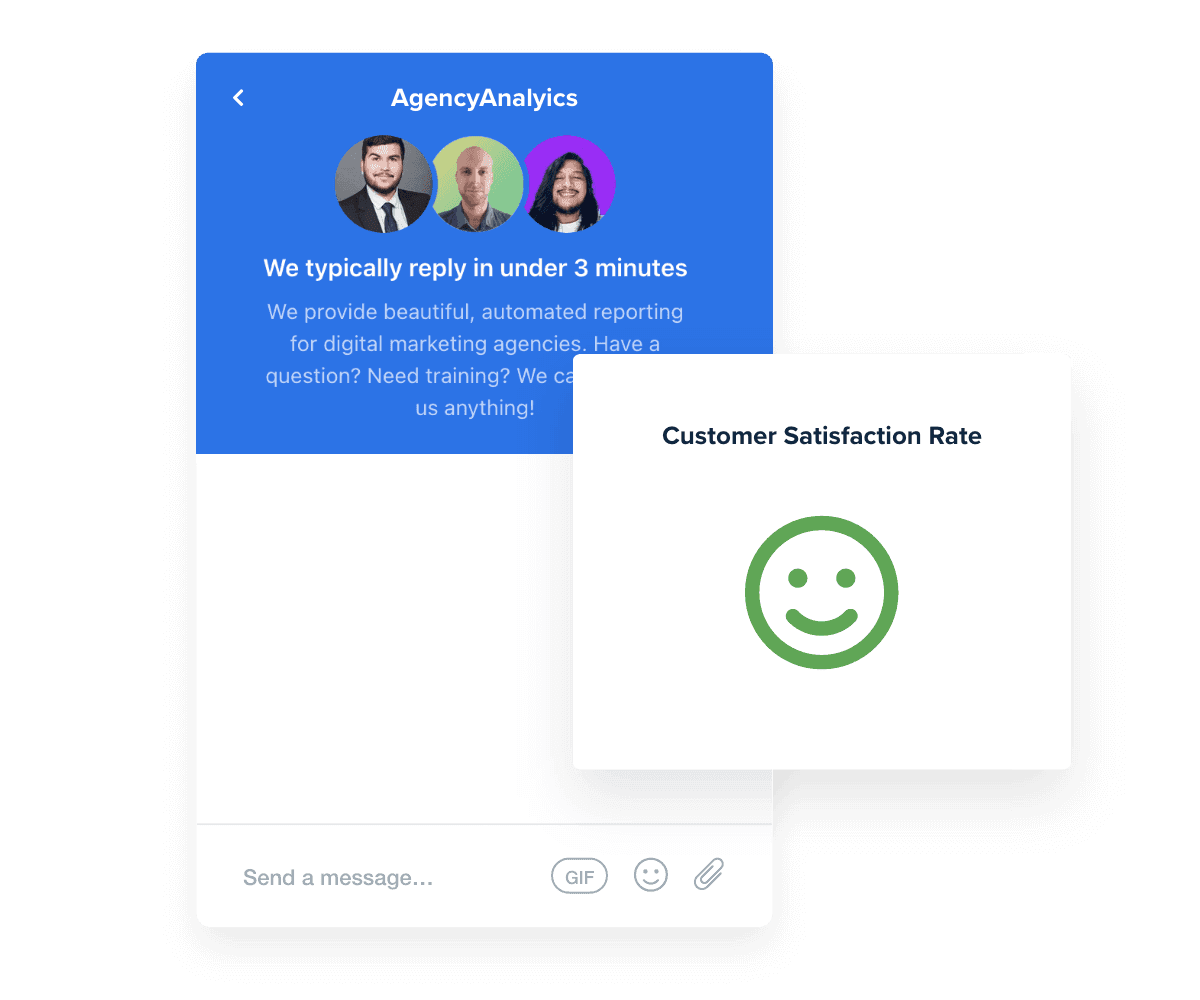
AgencyAnalytics is dedicated to supporting your agency's needs with continuous, reliable service. Our live chat operates 24/5, with response times averaging less than three minutes, ensuring your questions are addressed quickly and efficiently. With a customer satisfaction rate consistently above 95%, our support team specializes in assisting you with everything from creating WooCommerce dashboards to optimizing client reports.

You care about your client’s success. We care about yours.
Read Reviews
Best in Class Customer Support for Marketing Agencies
Read Reviews
Report Smarter. Not Harder.

Streamline Reporting and Focus On What Matters

WooCommerce dashboards streamline client reporting and campaign analysis, allowing agencies to focus on creating effective strategies and building client trust.

Gather essential metrics from Google Analytics, Facebook, and other tools to provide clients with a comprehensive overview of their online stores’ performance.

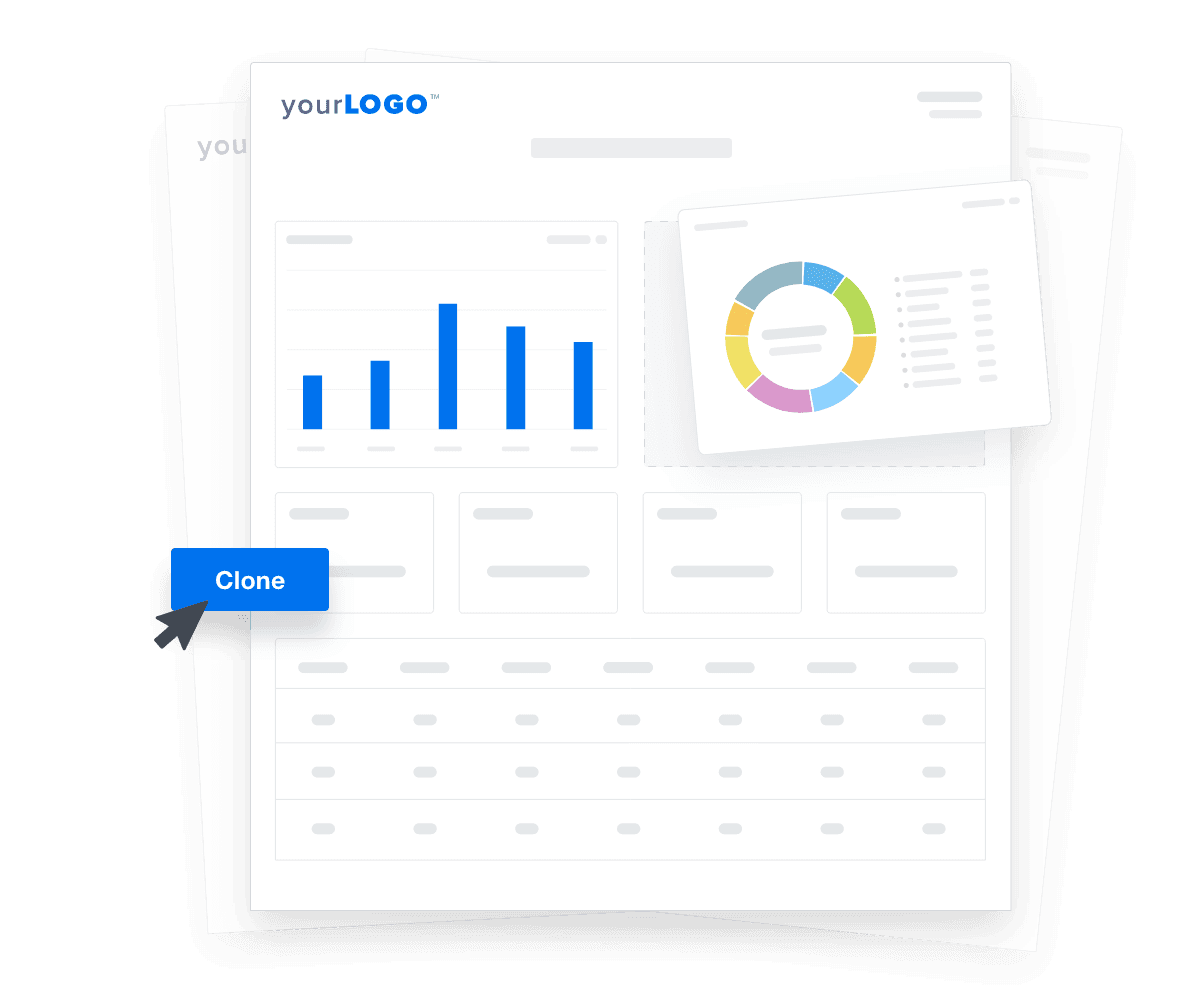
Customize each WooCommerce dashboard and replicate them quickly for new client setups. Use the time saved on client reporting and data visualization to expand your agency's capabilities and client base.

Create Custom Dashboards
An illustration of cloning marketing reports and dashboards for faster client onboarding
Create Custom Dashboards

Sign up for your free trial now!

No credit card required. No setup hassle. Just instant access to automated reporting, custom dashboards, and multi-channel insights.

Start Your Free Trial
An icon showing a user clicking to start a free trial
Start Your Free Trial

10 Sections To Include in a WooCommerce Analytics Dashboard Template
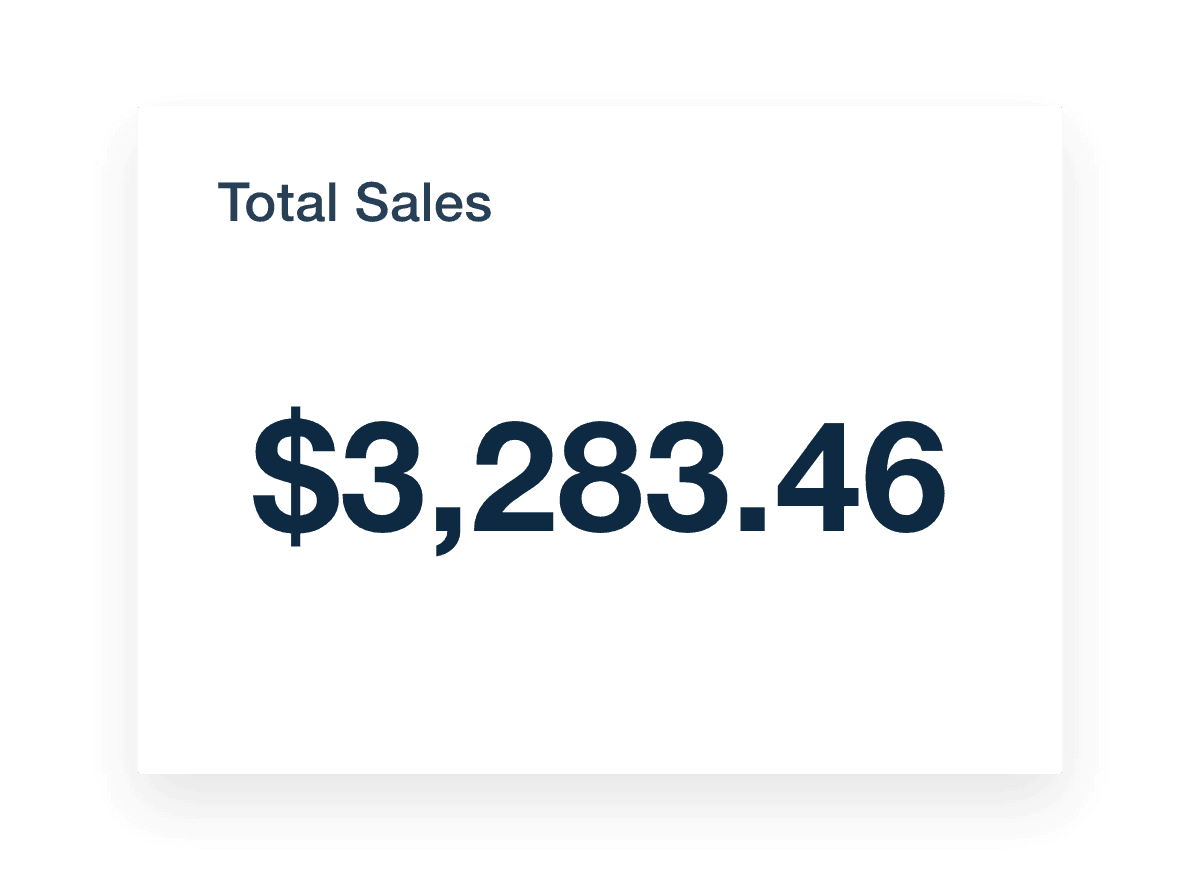
The total sales metric shows a WooCommerce store's entire transaction volume in dollar amounts, providing a clear snapshot of its financial performance. This essential metric reflects the direct outcomes of your marketing campaigns, showcasing the effectiveness of your strategies in real numbers.

Total sales offers a powerful revenue report reflecting the impact of your marketing efforts. The metric highlights the success of current campaigns and guides strategic decisions for future initiatives. With immediate access to gross sales and net sales, agencies quickly identify trends, adjust tactics, and improve overall sales performance. This strategic focus on key data points ensures your team optimizes marketing strategies efficiently.

The customers metric quantifies from the WooCommerce frontend dashboard represents the total number of unique buyers over a specified period. It tracks new and returning customers, which directly measures your client campaigns' reach and engagement.

The customers metric provides invaluable insights into customer engagement and loyalty. This customer data helps agencies pinpoint the effectiveness of their marketing strategies and refine their approaches to increase customer acquisition and retention.

With detailed visibility into new versus returning customer ratios, agencies tailor communications, promotions, and offers to meet the audience's needs. This targeted approach boosts customer satisfaction and enhances overall performance of online store campaigns, leading to sustained business growth and strengthened client relationships.

The average sales metric represents the mean transaction value over a desired date range in a WooCommerce store. This key figure helps gauge customers' spending behavior and reflects the effectiveness of pricing strategies and promotions.

Integrating average sales data into a WooCommerce dashboard helps you gain critical insights into how much your clients’ customers spend per transaction. This information is pivotal for refining product pricing and marketing strategies to maximize revenue. A deeper analysis of this metric allows agencies to identify patterns in purchasing behavior, adapt their promotional tactics, and ultimately enhance the financial outcomes of marketing campaigns.

The total orders metric counts all completed sales in a given period on a WooCommerce store. It's a straightforward measure of the store's activity, showing the number of sales made.

Total Orders helps you see how well marketing campaigns work. Watching the number of orders increase or decrease reveals insights into customer reactions to client marketing. This information is vital for tweaking campaigns to get more sales. Keeping an eye on this metric ensures that your marketing moves pay off, helping you keep your strategies effective and aligned with business goals.

The refunds metric measures the total number and amount of refunds issued by a WooCommerce store during a selected time frame. It helps gauge customer satisfaction and identify issues with products or services.

Adding refunds to a WooCommerce dashboard lets you monitor how often and why refunds occur. This visibility is essential for spotting recurring product issues or customer complaints. By understanding what drives refunds, you help clients improve their products or customer service, aiming to reduce refunds and increase customer happiness. Keeping refunds low is key to maintaining a positive reputation and improving the store’s bottom line.

Total Sales Metric Widget Example in a WooCommerce Dashboard

Build WooCommerce analytics dashboards that deliver results

Save time and impress clients with a powerful, results-driven dashboard template. Access the free WooCommerce analytics dashboard template today!

Preview the Dashboard
Illustration of a user at a marketing agency trying the client reporting features from AgencyAnalytics
Preview the Dashboard

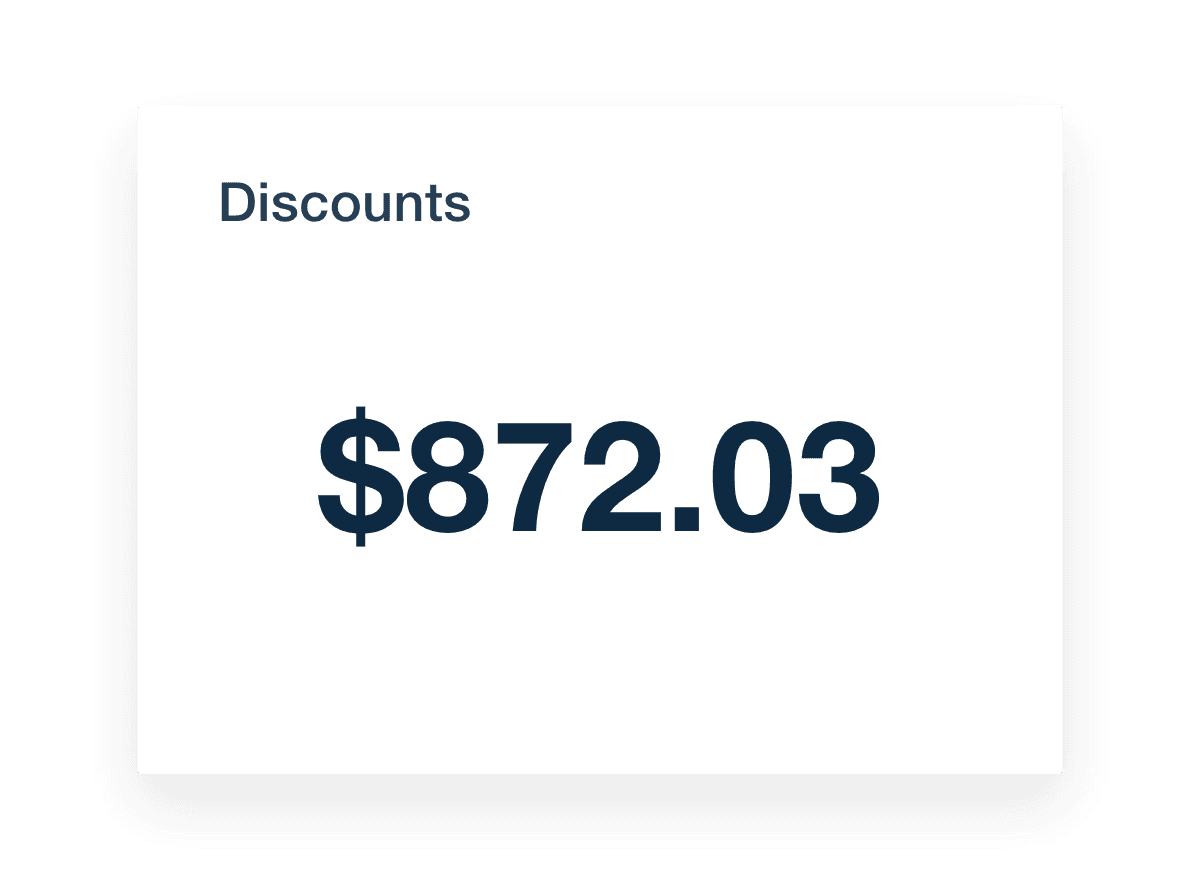
The discounts metric shows the total value of all discounts used in a WooCommerce store during a specific period. It helps clients see how much they're cutting prices and how those discounts impact sales.

Adding discounts to a WooCommerce dashboard lets you track the effectiveness of discount strategies. By looking at how discounts affect the number of orders, you can tell if promotions attract more customers or reduce revenue. This information is key to planning future promotions that entice customers without hurting profits. Properly managing discounts has the potential to increase sales and customer satisfaction while maintaining healthy profit margins.

The top products sold metric identifies which items sell the most in a WooCommerce store over a chosen period. This insight helps with customer behavior analysis and understanding product preferences and successful products.

Incorporating top products sold data into a WooCommerce dashboard provides in-depth analytics of a client’s best-selling items. This information is crucial for inventory management and marketing decisions. Knowing which products are popular, clients will adjust stock levels, tailor marketing efforts, and even develop promotions around these items. Recognizing top sellers helps ensure popular products are always available and featured, ultimately driving more sales and enhancing customer satisfaction.

The top coupons used metric shows which discount codes are most popular in a WooCommerce store over a selected period. It helps you see which promotions are working best.

Including this metric on a WooCommerce dashboard lets you see which coupons draw the most customers. This information is key for adjusting your promotional strategies effectively. By knowing which coupon codes are a hit, you can focus on similar offers in the future to attract more sales. Analyzing popular coupons helps you tailor your marketing efforts to what your clients’ customers want, making each campaign more successful and efficient.

Order count totals the number of orders placed in a WooCommerce store during a specific period. It's a straightforward measure of store activity and customer engagement.

Tracking order count helps you gauge the effectiveness of marketing campaigns and promotional activities. By monitoring how many orders are placed and their current order status (completed, processing, canceled, etc.), your agency will identify sales trends, adjust strategies, and ensure your promotional efforts convert interest into actual sales, boosting customer engagement and business growth.

Including goal tracking in a WooCommerce dashboard is critical for showcasing progress against client objectives. It offers a clear perspective on how online sales and marketing efforts align with set targets, enabling agencies to highlight their value and make strategic adjustments.

Goal tracking ensures that agencies accurately assess the effectiveness of their campaigns and adjust tactics to optimize results, enhancing client satisfaction and business outcomes.

Creating relevant KPI goals is key for agencies to measure the success of their client campaigns effectively. These goals should reflect the client's business objectives and offer clear benchmarks for assessing progress.

WooCommerce Dashboard Discounts Metric Example

FAQs About Custom WooCommerce Dashboards

Still have questions about how to create and use custom WooCommerce Dashboards? Don’t worry, we’ve got you covered.

  • A WooCommerce Dashboard gives agencies a live view of a client’s sales data, top selling products, and store performance. Instead of navigating multiple screens or plugins, shop managers view key features like revenue, order number, and product performance from a centralized frontend dashboard built for clear reporting.

  • Build a white label WooCommerce Dashboard using AgencyAnalytics. Connect the client’s WooCommerce Store, then select metrics to display and apply your agency’s branding. Use custom tabs, layouts, and filters to create a professional dashboard that your client can access with a few clicks.

  • Agencies should monitor metrics including total sales, average order value, conversion rate, order status, and cart abandonment rate. These indicators provide insights into revenue trends, customer behavior, and the effectiveness of marketing strategies, guiding informed decisions to improve client outcomes.

  • A WooCommerce Dashboard replaces disjointed plugin data with a unified view of all the plugins and metrics that matter. Agencies generate visual reports that show trends, revenue, and sales performance without digging through the WordPress Dashboard or exporting CSVs.

  • A custom WooCommerce Dashboard gives agencies more control and visibility than the native WordPress Dashboard. Rather than relying on two plugins or separate displays, shop managers use one clean dashboard to track performance and analyze results—all in one place. This improves efficiency for both the agency and the client.

  • Yes. Customize the dashboard to show only the metrics that matter to your client—whether it's managing the account, filtering by date range, or surfacing key features for the shop manager. The dashboard makes it easy to tailor the view so store owners see exactly what they need to manage products and track results. Simply use the drag-and-drop report and dashboard builder to build and customize client dashboards.

  • Popular dashboards include the social media reporting dashboards for tracking social media performance, the website analytics dashboards for measuring web analytics impact, and the SEO dashboards for SEO campaign reporting. Agencies also use the digital marketing dashboard template to provide digital marketing overviews and the PPC dashboards to review PPC metrics.

More templates
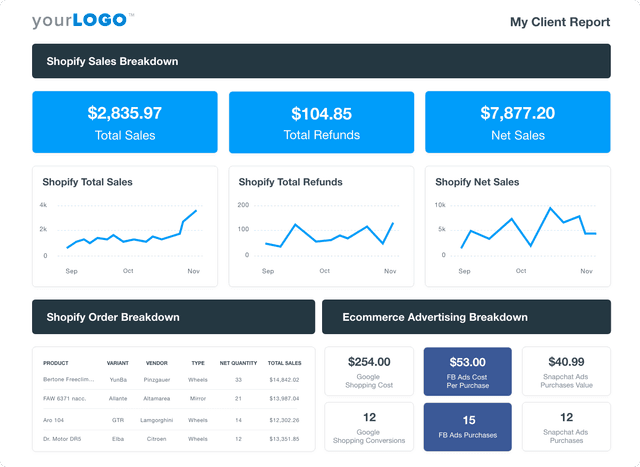
A screenshot of an example ecommerce dashboard

Ecommerce Dashboard

Track sales, conversion rates, PPC performance, and SEO in a fully customizable ecommerce dashboard. Consolidate key metrics in one place, automate reporting, and provide clients with live insights to optimize their online store’s growth. Find out why over 7,000 successful agencies choose AgencyAnalytics to save time, boost profitability, and keep clients on the path to growth.
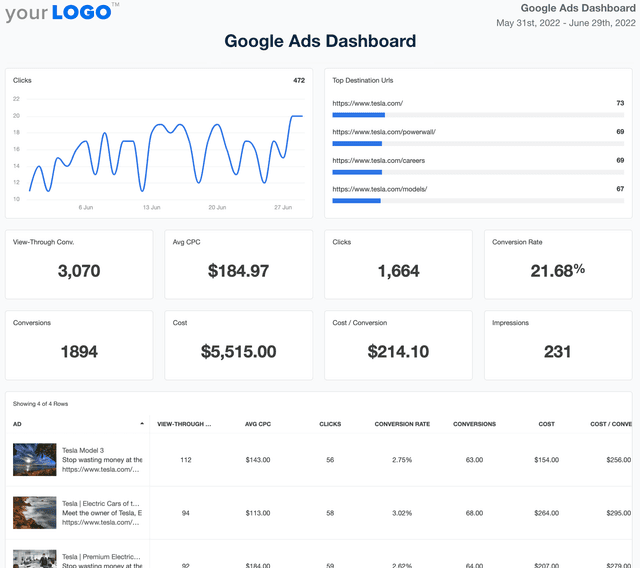
Google Ads Dashboard Template Example

Google Ads Dashboard

Track ad spend, conversions, and ROI in a fully customizable Google Ads dashboard. Consolidate multiple accounts in one place, automate reporting, and provide clients with live insights that optimize ad performance and budget allocation.
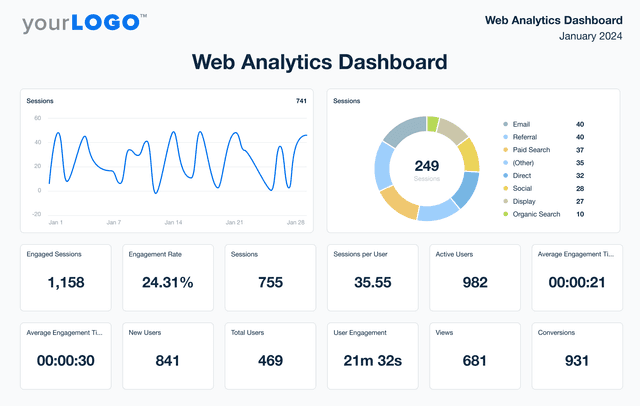
An example of AgencyAnalytics' Web Analytics Dashboard template

Web Analytics Dashboard

Unify web analytics from platforms like Google Analytics, Matomo, and 80+ marketing channels in a single dashboard. Monitor live engagement metrics, optimize campaign performance, and present insights in a client-friendly format that reflects your agency’s brand. Give your agency the edge to make smarter marketing decisions and improve results.
View All Templates

See how 7,000+ marketing agencies help clients win

Start Your Trial Now

Free 14-day trial. No credit card required.

Callout Get StartedSwoosh
Logo
G2 Users Love Us
AgencyAnalytics - G2 Leader Winter 2026
AgencyAnalytics - G2 Momentum Leader Winter 2026
G2 Crowd

4.7 out of 5

Capterra

4.8 out of 5

Product
Platform features
Agency solutions
Data integrations
Compare platforms
Reviews
Pricing
Company
About
Careers
Hiring
Media Kit
Contact
Get Started
Start Free Trial
Book a Demo
Quick Start Guide