AgencyAnalytics
AgencyAnalytics
  • Pricing
  • Login
  • Start Trial

Google Search Console Report Template for Streamlined SEO Reporting

Search rankings only tell part of the story. The customizable Google Search Console Report Template pulls in impressions, click-through rates, and indexing insights, so you keep clients informed on what’s driving organic traffic—and where they should focus next.
Preview TemplateStart Your Free Trial
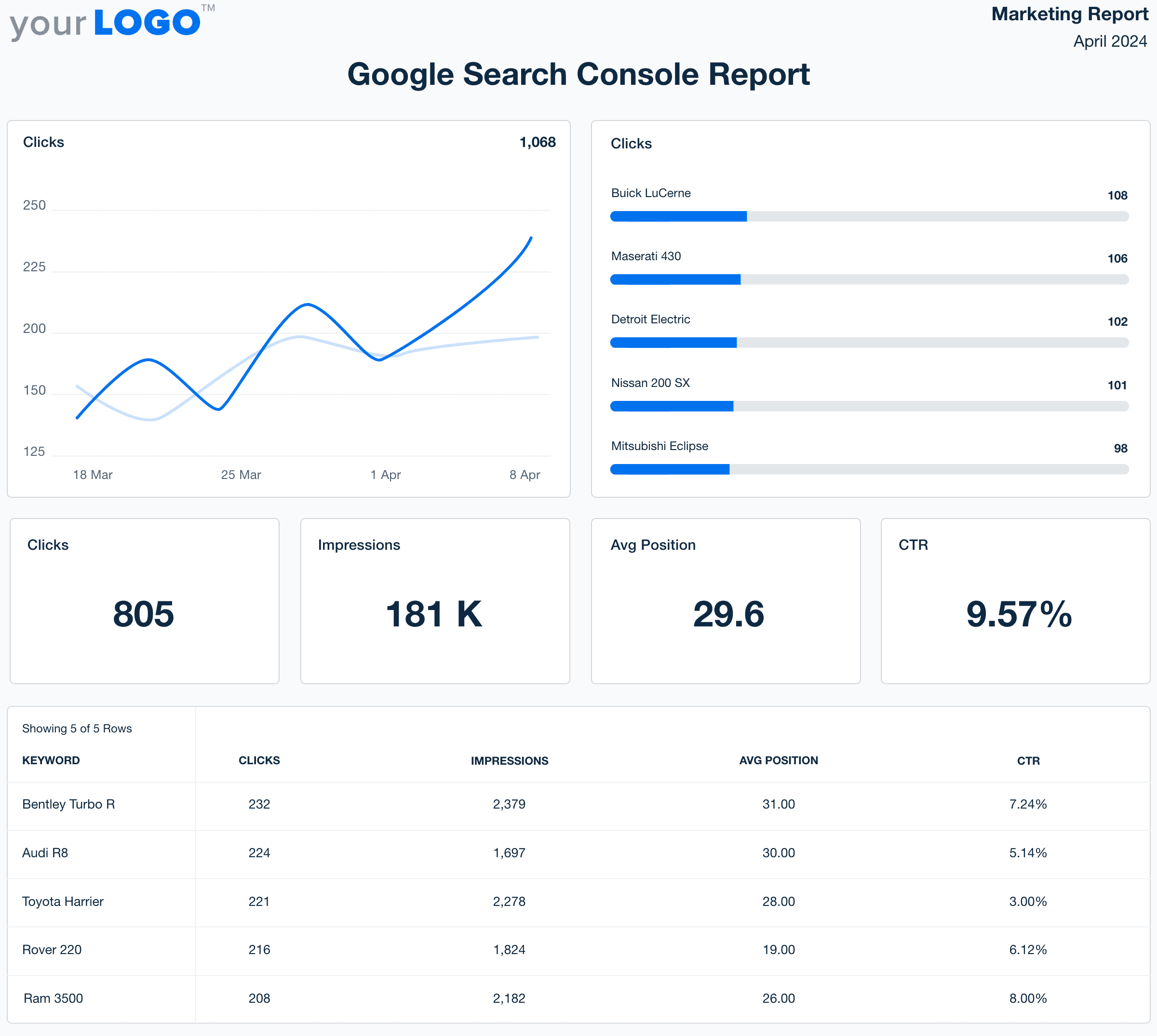
Google Search Console Report Template Example Screenshot

Customizable Google Search Console Report Templates That Show SEO Results

Turn raw search data into polished, client-ready reports that highlight the impact of your agency’s SEO efforts. Customize layouts, apply white-label branding, and automatically pull in key metrics like impressions, clicks, and click-through rates—no manual data exports required.

Showcase indexing insights and organic search trends in a clear, easy-to-understand format that helps clients see the value of your SEO strategy and stay informed on opportunities for growth.

Create Professional Google Search Console Reports in Minutes
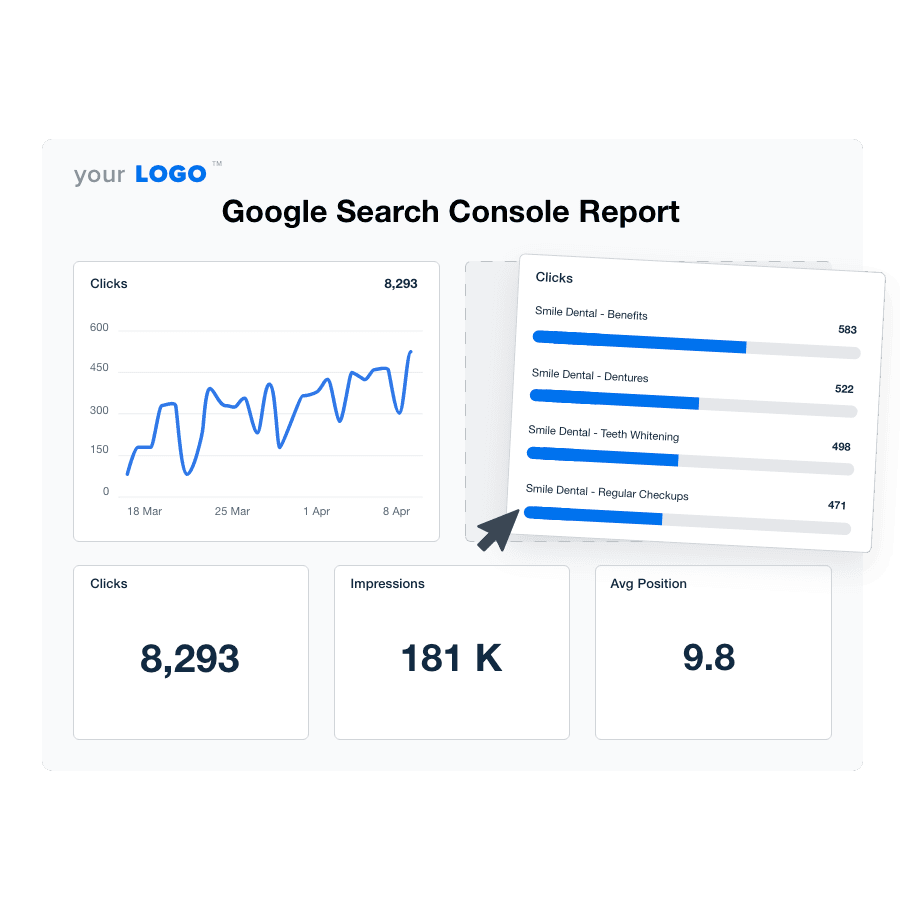
An illustration of the drag-and-drop Google Search Console report template builder
Create Professional Google Search Console Reports in Minutes

Easily Report on Your Client's Google Search Console Metrics

Start Your Free Trial

Custom Google Search Console Reports as Unique as Your Agency

Accelerate Client Reporting With Precision

Create Google Search Console Reports in Minutes–Not Hours

Free your team to focus on strategy and delight clients with faster insights. Less time spent manually generating client reports means quicker adjustments to market shifts, keeping your clients ahead of the competition. 
Get Started with Automated Reporting
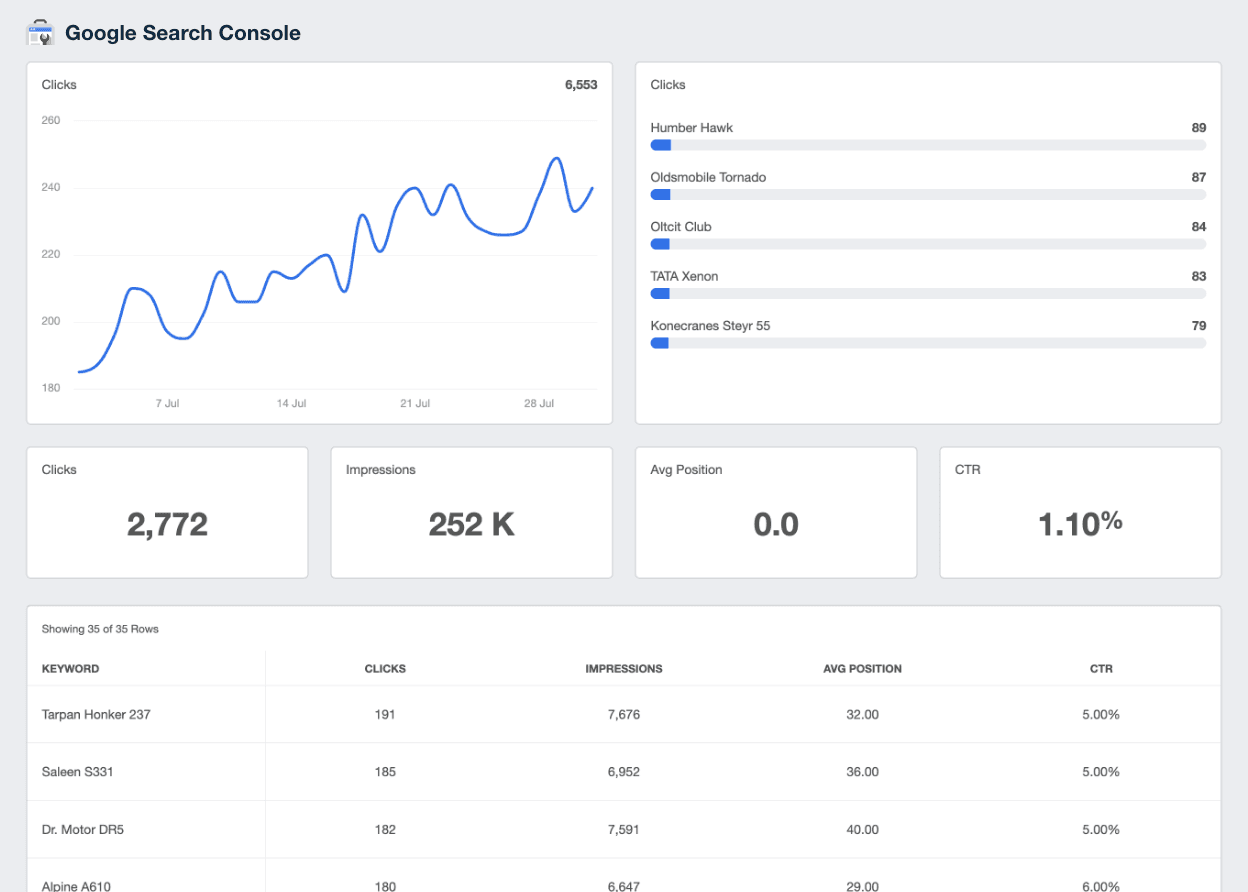
Google Search Console Reporting integration on AgencyAnalytics
Get Started with Automated Reporting
Connect More, Achieve More

Instantly Access All Your Clients’ Marketing Data

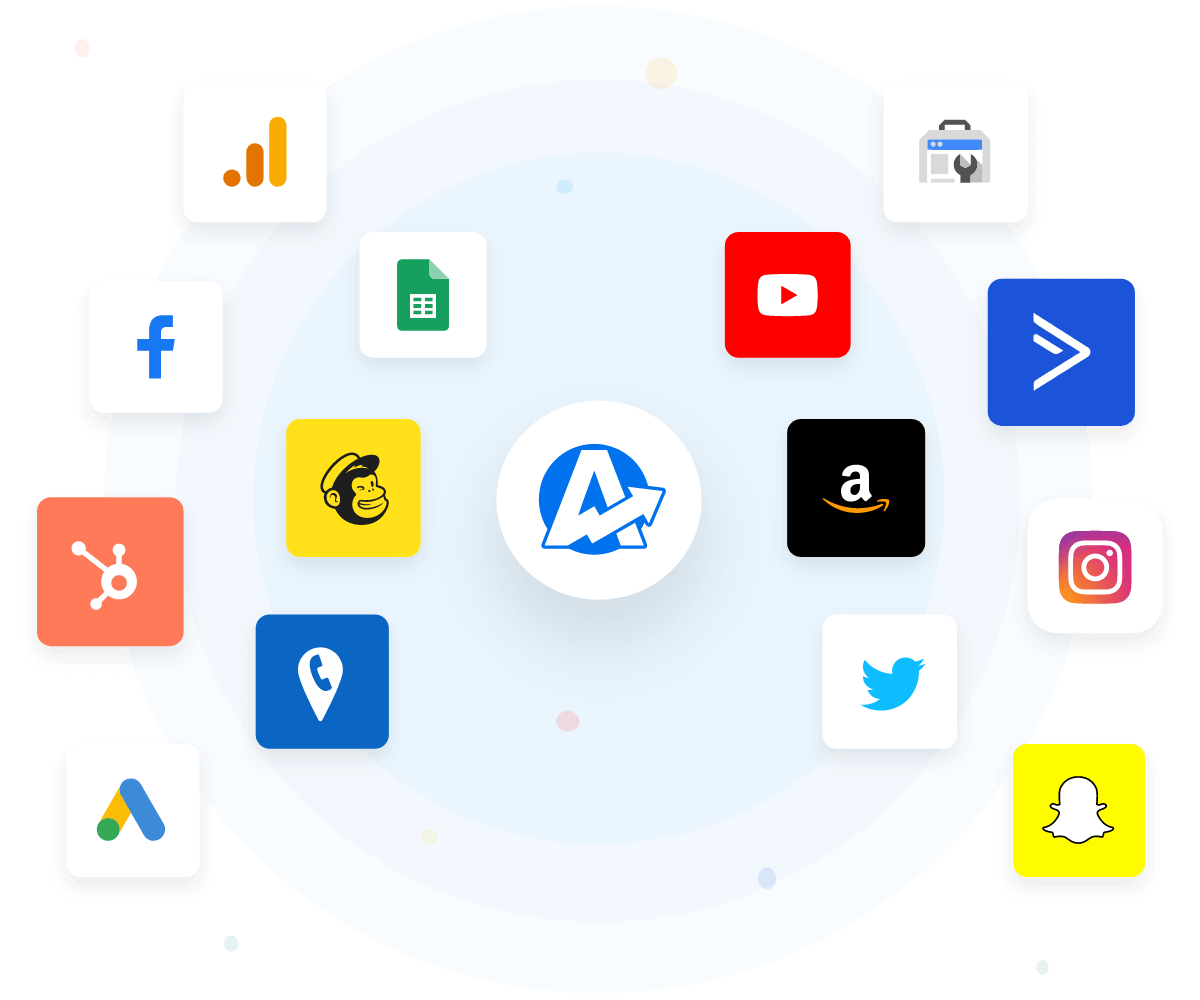
Integrate with 80+ marketing platforms and data sources to merge all your client data into one powerful reporting platform. 

Present clients with a unified view and actionable insights that fuel data-driven campaigns.

View All 80+ Integrations
An example of the available marketing platform integrations AgencyAnalytics offers to connect your clients' marketing data
View All 80+ Integrations
AI Insights That Drive Results

Turn GSC Data into Insights in Seconds

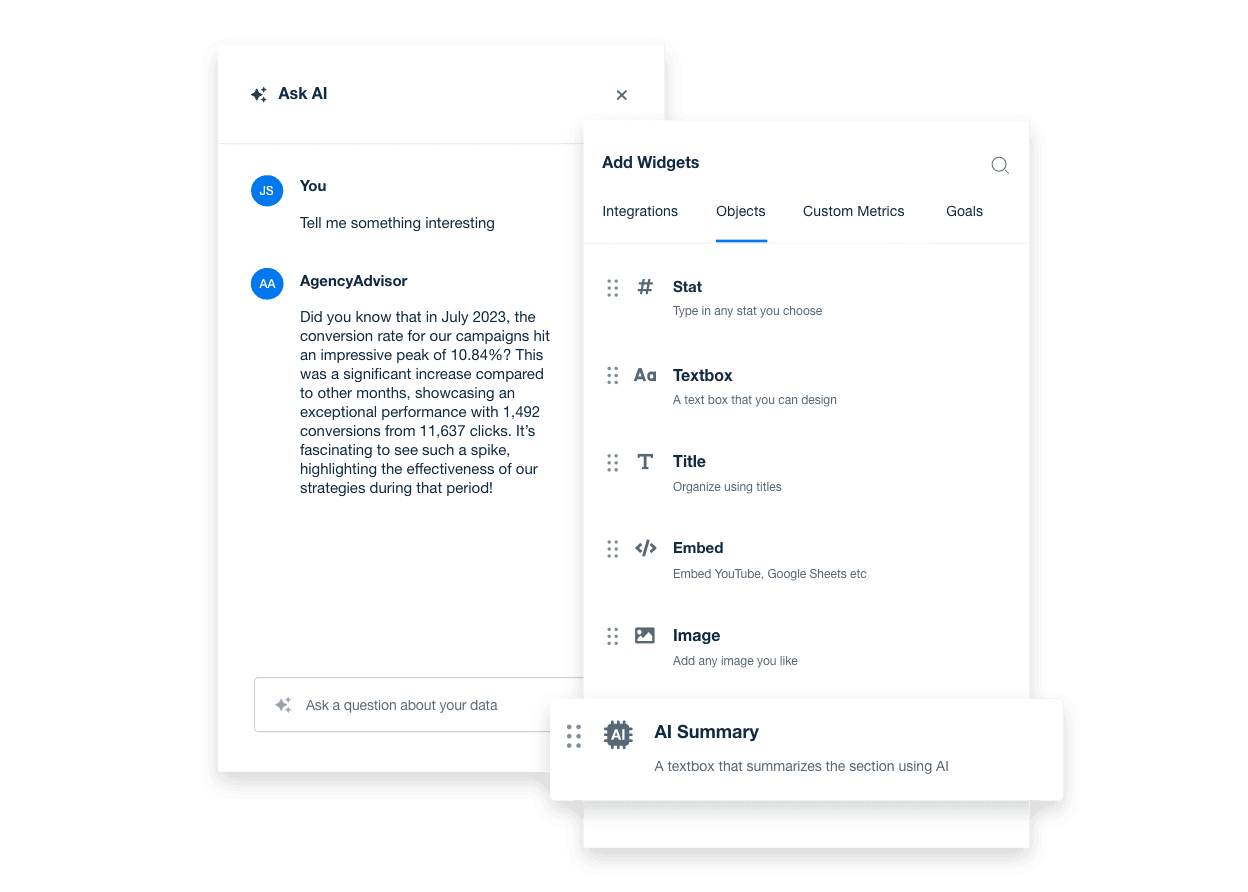
Spend less time digging through Google Search Console dashboards and more time acting on what matters. With AI-powered reporting, surface key insights on search visibility, clicks, and rankings—fast.

Ask AI turns complex search data into clear, client-ready takeaways. From top-performing queries to pages with low CTR, AI analysis delivers high-level overviews in seconds, keeping your team focused and your clients informed on what’s driving organic growth.
Discover AI Reporting Tools
An example showing how to unlock powerful AI insights for real-time marketing decisions using AgencyAnalytics' AI reporting tools
Discover AI Reporting Tools
Your Brand, Your Report

Empower Your Agency’s Brand with White Label Reporting

Showcase successes using your agency's brand, boosting professionalism and building client loyalty. Customize with logos, colors, and domains for a seamless experience that strengthens your market position and builds trust. Show clients your agency means business.
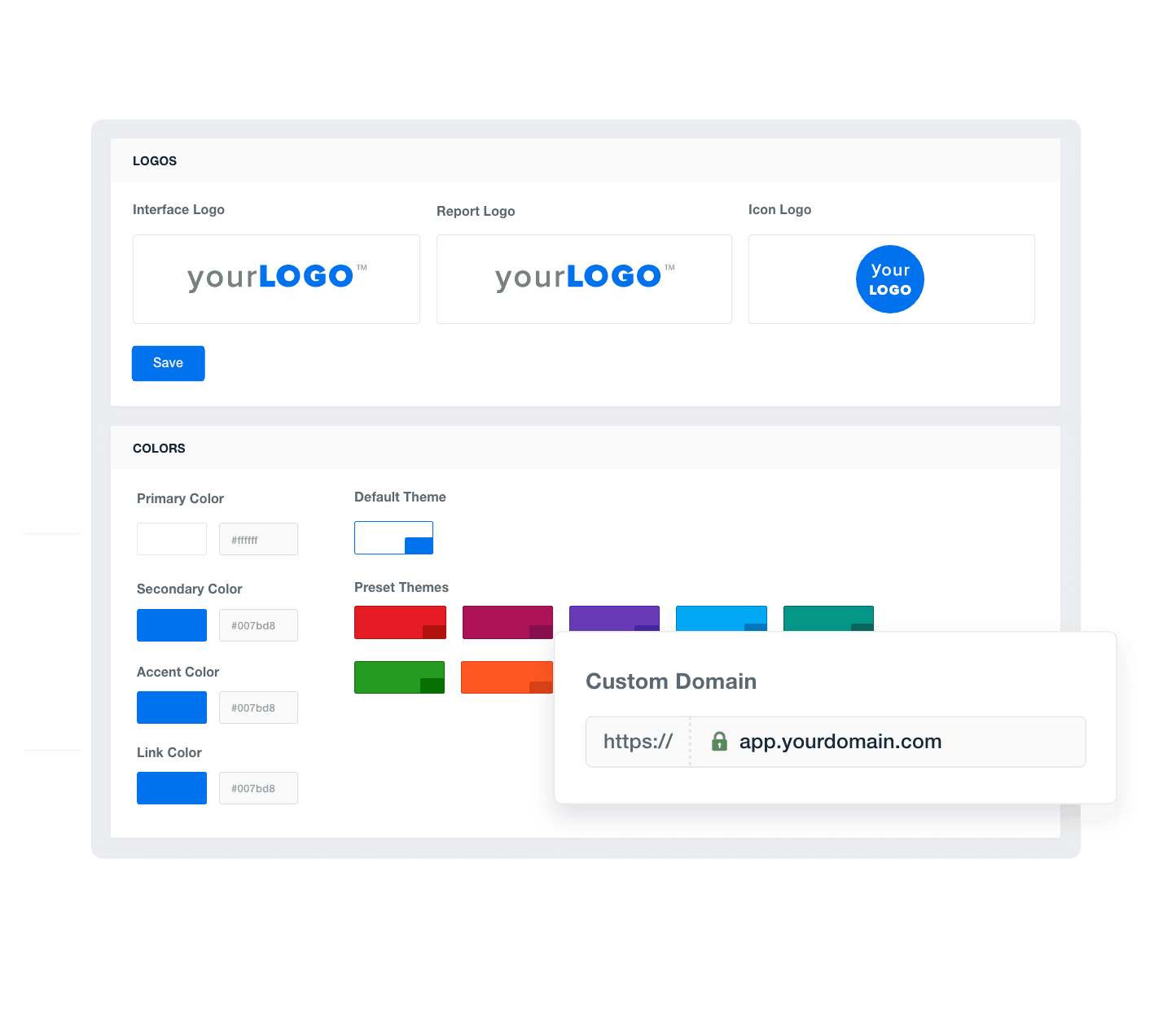
Add Your Agency's Branding
An example of how to add your marketing agency's branding to customizable marketing reporting software
Add Your Agency's Branding
Report Smarter. Not Harder.

Better Client Reports Are Just a Few Clicks Away

Tailor each report template or digital marketing dashboard to meet specific client needs and effortlessly duplicate them to streamline the client onboarding process. Rapid, personalized service delivery enhances client satisfaction and retention.
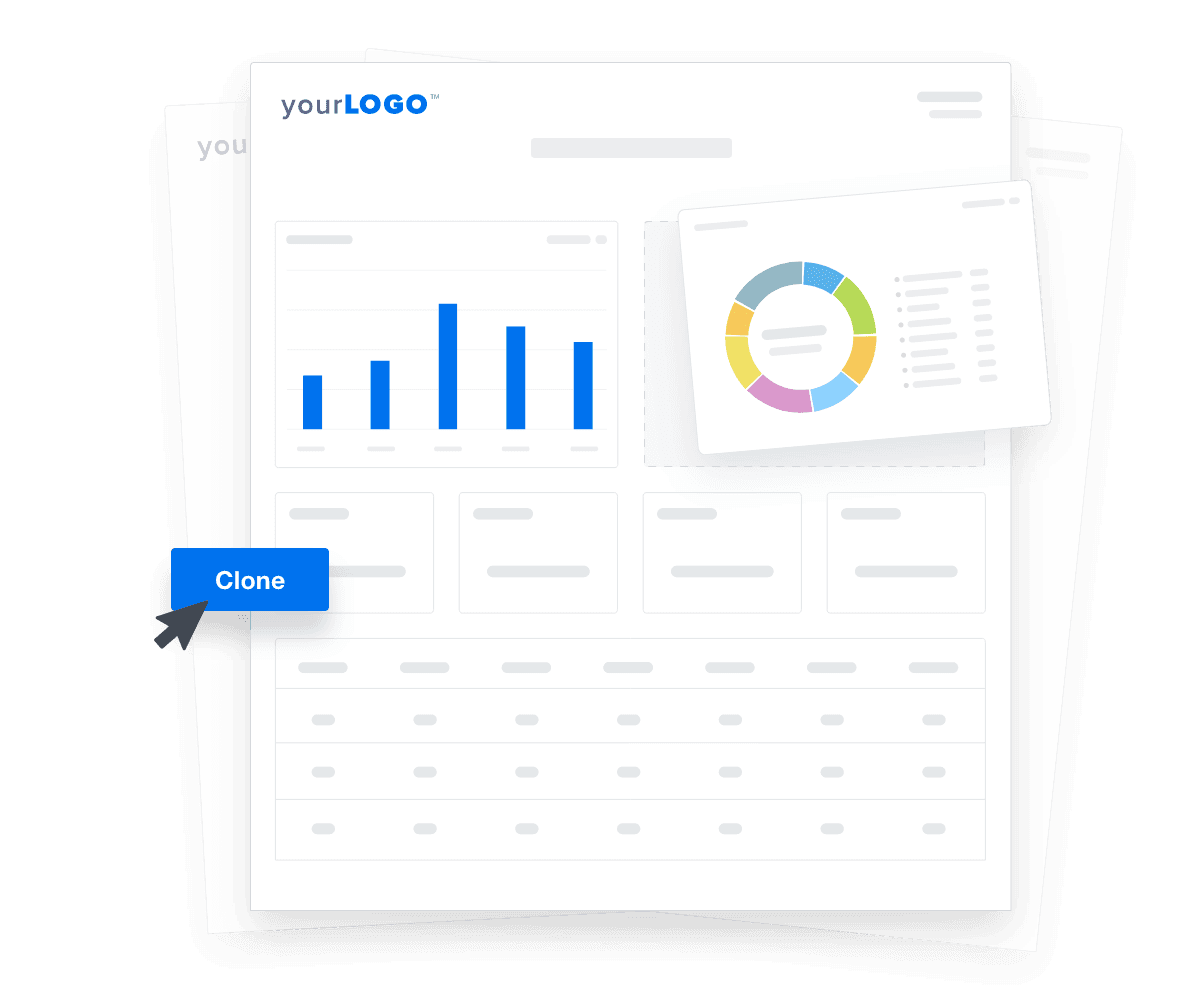

Create Custom Dashboards
An illustration of cloning marketing reports and dashboards for faster client onboarding
Create Custom Dashboards

Sign up for your free trial now!

No credit card required. No setup hassle. Just instant access to automated reporting, custom dashboards, and multi-channel insights.

Start Your Free Trial
An icon showing a user clicking to start a free trial
Start Your Free Trial

11 Key Sections Included in the Google Search Console Report Template
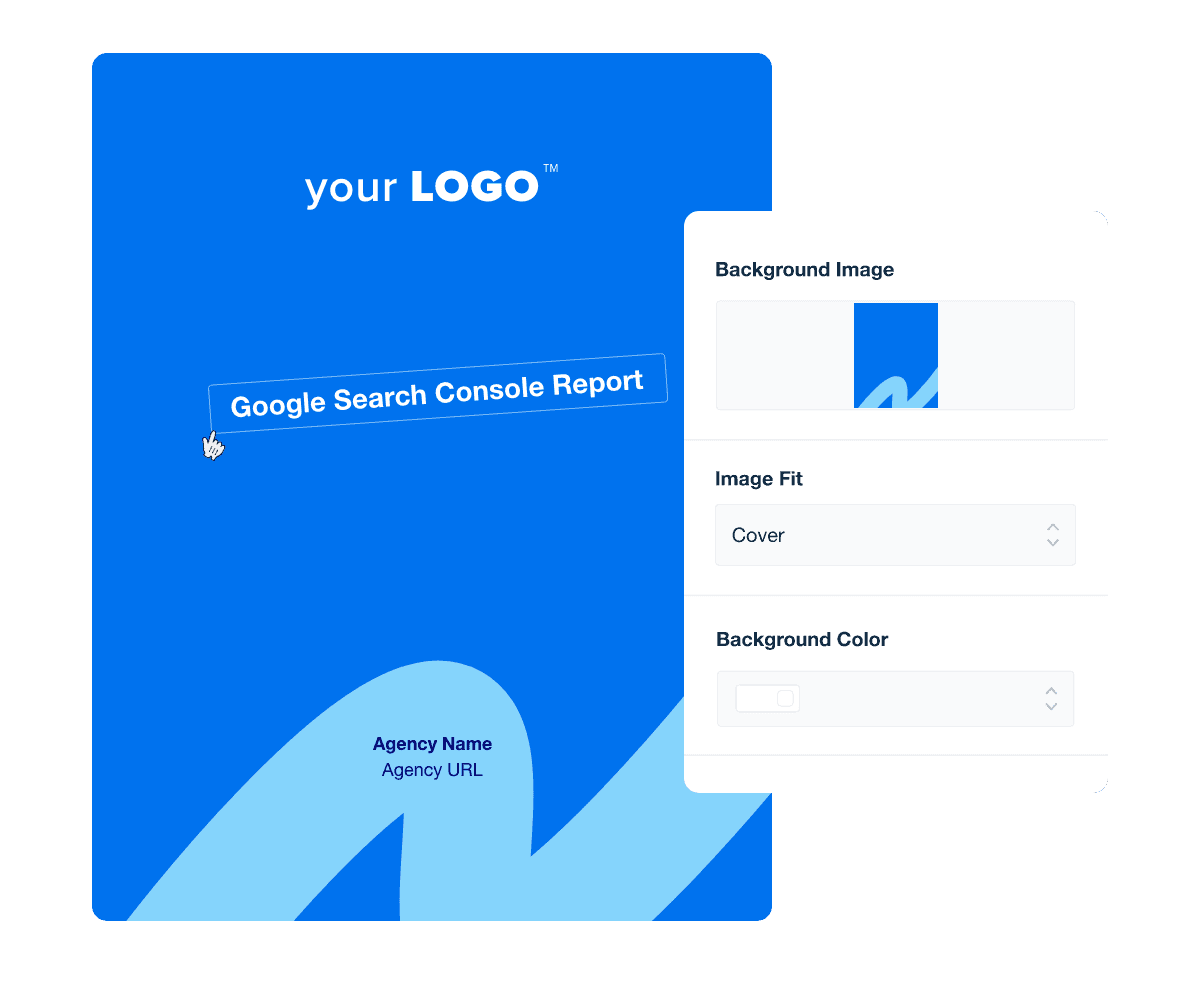
Create a professional, branded report cover page that sets the tone for the entire report. It should grab the client's attention and reinforce your agency's identity and professionalism.

The report cover page should also clearly indicate the strategy being covered, such as the broader SEO or SEM performance, or specific channel. Also, include the reporting period so the client knows the exact date range (e.g. monthly, quarterly, or campaign-specific) reflected inside the report.

A well-designed cover signals to readers that the contents are equally thoughtful and meticulously prepared, increasing the perceived value and credibility of the information presented.

Including an executive summary at the beginning of a report template provides a concise overview of the key findings and strategic insights. Whether the focus is narrow, such as specific analytics from GSC, or broad, covering overarching SEO strategies, an executive summary allows decision-makers to grasp the essence of the report quickly.

Craft the report summary in a way that distills complex data into accessible insights.

Google Search Console (formerly Google Webmaster Tools), offers invaluable data on how often a site appears in search results. Impressions data specifically tracks every instance your client’s site is viewed in search results, providing a direct gauge of visibility and reach.

Quickly and easily break down impression data by search type, including web, image, video, or news results. These insights into organic reach help refine SEO strategies by highlighting successful keywords and potential areas for improvement.

Clicks data quantifies the actual engagements a site receives from search engine listings. It signifies a user's choice to explore what a site offers based on their search query.

This data helps agencies identify which search queries drive traffic and optimize strategies for enhancing a client’s overall organic search traffic.

Average position data from GSC reveals the mean ranking of a page across various searches, offering a snapshot of where it typically appears in search results.

By monitoring average positions, agencies identify opportunities for improvement and prioritize SEO efforts that will boost search rankings.

Click-through Rate (CTR) provides a quick snapshot into the percentage of impressions that resulted in clicks, offering insight into the effectiveness of search listing engagement.

A higher average click-through rate suggests that the listings are well-optimized and appealing, while a lower CTR may indicate areas for improvement regarding titles, meta descriptions, or content alignment with specific search queries.

Google Search Console Report Template Cover Page Example

Build custom Google Search Console reports that deliver results

Save time and impress clients with a powerful, results-driven report template. Access the free Google Search Console report template today!

Preview the Template
Illustration of a user at a marketing agency trying the client reporting features from AgencyAnalytics
Preview the Template

Google Search Console's top queries data is a goldmine for understanding what drives organic traffic to your clients' websites. This data reveals the search terms (including short-tail keywords and long-tail keywords) users actively type, giving your agency a clear roadmap to organic search success.

By incorporating top queries data into your SEO reports, you–and your clients–gain a unique perspective on what drives organic traffic and helps your agency make data-driven decisions to develop winning SEO strategies.

Top pages data from Google Search Console identifies which website pages generate the most traffic and engagement, providing a clear view of high-performing content.

Analyzing this data helps agencies replicate successful elements across other pages, enhancing overall site performance.

Highlighting user location by countries and the associated engagement levels will help inform a client’s international SEO strategy.

By including country data in a marketing agency's Google Search Console report, agencies will have a better understanding of geographical nuances and be better equipped to tailor SEO and content strategies to different countries.

Devices data from Google Search Console categorizes traffic by the types of devices used, such as mobile, tablet, and desktop, providing a clear breakdown of how users are accessing content.

Given the variations in user behavior and search performance between mobile and desktop, agencies use this data to tailor SEO optimization strategies, ensuring that website pages are accessible by the most commonly used devices.

Sitemap data helps agencies quickly verify whether a client's sitemap is correctly submitted and functioning, pinpointing gaps or errors in the indexing process.

Regular audits and updates to the sitemap based on this data enhance the efficiency of search performance, ensuring that new and updated content is quickly indexed and ranked.

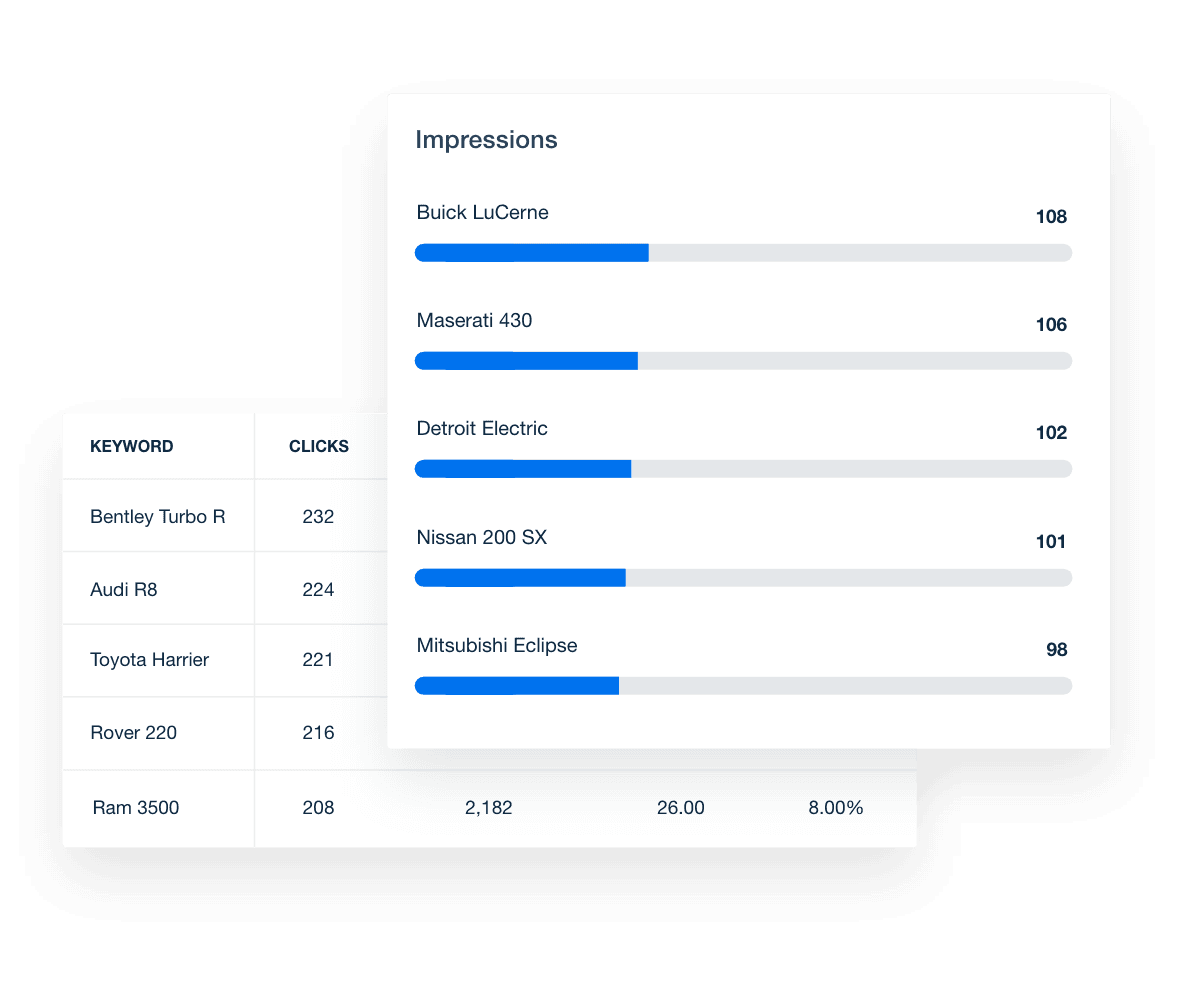
GSC report top queries metrics example

FAQs About Custom Google Search Console Report Templates

Still have questions about how to create and use custom Google Search Console Report Templates? Don’t worry, we’ve got you covered.

  • A Google Search Console report template presents your client’s website’s search performance in a clear, easy-to-share format. Pulling data directly from Google Search Console (formerly Google Webmaster Tools), this report helps agencies showcase how client website pages appear in search results and which search queries drive traffic.

  • A comprehensive Google Search Console report should include key SEO metrics such as impressions, clicks, keyword rankings, and average click through rate. The report also highlights which pages generate the most traffic and identifies valuable data like long tail keywords that attract highly targeted visitors. Tracking these metrics helps agencies prove their impact on the client’s visibility in search engines.

  • By showing which search queries drive traffic and how pages perform in search results, this report helps agencies identify opportunities to improve keyword rankings and drive more traffic. Reviewing performance over a custom date range provides the insights needed to fine-tune your client’s SEO strategy and improve their website’s performance.

  • Yes. Agencies automate Google Search Console reporting with AgencyAnalytics, eliminating the need to manually pull data into Google Sheets, Google Data Studio, or Excel. Whether you need to create a monthly report or track metrics over a custom date range, automation keeps your reporting consistent and client-ready.

  • The report simplifies complex SEO metrics by organizing all the valuable data in one place. It helps agencies show clients how their website pages perform in search engines and where they rank for target keywords. This makes it easier to prove the results of ongoing SEO work and uncover new ways to improve search visibility.

  • Yes. The Google Search Console report template is fully customizable using the drag-and-drop client report builder and white label branding to create custom marketing dashboards and automate client reporting.

    Agencies tailor layouts, visuals, and key metrics to meet client needs. Whether you want to focus on keyword rankings, long tail keywords, or which pages generate the most traffic, customization ensures every monthly report delivers the insights clients rely on to improve their website’s performance.

  • Agencies often turn to the social media reporting template when presenting social media performance data. For SEO, the SEO performance report helps showcase rankings and traffic improvements. Paid ad campaigns are usually summarized with the PPC report template. Broader campaigns are best captured in the digital marketing report template, while website engagement metrics come through clearly in the website analytics report template.

More templates
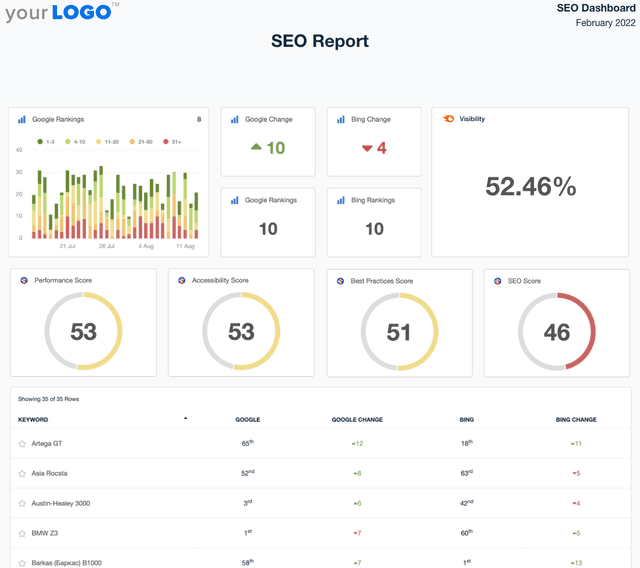
A screenshot of an example SEO Report template

SEO Report

Sending SEO reports shouldn’t mean spending your Friday night formatting screenshots in a PDF. Use a client-ready SEO report template to summarize rankings, traffic, backlinks, and key wins—then export and share in minutes.
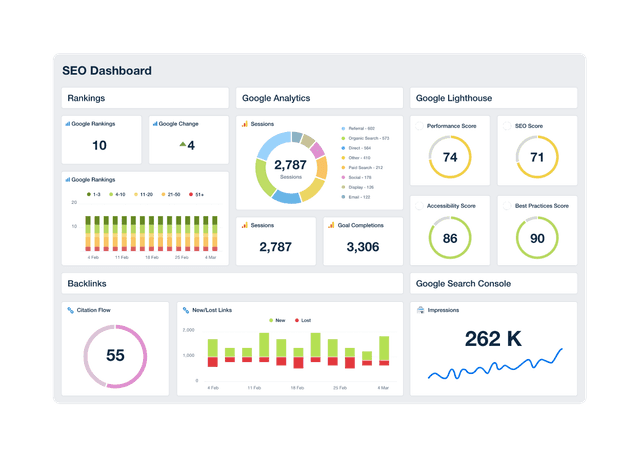
An example of a professional and customizable SEO dashboard template

SEO Dashboard

Track keyword rankings, organic traffic, backlinks, and goal completions in a customizable SEO reporting dashboard. Automate reporting, give clients live access to campaign data, and use up-to-date insights to improve performance and prove ROI. Join over 7,000 satisfied customers and experience the benefits of using an SEO dashboard!
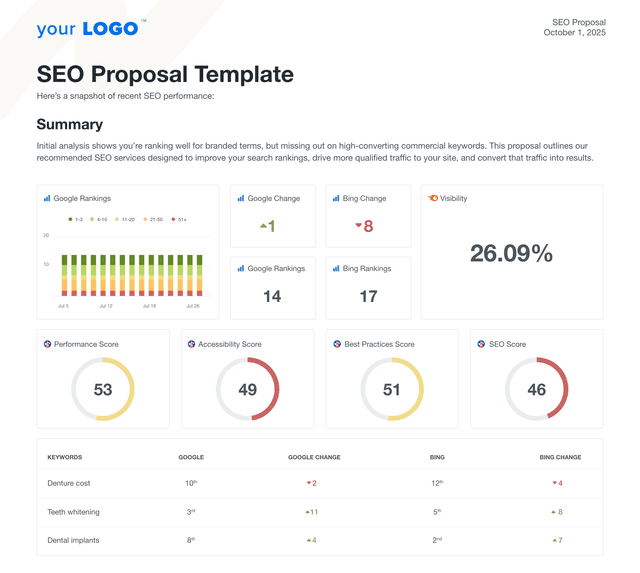
An example of a custom SEO proposal using the AgencyAnalytics professional template.

SEO Proposal

Create client-ready SEO proposals in minutes. This customizable SEO proposal template helps agencies pitch strategy, deliverables, and results without starting from scratch. Whether you're targeting local businesses, ecommerce brands, or enterprise accounts, this template gives you the structure to close deals with confidence.
View All Templates

See how 7,000+ marketing agencies help clients win

Start Your Trial Now

Free 14-day trial. No credit card required.

Callout Get StartedSwoosh
Logo
G2 Users Love Us
AgencyAnalytics - G2 Leader Winter 2026
AgencyAnalytics - G2 Momentum Leader Winter 2026
G2 Crowd

4.7 out of 5

Capterra

4.8 out of 5

Product
Platform features
Agency solutions
Data integrations
Compare platforms
Reviews
Pricing
Company
About
Careers
Hiring
Media Kit
Contact
Get Started
Start Free Trial
Book a Demo
Quick Start Guide