AgencyAnalytics
AgencyAnalytics
  • Pricing
  • Login
  • Start Trial

Free Monthly SEO Report Template (+ Example)

Sending SEO reports shouldn’t mean spending your Friday night formatting screenshots in a PDF. Use a client-ready SEO report template to summarize rankings, traffic, backlinks, and key wins—then export and share in minutes.
Preview TemplateStart Your Free Trial
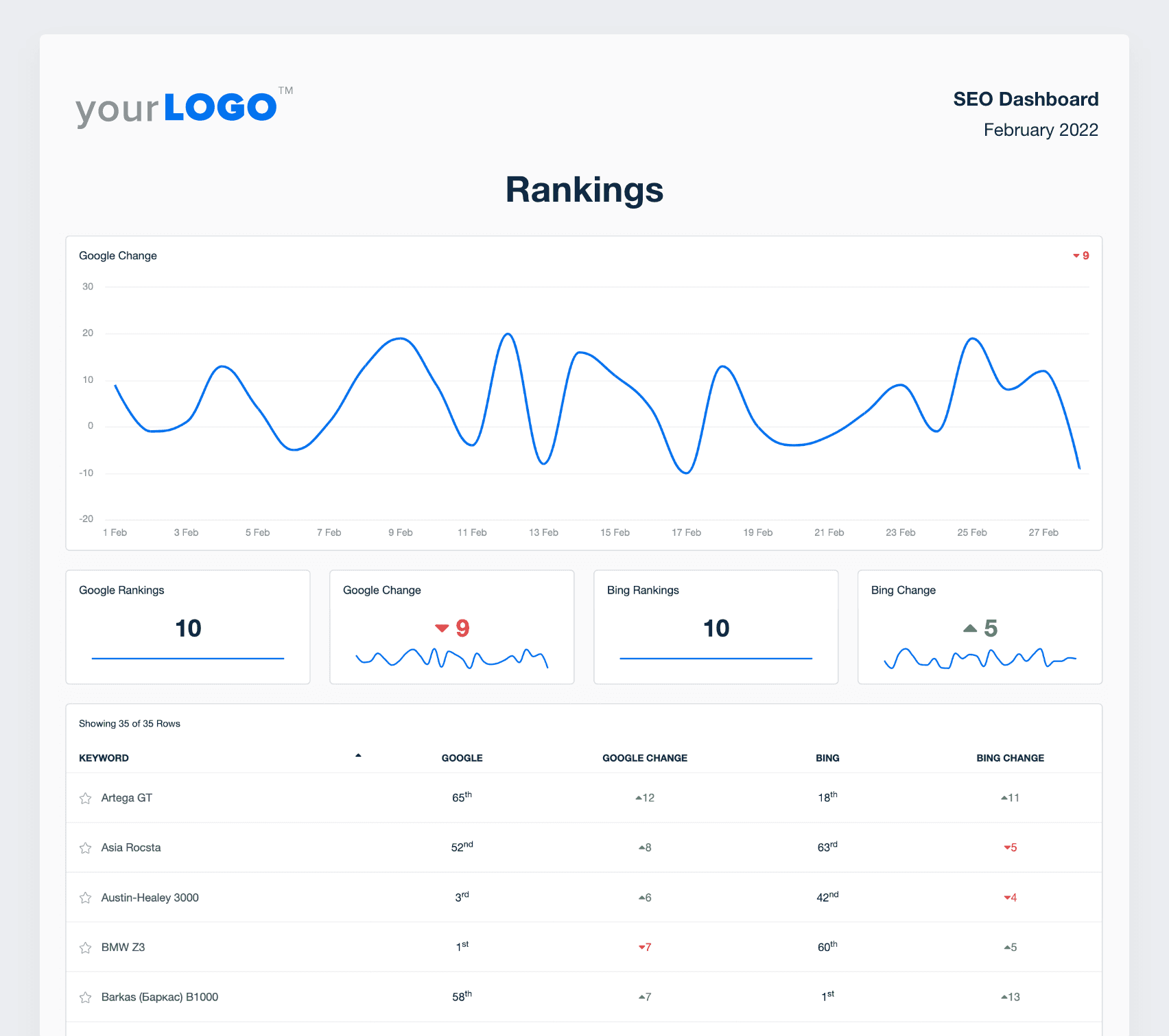
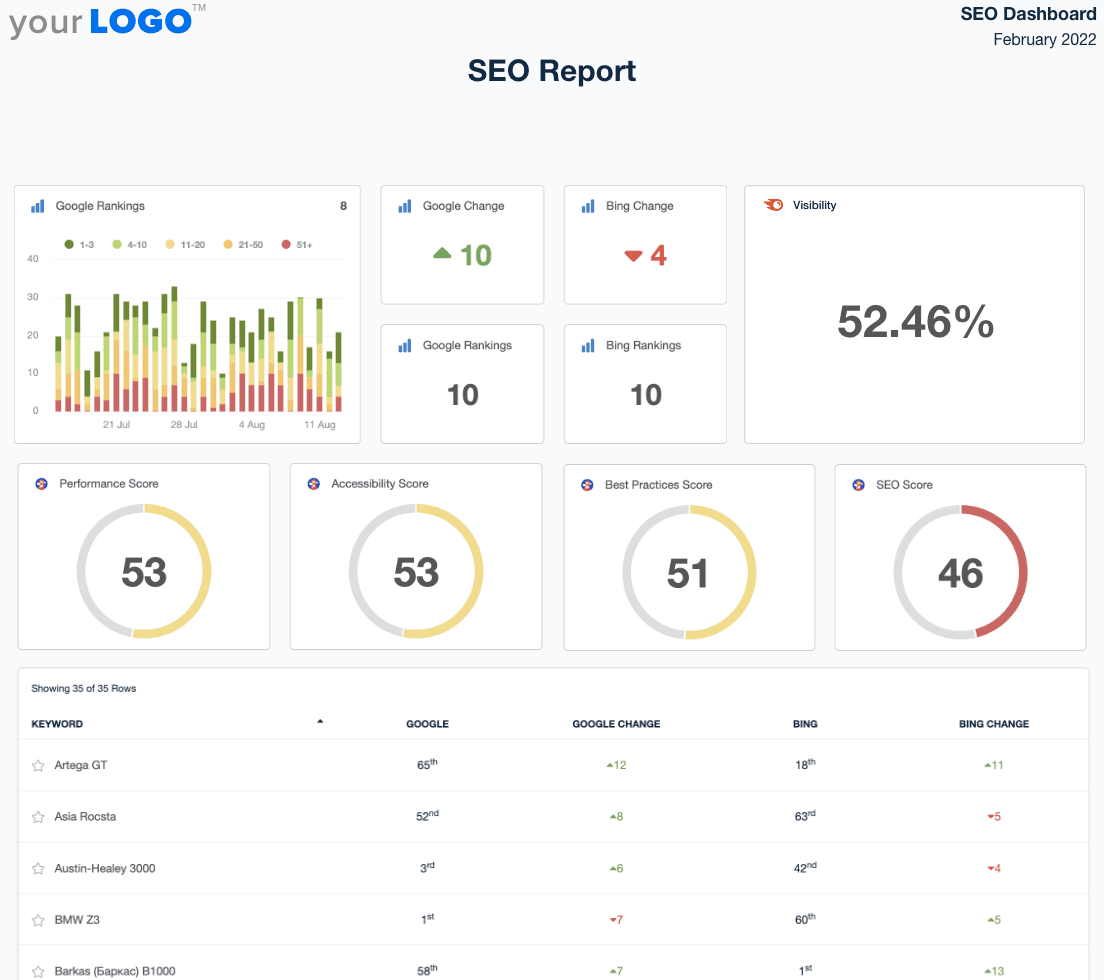
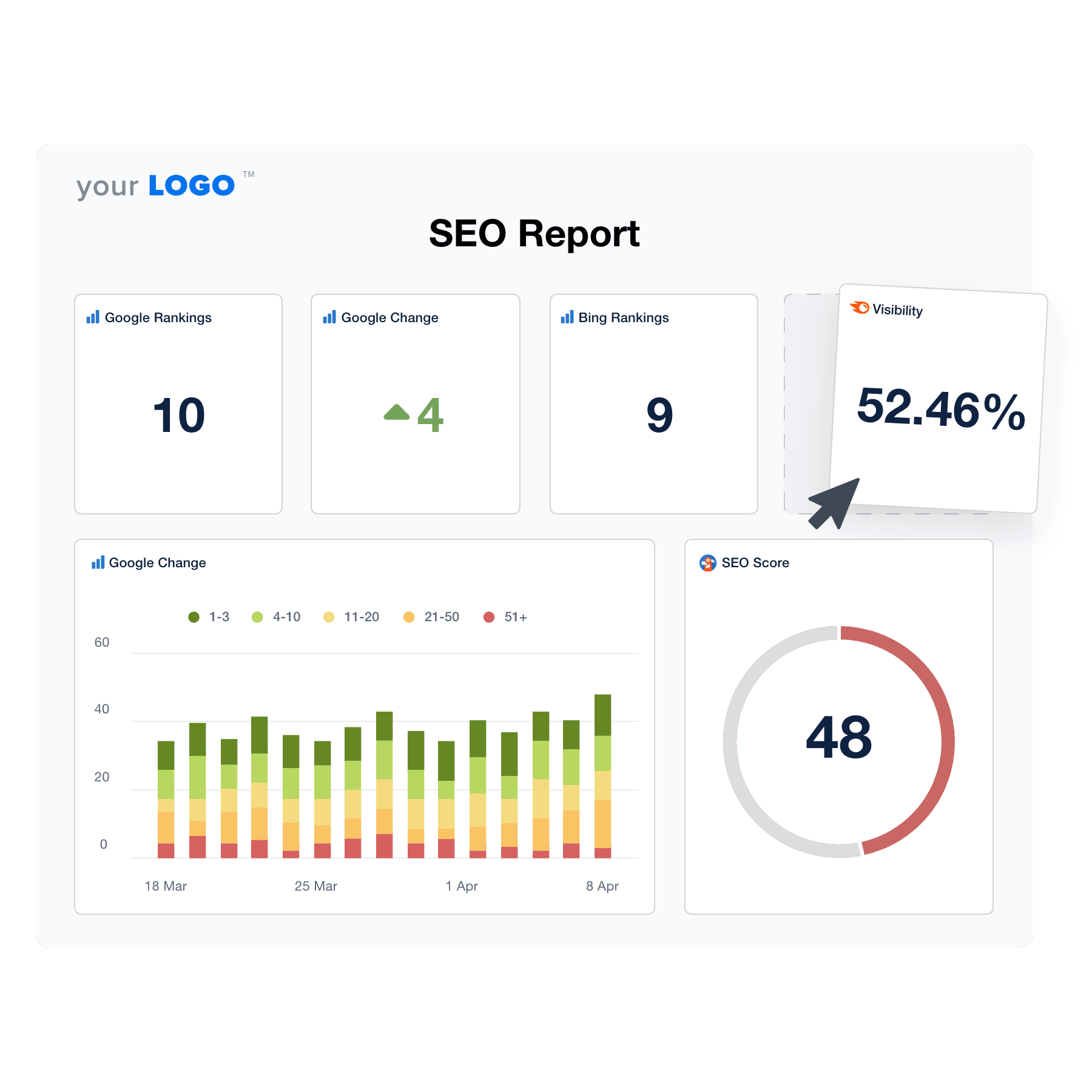
A screenshot of an example SEO Report template

Customizable SEO Report Template for Agencies, Freelancers, and Marketers

Whether you’re reporting on one client or fifty, this SEO report template is built to fit your workflow.

Customize sections, metrics, and commentary to match each client’s goals—then reuse your structure month after month. Highlight what matters most (rankings, organic traffic, backlinks, technical issues, and conversions) with a report that’s easy to understand and act on, and even easier to send.

Create Professional SEO Reports in Minutes
An example of the drag-and-drop SEO report template builder
Create Professional SEO Reports in Minutes

Easily Report on SEO Metrics Your Clients Care About

Start Your Free Trial

Custom SEO Reports as Unique as Your Agency

AUTOMATED REPORTS

Put Your SEO Reporting on Autopilot

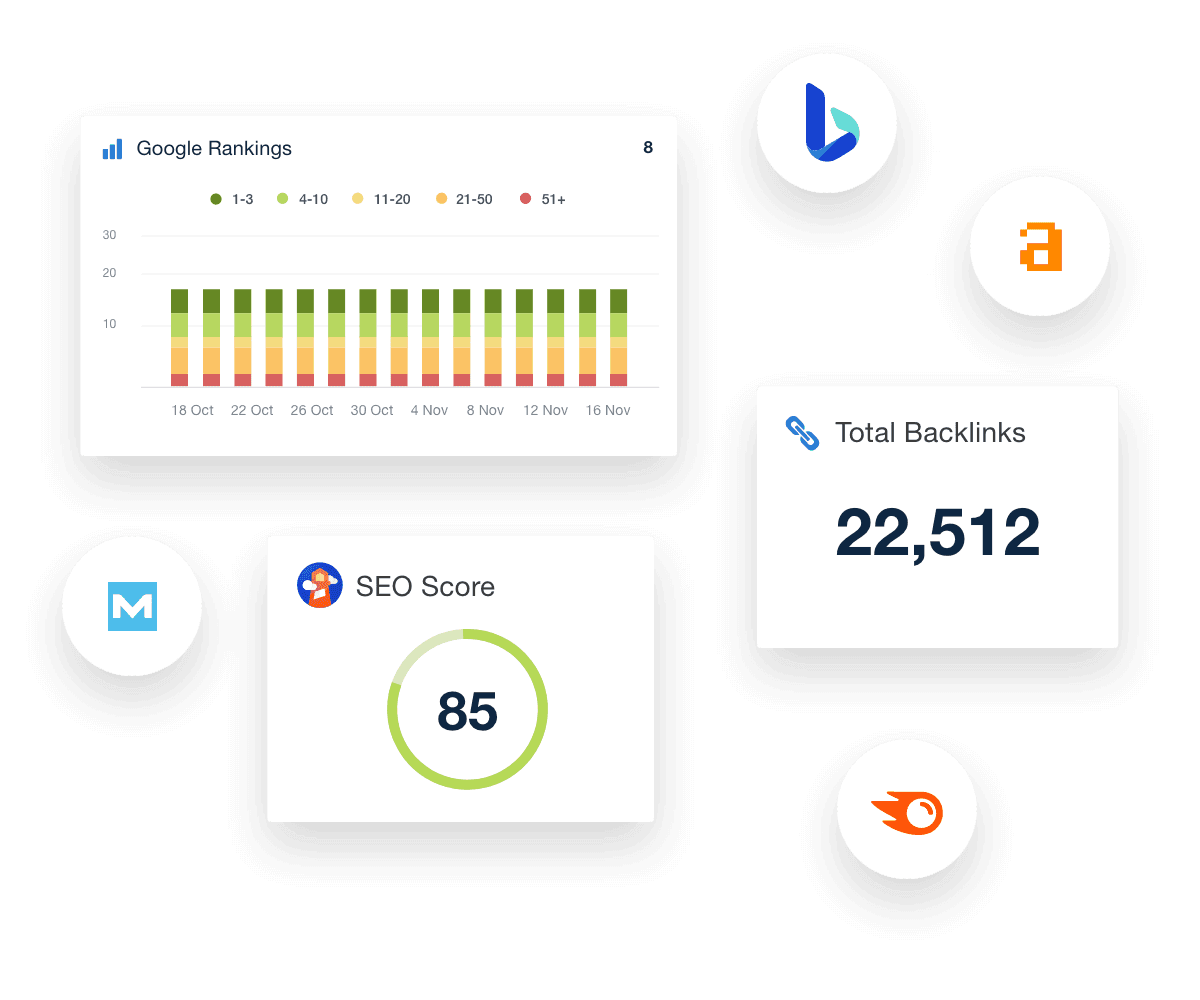
As an SEO expert, you need to spend more time executing SEO campaigns and less time creating SEO reports. Use your customizable SEO dashboard as a starting point to effortlessly build and schedule automated marketing reports.

The visual-first format turns complex SEO data into an easy-to-understand presentation your SEO clients will appreciate.
Create Custom Dashboards
Examples of SEO performance widgets in a Monthly Report for agency clients
Create Custom Dashboards
80 MARKETING INTEGRATIONS

Access All Your Clients’ Data Under One Roof

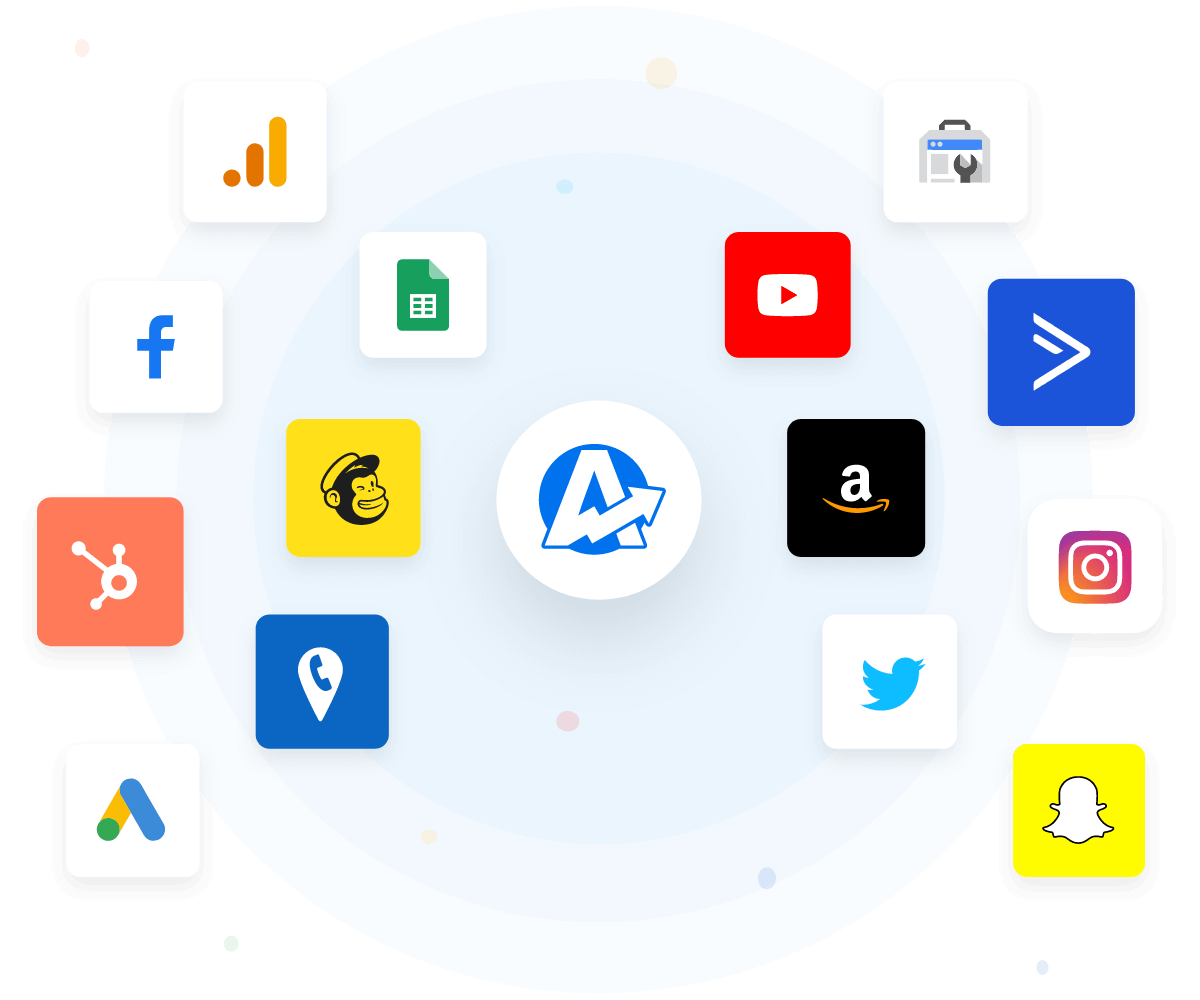
Getting all your clients’ SEO data takes time when you have to do it manually. AgencyAnalytics integrates with over 80+ marketing integrations, so you have access to all the SEO metrics under one roof.

Connect your favorite SEO tools like Ahrefs, Google Analytics, Google Search Console, SEMrush, Moz, Majestic, and many more, to bring all your client data into a single, intuitive SEO report template.

A comprehensive digital marketing report template consolidates all your client's marketing data into one centralized hub, driving efficiency, improving targeting, and maximizing conversions.
View All Integrations
A sample of third-party marketing platform integrations that are on the AgencyAnalytics client reporting software
View All Integrations
Track Progress With Precision

Set SEO Goals and Hit KPI Targets

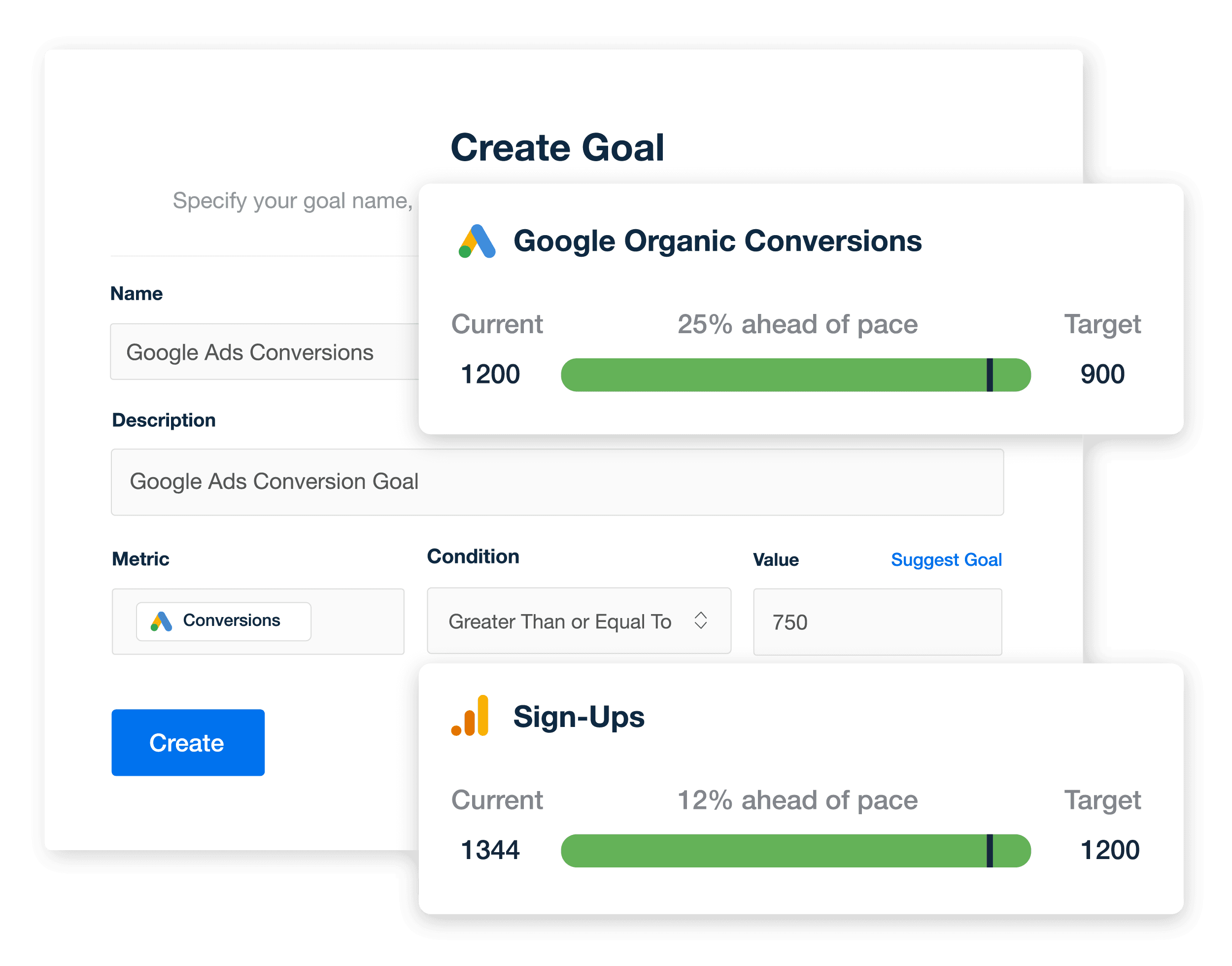
Create custom SEO goals to track what matters most to your clients—whether it’s improving rankings for priority keywords, growing organic traffic, or increasing conversions from search. Use annotations to highlight key wins like new page-one rankings or major traffic gains, turning raw data into a clear, client-friendly story of progress.

Strengthen client relationships by connecting every report to real business outcomes, making your agency’s impact on long-term search growth and lead generation impossible to miss.
Explore Goal & Budget Tracking
An example of how marketing agencies track SEO performance using custom goals within white labeled SEO reports and dashboards
Explore Goal & Budget Tracking
TAKE YOUR AGENCY’S BRAND FURTHER

White Label Your Client-Facing Dashboards & Marketing Reports

With AgencyAnalytics, you have everything you need to create a professional reporting system for clients. Put your brand front and center with fully white-labeled dashboards and reports with your brand’s color palette and logo. 

Take advantage of multiple white label profiles on select plans if you have different client-facing brands. Even host your marketing dashboards on a custom domain and send the perfect SEO report from your own email address.
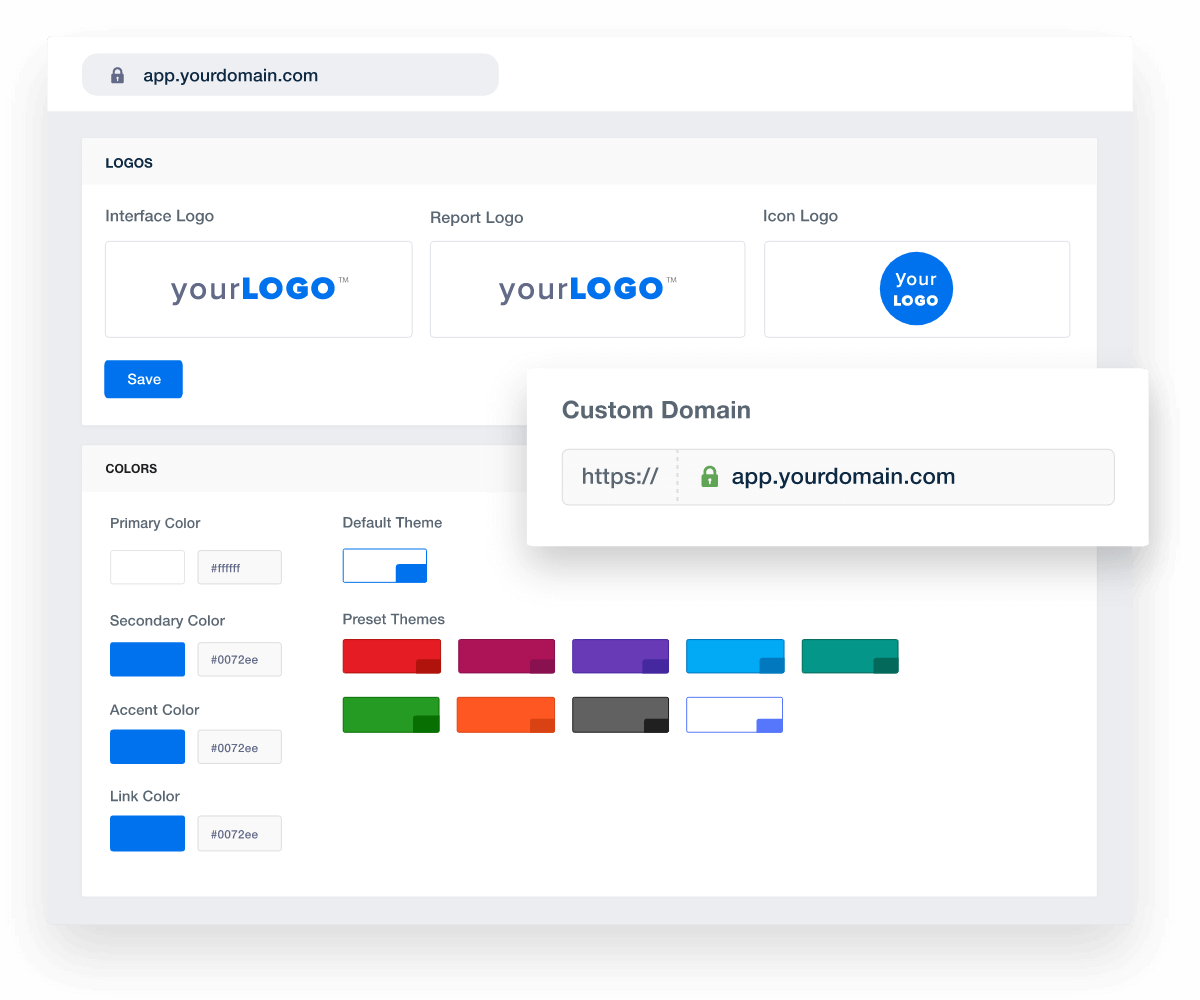
Add Your Agency's Branding
An example of how to set up white labeled marketing agency reports and dashboards
Add Your Agency's Branding
ADD KEY INSIGHTS WITH ANNOTATIONS

Tell a Story With Your Client’s Data

Telling a story about your client’s data is much better than just showing them the numbers. Instantly keep clients up-to-date on the gains driven by your agency’s SEO strategy by adding annotations and goals. When you add marketing insights to your line charts and date-based column charts, you make it easy for your clients to understand important changes in their campaigns and how your efforts are helping them achieve their business goals.

That’s just part of what makes this the best SEO report template for marketing agencies.
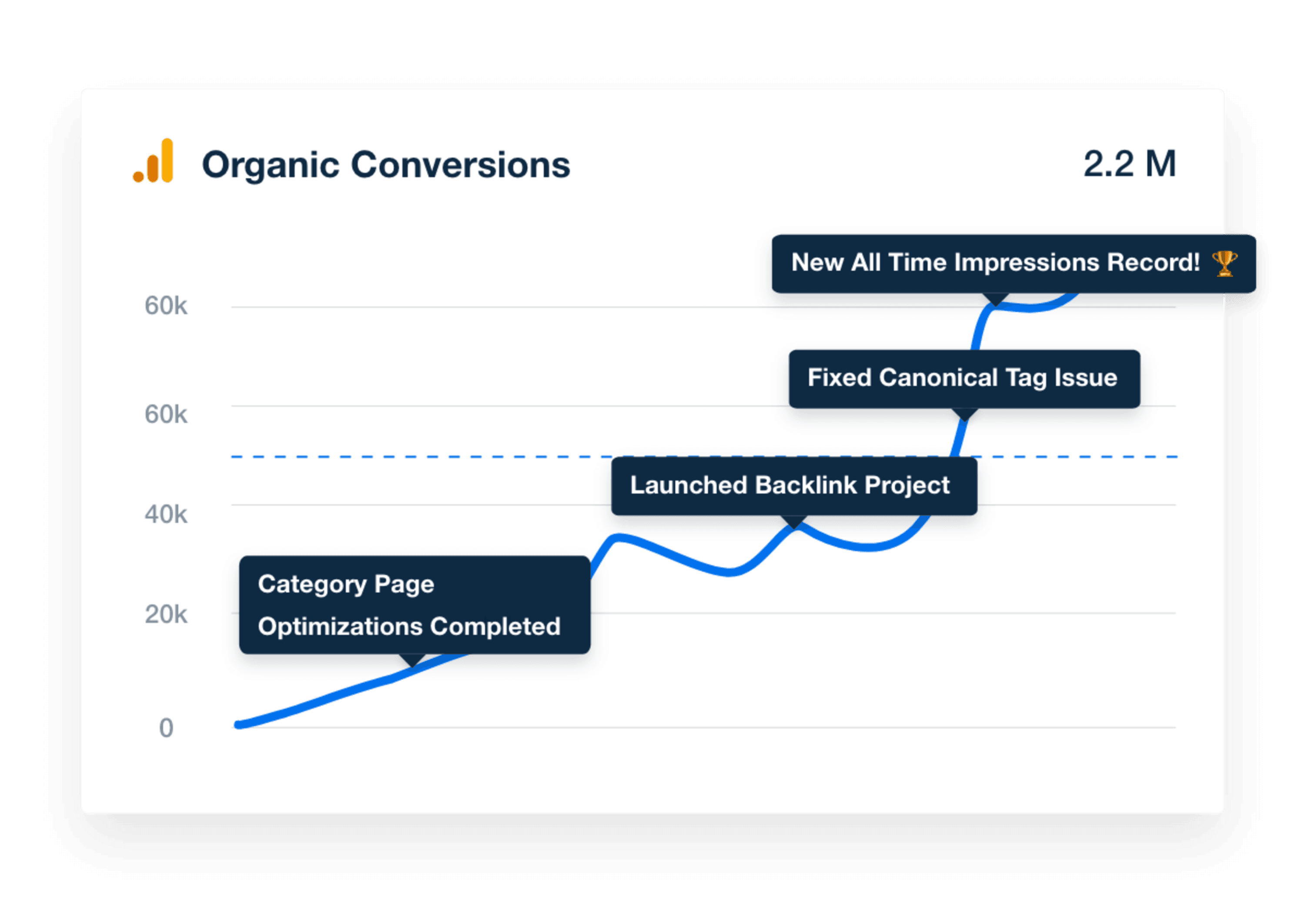
Tell the Full Story
An image showing how a marketing agency can easily add report annotations to tell a story with their client's SEO data
Tell the Full Story
APPROVE REPORTS BEFORE SENDING

Give Your SEO Clients a Personal Touch

On Agency plans and above, pair your SEO report scheduling with the report approval feature for the best of both worlds: streamline your agency’s efficiency while providing clients with a personalized experience. You’ll get notified before your scheduled reports go out to add extra insights and ensure there are no surprises.
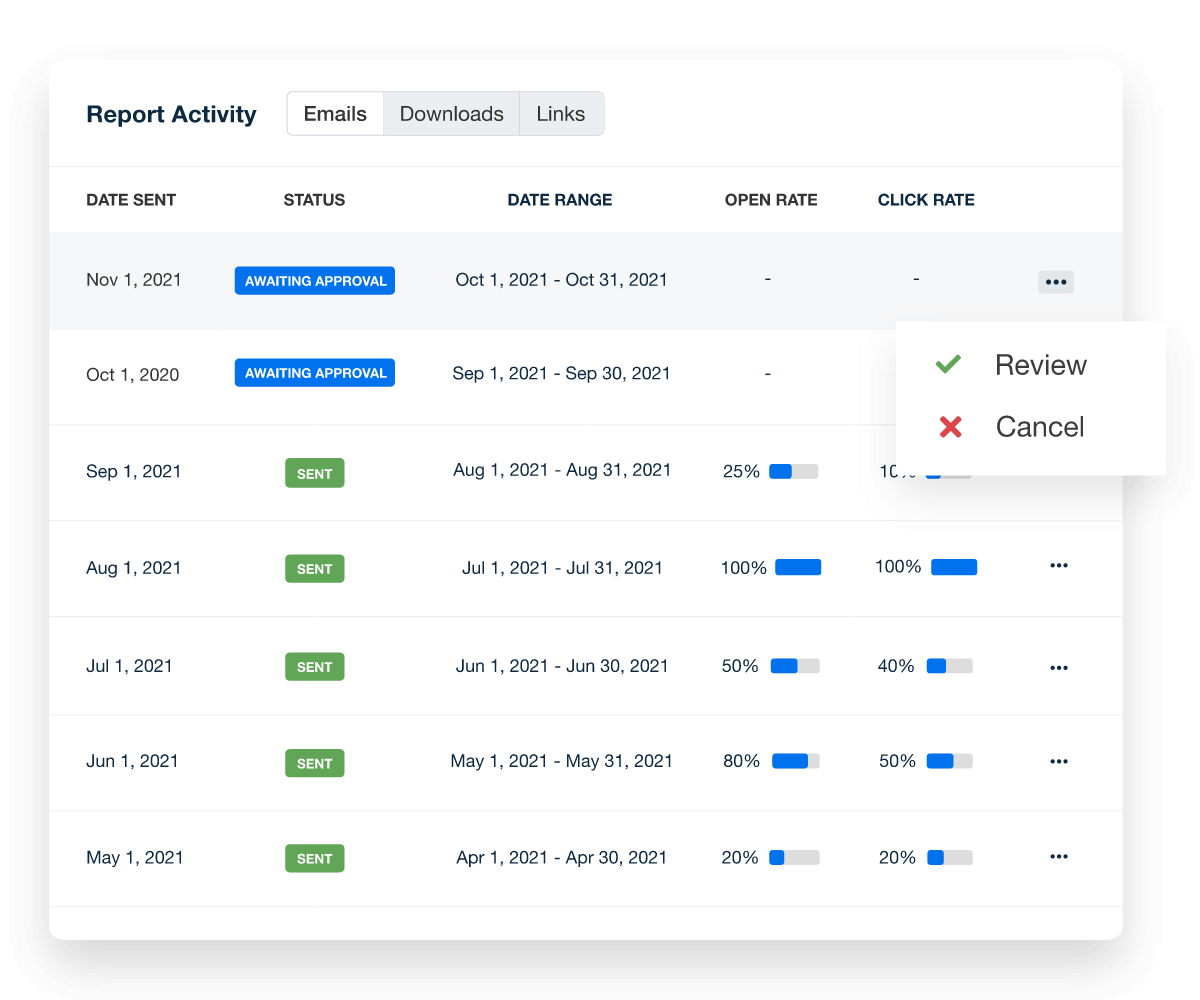
Create Custom Dashboards
A screenshot of report send statuses
Create Custom Dashboards
Report Smarter. Not Harder.

Spend More Time Delivering Wins

Refine your SEO reporting process and free up time to focus on what your agency does best—driving long-term growth for your clients. It’s not just about working smarter; it’s about showing impact where it matters.

Streamline SEO reporting by pulling in key metrics like keyword rankings, backlink growth, and site performance—alongside data from 80 other marketing platform integrations. Give clients a complete view of their search visibility and results in one professional, easy-to-read report.
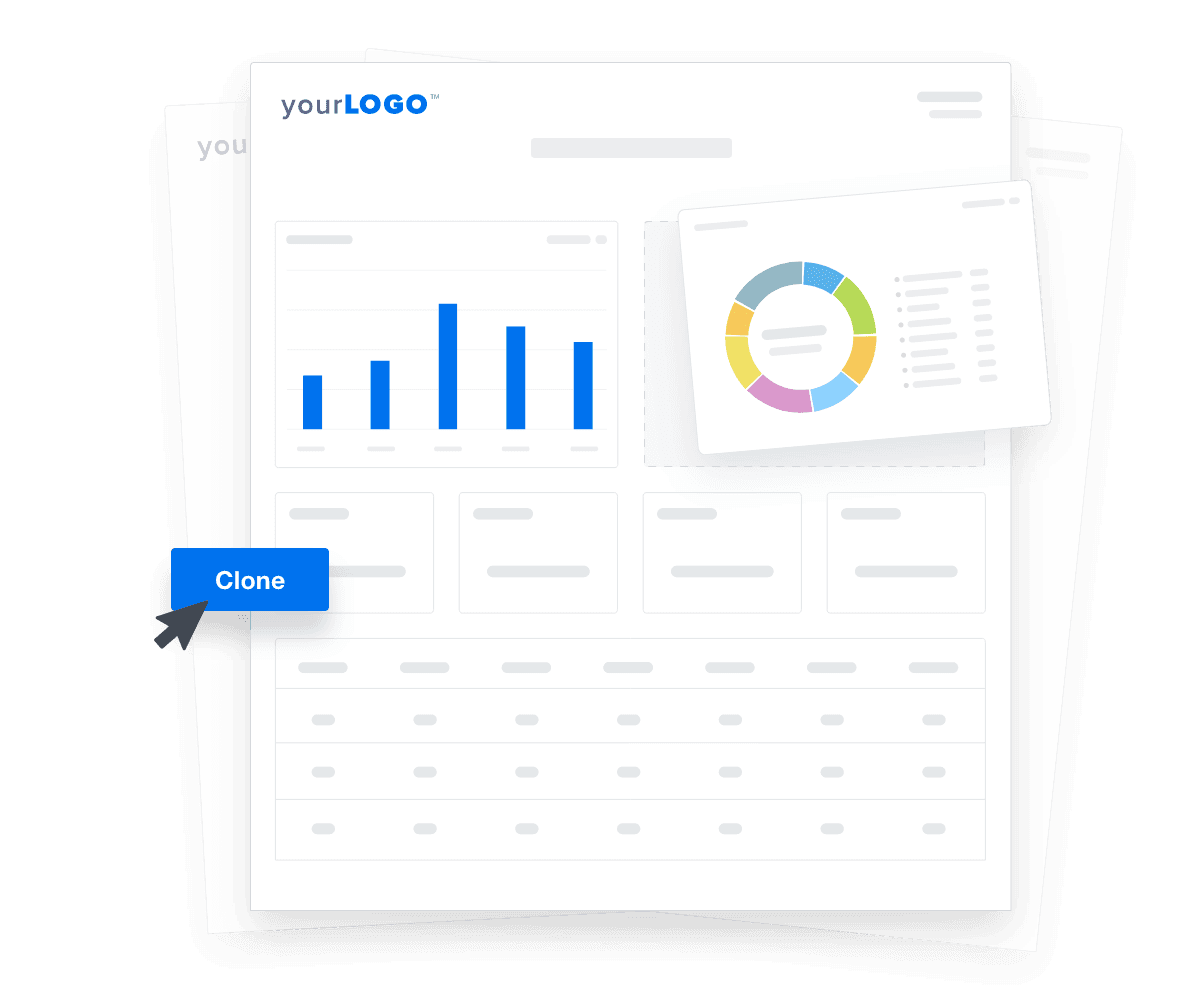

Create Custom Dashboards
An illustration of cloning marketing reports and dashboards for faster client onboarding
Create Custom Dashboards

Sign up for your free trial now!

No credit card required. No setup hassle. Just instant access to automated reporting, custom dashboards, and multi-channel insights.

Start Your Free Trial
An icon showing a user clicking to start a free trial
Start Your Free Trial

10 Key Sections Included in the SEO Report Template

Crafting an SEO report that effectively leverages Google Analytics data and critical SEO KPIs is key to understanding a website's standing on search engines. A well-structured SEO report showcases the achievements of your agency's SEO tactics and ranking progress, and also pinpoint areas for enhancements.
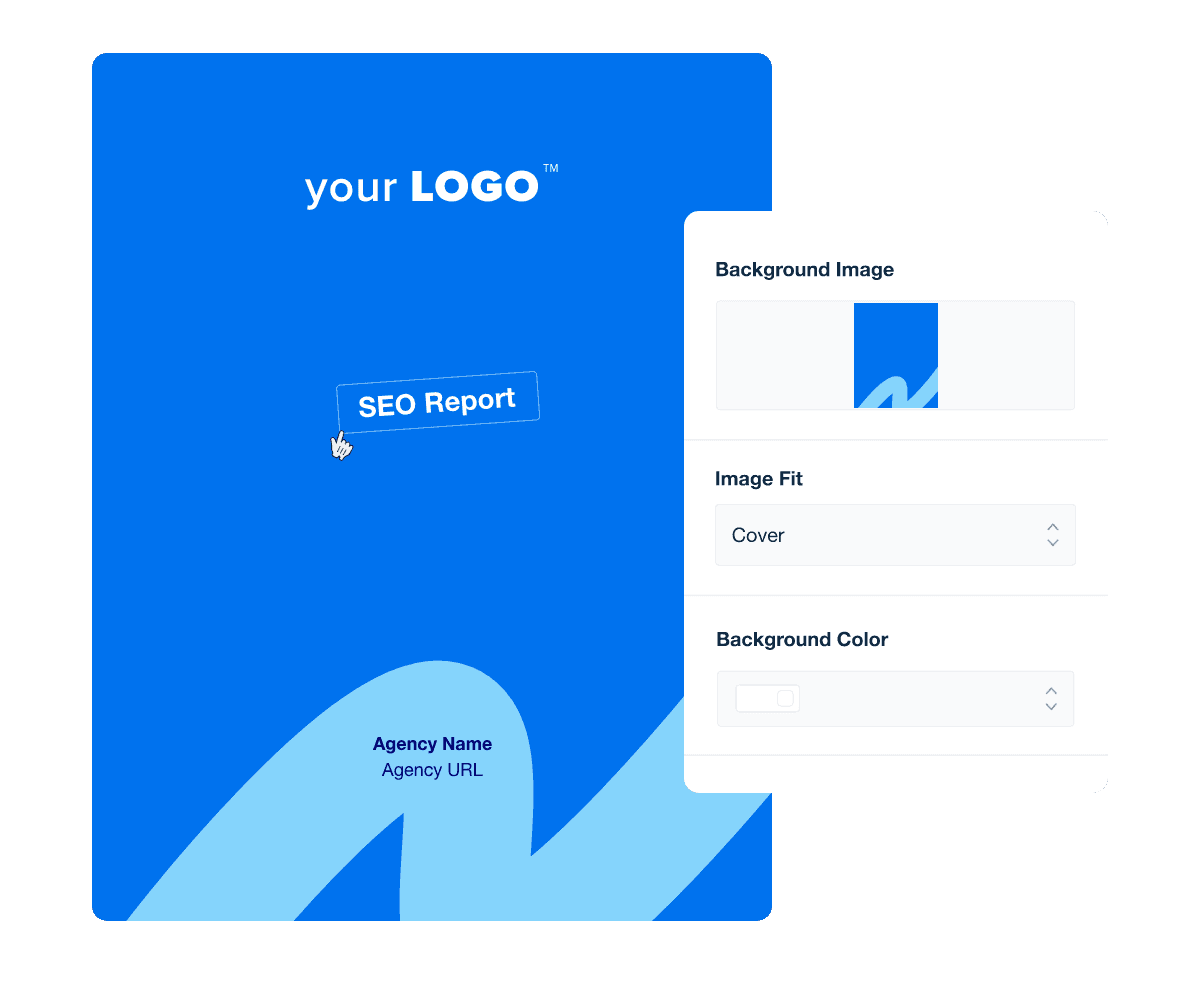

The benefits of a well-designed report extend well beyond aesthetics. The cover page prepares clients for the detailed analysis to follow, and everything within emphasizes your agency's commitment to delivering quality services.

Using the SEO Report Cover and Section Design Customization Feature, select a background color or upload a custom image that reflects your agency's brand. To extend this branding, apply your concept throughout your page sections and customize title and image widgets throughout the SEO report.

It can be intimidating to dive straight into an SEO analysis report full of charts and technical terms, so it’s best practice to first give your clients an overview of what they’ll discover in their current SEO report in plain English.

Keep it simple and concise. If your client only has a few minutes, they should be able to read this introduction and have an overall understanding of what your SEO report contains. Even if they don’t know much about the technicalities of SEO.

A good introduction lends structure and context to the rest of the SEO report, so be thorough. After reading the report summary, your clients should understand the project focus and results. For example, they should know from the SEO report's first page of the report that organic traffic increased by 15% and generated 500 new leads (for example).

Where’s your client’s traffic coming from? One key section to include in your SEO performance report is a web analytics report. Adding platforms like Google Analytics can break down which channels–such as organic search, direct traffic, referrals, and paid search–are bringing visitors to your client’s site.

Don’t just provide raw numbers for organic traffic–compare them to past periods to uncover trends on how their traffic is changing over time.

Clients also want to see how organic traffic has changed since you began working on their SEO campaign. This is your chance to show just how much organic traffic you’re generating, reinforcing the value your agency is providing.

By monitoring these metrics, agencies refine SEO tactics to enhance site visibility, improve user engagement, and ultimately drive better search engine rankings and website usability.

Ultimately, clients want to see the results that impact their bottom line. In this section, zero in on your client’s organic traffic from Google Analytics based on their goals. Look at how these visitors behave on the site. Do they stick around, or do they bounce right away? Are conversions from organic traffic increasing, decreasing, or holding steady?

While more organic traffic is generally better than less, the key is the quality of the traffic. A low conversion rate coupled with high organic traffic might mean your client isn’t currently attracting the kind of customers they need. You should reconsider the keywords you’re targeting.

Send this SEO report with a short analysis covering these key points to help keep things clear for clients as their organic rankings, traffic, and conversions toward their end goal.

Whether or not you’re creating content or developing new landing pages for clients, include a report section on Google Analytics landing page performance.

A landing page report provides additional insight into which pages generate the most traffic, leads, and conversions as the point of entry into the client’s website. Filter this report by “Organic” channel for a report that is specifically focused on SEO.

This is also a particularly valuable section for any client you manage a blog for, as they’ll quickly see which blog posts generate traffic, conversions, and gauge overall interest via the bounce rate.

Custom design your SEO Report cover, section pages, and more!

Build custom SEO analytics reports that deliver results

Save time and impress clients with a powerful, results-driven report template. Access the free SEO analytics report template today!

Preview the Template
Illustration of a user at a marketing agency trying the client reporting features from AgencyAnalytics
Preview the Template

Keyword rankings reports are essential. They’re a good indicator of whether your agency’s overall organic search strategy is working, or whether you need to test something else.

When you onboard a new client, identify a handful of target keywords to begin tracking from the start of the campaign. Add these keywords to your SEO client report template to easily show progress in the SERPs.

In addition to the keywords your client is ranking for, look at the search terms that bring in traffic. Is there a lot of overlap between the two groups?

Use Semrush keyword visibility tracking to easily identify the keyword ranking trends and showcase how your clients are improving in total rankings and positions.

SERP features are essential to modern SEO, as they provide enhanced visibility and engagement beyond standard organic search results. Including a dedicated column for SERP features in your SEO keyword ranking report template highlights opportunities for improving search presence.

Key SERP features to track include featured snippets, People Also Ask boxes, sitelinks, and review snippets. By monitoring these elements, agencies demonstrate how they capture valuable search real estate and explain how these features drive more clicks, increase visibility, and improve overall performance in the competitive landscape of Google’s search results.

You know which keywords your client is ranking for now, but how many clicks are they actually generating in Google?

Google Search Console provides invaluable metrics that help marketing agencies understand the visibility and performance of their clients' websites in search results. It will also cover any keywords you aren’t currently tracking in your keyword rank tracker.

Google Search Console data provides tons of valuable information on how Google interacts with your client’s site. There’s plenty of information here you can quickly fold into a monthly SEO report template for clients.

Give your client information on which search terms people are clicking to find them. Find this under "Search Analytics" in your Search Console Account. It’s also accessible in your AgencyAnalytics SEO dashboard.

Building a healthy backlink profile is one of the biggest challenges SEO professionals face. If you are providing link building services to clients, then you want to report on your progress.

However, you don't need to provide a giant list of all the backlinks a client has. Remember: too much information is only going to distract from the success of your SEO!

If you want to show clients the exact backlinks you built for them, check out the backlink manager tool. With it, keep track of all backlinks you've built for a website and then quickly add them to your SEO report.

Also, if you offer a service focused solely on link building, you may be interested in our dedicated link building report template.

An easy way for clients to understand their website's current SEO performance at a glance. Include clear and actionable SEO metrics, like total site score, number of issues, and passed versus failed crawl tests from Google Lighthouse.

A review of key on-page elements, like title tags, meta descriptions, header tags, alt text for images, keyword usage, and internal linking. Prioritize these elements based on severity, so critical issues and errors are tackled first, leading to quick wins and substantial improvements in SEO performance.

Use your favorite SEO audit tool to crawl client sites, uncover, and resolve over on-page and technical SEO errors and issues. Highlight these proactive steps in your monthly SEO report template through an embedded video or using the Google Sheets integration​.

A screenshot of page rankings showing top keywords, current, and average position from the SEO report template example

FAQs About SEO Report Templates

Still have questions about SEO reporting best practices, including report templates? Don’t worry... we’ve got you covered!

  • An SEO report template is a pre-designed framework that helps agencies track, measure, and present SEO performance to clients. It includes key metrics like organic traffic, keyword rankings, and backlink data, saving time on manual reporting.

  • An SEO report template typically includes sections for an overview, key performance indicators (KPIs), organic traffic trends, keyword rankings, backlink analysis, and recommendations. Agencies customize reports with white labeling and automation to match their brand.

  • Essential KPIs in an SEO report include organic traffic growth, keyword rankings and SERP visibility, click-through rate (CTR) from search results, domain authority and backlink profile, bounce rate and user engagement metrics, and conversions or goal completions via organic search.

  • A cover page sets the stage for the report, reinforcing branding and professionalism. It provides a high-level summary, ensuring clients immediately grasp the report’s focus and key insights.

  • Google Analytics data provides insights into how users find and interact with a website. Tracking organic traffic trends, bounce rates, and conversion paths helps agencies measure SEO impact and refine their strategies.

  • Agencies automate reporting and generate a professional SEO report in under 30 minutes. Without automation, it takes hours to compile data, analyze trends, and format the report manually.

More templates
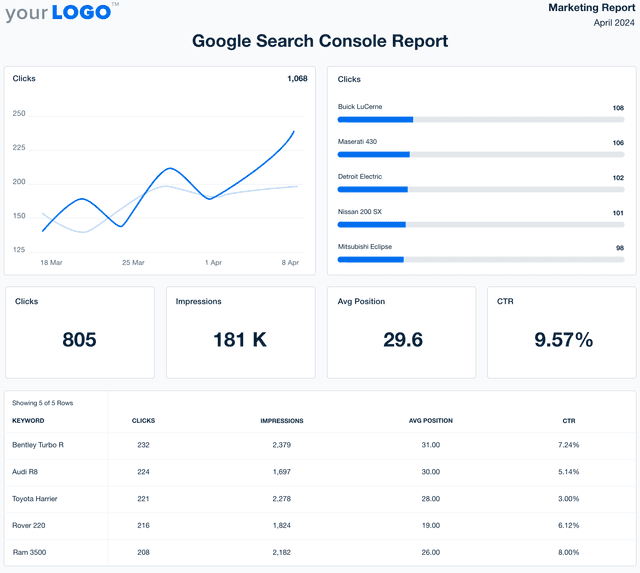
Google Search Console Report Template Example Screenshot

Google Search Console Report

Search rankings only tell part of the story. The customizable Google Search Console Report Template pulls in impressions, click-through rates, and indexing insights, so you keep clients informed on what’s driving organic traffic—and where they should focus next.
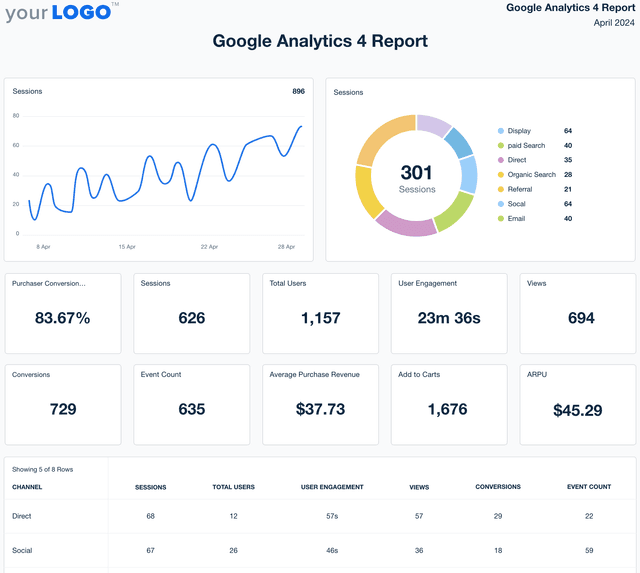
Google Analytics 4 report template example

Google Analytics Report

Turn Google Analytics data into reports that clients understand. The customizable Google Analytics Report Template simplifies web traffic, conversions, and user behavior into insights that tell a real story—not just a list of numbers.
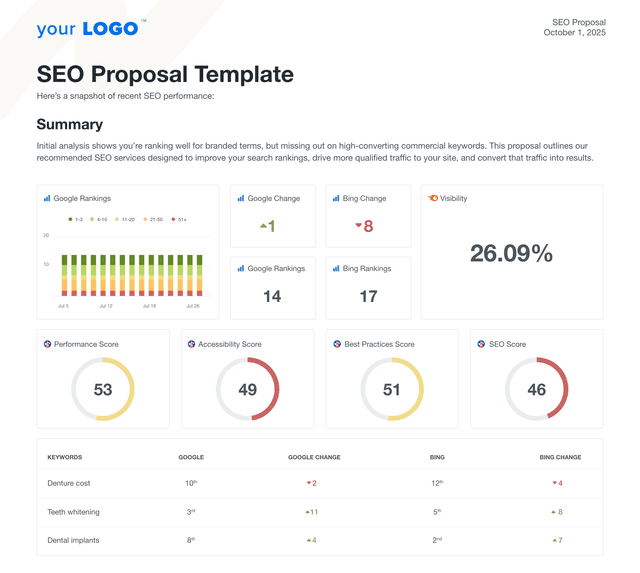
An example of a custom SEO proposal using the AgencyAnalytics professional template.

SEO Proposal

Create client-ready SEO proposals in minutes. This customizable SEO proposal template helps agencies pitch strategy, deliverables, and results without starting from scratch. Whether you're targeting local businesses, ecommerce brands, or enterprise accounts, this template gives you the structure to close deals with confidence.
View All Templates

See how 7,000+ marketing agencies help clients win

Start Your Trial Now

Free 14-day trial. No credit card required.

Callout Get StartedSwoosh
Logo
G2 Users Love Us
AgencyAnalytics - G2 Leader Winter 2026
AgencyAnalytics - G2 Momentum Leader Winter 2026
G2 Crowd

4.7 out of 5

Capterra

4.8 out of 5

Product
Platform features
Agency solutions
Data integrations
Compare platforms
Reviews
Pricing
Company
About
Careers
Hiring
Media Kit
Contact
Get Started
Start Free Trial
Book a Demo
Quick Start Guide