AgencyAnalytics
AgencyAnalytics
  • Pricing
  • Login
  • Start Trial

Web Analytics Report Template for Simplified Website Performance Tracking

Traffic alone doesn’t tell the full story. The customizable Web Analytics Report Template organizes key site metrics—like visitor behavior, engagement, and conversions—so you show clients what’s working and where to improve.
Preview TemplateStart Your Free Trial
Web Analytics Report Template Example

Customizable Web Analytics Report Templates to Meet Client Needs

Tired of manually pulling data, monitoring site performance, and creating reports from scratch? Imagine juggling this for every client—sounds overwhelming, right?

Switch from outdated reporting processes to a streamlined, automated solution with customizable web analytics report templates that evolve with your agency. These templates simplify tracking key metrics, reduce repetitive tasks, and make onboarding new clients easier and faster.
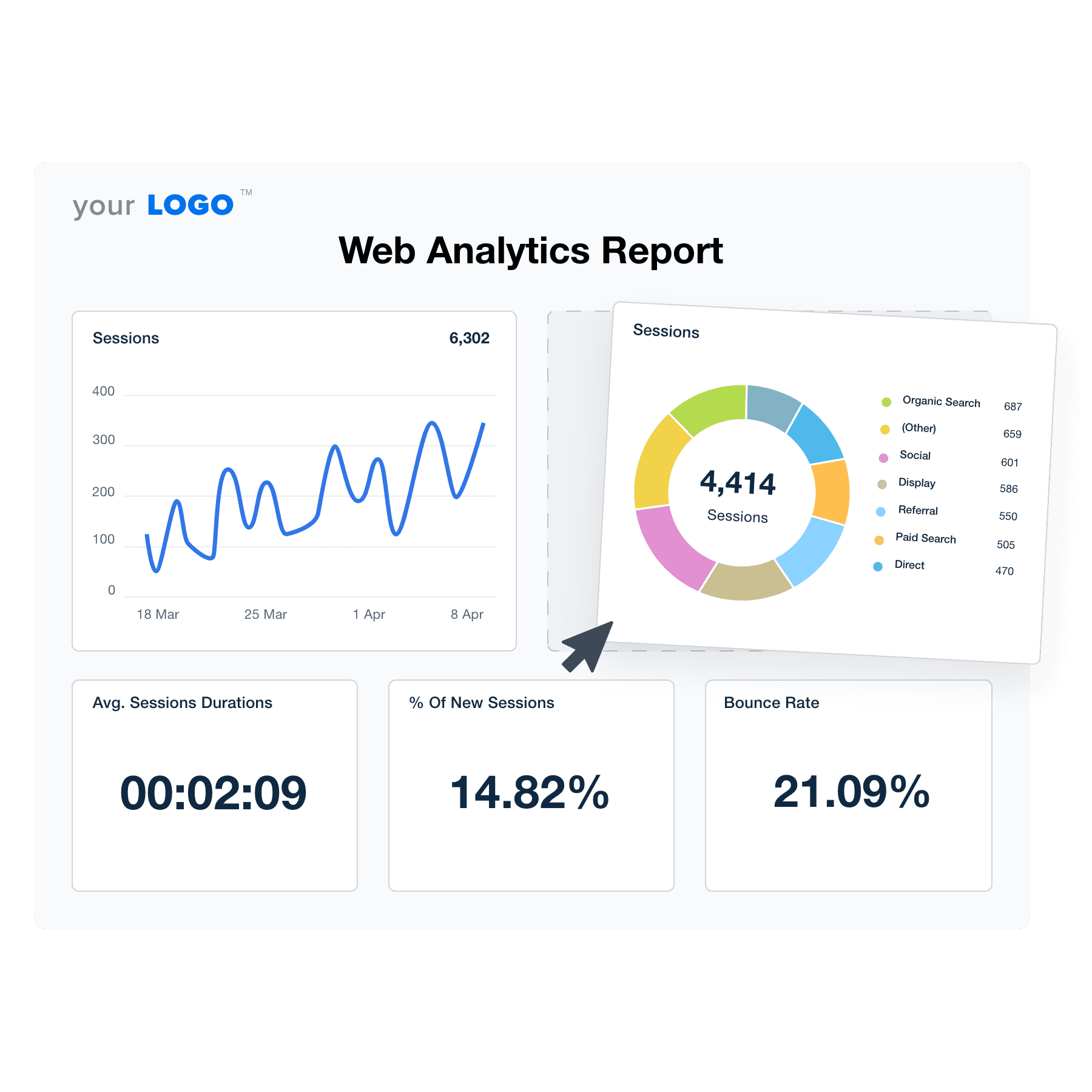

Create Professional Web Analytics Reports in Minutes
An example of the drag-and-drop web analytics report template builder
Create Professional Web Analytics Reports in Minutes

Easily Report on Your Client’s Website Analytics

Start Your Free Trial

Custom Web Analytics Reports as Unique as Your Agency

READY IN MINUTES

Win Back Billable Hours

Simplify your client reporting process and get professional web analytics reports out the door in minutes—without sacrificing quality. With dozens of prebuilt templates and an intuitive drag-and-drop report builder, create fully customized reports that spotlight each client’s most important KPIs.

Highlight website traffic, user behavior, and conversion performance in a clear, easy-to-understand format. Whether you’re tracking a single campaign or providing a full-funnel performance overview, every report is branded, professional, and ready to impress your clients.
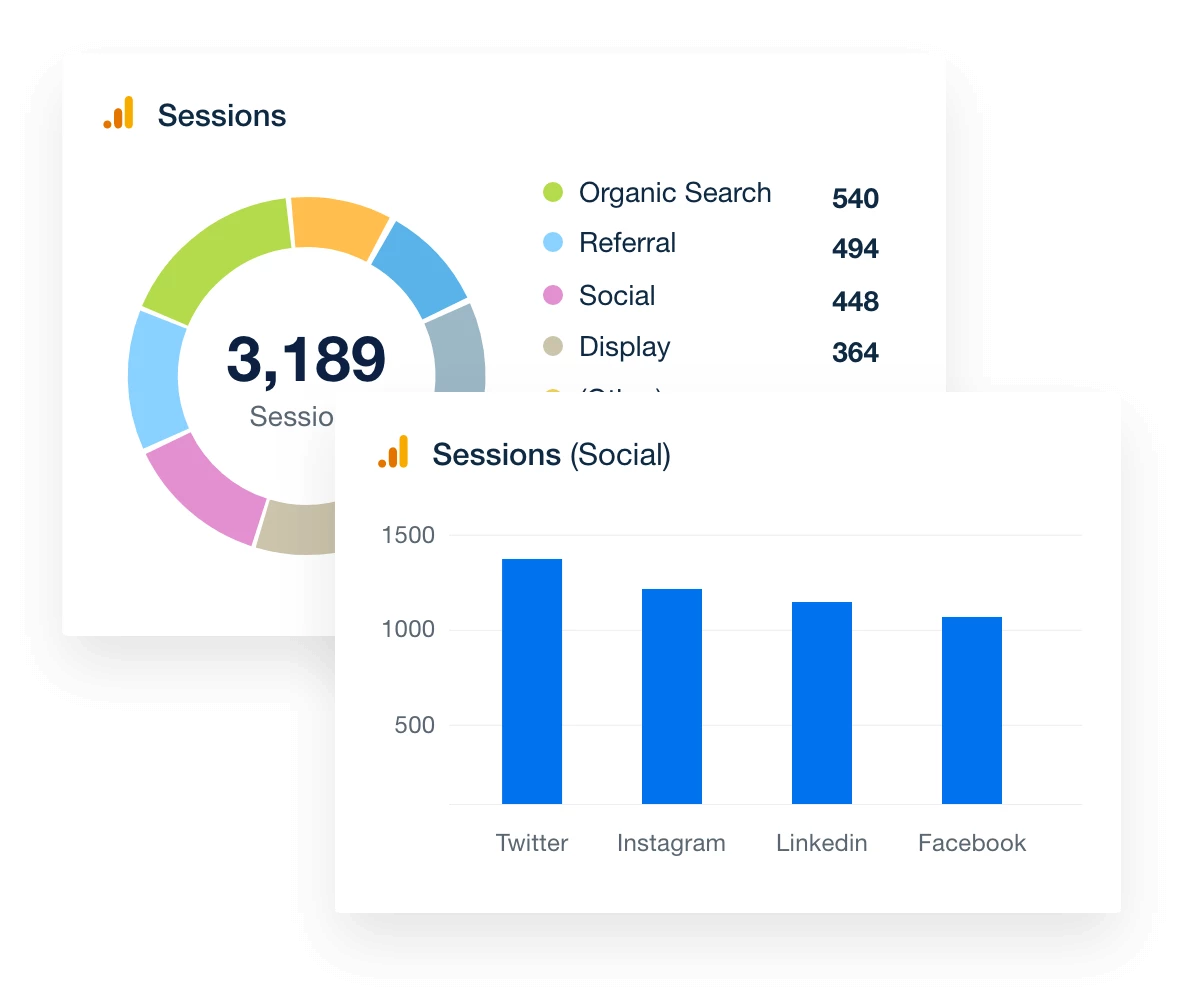
Put Your Reporting on Autopilot
Google Analytics Data Visualization Examples
Put Your Reporting on Autopilot
SEO REPORTING TOOLS FOR AGENCIES

Add Rankings, Site Performance, and More

No web analytics report is complete without SEO—and this template makes it easy to bring everything together. Track keyword rankings, pull in site audit data from Google Lighthouse and PageSpeed Insights, monitor backlinks, and highlight technical SEO insights that drive real impact.

With built-in SEO tools and 80 platform integrations, you give clients a complete picture of how their website performs in search. Whether you’re pitching new business or optimizing existing campaigns, these insights help you demonstrate value, improve search visibility, and position your agency as a true SEO partner.
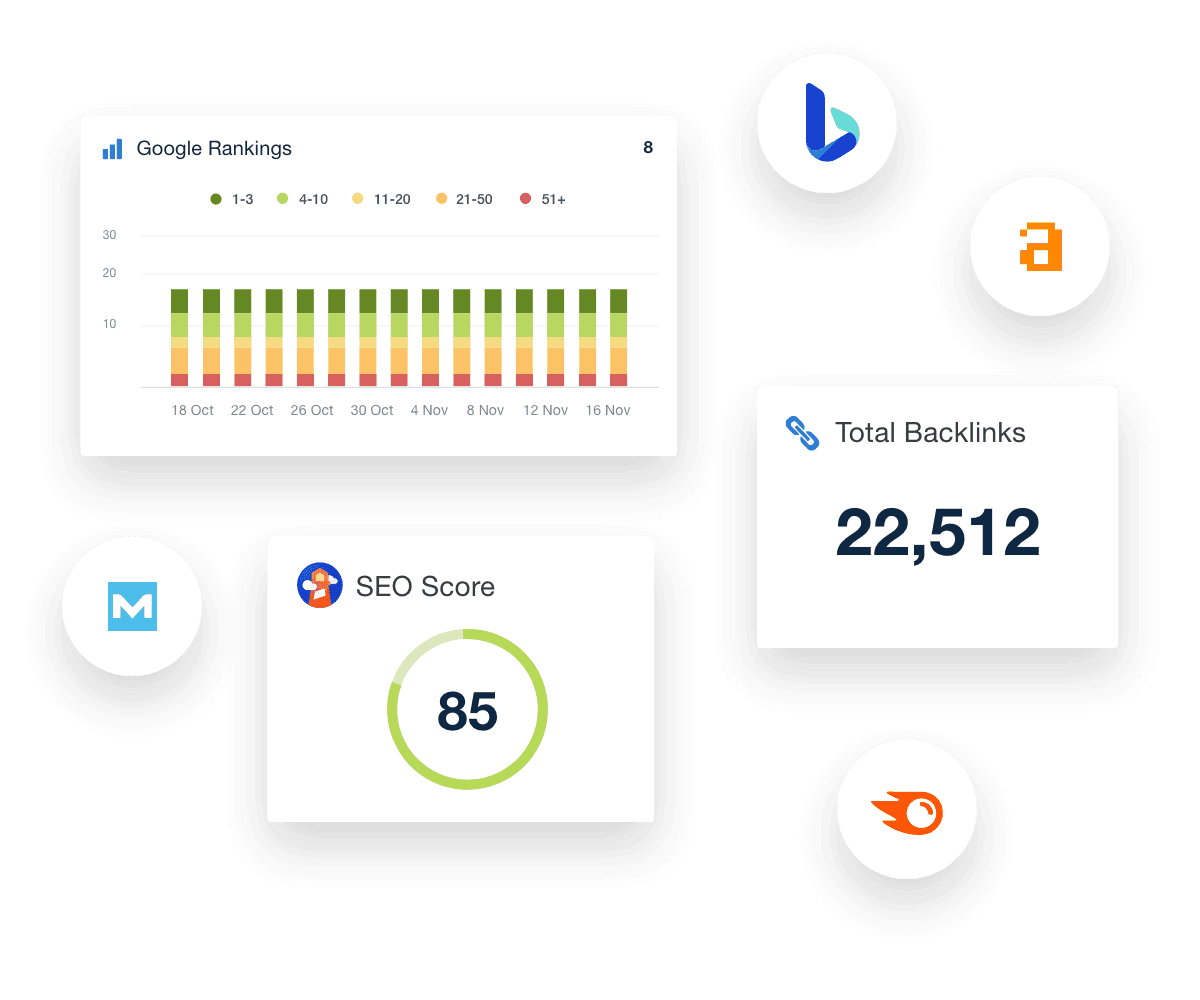
Discover All SEO Tools
Collection of AgencyAnalytics SEO tools for marketing agencies
Discover All SEO Tools
Track Progress With Precision

Set Website Goals and Hit KPI Targets

Create custom social media goals to track what matters most to your clients—whether it’s growing their audience, boosting engagement, or driving more traffic and conversions from social channels. Use goal tracking to highlight key wins against business goals like top-performing posts or follower milestones, turning raw data into a clear, client-friendly story of success.

Strengthen client relationships by connecting every report to real business outcomes, making your agency’s impact on brand visibility, audience growth, and campaign performance impossible to miss.

Explore Goal & Budget Tracking
An example of the goals dashboard showing multiple marketing agency or campaign goals and their status
Explore Goal & Budget Tracking

A Fully Integrated Marketing Platform

With new integrations released each month, you have all your clients' real-time metrics under one roof. Access over 80+ marketing platforms by dragging and dropping widgets into place.

A comprehensive digital marketing report template consolidates all your client's marketing metrics into one centralized hub, driving efficiency, improving targeting, and maximizing conversions. Who knew creating in-depth client reports could be so fun!
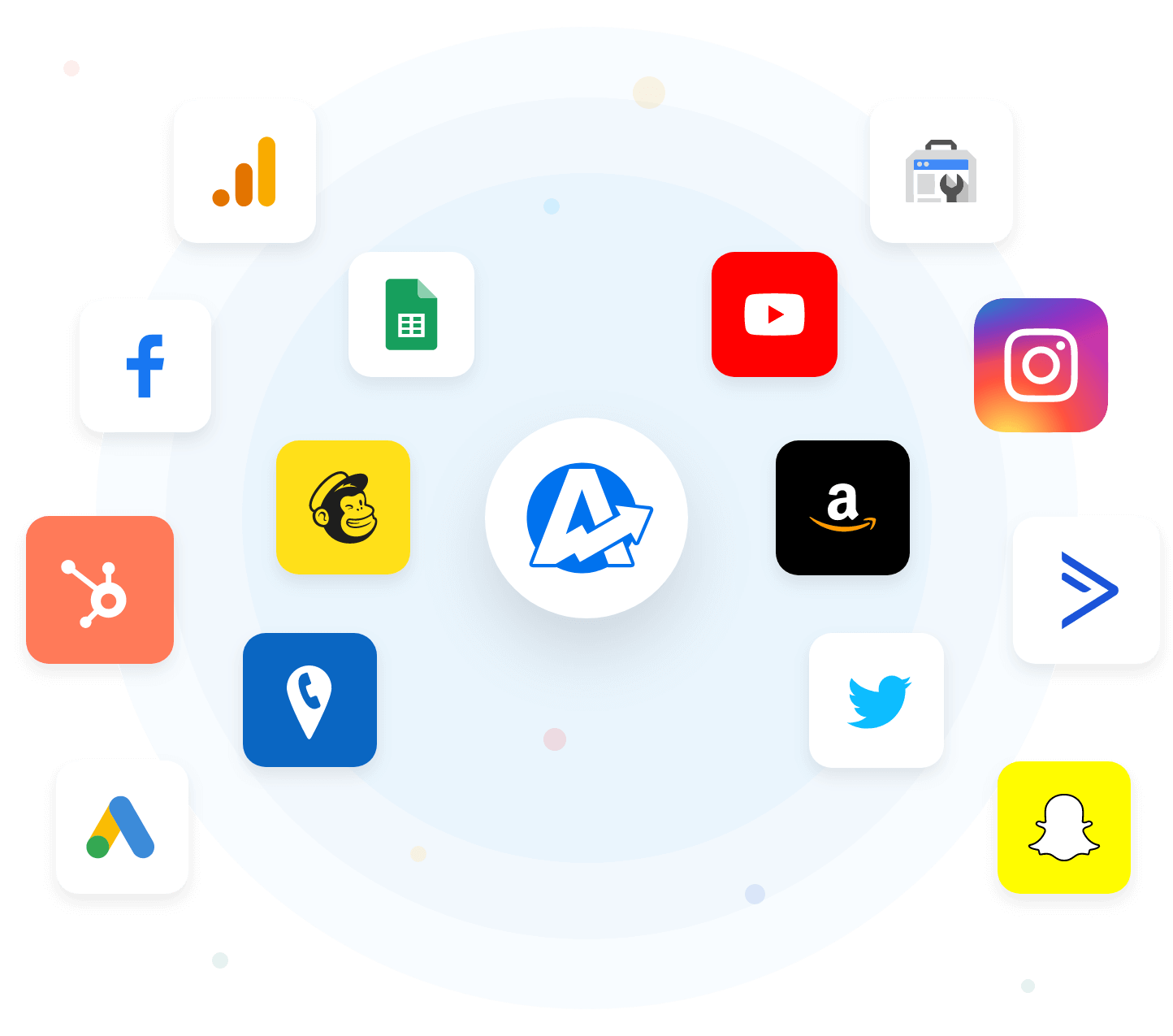
Explore All Available Integrations
Example of Available Marketing Integrations
Explore All Available Integrations
SHOWCASE YOUR AGENCY

Beautiful White Labeled Web Analytics Reports

Make every report look like it was built by your agency, for your clients. Customize your entire reporting platform with your agency’s logo, colors, and messaging. On select plans, host it on your own custom domain to deliver a seamless, professional experience from start to finish.

With fully branded reports and dashboards, you reinforce your agency’s credibility and keep your brand front and center in every client interaction. It’s your work—make sure it reflects your brand.
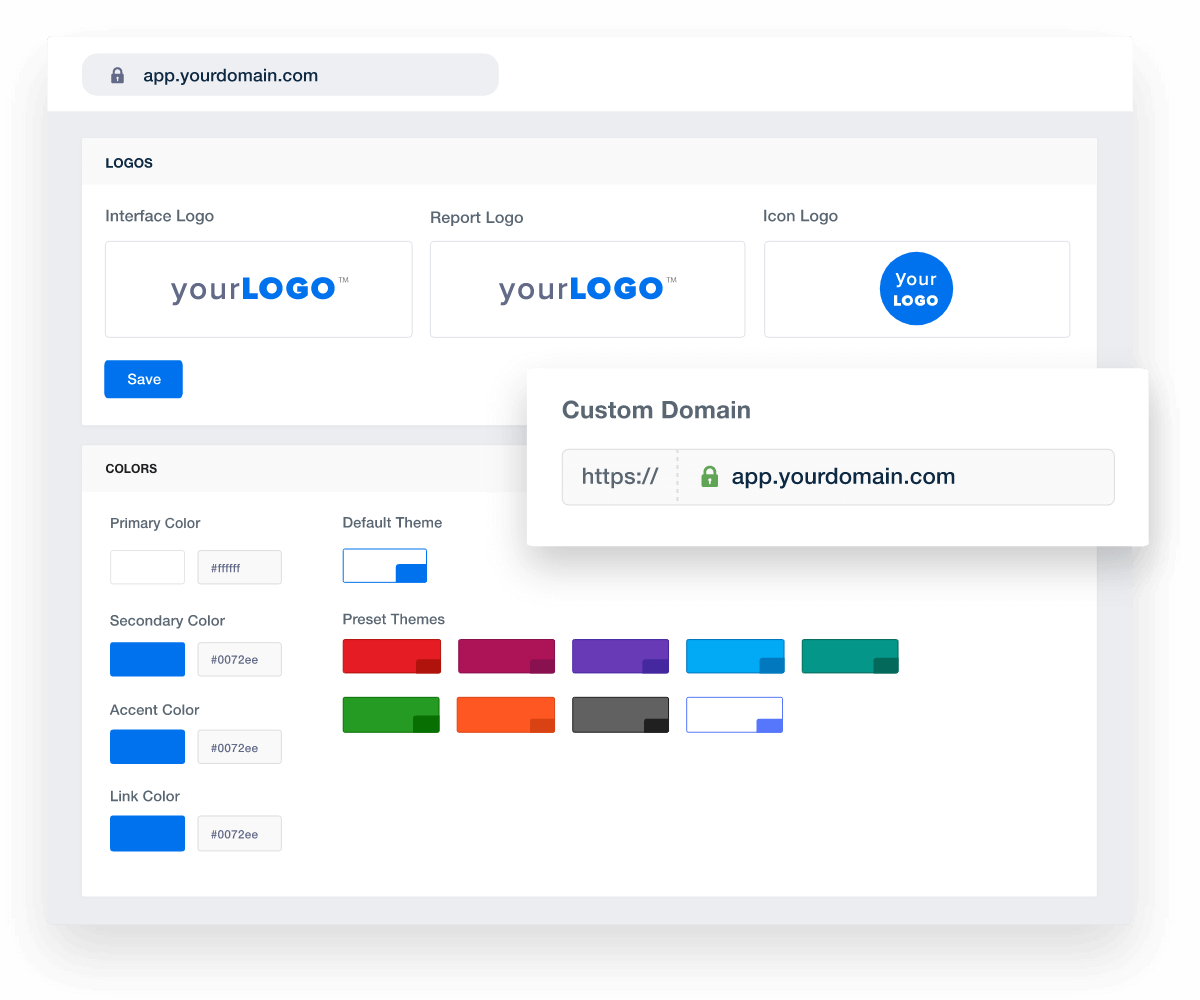
Add Your Agency's Branding
An example of how to set up white labeled marketing agency reports and dashboards
Add Your Agency's Branding
Report Smarter. Not Harder.

Automate Reporting and Focus On What Matters

Refine your web analytics reporting process and free up time to focus on what your agency does best—driving traffic, improving user experience, and increasing conversions. It’s not just about working smarter; it’s about proving impact where it counts.

Streamline reporting by pulling in key metrics like sessions, bounce rate, goal completions, and user behavior alongside data from 80 other marketing platform integrations. Give clients a complete, professional view of their website performance in one clear, easy-to-read report or live dashboard.
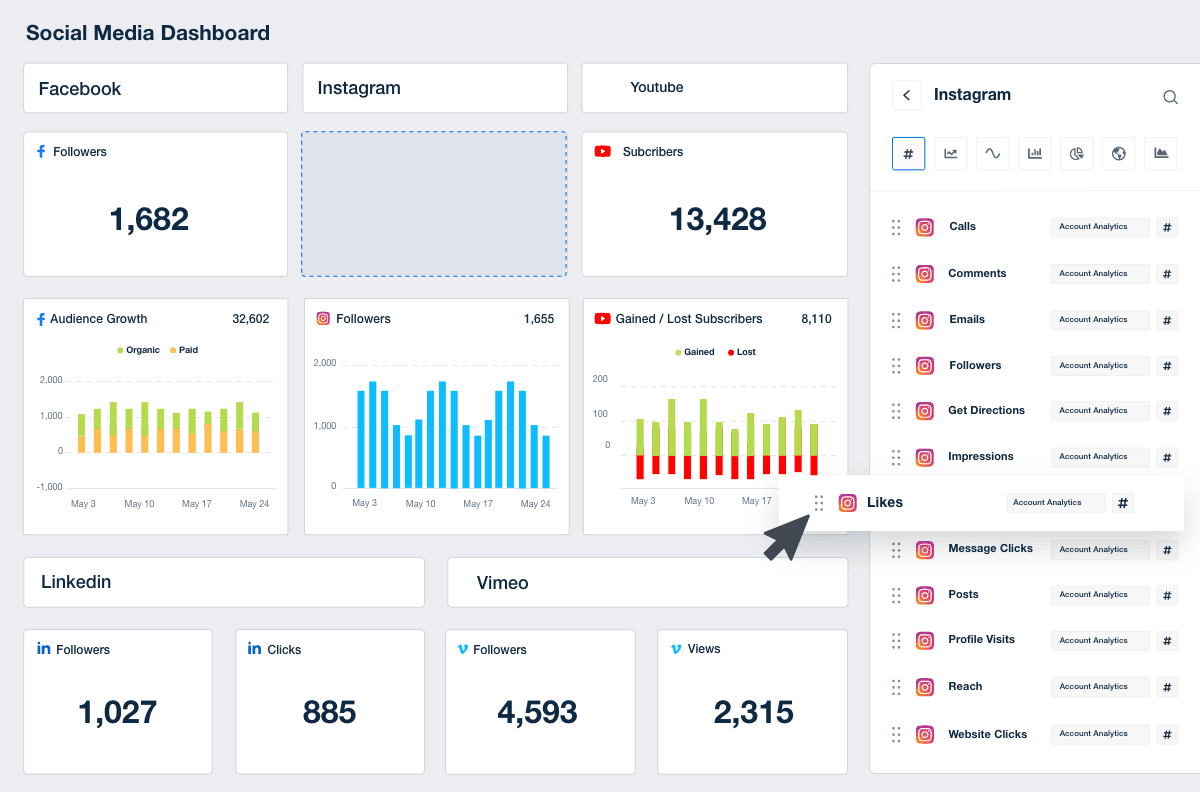

Create Custom Dashboards
An image showing the drag-and-drop social media report builder for marketing agencies
Create Custom Dashboards

Sign up for your free trial now!

No credit card required. No setup hassle. Just instant access to automated reporting, custom dashboards, and multi-channel insights.

Start Your Free Trial
An icon showing a user clicking to start a free trial
Start Your Free Trial

9 Sections Included In the Web Analytics Report Template

A detailed and well-structured web analytics report is a time-saving necessity. The Web Analytics Report template is crafted to provide an in-depth view of your client's online performance by automatically pulling the most important data from Google's web analytics tool. This report is a strategic resource that significantly elevates the understanding of website visitors and their interactions with a website.
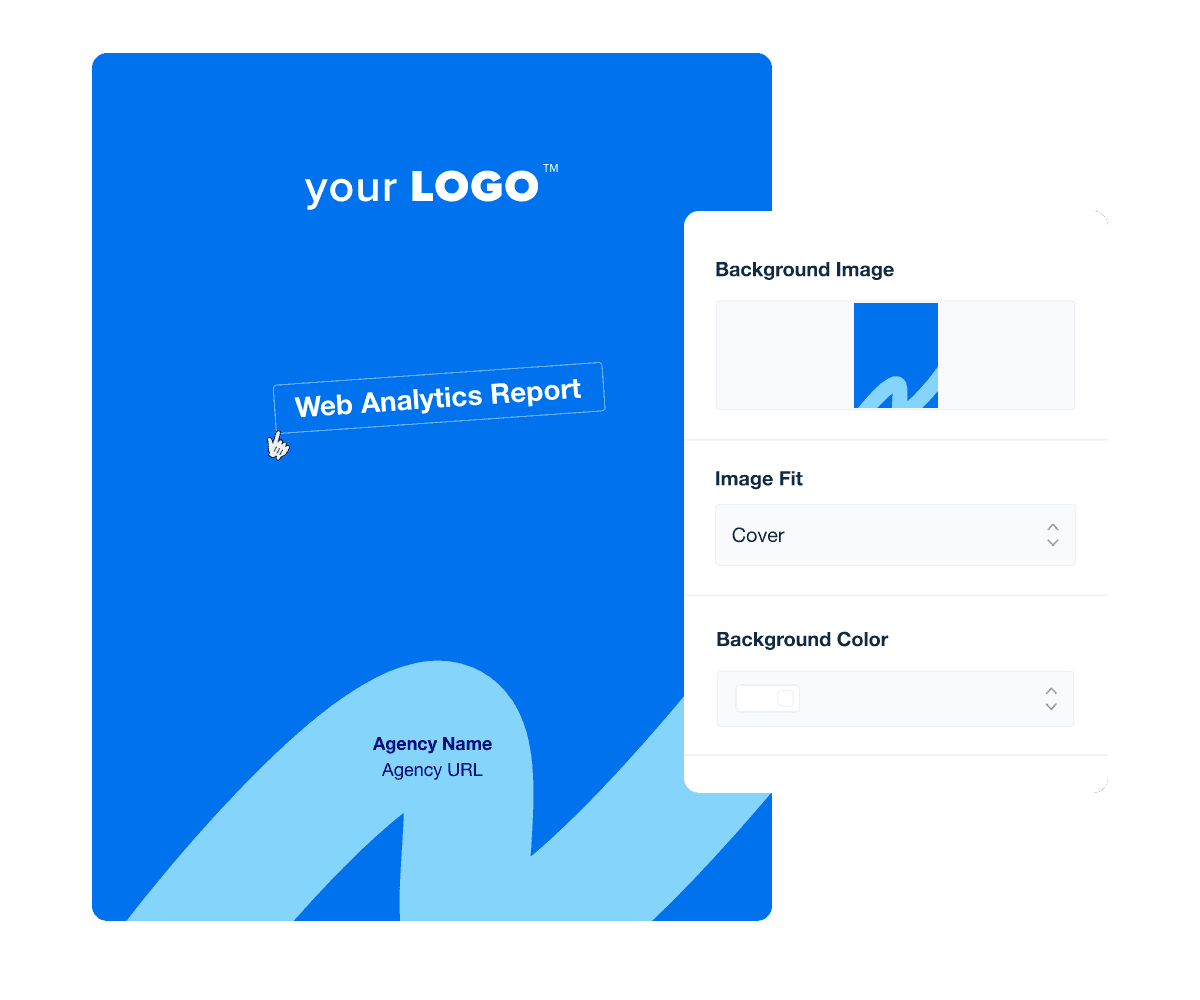

The report cover page is one page that serves a key function: it establishes the context for the high-quality analysis that follows. More than a visual entry point, it's a direct reflection of your agency's expertise. By setting the tone right at the beginning and then carrying it throughout your report, you subtly enhance your agency's credibility and nurture a positive client relationship.

Use the Report Cover and Section Design Customization Feature to apply a background color or upload a custom image matching your agency's professional brand. Additional customization through title and image widgets allows for a cohesive branding approach throughout the report's content.

The monthly write-up section gives you a free space to give clients your own personal analysis and summary of what’s happening on their website. Use this section of the report to maintain that relationship with your clients by discussing goals, deliverables, and results in plain English.

Talk about exactly what you did during a specific date range, perhaps the last month, to push you and your client’s goals forward. Clients appreciate real-world data and examples, which should be placed in this section. Use this space to present new strategies to your clients and iterations on existing strategies so they know just what you’re doing to maximize their ROI, save money, as well as trends that help show the bigger picture.

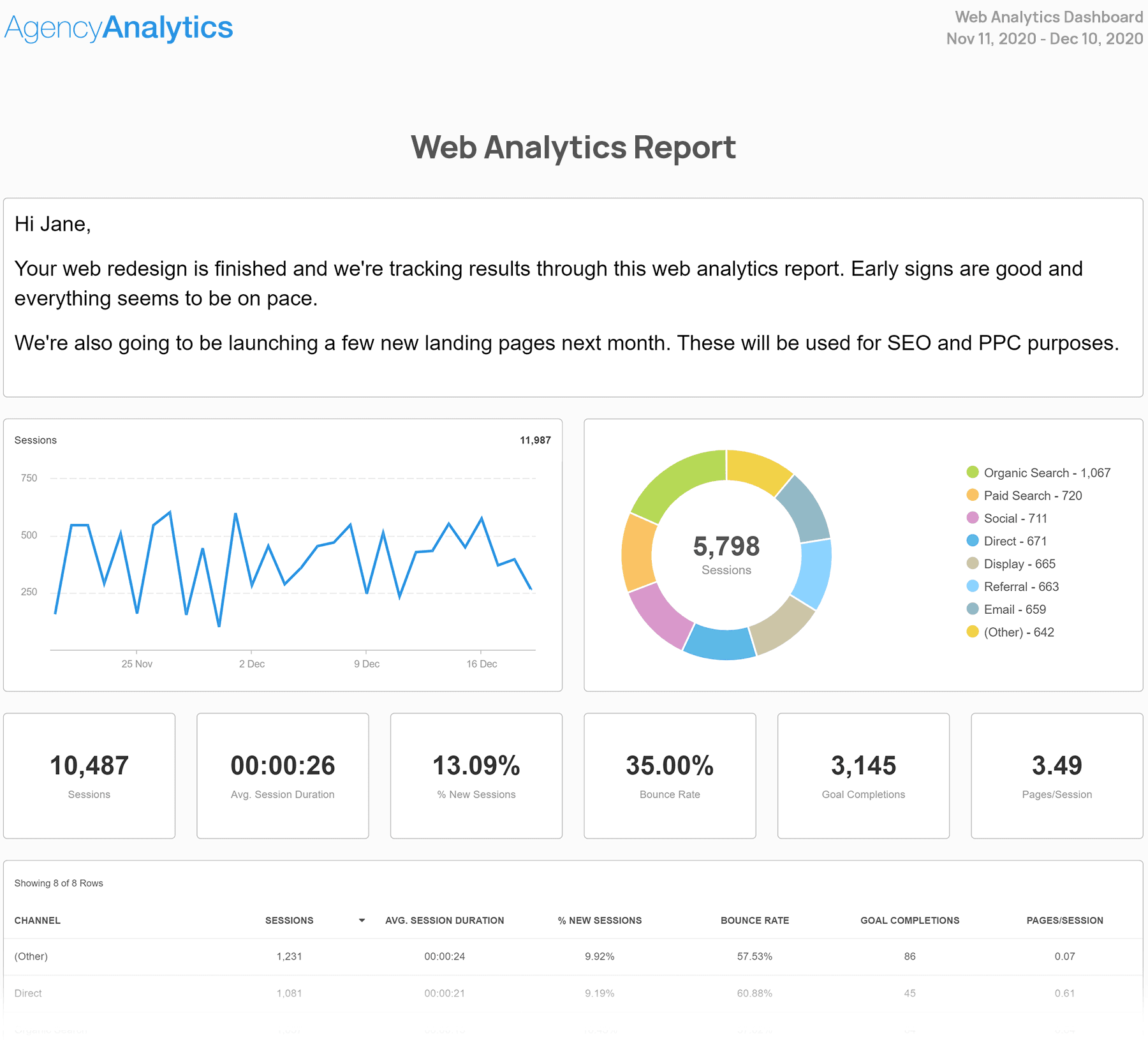
Traffic comes to your client’s website from any number of channels, and this section displays all of the statistics related to these different traffic sources. You’ll see where traffic is coming in from each data source – search metrics, direct linking, referrals and social media – as well as key metrics like bounce rate and conversion rate.

This is a comprehensive section of the report that may get overwhelming for some clients, so make sure you give them a clear and succinct explanation of what they’re seeing in their web analytics metrics and how you’re acting upon them.

It’s important to know what devices potential customers are using to visit your client’s website. This section of the report displays a list of device names customers along with their average session duration, bounce rate and number of goal completions. It’s no secret that more and more customers are using mobile devices to browse the web, and you can see that directly in the Devices section of the Google Analytics report.

Use this section to show your clients exactly where potential customers browsing their site are coming from. This is valuable information you can use to push your clients to a more mobile-friendly configuration if they aren’t already.

Reprot templates that include a Location/Geographic section gives you and your client a deeper look into the demographics of the people visiting your client’s web pages in a specific time frame.

You’ll also be able to see specific user behavior and conversion rates for each location, which can be insightful. Use this section to see how many people from different locations visit the site, how long they stay and how many of them convert in the end.

These metrics tell your client how you’re leveraging different geographic locations to drive more conversions and what you can do better in areas that aren’t performing well.

For example, if there are site visitors in a specific city that have a high bounce rate, maybe there is misleading content on their web pages regarding addresses or services. Explaining the user journey with geographic-specific insights helps guide new strategies.

Web Analytics Report Template Cover Page Example

Build custom web analytics reports that deliver results

Save time and impress clients with a powerful, results-driven report template. Access the free web analytics report template today!

Preview the Template
Illustration of a user at a marketing agency trying the client reporting features from AgencyAnalytics
Preview the Template

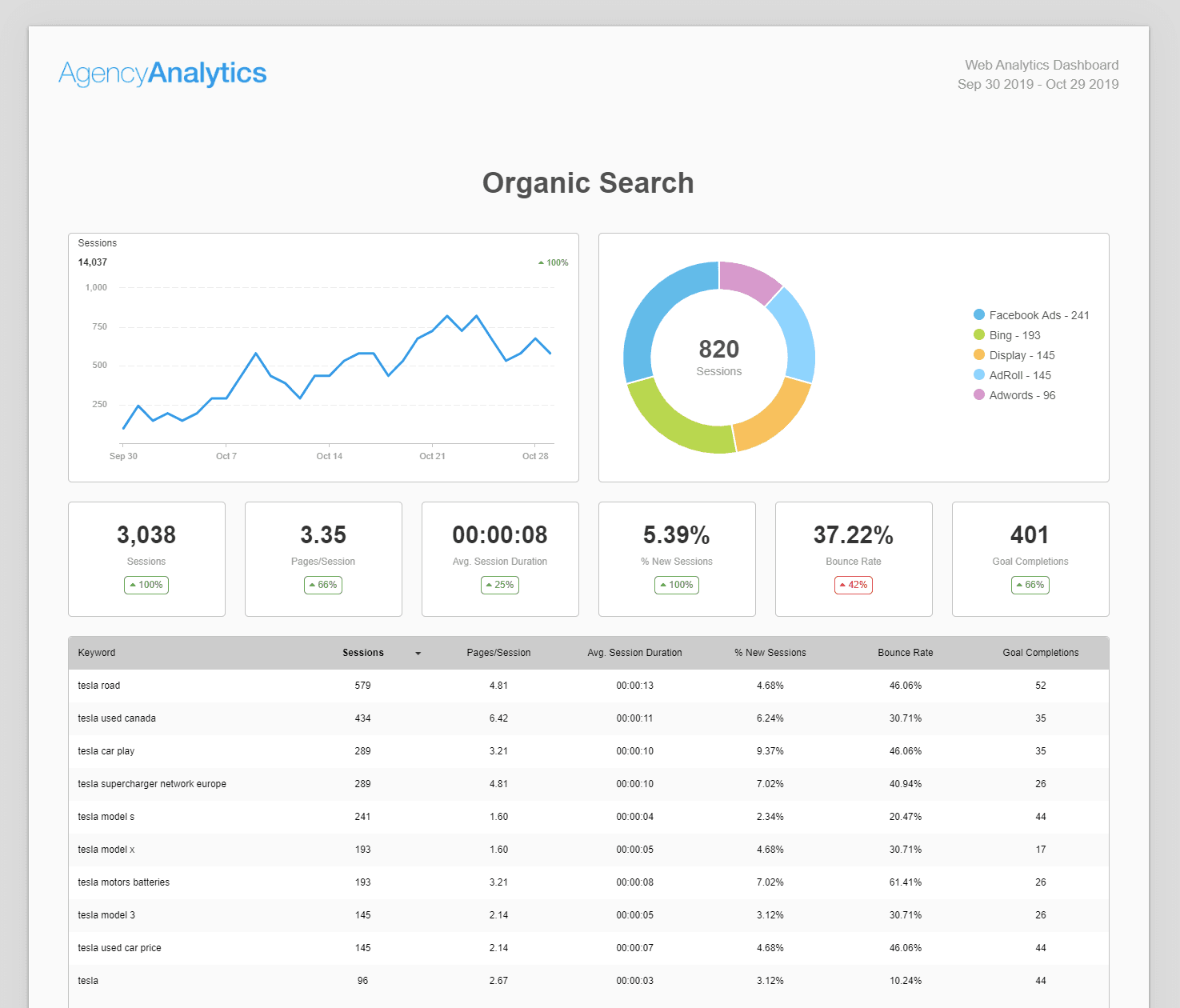
This section of the web analytics report pulls data from a Google Analytics account. It shows the traffic and related metrics around organic search. You’ll also get to see which keywords perform the best in terms of conversions to help inform organic search marketing efforts.

Use this section to drive your SEO strategy with your client. Incorporating top KPIs in custom web analytics reports is the best way to prove the value of your SEO services, by showing them the specific data points like direct conversions from organic traffic.

If you're specializing in SEO be sure to check out our SEO report template too!

Events in website analytics capture specific visitor actions—like clicking a button, watching a video, or submitting a form. These metrics go beyond basic traffic data to reveal what interactions are happening on the site. Events deliver essential insights into how audiences engage with core content and features.

Tracking these interactions matters because it highlights how well the site and its content encourage visitor engagement. By including Events data in reports, agencies can demonstrate exactly how their efforts drive meaningful actions, providing a clear value to clients. This data shows not only what’s being done but also what’s working, offering a measurable way to communicate the impact of strategic decisions across campaigns.

With paid search, you use pay-per-click (PPC) campaigns to display your ads on a client’s search engine results page (SERP) before any of the other results.

Again, like the other sections on this web analytics report template, the Paid Search (PPC) sections gives your clients a more in-depth look at the success or failure of your PPC campaigns.

You’ll be able to see how much traffic each campaign is driving and what kind of goal conversions are coming from them. Use a Google Analytics report template as an opportunity to make informed decisions and strategize with your clients, maximizing revenue and goal conversion rate.

Take their PPC reporting section one step further and include information on their paid Facebook Ads or email marketing initiatives. This helps you track leads different sources and paint a full picture of what is driving results and selling products most effectively.

Easily add an ecommerce section to your web analytics report template to display all of the relevant key performance indicators for your client’s Shopify, WooCommerce, or BigCommerce store. You’ll be able to tell which products are selling the best and what kind of revenue your client is earning from each product from the landing pages on their ecommerce site.

Use this section to start a discussion with your clients about focusing on specific products in new ad campaigns in the future. Then, build a marketing strategy to either capitalize on popularity or drive more customers to products that aren’t selling as well.

organic search

Frequently Asked Questions About Web Analytics Report Templates

Still have questions about website analytics reports and report templates? Here are the answers to some of the most common ones.

  • A website analytics report template is a structured document that compiles key website performance metrics from platforms like Google Analytics or Matomo. It provides an overview of user behavior, traffic sources, conversions, and other critical data to help agencies track and improve digital marketing efforts.

    The template helps agencies organize web analytics data into client-ready reports by connecting to a client’s Google Analytics account and other website analytics tools to pull data on web traffic, user interaction, and campaign performance, turning complex data into clear, actionable insights.

  • Start by connecting platforms like Google Analytics or Matomo to the AgencyAnalytics client reporting platform. Use a dashboard to pull in performance metrics and highlight key trends. Include written insights that explain what changed, why it matters, and what’s next.

    Using predefined analytics templates and custom metrics, agencies build reports that provide a monthly summary of traffic data, user engagement, and campaign results.

  • A complete web analytics report should include key performance indicators and web analytics metrics such as web traffic, search traffic, referral traffic, conversion rate, and average session duration. Agencies should also report on landing page performance, form submissions, customer lifetime value, and ecommerce metrics like average order value to give clients a full picture of website performance. Whether you are generating a Google Analytics report template or a Matomo report template, the process and many of the key metrics remain the same, providing a consistent reporting experience across multiple marketing platforms.

  • Using a web analytics report template helps agencies save time by turning complex data into professional performance reports. They reduce manual setup, standardize KPIs, and keep reporting aligned with client goals—saving hours each month.

    A web analytics report template ensures that clients receive all their data in one place—covering marketing campaigns, PPC campaigns, and SEO services—helping digital marketers make data-driven decisions that improve digital marketing strategies and customer satisfaction.

  • Yes. AgencyAnalytics automates web analytics reporting by integrating data from Google Analytics, Matomo, Google Ads, Facebook, and over 80 other data sources into scheduled reports. This automation saves agencies time and ensures clients receive monthly reporting without manual data analysis or exporting to spreadsheet tools.

  • Agencies use web analytics reports to uncover valuable insights about traffic acquisition, user behavior, and campaign effectiveness. By analyzing data points like how much traffic is driven by search engines, which landing pages convert best, and emerging trends in customer behavior, agencies optimize strategies to increase engagement and deliver better marketing results.

  • Absolutely. Agencies can create custom reports in AgencyAnalytics using the drag-and-drop report builder and white label branding. With custom marketing dashboards and automated client reporting, agencies tailor reports to include custom metrics, multiple campaigns, and real world data from all data sources—providing clients with a fully customized marketing report template.

  • Agencies often turn to the social media reporting template when presenting social media performance data. For SEO, the SEO performance report helps showcase rankings and traffic improvements. Paid ad campaigns are usually summarized with the PPC report template. Broader campaigns are best captured in the monthly digital marketing report template, while website engagement metrics come through clearly in the web analytics report template.

More templates
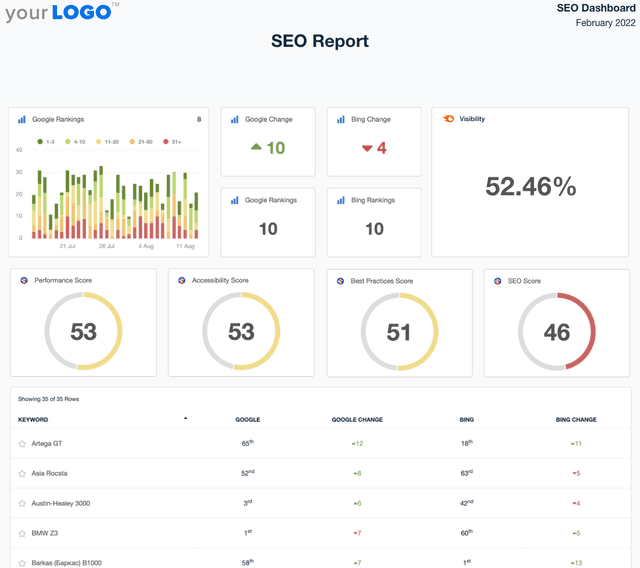
A screenshot of an example SEO Report template

SEO Report

Sending SEO reports shouldn’t mean spending your Friday night formatting screenshots in a PDF. Use a client-ready SEO report template to summarize rankings, traffic, backlinks, and key wins—then export and share in minutes.
Example of the Social Media Report Template from AgencyAnalytics

Social Media Report

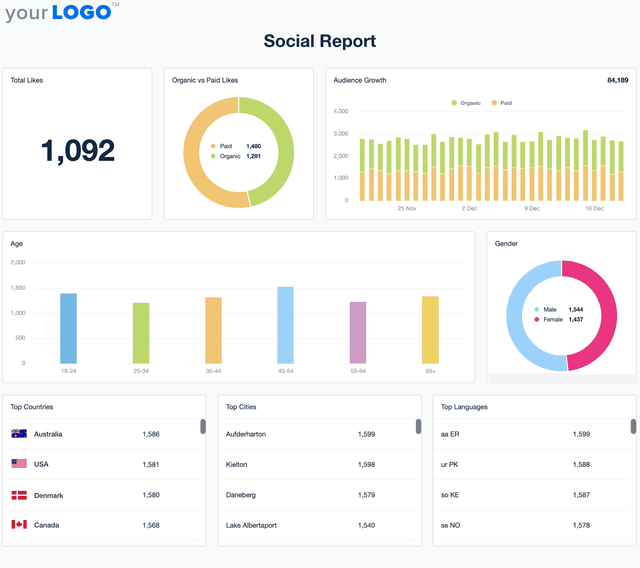
Social media performance reporting shouldn’t slow you down. This customizable Social Media Report Template automatically tracks engagement, audience growth, and ad performance so that you deliver client updates without the extra work.
An example of a website design & development proposal template

Website Proposal

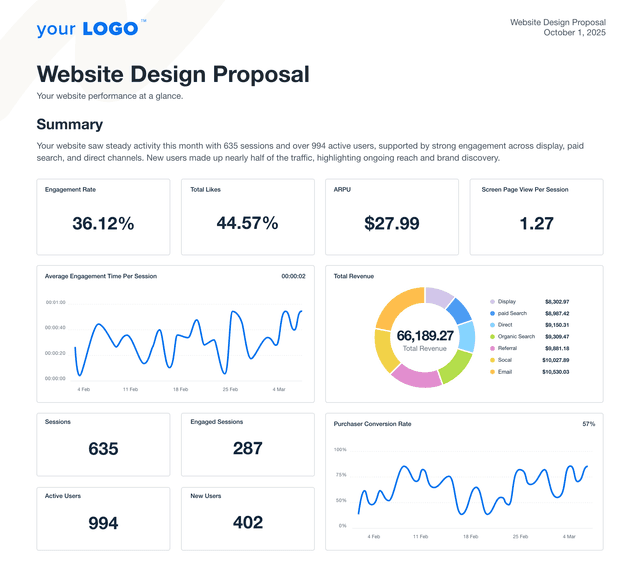
Present polished, persuasive proposals that win web design and development clients—without starting from scratch. This customizable website proposal template helps your agency communicate scope, timeline, and results to potential clients. Whether pitching a redesign or a brand-new build, the website proposal template is your shortcut to a more innovative sales process.
View All Templates

See how 7,000+ marketing agencies help clients win

Start Your Trial Now

Free 14-day trial. No credit card required.

Callout Get StartedSwoosh
Logo
G2 Users Love Us
AgencyAnalytics - G2 Leader Winter 2026
AgencyAnalytics - G2 Momentum Leader Winter 2026
G2 Crowd

4.7 out of 5

Capterra

4.8 out of 5

Product
Platform features
Agency solutions
Data integrations
Compare platforms
Reviews
Pricing
Company
About
Careers
Hiring
Media Kit
Contact
Get Started
Start Free Trial
Book a Demo
Quick Start Guide