AgencyAnalytics
AgencyAnalytics
  • Pricing
  • Login
  • Start Trial

Amazon Ads Dashboard for Live Insights and Campaign Optimization

Deliver up-to-date Amazon Ads performance data in a fully customizable dashboard. Track ad spend, conversion rates, and ROAS while providing clients with a live, transparent view of campaign results. Optimize performance faster and reinforce trust with real-time access to key advertising metrics.
Start Your Free Trial Preview Dashboard
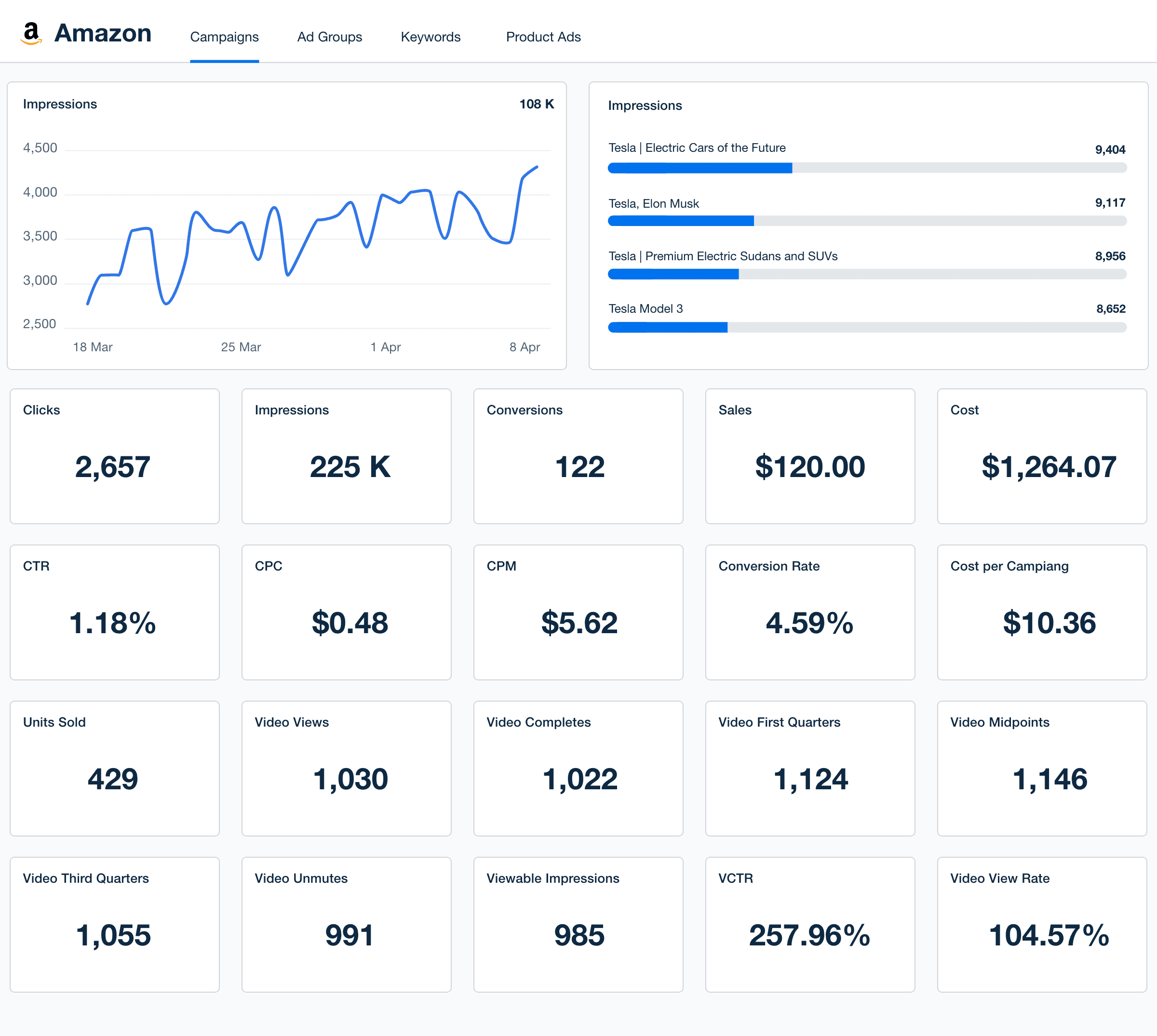
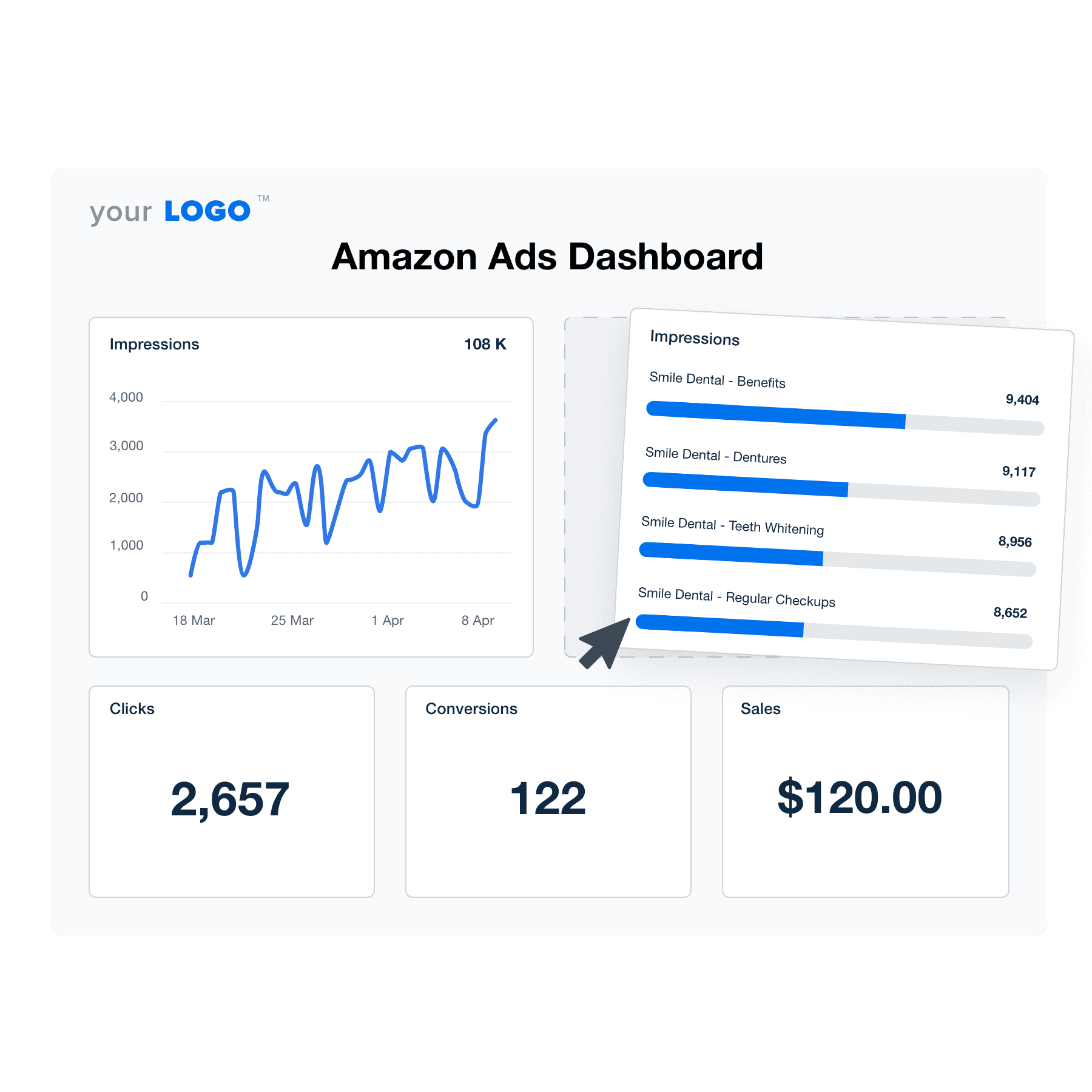
Amazon Dashboard Template Example

Customizable Amazon Ads Dashboard for Smarter Campaign Reporting

Create a white-labeled Amazon Ads dashboard that highlights the most relevant KPIs for your agency and clients. Customize widgets, white label dashboards, and set date ranges to track ad spend, sales performance, and return on ad spend (ROAS) in a format that makes data easy to understand.

Give clients direct access to live campaign data while streamlining your internal ad performance analysis. With an intuitive layout and flexible reporting tools, agencies make faster, data-driven decisions while strengthening client relationships.

Preview Dashboard
An illustration of the drag-and-drop Amazon Ads dashboard builder for marketing agencies.
Preview Dashboard

Easily Report on All Your Amazon Ads Data

Start Your Free Trial

Custom Amazon Ads Dashboards as Unique as Your Agency

Centralized Data at Your Fingertips

Instantly Access All Your Clients’ Amazon Ads Data

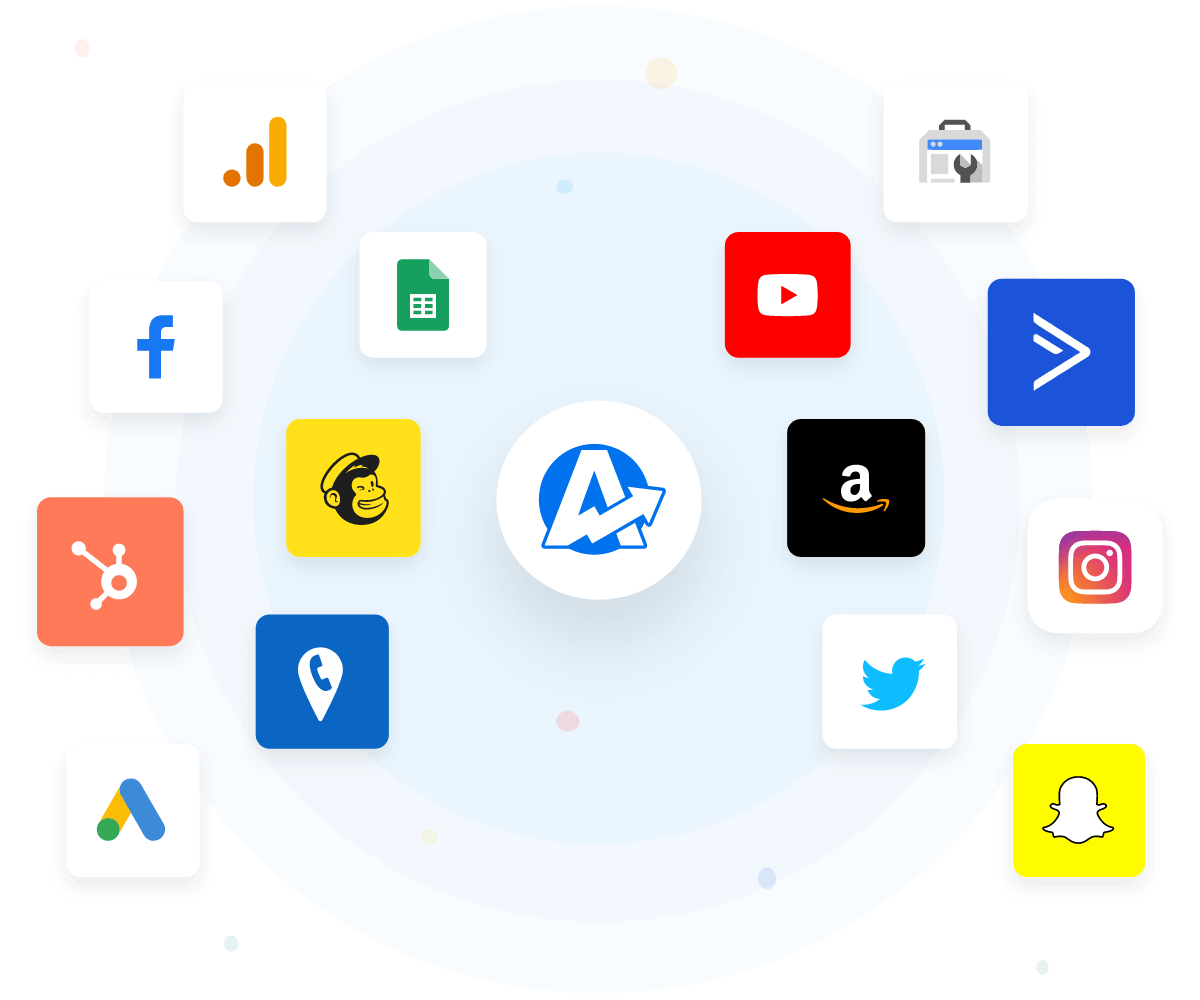
Easily connect and manage data from the Amazon Ads integration alongside key metrics from more than 80 marketing platforms in one centralized location. Streamline your workflow, making it simple to monitor and analyze all your marketing efforts, from Amazon, Facebook, Google Ads, and more.

With every data point readily accessible, quickly generate comprehensive reports, optimize campaigns, and demonstrate your value to clients with precision and clarity.
View All 80+ Integrations
An example of the available marketing platform integrations AgencyAnalytics offers to connect your clients' marketing data
View All 80+ Integrations
Strengthen Your Brand Identity

White Label Your Amazon Ads Dashboards

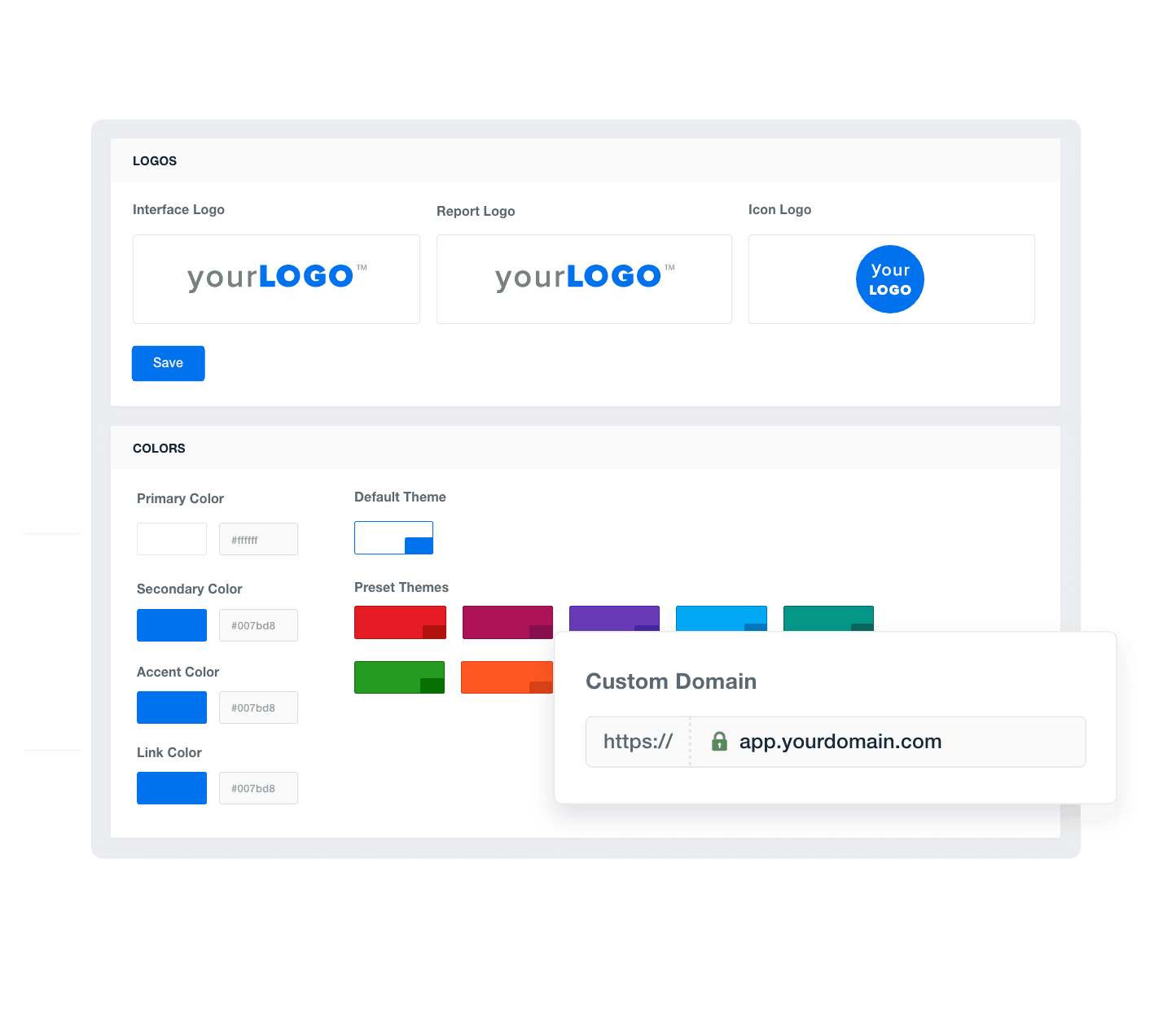
White label your Amazon Ads dashboards to present data under your own brand. Customize dashboards with your logo and colors to reinforce your brand identity and deliver your clients a seamless, professional experience. Build trust and credibility by making it clear that your agency is the driving force behind the insights and results presented.
Add Your Agency's Branding
An example of how to add your marketing agency's branding to customizable marketing reporting software
Add Your Agency's Branding
Tailor Your Reporting

Provide Granular Insights With Custom Metrics

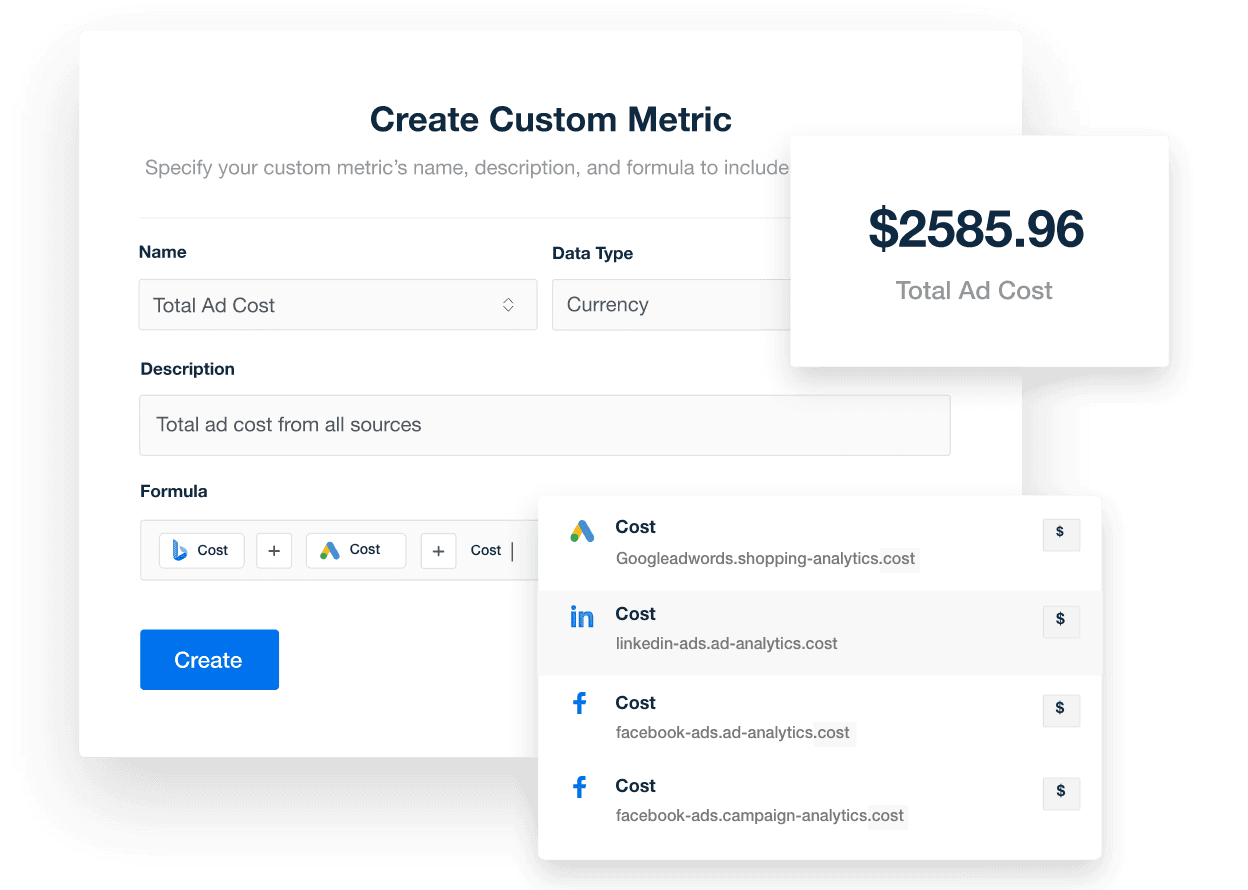
Create custom metrics to deliver granular insights tailored to your clients’ needs. Customize your Amazon Ads dashboards to highlight the most relevant data points, giving your clients a clear understanding of their campaign performance.
Explore Custom Metrics
A screenshot of the AgencyAnalytics custom marketing metrics feature
Explore Custom Metrics
Streamline Client Management

Monitor All Your Clients at a Glance

Monitor all your clients’ campaigns with a single view. Track multiple accounts simultaneously, ensuring no detail goes unnoticed. Streamline client management by quickly accessing key metrics and performance data, providing timely updates, and making informed decisions to optimize advertising strategies and maximize results.
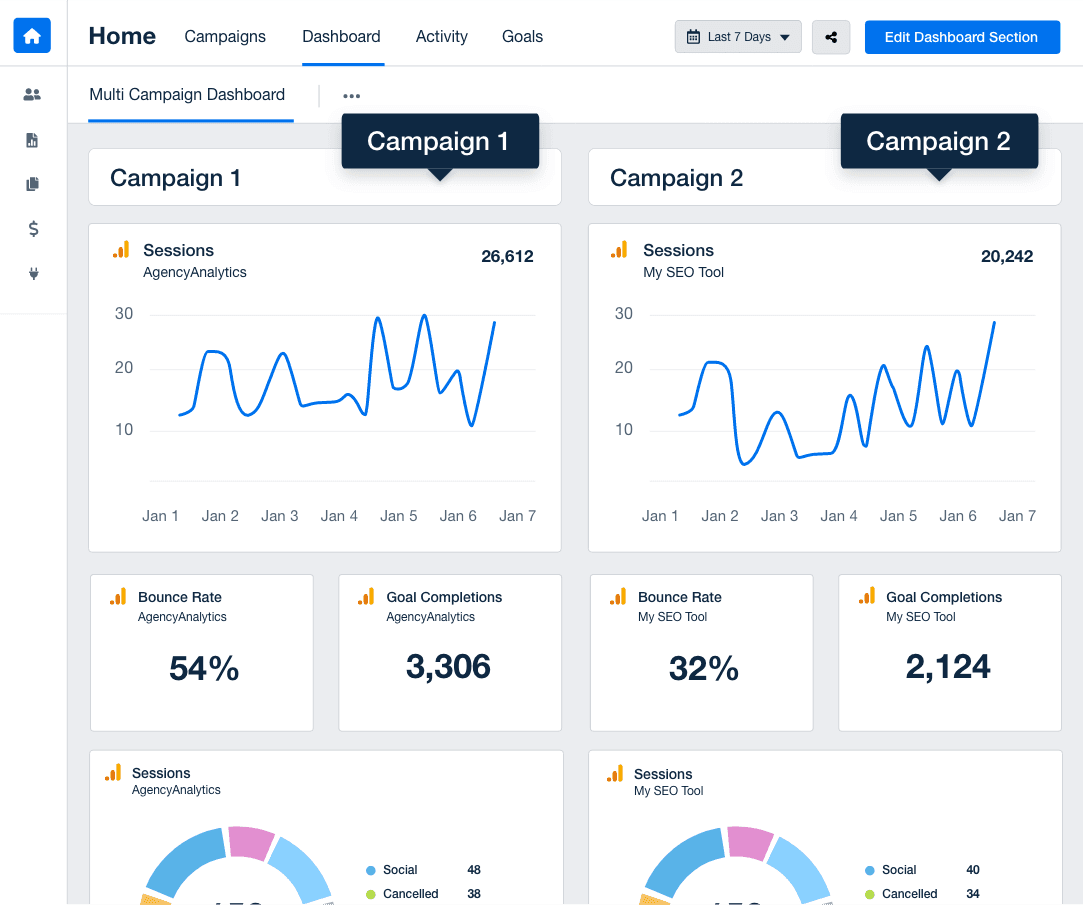
Discover Multi-Client Dashboards
An example of a multi-client or multi-location marketing dashboard
Discover Multi-Client Dashboards
Dedicated Support To Meet Your Needs

Customer Support is Our Top Priority

Get unparalleled support tailored to your agency with round-the-clock assistance. Our live chat operates 24/5, ensuring your queries are addressed within an impressive 3-minute response time. With a satisfaction rate consistently above 95%, our expert support team excels in guiding you through creating Amazon Ads dashboards and more, ensuring your agency delivers top-tier services to clients. Count on immediate, quality support as our commitment to your success.

You care about your client’s success. We care about yours.
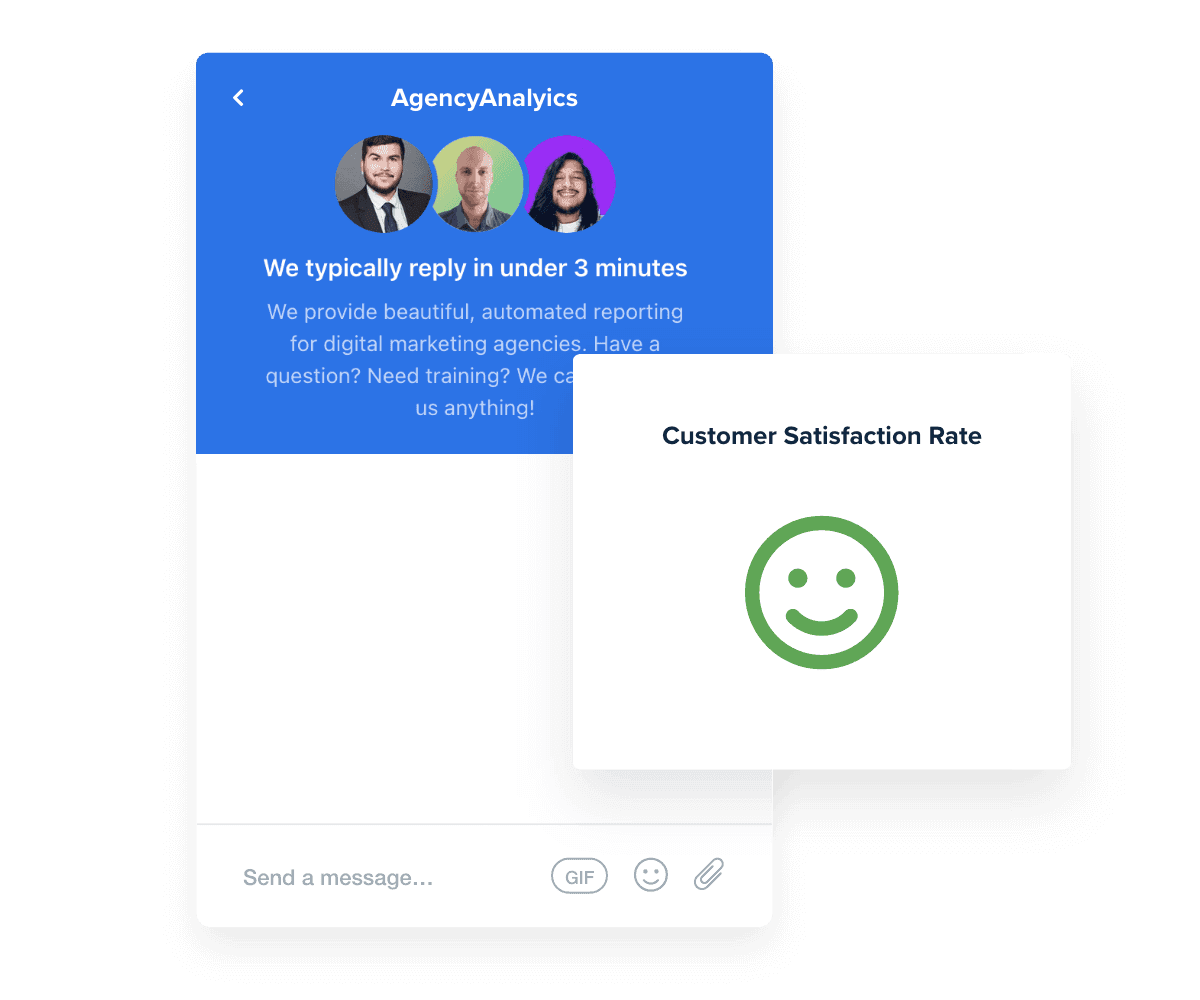
Read Reviews
Best in Class Customer Support for Marketing Agencies
Read Reviews
Built-in Data Visualization Tools

Visual Dashboards That Meet Client Needs

Include all the metrics from your client's marketing platforms to build a comprehensive reporting dashboard and automatically visualize the data for easier understanding. Use the drag-and-drop editor to easily customize and tailor client dashboards and track all the vital data points from a single interface.
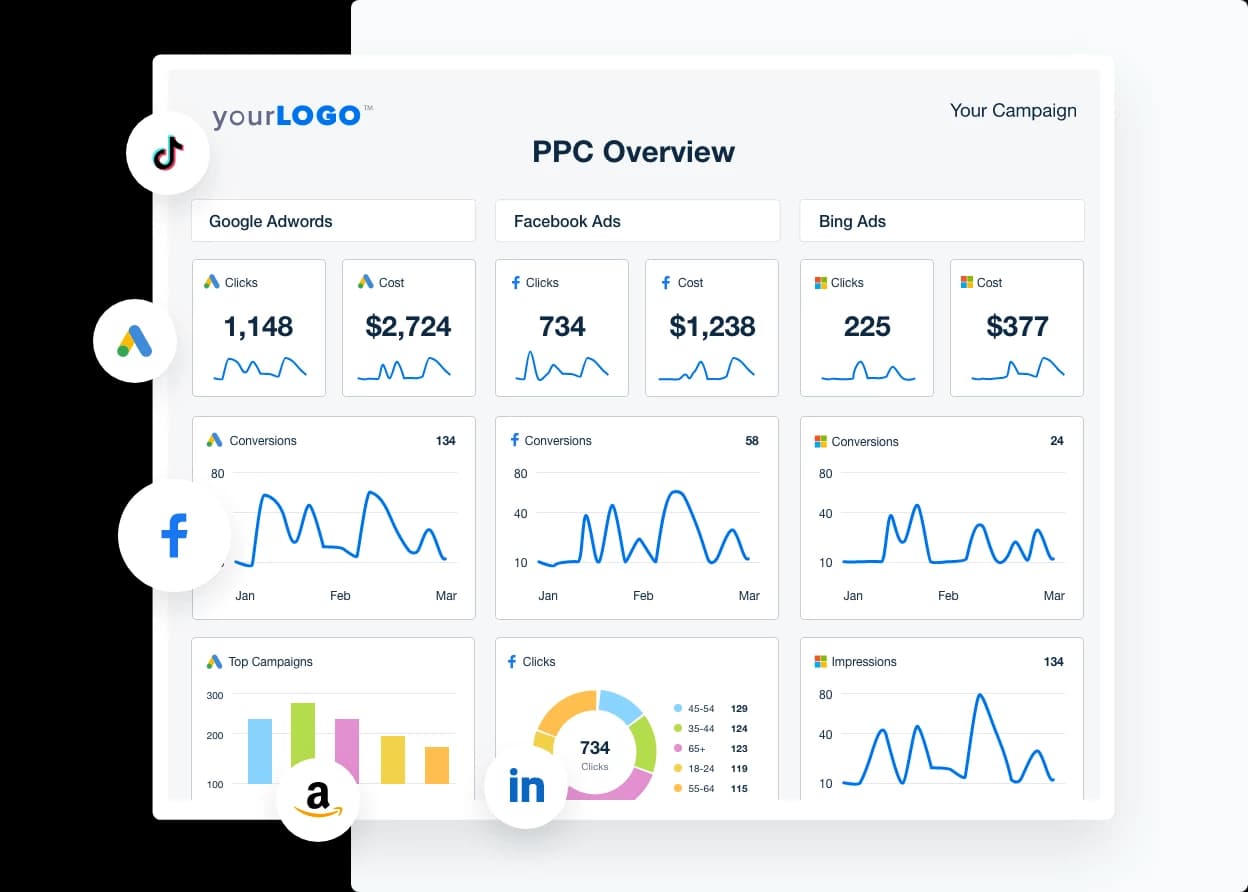
Visualize Client Success
Track your PPC campaigns from a visual dashboard and pull in all your clients’ campaign with the dashboard
Visualize Client Success
Report Smarter. Not Harder.

Streamline Reporting and Focus On What Matters

Save time by automatically integrating the most critical Amazon Ads data and metrics from over 80 other platforms in one centralized dashboard.

Pull key metrics from Amazon Ads, Google Analytics, Facebook Ads, and more to provide clients with a comprehensive view of their advertising performance.

Customize each Amazon Ads dashboard and quickly clone them to expedite client onboarding. Use the time saved on reporting to focus on growing your agency and delivering exceptional results.
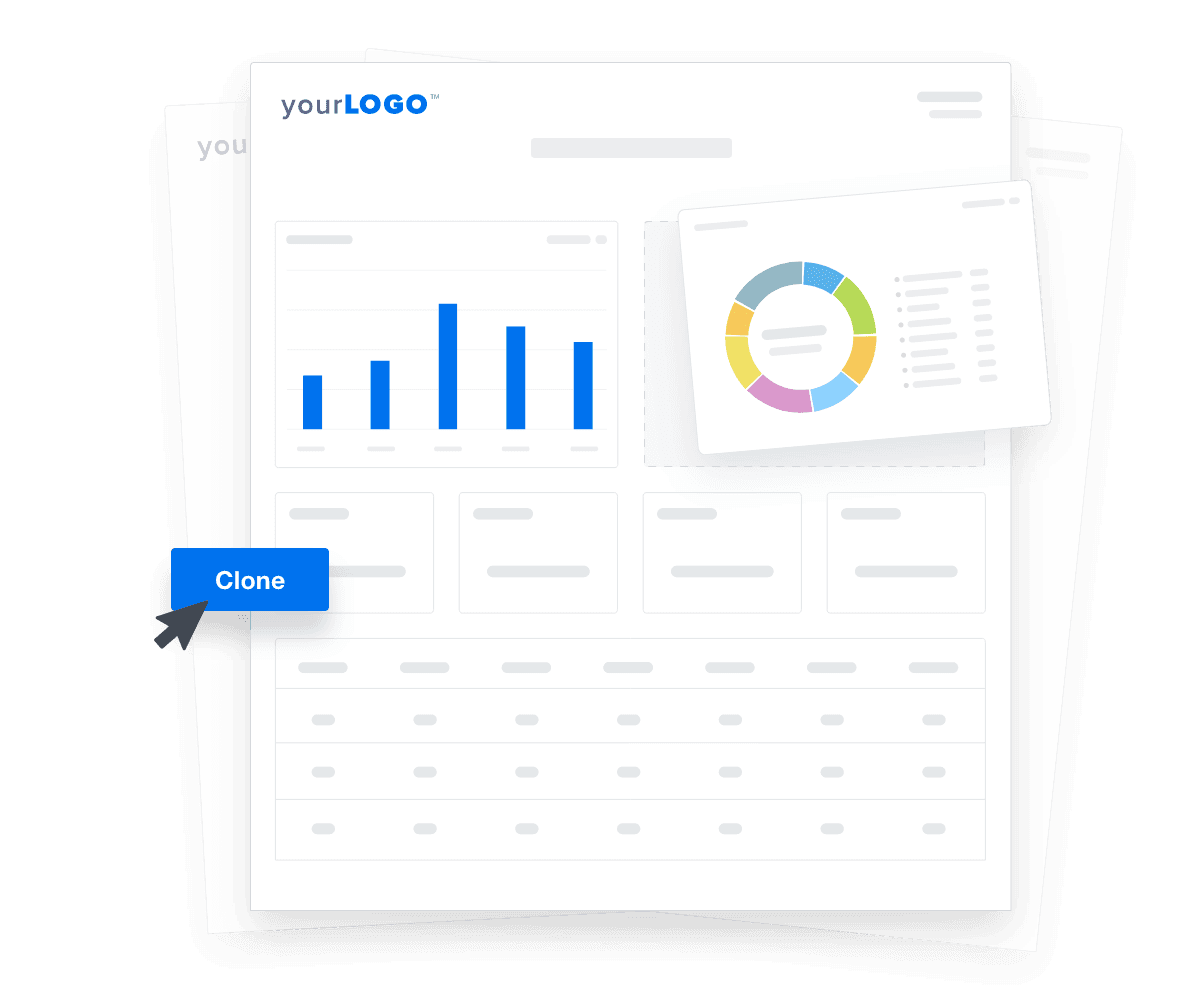

Create Custom Dashboards
An illustration of cloning marketing reports and dashboards for faster client onboarding
Create Custom Dashboards

Sign up for your free trial now!

No credit card required. No setup hassle. Just instant access to automated reporting, custom dashboards, and multi-channel insights.

Start Your Free Trial
An icon showing a user clicking to start a free trial
Start Your Free Trial

11 Sections To Include in an Amazon Ads Dashboard

A well-structured Amazon Ads dashboard not only simplifies the complexity of client reporting but also highlights the most critical performance indicators, enabling agencies to deliver more focused and impactful reports to their clients. By tailoring each section to address different aspects of the campaign, you can provide a holistic view that drives better decision-making and optimizes ad performance.
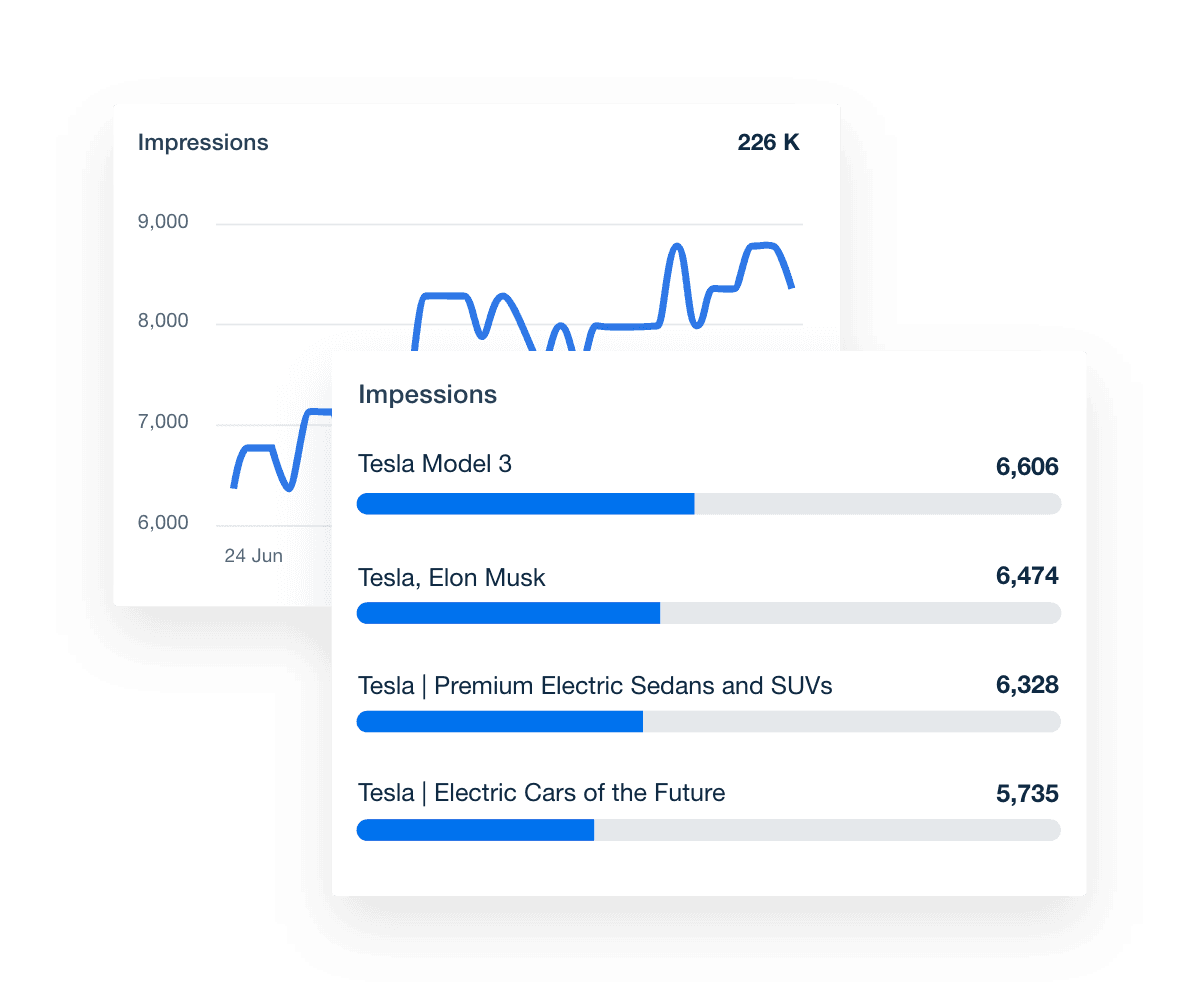

Impressions are a critical metric that represents the number of times your clients’ ads are shown to users. They offer a snapshot of the ad campaign’s reach and visibility and play a pivotal role in evaluating the effectiveness of your advertising efforts.

Including impressions in your Amazon advertising dashboard is essential for showcasing the value your agency provides to clients. This metric helps illustrate how often ads appear to potential customers, linking directly to overall visibility and brand awareness.

Monitoring impressions within a comprehensive overview dashboard allows your team to decide which individual ads or specific campaigns need adjustments. By understanding the relationship between impressions and other Amazon Ads metrics, your agency optimizes advertising activities, reduces advertising costs, and drives more sales.

Clicks measure the number of times users interact with your ads by clicking on them, indicating user engagement and interest in your product ads.

Clicks reveal how effective your marketing efforts are in driving traffic to product pages. By tracking clicks, your agency pinpoints which individual ads or specific advertising campaigns generate the most interest, leading to increased Amazon sales. This real-time data allows for swift adjustments to advertising activities (e.g., sponsored products, sponsored ads, and sponsored display ads in PPC campaigns), optimizing performance and reducing advertising costs.

Conversions are the ultimate metric that shows how often users complete a desired action, such as purchasing after clicking on your clients’ ads. This metric directly reflects the success of your ad campaigns in driving tangible results.

Including conversions in your Amazon Ads analytics dashboard demonstrates the true value your agency provides to clients by showcasing how effective your advertising efforts are at turning clicks into sales. Tracking conversions helps your agency identify which specific campaigns and individual ads are most successful, enabling more precise optimization of advertising activities.

Sales measure how much revenue is generated from an ad campaign, reflecting success in driving purchases and contributing to your client’s bottom line.

Including sales in your Amazon Ads analytics dashboard shows the direct financial results of ad campaigns, helping clients see how their advertising investments lead to real sales. Tracking sales helps identify which specific campaigns and individual ads perform best, allowing for targeted adjustments to boost profitability.

Units sold tracks the total number of products sold through your agency’s ad campaigns, offering a precise measure of their effectiveness and impact on sales.

Tracking the total number of products sold through ad campaigns provides agencies with critical data to enhance their marketing strategies, allocate their advertising budget more efficiently, and increase overall sales. With this insight, agencies fine-tune campaigns, focus resources on high-performing ads, and tweak or discontinue underperforming ones to optimize the return on investment.

Click-through rate (CTR) shows the percentage of users who click on an ad after viewing it, measuring the effectiveness of ads in capturing audience interest.

Including CTR in your Amazon Ads analytics dashboard is vital for assessing ad performance. A high CTR means that ads are compelling and relevant, while a low CTR indicates the need for adjustments. Monitoring CTR helps your agency identify which specific campaigns and individual ads need optimization to improve engagement and drive more traffic to product pages.

Amazon Ads Dashboard Impressions Widget Example

Build custom Amazon Ads analytics dashboards that deliver results

Save time and impress clients with a powerful, results-driven dashboard template. Access the free Amazon Ads analytics dashboard template today!

Preview the Dashboard
Illustration of a user at a marketing agency trying the client reporting features from AgencyAnalytics
Preview the Dashboard

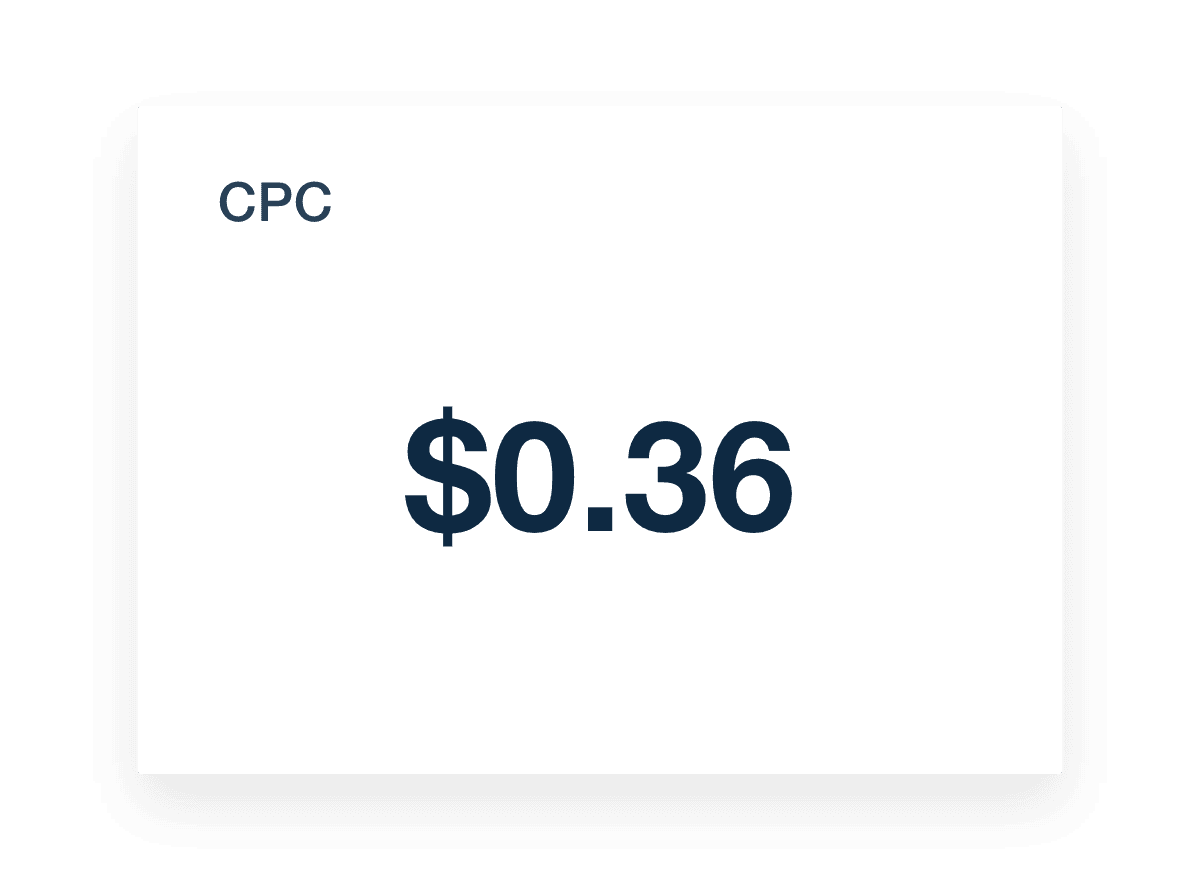
Cost per click (CPC) indicates the amount that must be paid each time a user clicks on an ad. This metric is crucial for managing your client’s advertising budget and measuring the cost-effectiveness of ad campaigns.

Including CPC in your Amazon Ads analytics dashboard helps track and optimize ad spend. A low CPC means clients get more clicks for their budget, while a high CPC may require adjustments to improve cost efficiency. Monitoring CPC helps your agency evaluate the financial performance of specific campaigns and individual ads, ensuring that advertising costs are controlled and optimized.

Cost per thousand impressions (CPM) measures the cost of showing an ad 1,000 times. It evaluates how efficiently you’re reaching your client’s audience.

Including CPM in your Amazon Ads marketing dashboard helps track the cost-effectiveness of ad campaigns. A lower CPM means you’re getting more exposure for less money, while a higher CPM means your strategy needs adjustments. Monitoring CPM ensures your advertising budget is used wisely, maximizing ad reach.

Conversion rate measures the percentage of users who complete a desired action, like making a purchase, after clicking on an ad. This metric is crucial for assessing the effectiveness of ad campaigns in driving valuable actions.

A high conversion rate indicates that ads effectively turn clicks into sales or other desired actions, while a low conversion rate signals the need for campaign optimization. Monitoring this metric helps your agency pinpoint which specific campaigns and individual ads are performing best, enabling targeted improvements to boost client performance.

Cost per conversion measures the amount spent to achieve a single conversion, such as a sale. This metric is vital for understanding the efficiency of ad campaigns in generating valuable actions at a reasonable cost.

A lower cost per conversion indicates that ads efficiently drive conversions at a lower expense, while a higher cost suggests the need for campaign adjustments. Monitoring this metric helps your agency assess the financial performance of specific client campaigns and individual ads, ensuring that advertising budgets are used wisely.

Incorporating goal tracking into an Amazon Ads dashboard showcases progress toward client objectives. It offers a transparent view of how ad campaigns align with established targets, enabling agencies to highlight their impact and adjust strategies as needed to meet client expectations and drive meaningful results.

Creating relevant KPI goals for an agency and its clients is essential for measuring success and optimizing strategies. Here are some best practices:

  • Align With Client Objectives: Ensure goals reflect the client’s business priorities and desired outcomes.

  • Use Clear Metrics: Choose specific, quantifiable KPIs that accurately measure performance.

  • Regularly Review and Adjust: Continuously monitor progress and adjust goals to stay on track.

Amazon Ads Cost-Per-Click (CPC) Metric Example

FAQs About Amazon Ads Dashboards

Still have questions about how to create and use Amazon Ads Dashboards? Don’t worry, we’ve got you covered.

  • An Amazon Ads Dashboard gives you a centralized view of all your Amazon ads campaigns. Track key metrics from sponsored ads, video ads, and sponsored display ads in one place to evaluate performance and optimize your marketing efforts. It's designed to simplify client reporting with real-time visibility.

  • To create a white label Amazon Ads dashboard, connect your Amazon Ads account to AgencyAnalytics, apply your agency’s branding, and select relevant widgets. With a few clicks, build a custom marketing dashboard that showcases data from ad campaigns—like advertising cost and conversions—under your domain, logo, and color scheme.

  • The dashboard tracks essential Amazon ads analytics such as impressions, clicks, conversions, and advertising cost. See performance data across all amazon ads campaigns, including sponsored ads, video ads, and sponsored display ads. Pair it with Google Ads metrics for a complete view of your paid media.

  • Integrating Amazon Ads with AgencyAnalytics enhances client reporting by turning complex ad campaign data into clear, visual dashboards. It brings sponsored ads and other campaign metrics into one place, making it easy for agencies track marketing efforts and advertising cost efficiently—without logging into multiple platforms.

  • Absolutely. The Amazon Ads dashboard is fully customizable. Tailor it to highlight key metrics from specific ad campaigns—like video ads or sponsored ads—and organize widgets to match each client’s marketing goals. With a few clicks, build a marketing dashboard that aligns with their strategy.

  • Top dashboard choices include the PPC reporting dashboard for PPC insights, the digital marketing reporting dashboards to present digital marketing analytics, and the web analytics dashboards to showcase web analytics outcomes. Agencies often finalize reports using the social media analytics dashboard for social media summaries and the SEO monitoring dashboard to capture SEO performance.

More templates
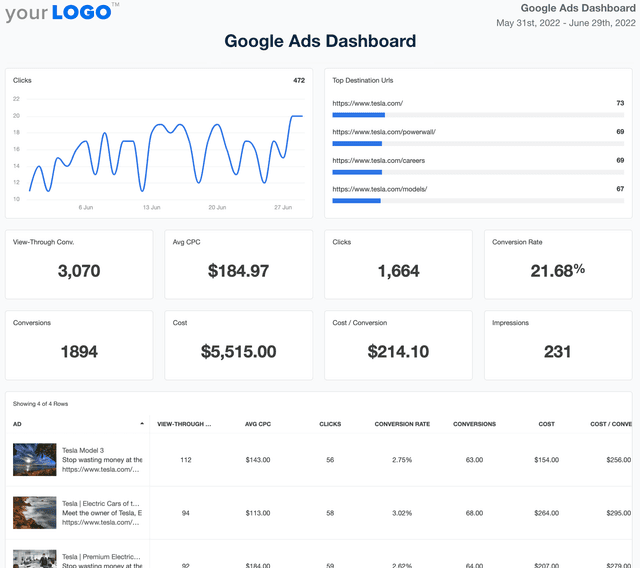
Google Ads Dashboard Template Example

Google Ads Dashboard

Track ad spend, conversions, and ROI in a fully customizable Google Ads dashboard. Consolidate multiple accounts in one place, automate reporting, and provide clients with live insights that optimize ad performance and budget allocation.
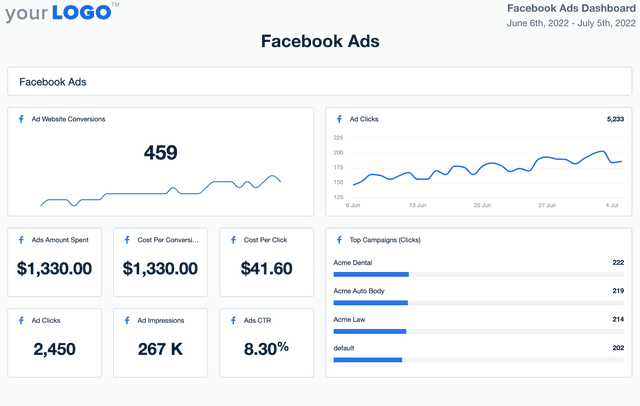
Facebook Ads Dashboard Template

Facebook Ads Dashboard

Track Facebook Ads performance across campaigns in one streamlined dashboard. Consolidate spend, clicks, conversions, and ROI into a single view that keeps your team and clients aligned and engaged.
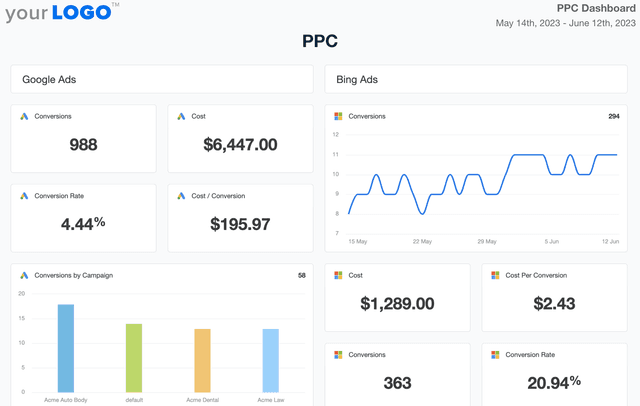
PPC Dashboard Template Example

PPC Dashboard

Track spend, conversions, and click-through rates in a fully customizable PPC dashboard. Automate reporting, provide clients with live insights, and optimize paid media strategies across platforms like Google Ads, Facebook Ads, and Microsoft Ads—all from one place. Monitor PPC campaign results without the hassle of manual data collection.
View All Templates

See how 7,000+ marketing agencies help clients win

Start Your Trial Now

Free 14-day trial. No credit card required.

Callout Get StartedSwoosh
Logo
G2 Users Love Us
AgencyAnalytics - G2 Leader Winter 2026
AgencyAnalytics - G2 Momentum Leader Winter 2026
G2 Crowd

4.7 out of 5

Capterra

4.8 out of 5

Product
Platform features
Agency solutions
Data integrations
Compare platforms
Reviews
Pricing
Company
About
Careers
Hiring
Media Kit
Contact
Get Started
Start Free Trial
Book a Demo
Quick Start Guide