AgencyAnalytics
AgencyAnalytics
  • Pricing
  • Login
  • Start Trial

Campaign Performance Report Template for Effortless Tracking

Scattered campaign data leads to messy reports. The Campaign Performance Report Template centralizes performance metrics, making it easy to track wins, call out optimizations, and show clients how their marketing dollars are working for them.
Preview TemplateStart Your Free Trial
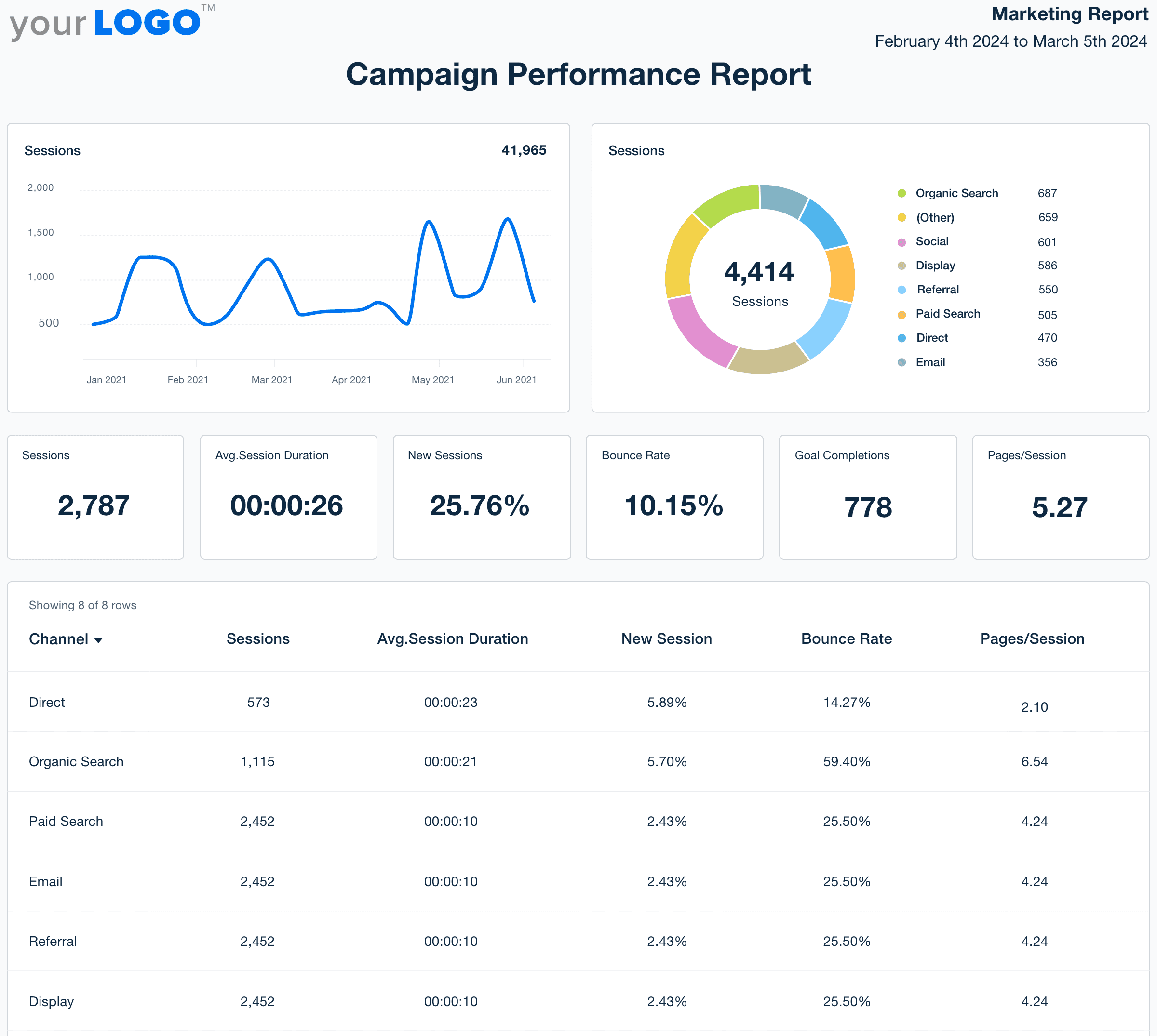
Campaign Performance Report Template Example

Customizable Campaign Report Templates Built for Client Reporting

Build professional, on-brand reports in less time using campaign report templates tailored for agency workflows. Customize the layout, apply your agency’s branding, and surface key campaign metrics with simple drag-and-drop tools.

Templates connect directly to live marketing data, reducing manual effort and giving your team more time to optimize campaigns, build strategy, and scale client results.
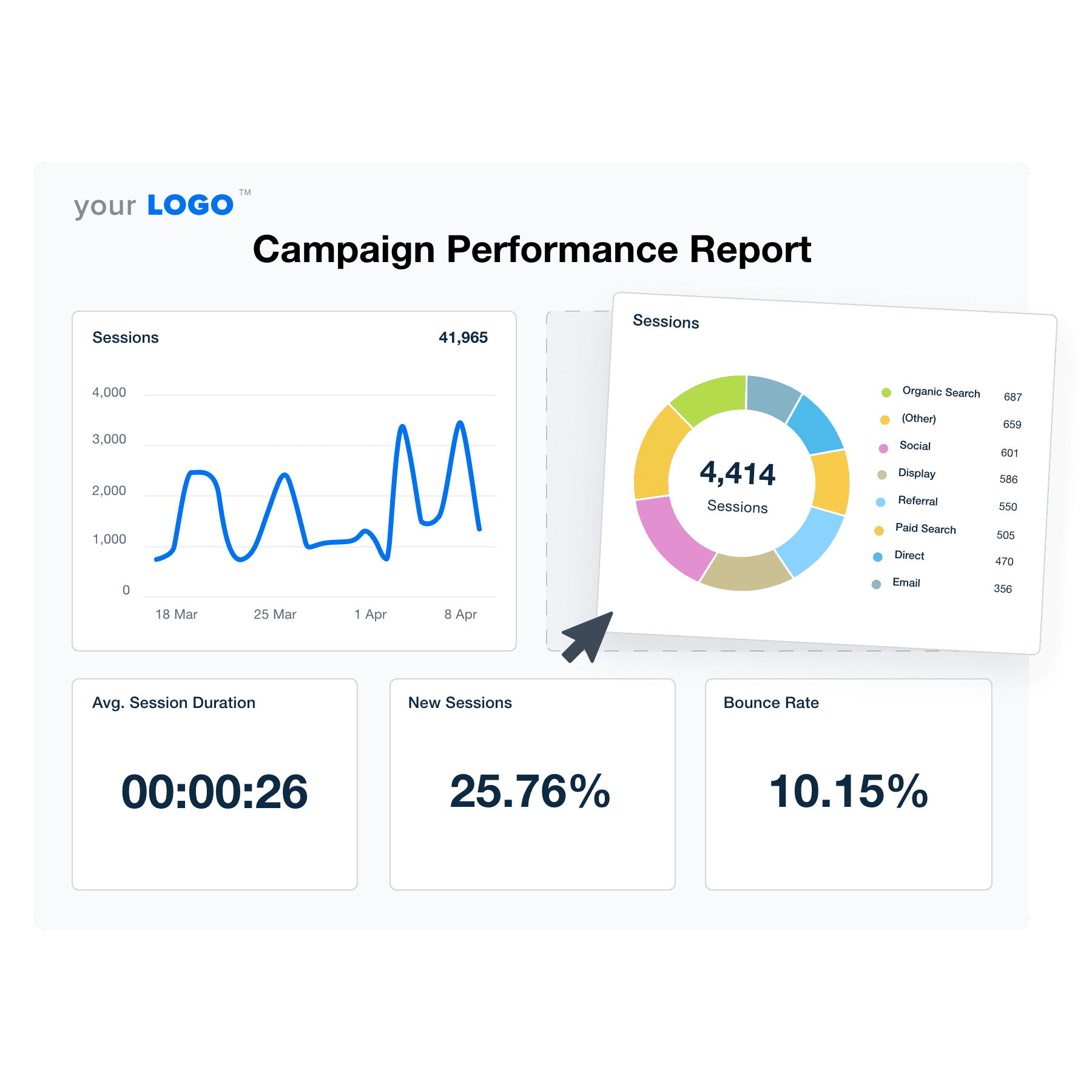

Create Professional Campaign Performance Reports in Minutes
Illustration of the Drag-and-Drop Campaign Performance Report Template Builder from AgencyAnalytics
Create Professional Campaign Performance Reports in Minutes

Easily Report on Your Client's Campaign Performance

Start Your Free Trial

Custom Campaign Performance Reports as Unique as Your Agency

Reclaim Billable Hours

Automate Your Agency’s Reporting Process

AgencyAnalytics automates time-consuming reporting and eliminates manual data entry. No more laborious data collection–just a reporting solution that does the heavy lifting for you. 

Win back billable hours, help clients meet their marketing goals, and strengthen your agency’s operations. 
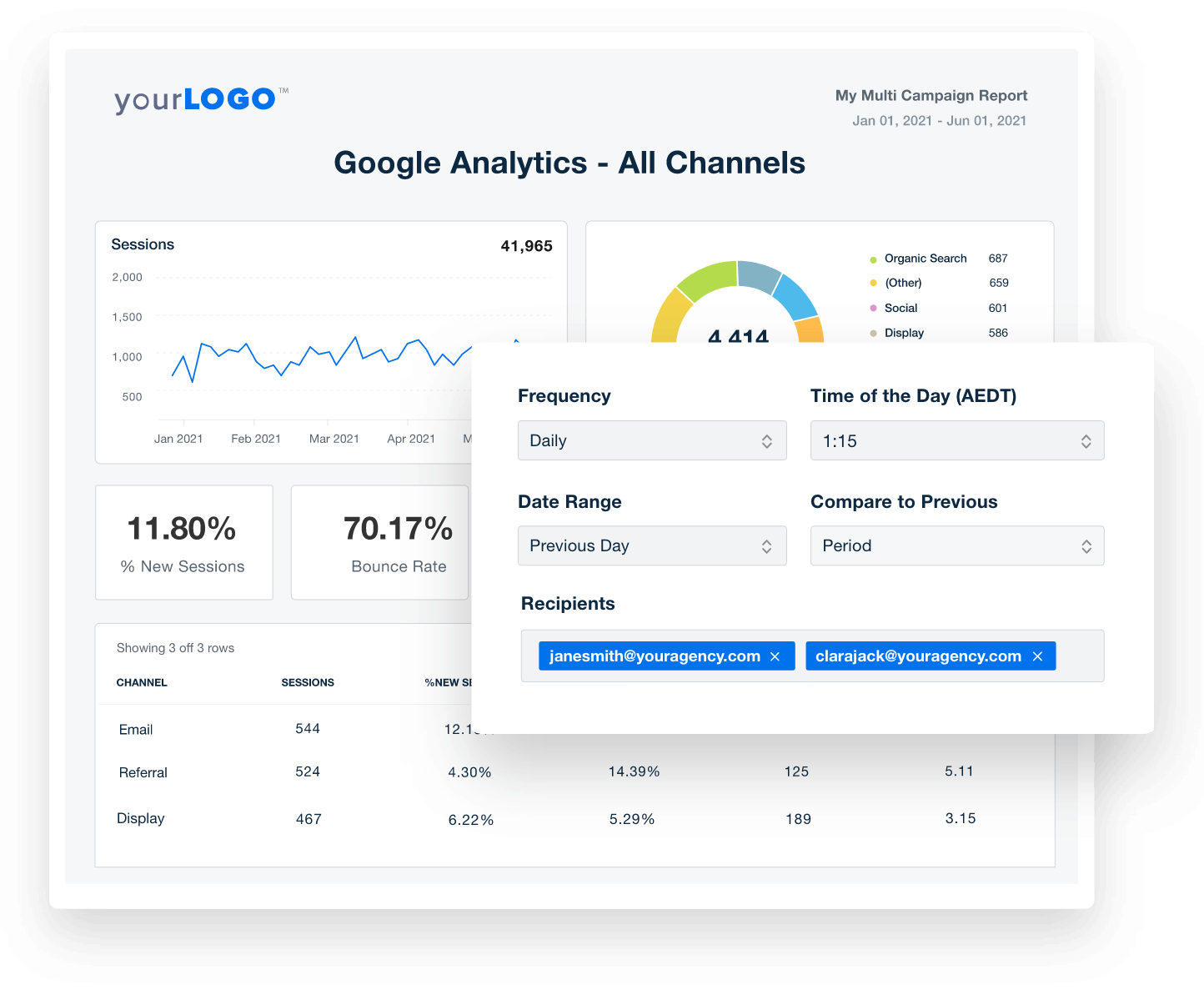
Get Started With Automated Reporting
Automate Your Client Reporting in Minutes
Get Started With Automated Reporting
Seamless Connectivity

All Your Reporting Tools in One Place

AgencyAnalytics automates collection across 80+ platforms. It’s a must-have for all marketing agencies to save time and maximize operational efficiency.

Invest in a centralized reporting hub and store client data in one place. Quickly access a complete overview of marketing performance, all in one place. 
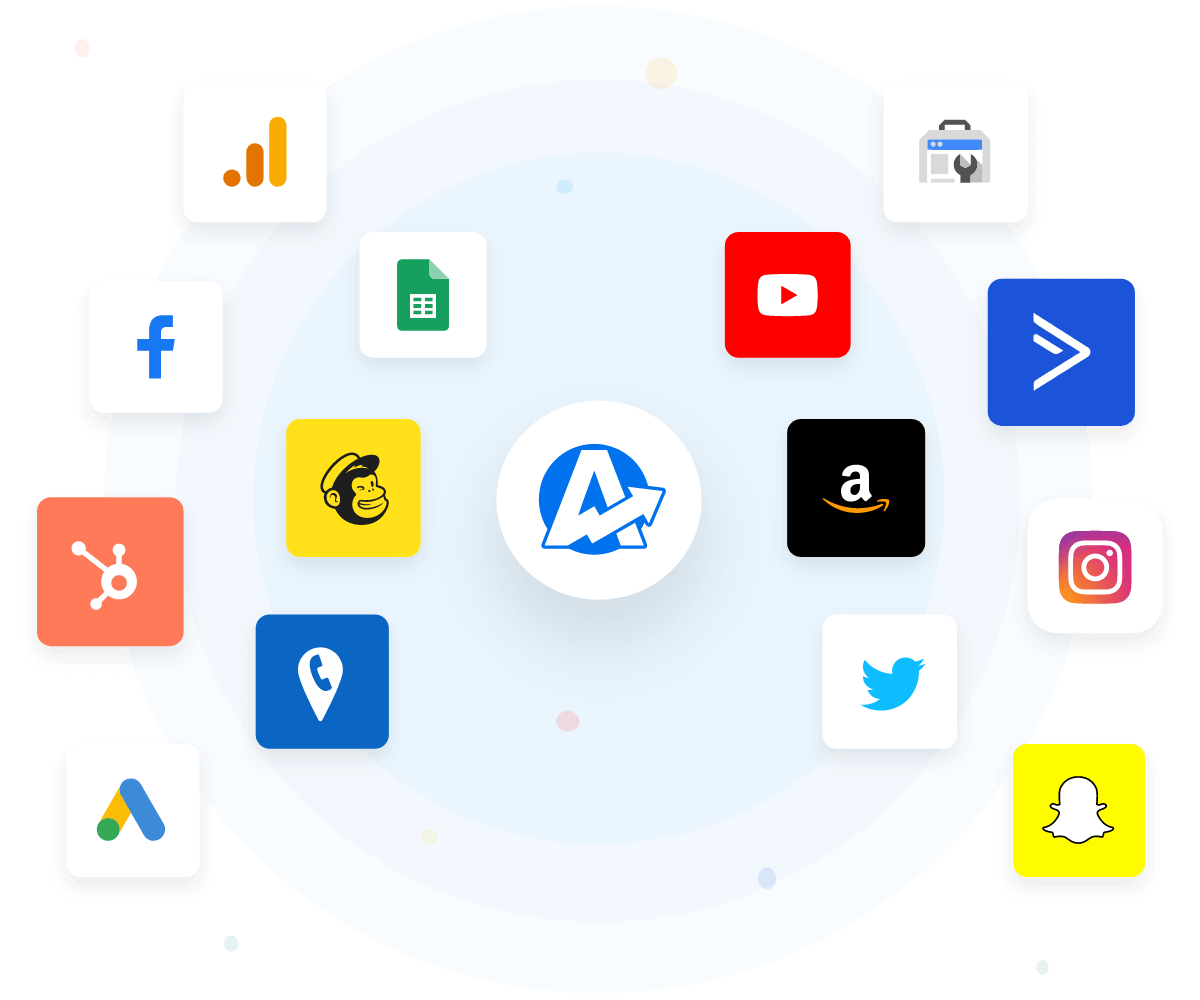
View All 80+ Integrations
An example of the available marketing platform integrations AgencyAnalytics offers to connect your clients' marketing data
View All 80+ Integrations
Your Success Toolkit

11-Second Smart Reports

For agencies, time is literally money. No need to waste it on manual report creation–use the handy Smart Report feature and get the job done in just 11 seconds.

Watch as your client’s marketing metrics automatically populate into a professional, custom report. Provide clients with data-driven insights without the headache of manual reporting.
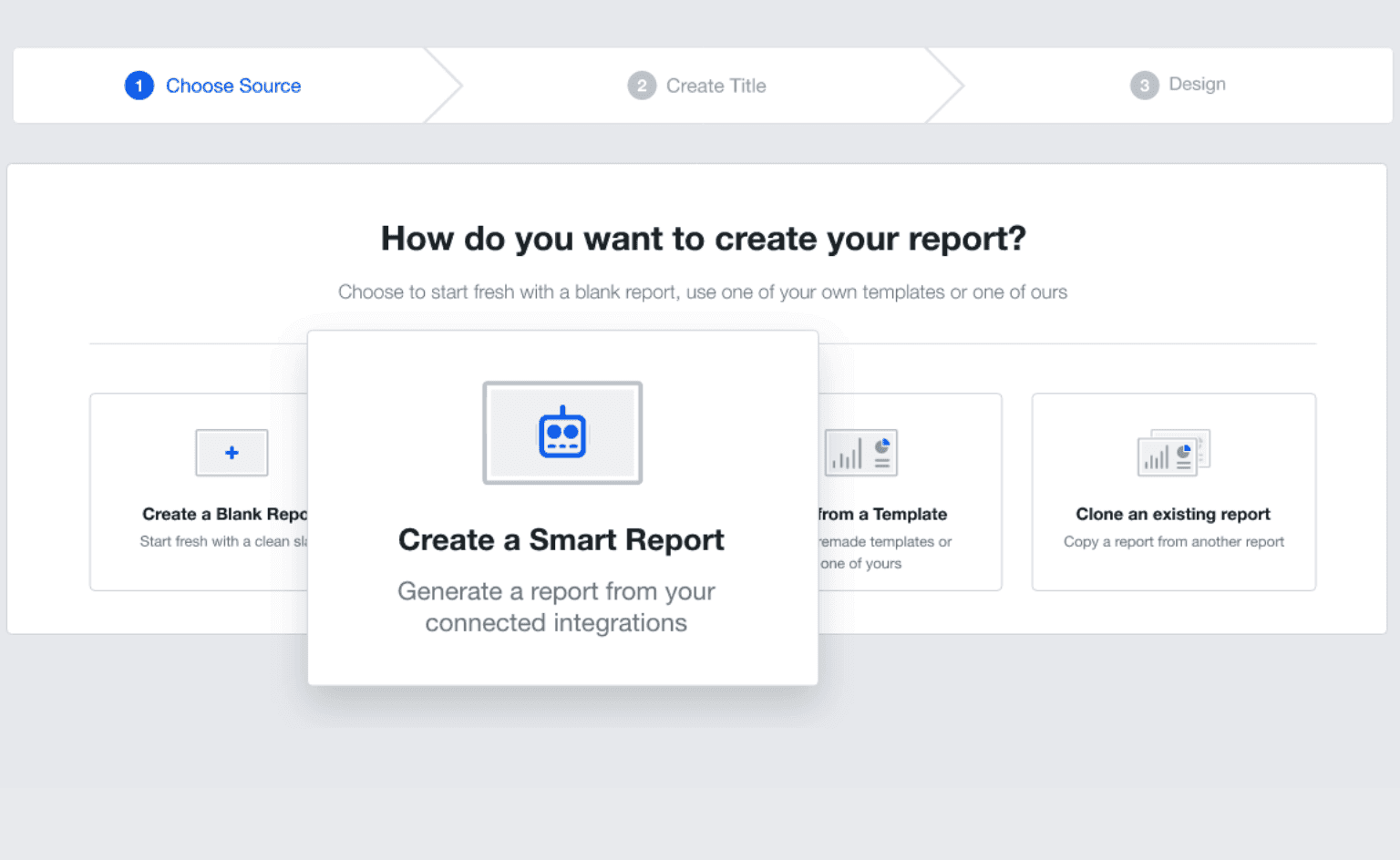
Report Smarter in Seconds
Smart Reports Press Release Feature Image
Report Smarter in Seconds
Your Agency, Front and Center

Custom Branding on Every Report

Build trust, recognition, and loyalty through white-labeled reports. Take things up a notch by adding your agency’s logo and brand colors. 

Go a step further by adding a personalized cover page to each report. Solidify your identity and ensure brand recognition in every client interaction.
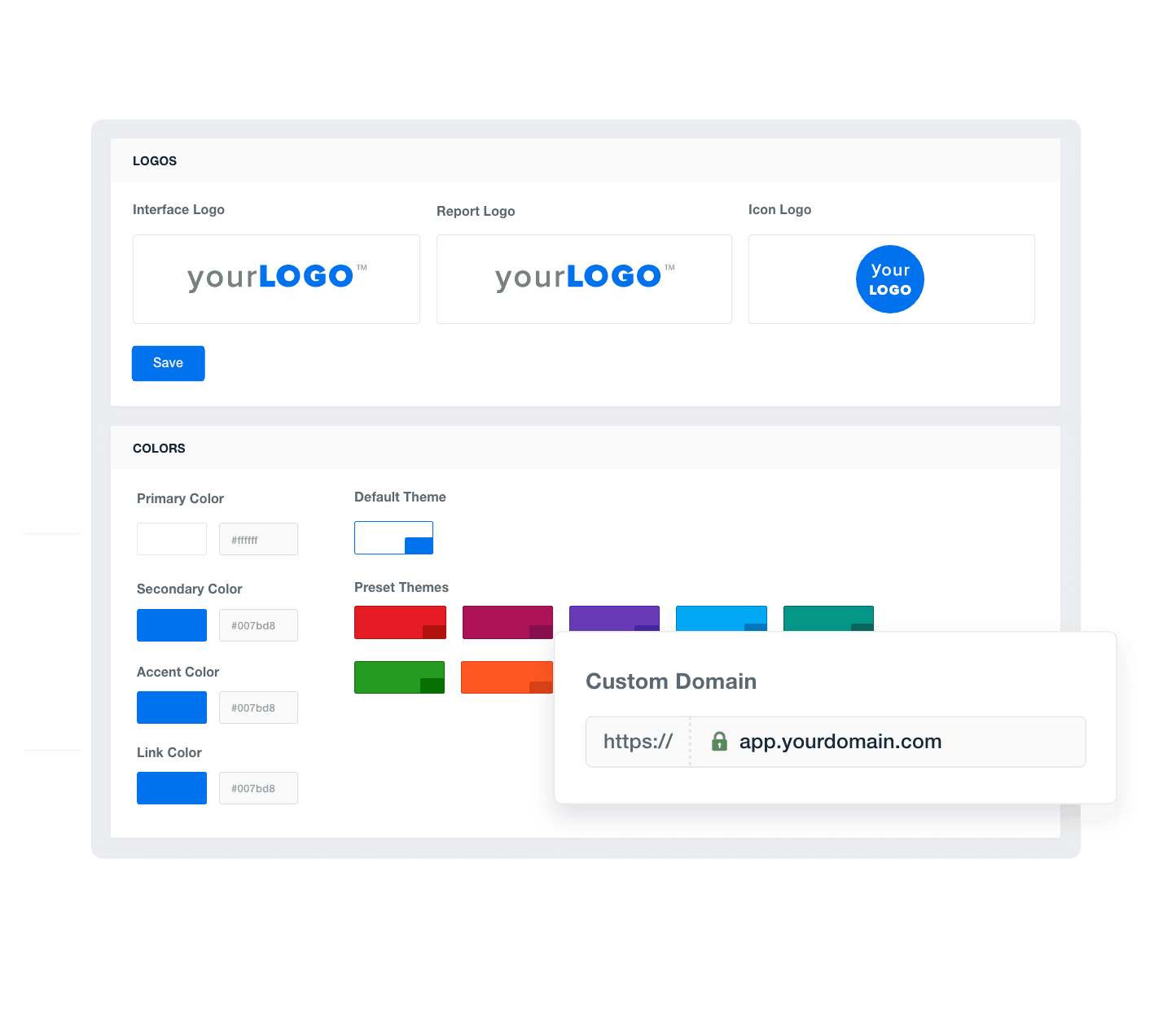
Add Your Agency's Branding
An example of how to add your marketing agency's branding to customizable marketing reporting software
Add Your Agency's Branding
Always on Time

Put Campaign Performance Reporting on Autopilot

Ensure that clients receive timely updates with the report scheduling feature. Whether it’s an update or a regular monthly report, automate the entire delivery process.

This reduces the time spent on administrative work, leaving you with more time to improve client satisfaction and upsell services.
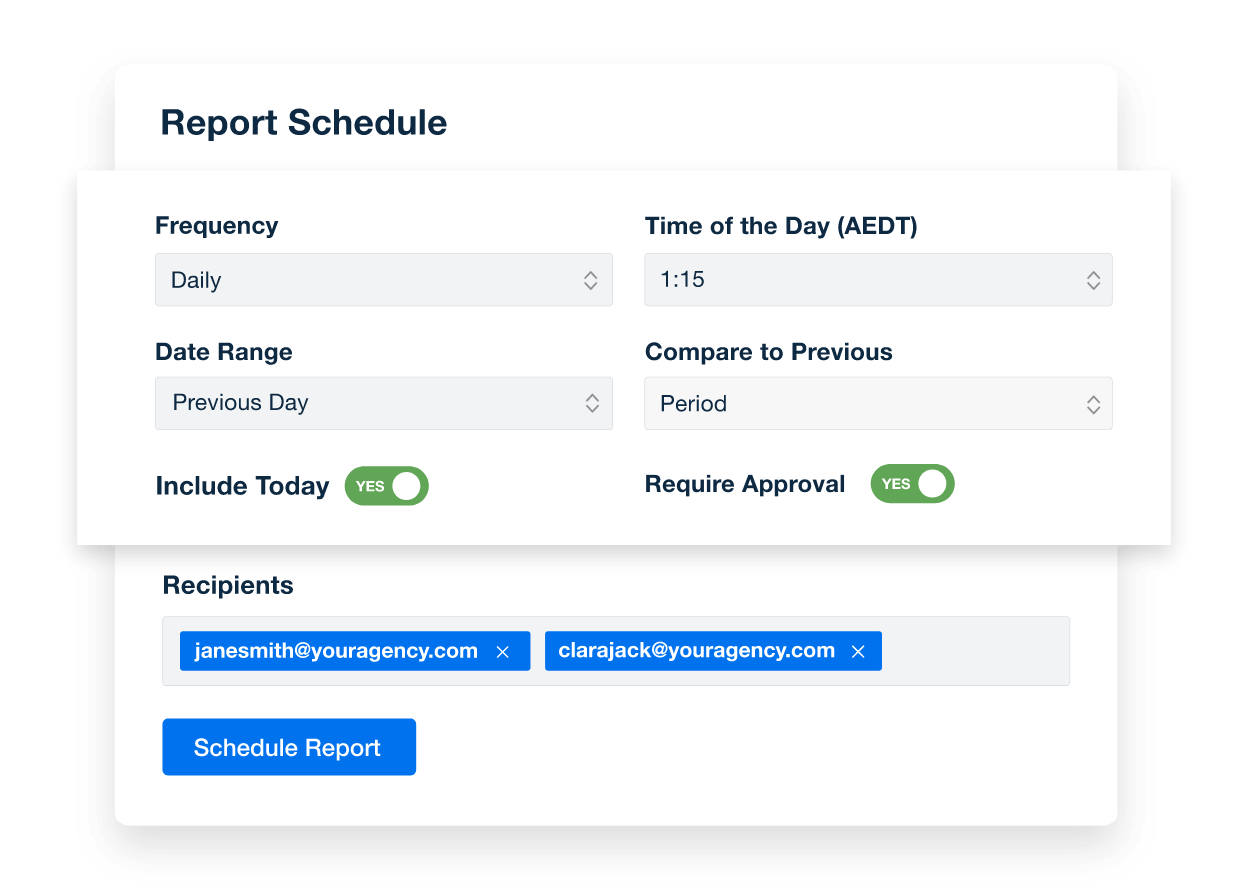
Create Custom Dashboards
An example of how to schedule automated marketing reports for marketing agency clients
Create Custom Dashboards
Report Smarter. Not Harder.

Automate Reporting and Focus On What Matters

Easily create automated reports with marketing analytics from 80+ platforms and counting.

Integrate data from Google Ads, TikTok, Majestic, and more. Customize any dashboard template or marketing report to suit your client’s needs. Replicate templates to speed up client onboarding and enhance the reporting experience.
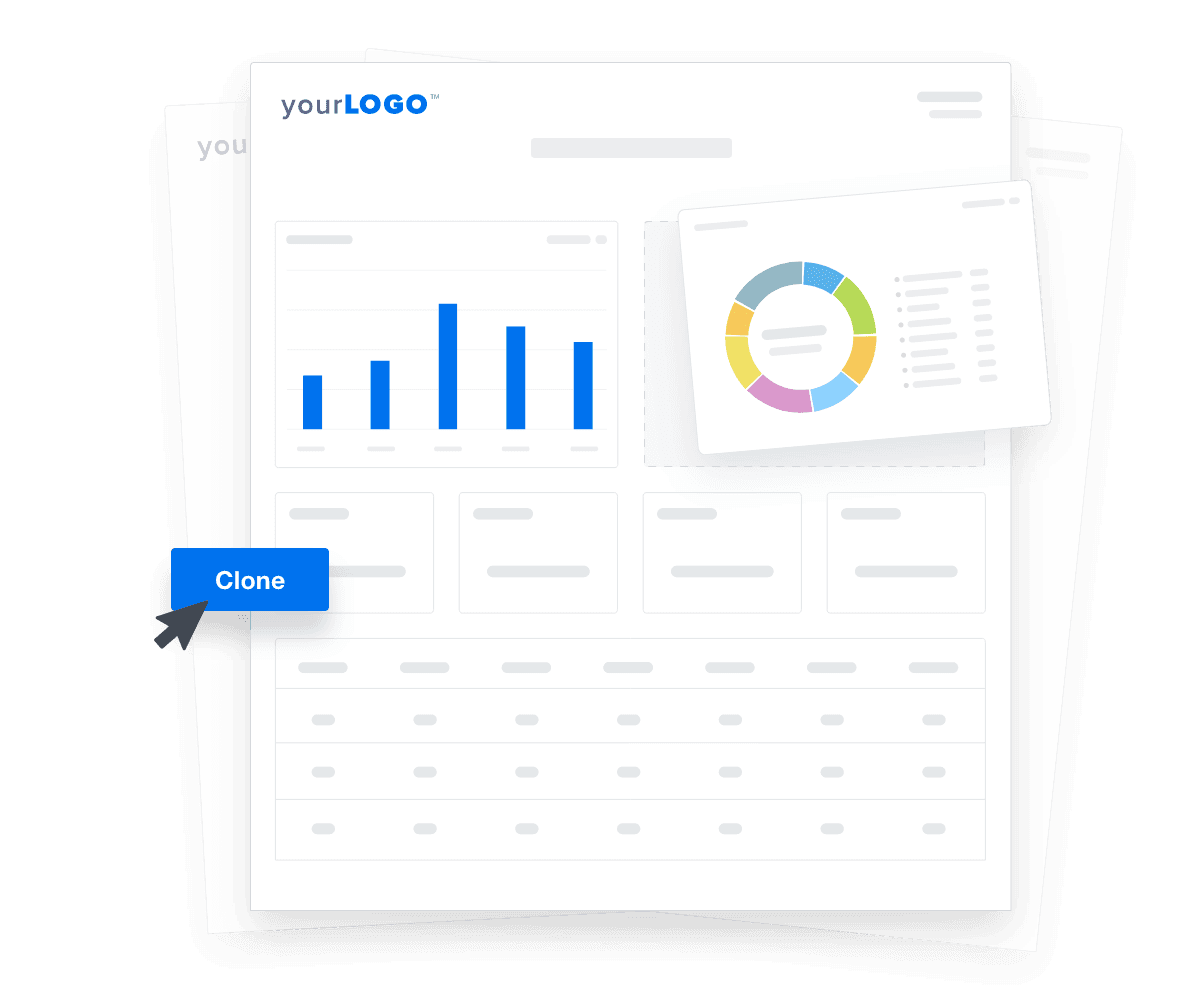

Create Custom Dashboards
An illustration of cloning marketing reports and dashboards for faster client onboarding
Create Custom Dashboards

Sign up for your free trial now!

No credit card required. No setup hassle. Just instant access to automated reporting, custom dashboards, and multi-channel insights.

Start Your Free Trial
An icon showing a user clicking to start a free trial
Start Your Free Trial

8 Key Sections Included in a Campaign Performance Report
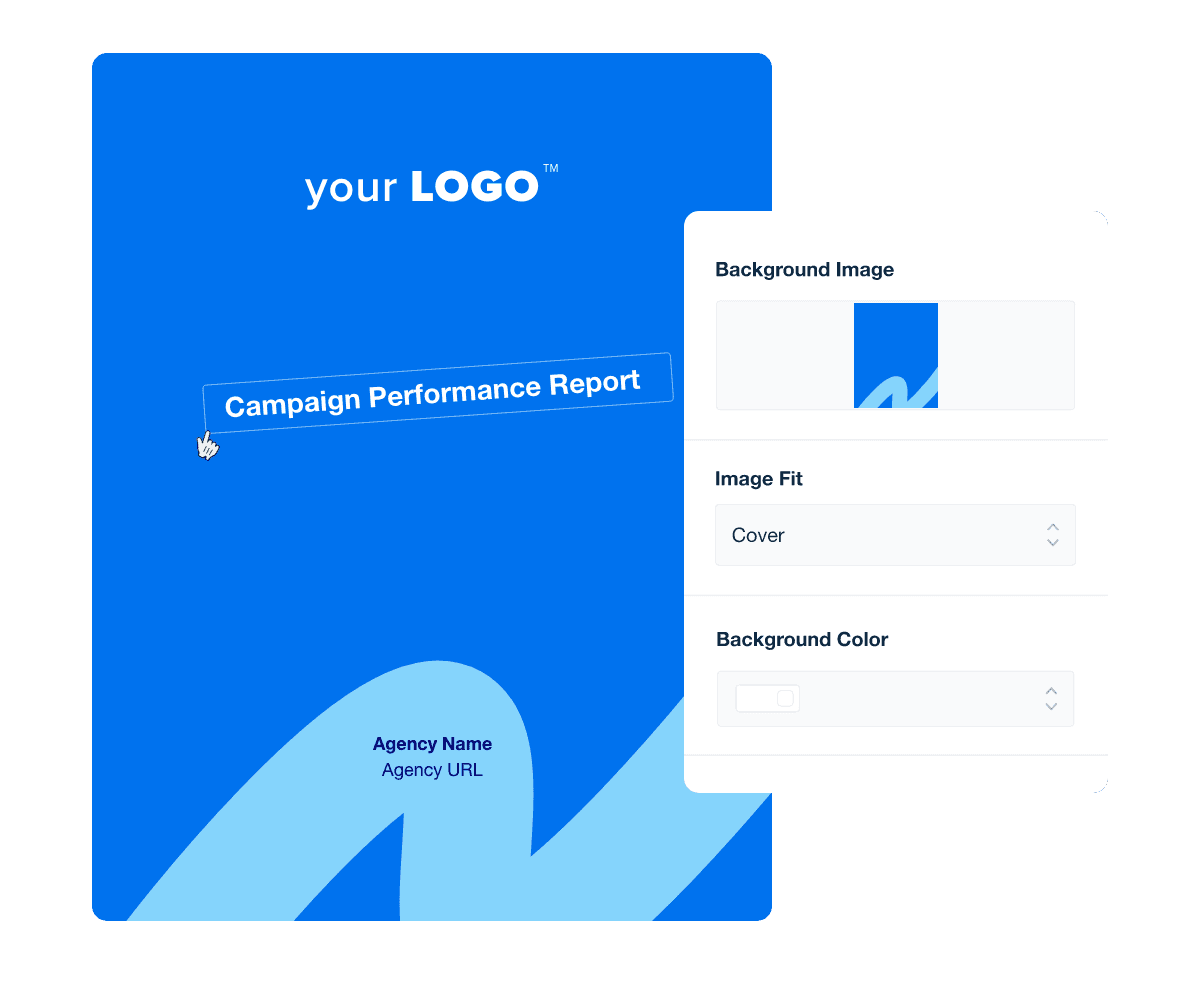
A great report cover page does more than look polished—it reinforces your agency’s brand and sets the tone for the insights inside. Including the reporting period (like exact dates for a weekly marketing report) adds helpful context right up front.

Templates make cover pages easy to reuse, so you don’t waste time rebuilding them for each monthly or quarterly update. This keeps your branding consistent and your workflow efficient.

When done right, the cover page turns every report into a branded, professional touchpoint that shows clients you’re detail-oriented and serious about results.

An executive summary quickly highlights top takeaways, which is useful for clients or C-suite executives who want to get straight to the point. It shows that your agency is mindful of their busy schedules and ensures that key messages are communicated off the bat.

It’s also an opportunity to include any recommendations, which encourages clients to delve deeper into the report and explore the findings.

A PPC overview includes key insights from your client’s paid advertising campaigns, like Clicks, Conversions, and Cost per Conversion. In essence, it shows the direct impact of these marketing efforts in meeting broader goals, such as generating qualified leads or boosting online sales.

This data is useful for evaluating a marketing budget, pinpointing the top-performing campaigns, and optimizing future strategies. It also justifies the value generated from PPC investments, which further reinforces your agency’s expertise.

For agencies managing PPC campaigns, highlighting specific metrics helps showcase how well your team is optimizing ad spend and maximizing ROI. Each metric provides insights into different aspects of campaign performance, from financial oversight to engagement and conversion success, essential for refining strategies and achieving marketing goals.

A Google Analytics traffic overview identifies the volume and sources of website traffic (e.g., organic search, paid search, direct visits, and referrals). In a nutshell, this data highlights how users find your client’s website and which channels drive the most engagement.

In addition, this section includes SEO metrics like Sessions, Average Session Duration, and Bounce Rate. Use this granular data to identify top-performing content and whether any improvements are needed (e.g., creating more relevant headlines to improve organic traffic).

For effective channel analysis, pay close attention to metrics that offer insights into user behavior and interaction with content across different marketing channels.

Campaign Performance Report Template Cover Page Example

Build Campaign Performance reports that deliver results

Save time and impress clients with a powerful, results-driven report template. Access the free campaign performance report template today!

Preview the Template
Illustration of a user at a marketing agency trying the client reporting features from AgencyAnalytics
Preview the Template

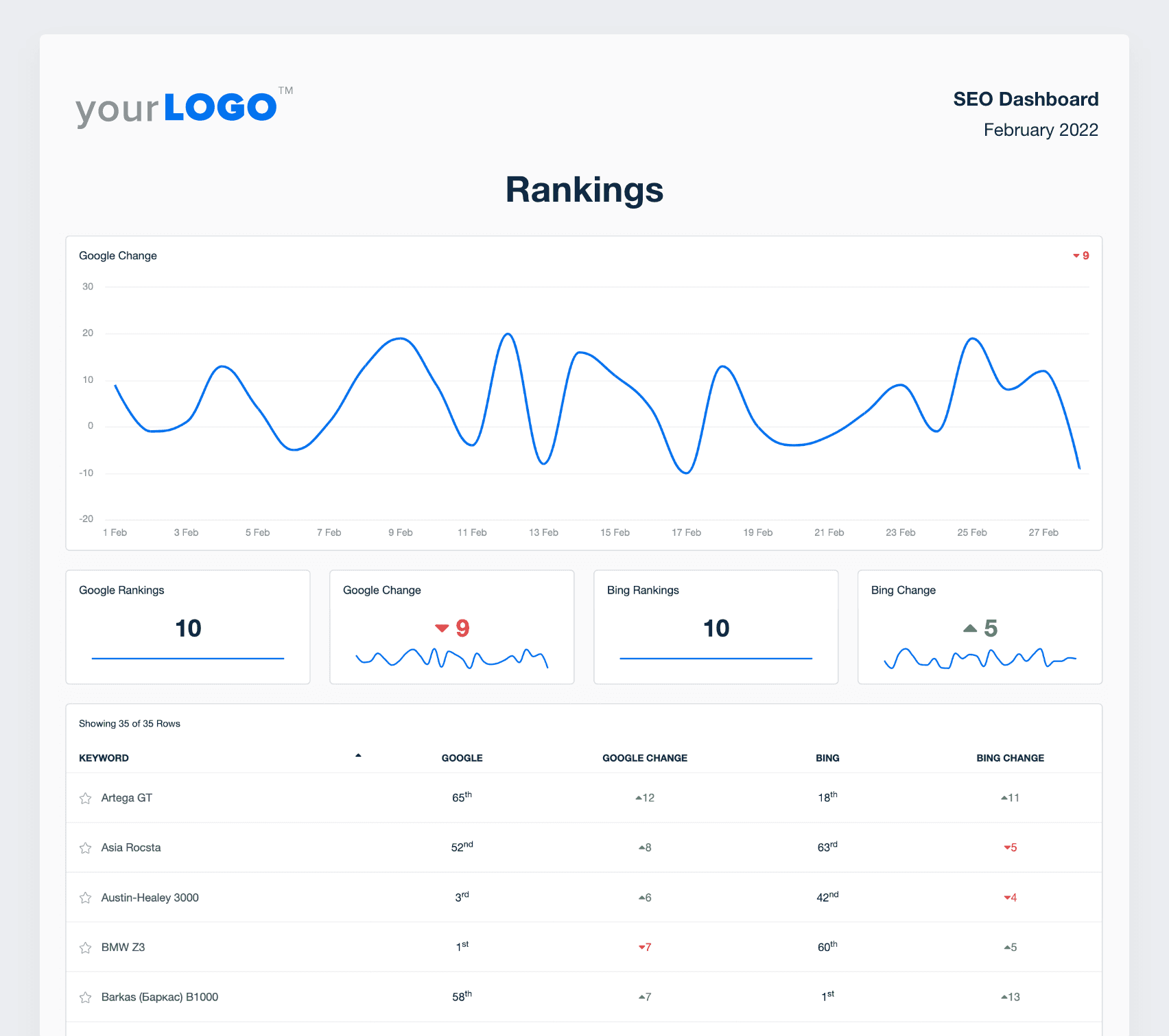
To prove the effectiveness of SEO strategies, incorporate ranking data into your client’s marketing report. It shows how your agency’s efforts are contributing to organic search visibility and increased website traffic.

In this SEO report section, include trends in search rankings, current positions, and any notable changes. Also, report on these essential metrics across multiple search engines (like Google and Bing).

Each keyword ranking metric offers valuable insights into how well keywords are performing in search engines, helping to guide SEO strategies and improve organic search visibility and traffic.

If there are any dips or anomalies in search rankings, brainstorm possible reasons and explore ways to improve SEO performance. For example, this may mean researching new keywords, exploring content marketing ideas (e.g., a relevant blog post series), or defining a new target audience.

To extract even more SEO insights, add data from Google Search Console to measure the impressions, clicks, and CTR for each ranked keyword.

For a complete picture of your client's social media marketing impact, include a breakdown from Google Analytics. This analysis shows the website traffic that was generated per social media channel, demonstrating interconnectivity between various platforms.

This multi-channel approach shows that your agency considers the bigger picture when reporting on marketing campaigns.

All marketing teams should report on key metrics like the Number of Sessions per social media platform, Bounce Rates, and Goal Completions. Use these insights to analyze user behavior and determine the most viable social media platforms.

Email List Growth measures the increase in email marketing subscribers over a specific period. It’s direct evidence of a growing customer base and the potential appeal of your client’s email content.

A thriving email list is also an opportunity to nurture leads, cultivate more brand interest, and increase conversion-oriented behavior.

This overview includes a breakdown of active, deleted, and unsubscribed users. It’s a way to assess list health and make any necessary changes (like creating more user-relevant content to reduce Unsubscribe Rate).

Beyond a growing mailing list, Email Campaign marketing analytics (like Open Rate, CTR, and Conversions) reveal deeper insights about audience engagement.

To uncover trends, include these key metrics in a monthly marketing report template. This gives your client’s email marketing efforts enough time to materialize, especially if users choose to engage with campaigns at a later date. Here’s an example of what these metrics look like in a marketing report template.

These marketing analytics also reveal areas for improvement. For example, a low Open Rate may mean adding catchier, shorter subject lines. On the other hand, a high Unsubscribe Rate might indicate that your client’s email marketing strategy needs a total overhaul (e.g., refining content and using segmented mailing lists).

Whatever the case, use these key metrics to improve marketing strategies and drive better results.

A screenshot of page rankings showing top keywords, current, and average position from the SEO report template example

FAQs About Custom Campaign Performance Report Templates

Still have questions about how to create and use custom Campaign Performance Report Templates? Don’t worry, we’ve got you covered.

  • A Campaign Performance Report Template is a structured framework that consolidates data from various marketing channels. It enables marketing teams to track key metrics, assess the effectiveness of marketing strategies, and present clear insights to stakeholders.

  • A comprehensive Campaign Performance Report Template should include key performance indicators (KPIs) such as impressions, clicks, conversions, cost per acquisition, and return on ad spend. These indicators help marketing managers evaluate campaign performance and make informed decisions to optimize future marketing efforts.

  • By providing a centralized view of campaign data, the template allows marketing teams to identify trends, measure the impact of marketing activities, and refine strategies to enhance overall effectiveness.

  • Yes. The Campaign Performance Report Template supports automated marketing reports that pull in up-to-date performance data from over 80 marketing platform data connectors, eliminating the manual data retrieval process, streamlining the reporting process, and ensuring timely delivery of insights.

  • Using a Campaign Performance Report Template helps agencies streamline reporting processes, maintain consistency, and present data in a professional format. It helps demonstrate the value of marketing efforts, fosters transparent communication with clients, and supports data-driven decision-making to enhance campaign strategies.

  • Yes. The Campaign Performance Report Template is fully customizable to match agency reporting needs. From highlighting specific KPIs to aligning visual layouts with each client’s branding and goals, agencies make each report an accurate reflection of strategy and success.

  • Agencies tracking website engagement start with the web analytics report template. They add social data from the social media reporting template, combine it with organic search insights from the SEO performance report, and wrap up paid campaign results with the PPC monthly report template. All of this is compiled in the monthly digital marketing report template.

More templates
Client Report Template Example

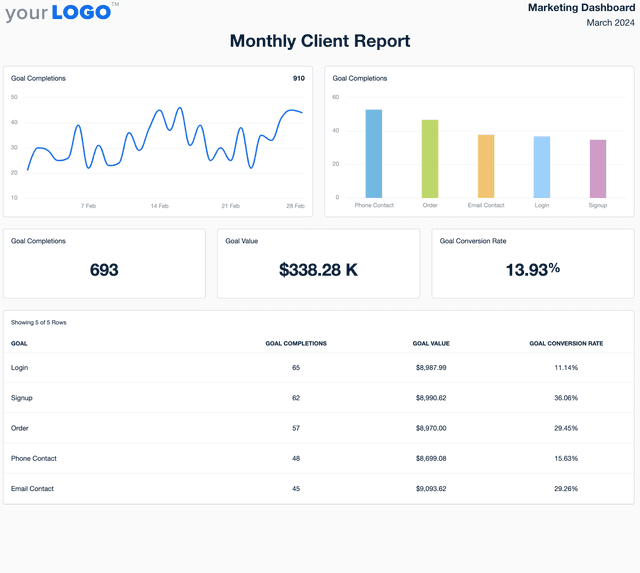
Client Report

Skip the tedious report-building. The customizable Client Report Template automatically pulls key metrics, giving you a polished, easy-to-share update that keeps clients informed—without wasting your team’s time.
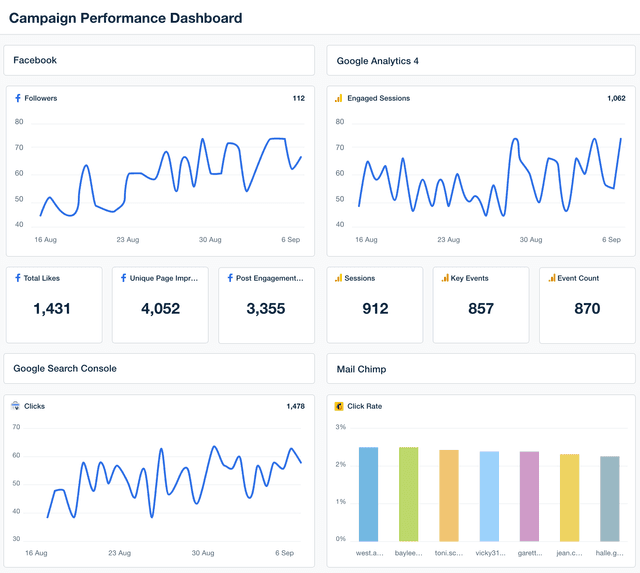
Campaign Performance Dashboard Template Example

Campaign Performance Dashboard

Monitor campaign performance in a fully customizable dashboard that consolidates insights from 80+ platforms. Track key metrics in one place, eliminate manual reporting, and provide clients with a live, transparent view of their marketing results.
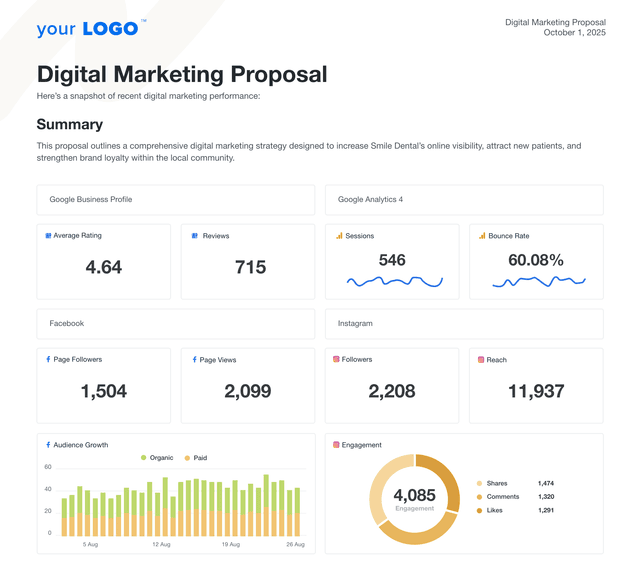
An example of a professional digital marketing proposal template

Digital Marketing Proposal

Deliver polished, persuasive pitches in less time. The customizable digital marketing proposal template helps agencies present services clearly, tie directly to client goals, and confidently walk through their strategy. Skip formatting headaches and start with a structure designed to scale.
View All Templates

See how 7,000+ marketing agencies help clients win

Start Your Trial Now

Free 14-day trial. No credit card required.

Callout Get StartedSwoosh
Logo
G2 Users Love Us
AgencyAnalytics - G2 Leader Winter 2026
AgencyAnalytics - G2 Momentum Leader Winter 2026
G2 Crowd

4.7 out of 5

Capterra

4.8 out of 5

Product
Platform features
Agency solutions
Data integrations
Compare platforms
Reviews
Pricing
Company
About
Careers
Hiring
Media Kit
Contact
Get Started
Start Free Trial
Book a Demo
Quick Start Guide