AgencyAnalytics
AgencyAnalytics
  • Pricing
  • Login
  • Start Trial

Digital Marketing Report Template for Efficient, Client-Ready Insights

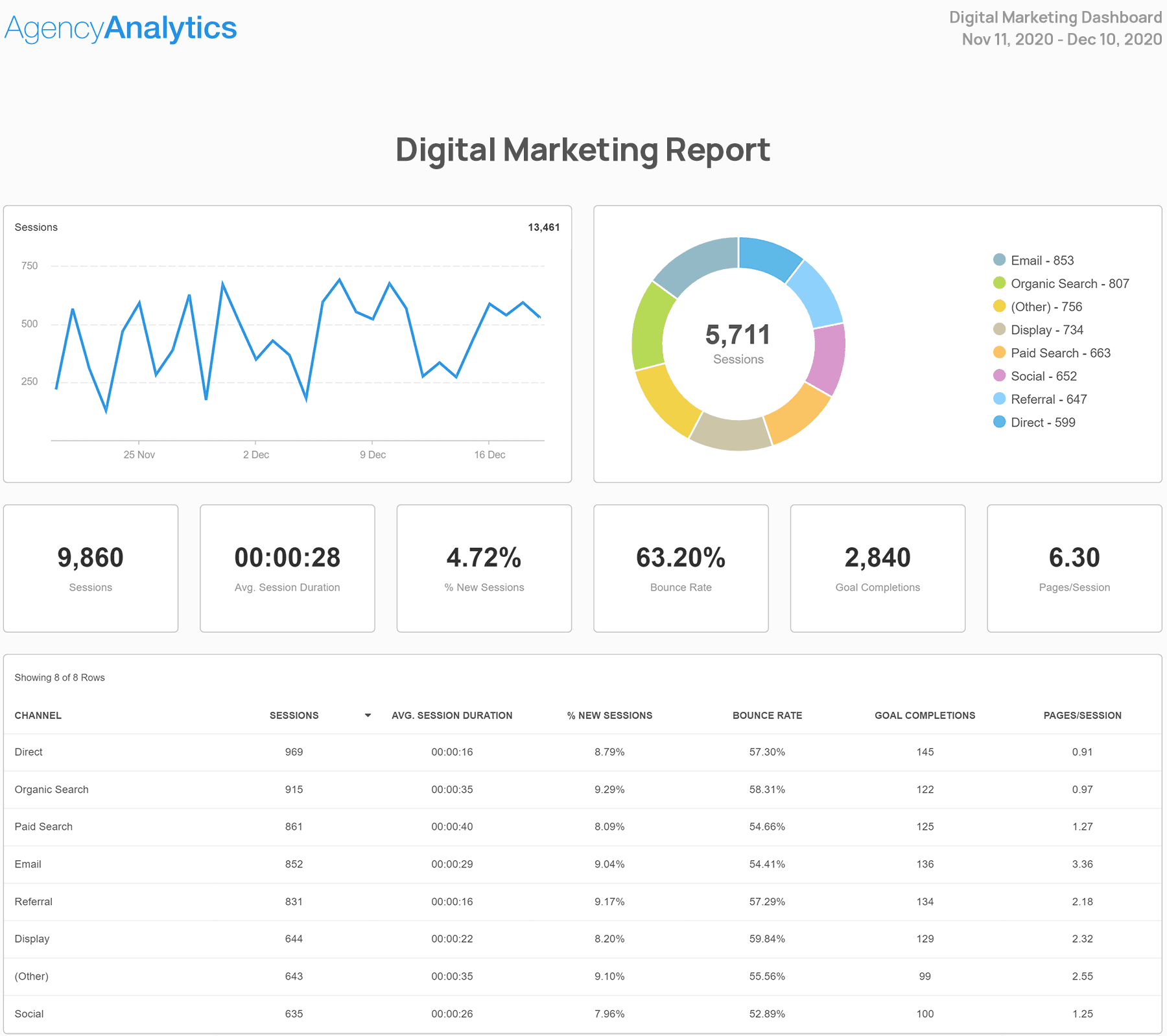
Generate clear, actionable digital marketing reports in minutes. The customizable Digital Marketing Report Template focuses on the KPIs that matter, turning raw marketing data into reports that clients use to make better business decisions.
Preview TemplateStart Your Free Trial
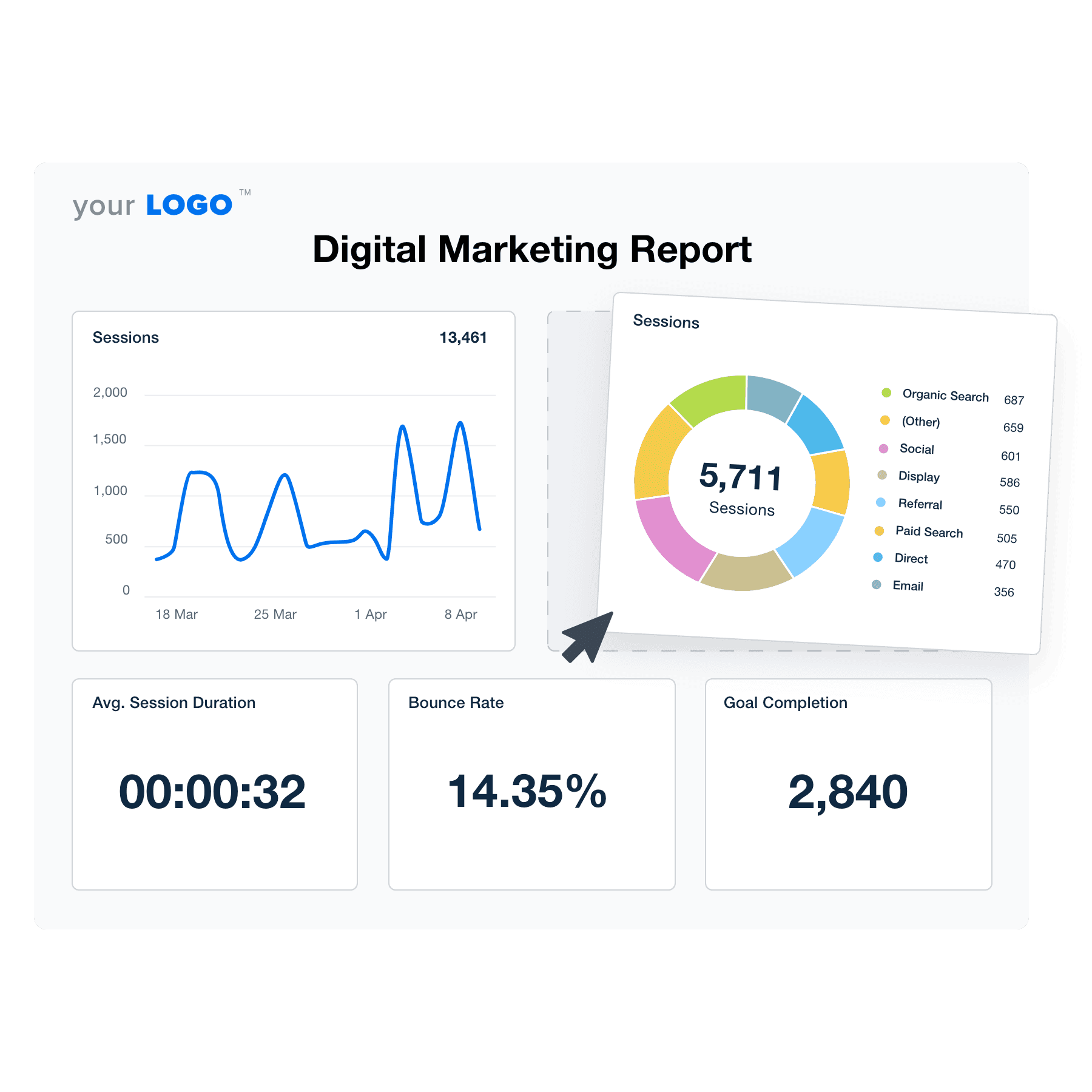
An example of a digital marketing report template built for marketing agencies

Customizable Digital Marketing Report Template for Transparent Client Reporting

Create clear, consistent reports that show exactly how your agency is driving results across multiple channels. Customize layouts, apply your branding, and use drag-and-drop tools to spotlight the metrics that matter most to each client.

Connect to live data from 80 marketing platform integrations to eliminate manual reporting. Add context with expert insights and deliver polished, client-ready reports that strengthen trust and support better decision-making.

Create Professional Digital Marketing Reports in Minutes
Illustration of the Drag-and-Drop Digital Marketing Report Template Builder from AgencyAnalytics
Create Professional Digital Marketing Reports in Minutes

Easily Report on Your Client's Digital Marketing Metrics

Start Your Free Trial

Custom Digital Marketing Reports as Unique as Your Agency

STREAMLINE YOUR AGENCY’S WORKFLOW

Automated Client Reporting

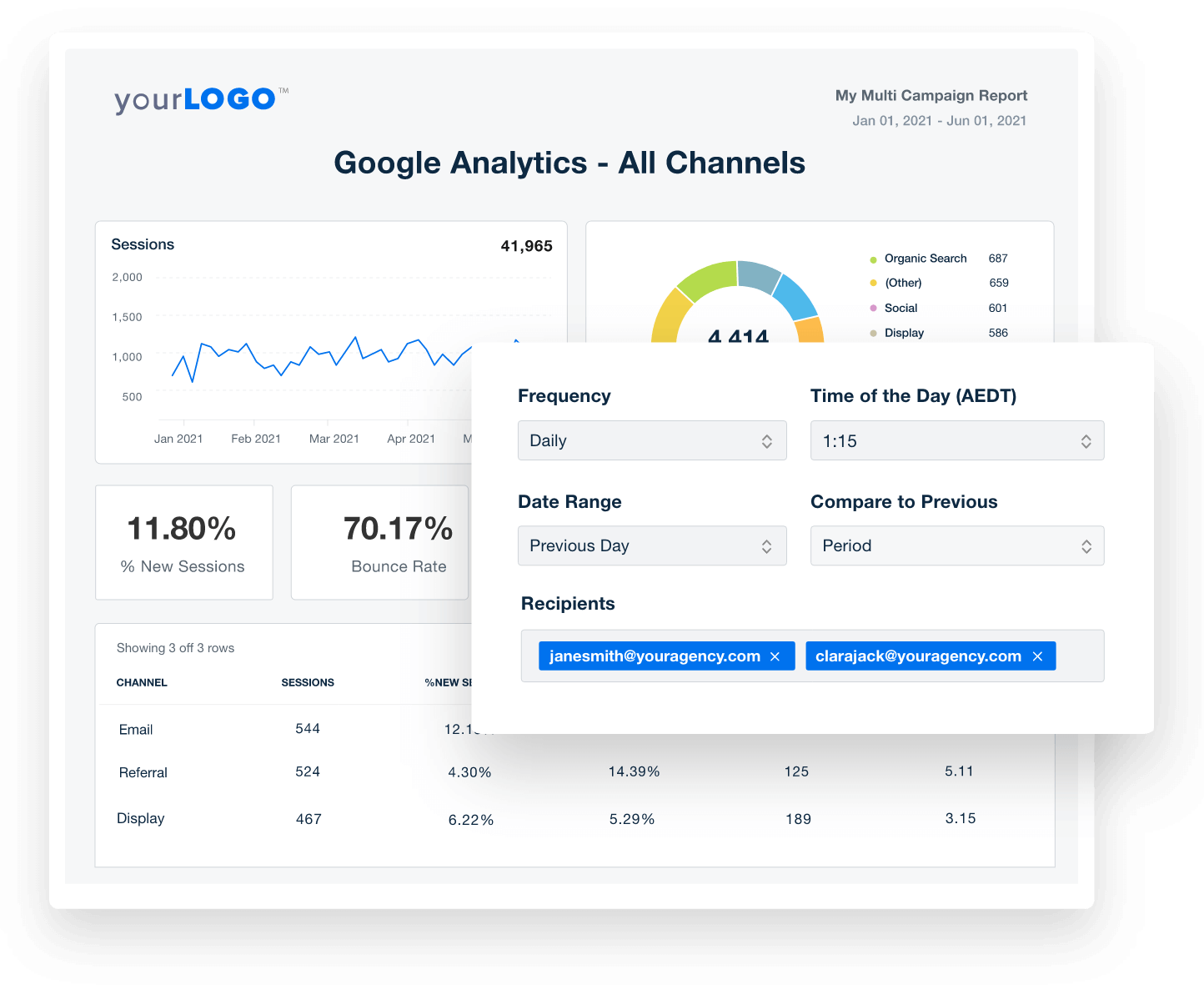
Say Goodbye to endless spreadsheets and screenshots and Hello to an intuitive client reporting platform built for marketing agencies. Getting your client reports out the door doesn’t have to take all week!

With dozens of templates and a drag-and-drop report builder, set up your client reports in minutes and watch as they get sent out with your clients’ latest metrics–automatically.
Get Started With Automated Reporting
Custom Marketing Report Builder
Get Started With Automated Reporting
80+ MARKETING INTEGRATIONS

Access All Your Clients’ Data Under One Roof

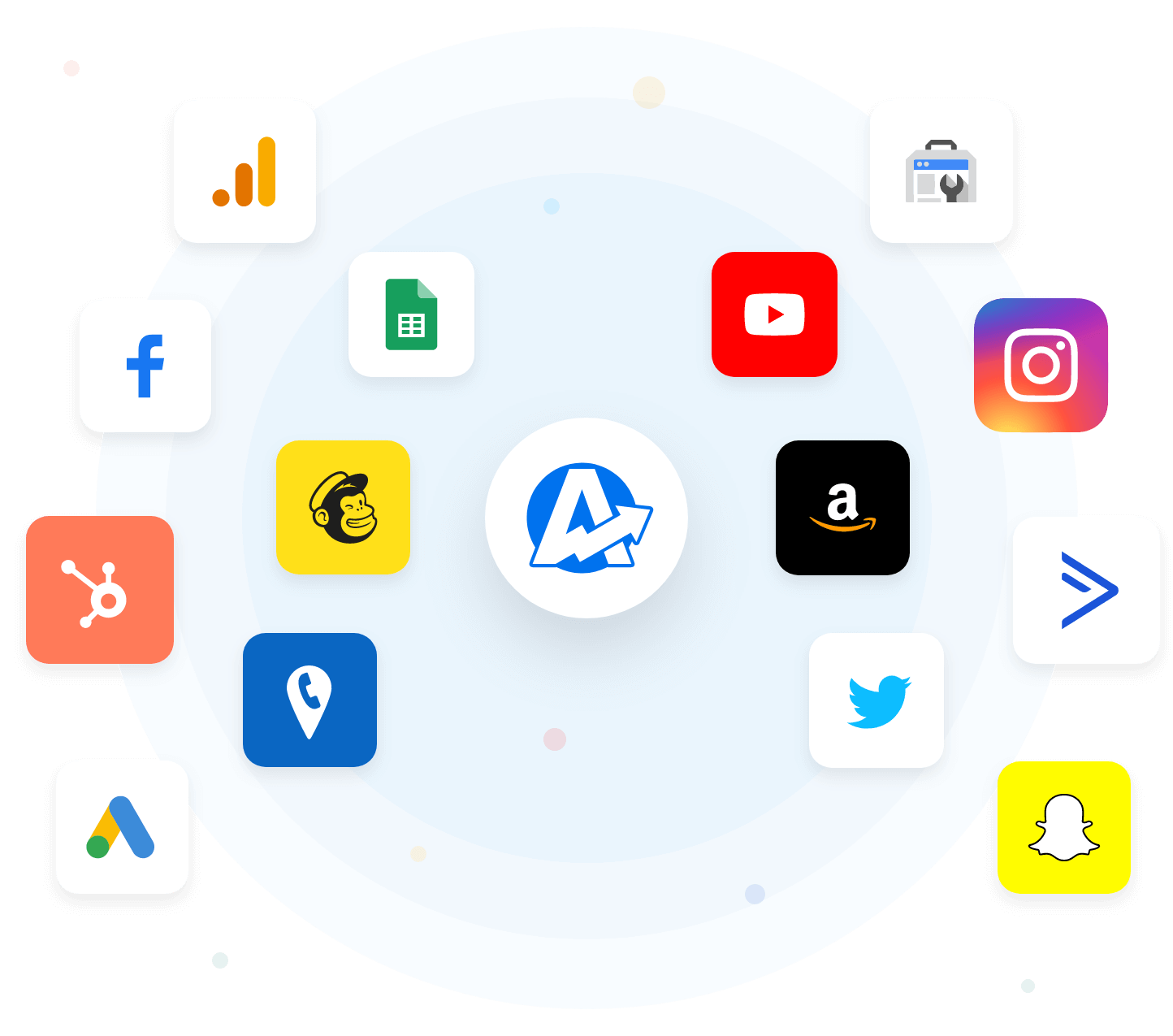
No more switching between countless tabs and client accounts or retrieving hundreds of passwords. Connect all your clients’ marketing channels and bring all their data to you! With SEO, PPC, Social, Email, Call Tracking, and more, get instant access to all your clients' marketing metrics in one place.

With new integrations constantly being added, we’re always working to keep all your clients’ data in one place. Don’t see a marketing channel your clients use? Request it! We’re always open to feedback from our customers.
View All Integrations
Example of Available Marketing Integrations
View All Integrations
CUSTOM PPC REPORTING

The Complete PPC Reporting Tool

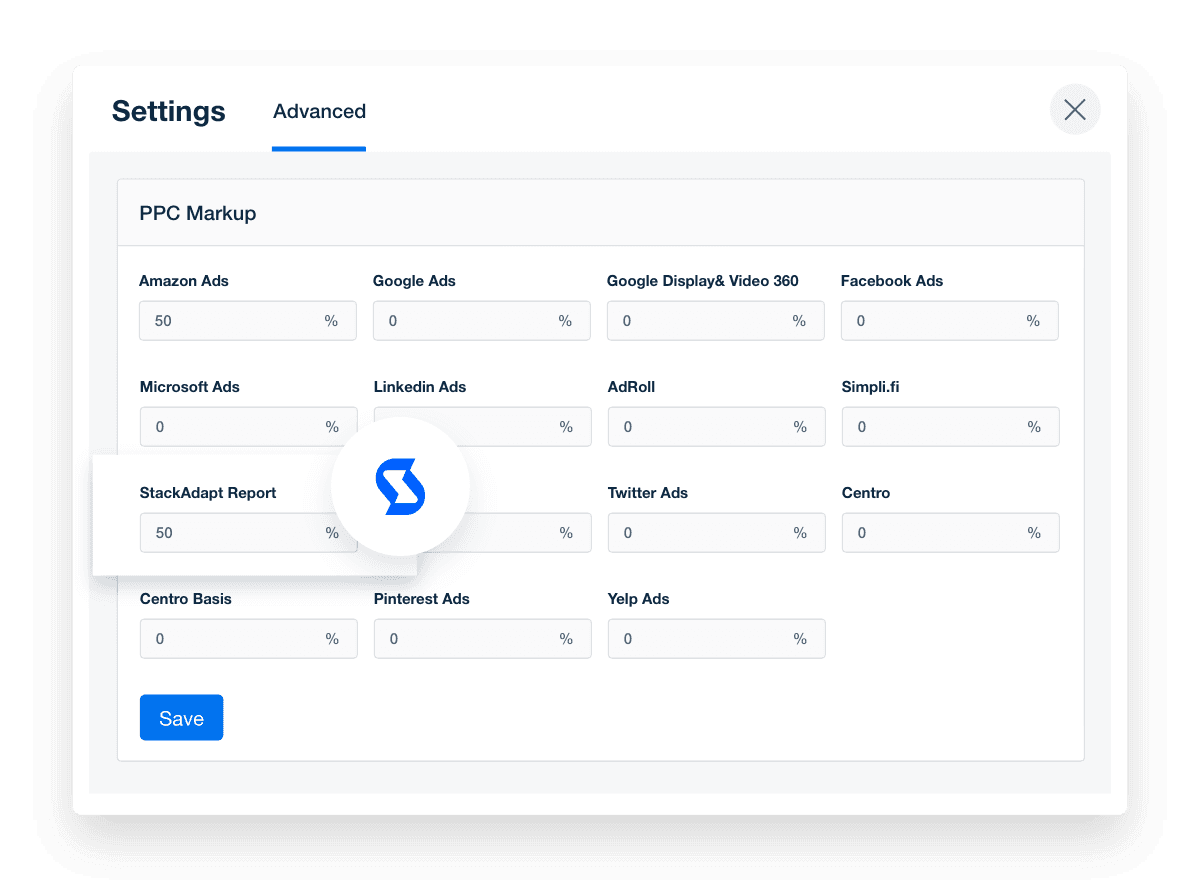
Easily report on all your clients’ cross-channel PPC metrics, including Google Ads, Facebook Ads, Amazon Ads, and many more. PPC markups can be hard to explain to your clients.

Present the full picture of their marketing activities, minus the confusion by including your PPC markup in all client-facing PPC reports.
Add Your Custom Margins
Include Your Markup in All PPC Reports
Add Your Custom Margins
Built for Marketing Agencies

Powerful SEO Reporting That Drives Client Retention

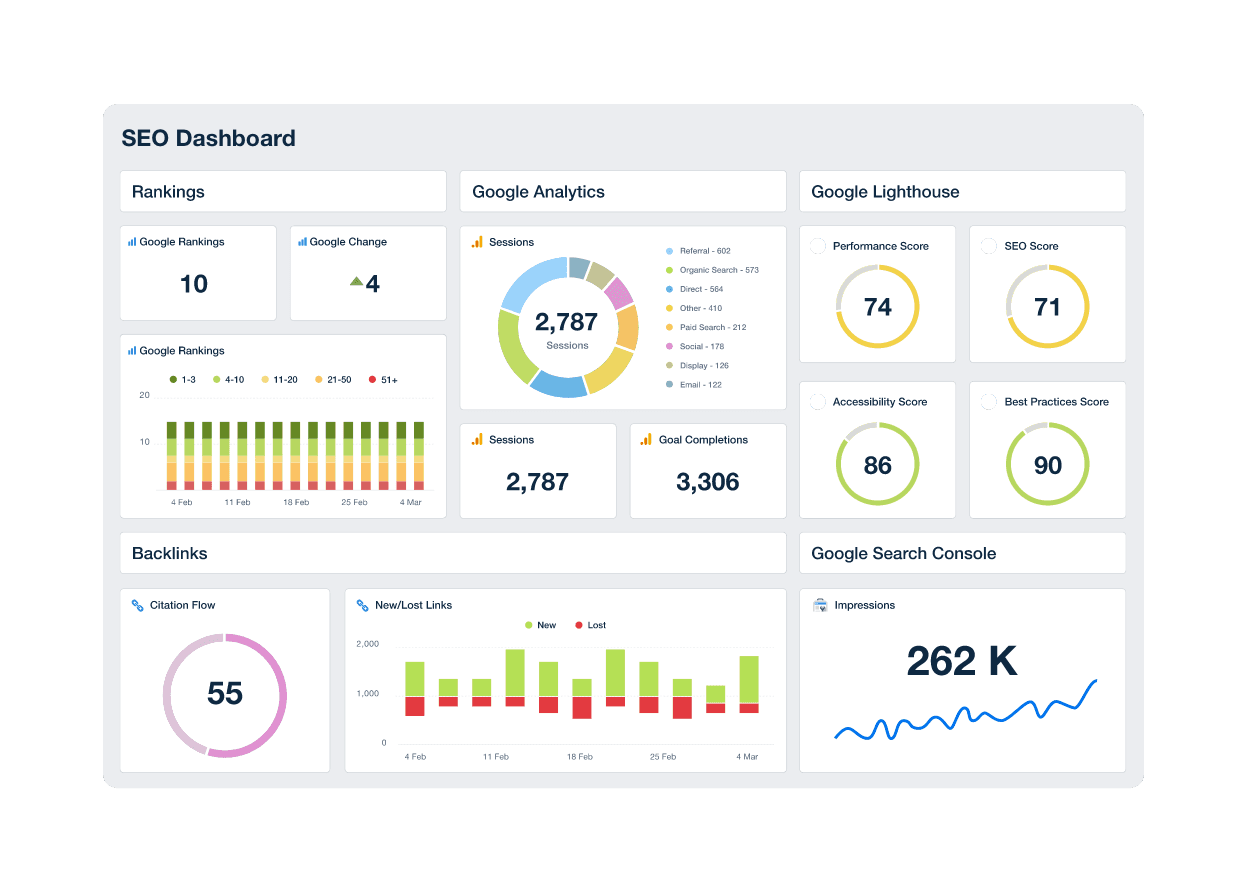
The best SEO reporting tools not only empower agencies to execute effective SEO campaigns but also play a pivotal role in nurturing and maintaining robust client relationships. A comprehensive digital marketing report creates transparency, fosters trust, and improves client retention rates.

By sharing reports that clearly illustrate the impact of your SEO campaigns alongside other marketing data, clients are always in the loop about their campaign performance and the value your digital marketing agency provides.
See All SEO Tools
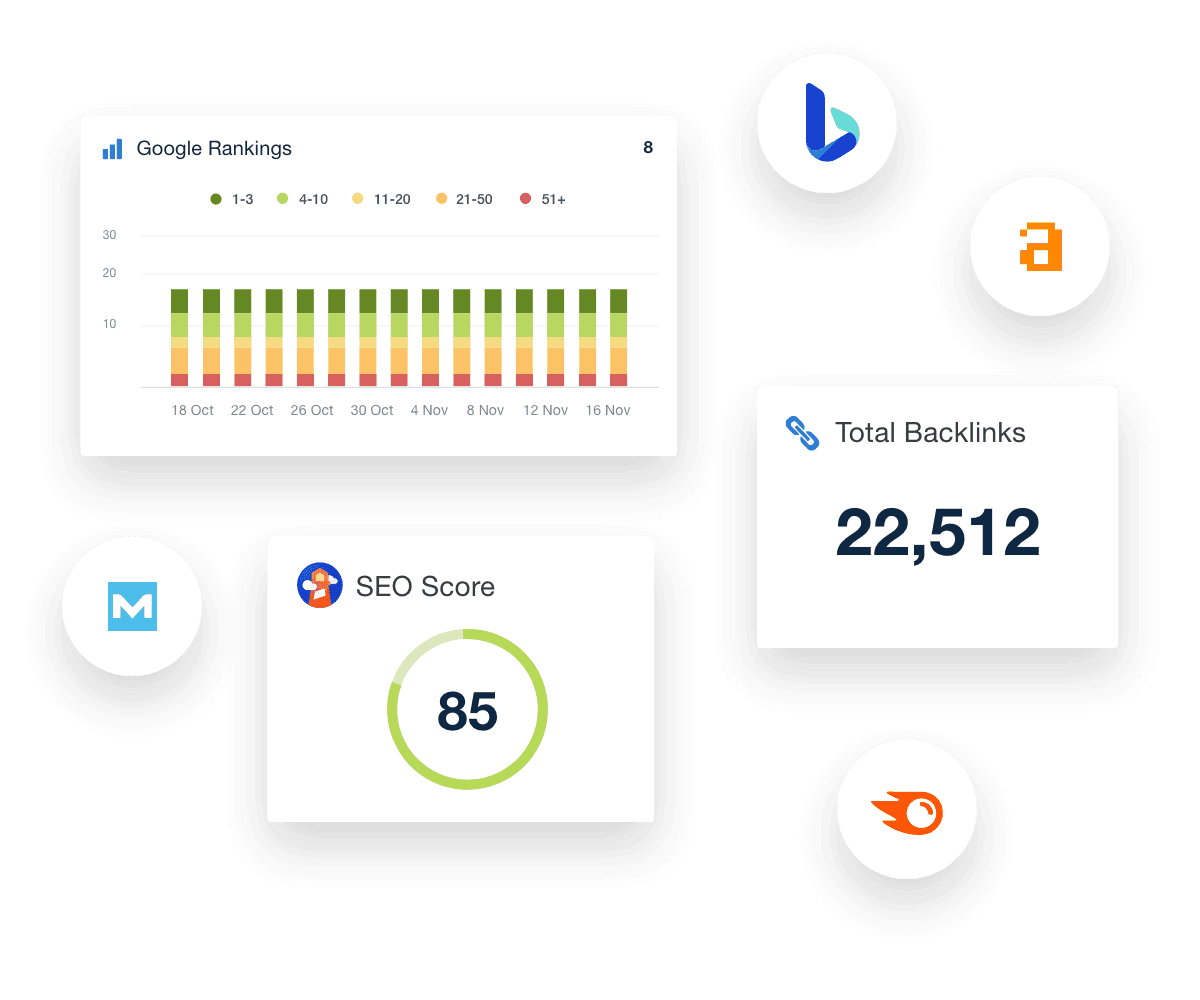
An example of a professional and customizable SEO dashboard template
See All SEO Tools
ALL YOUR CLIENTS' SOCIAL MEDIA CHANNELS, ONE REPORTING PLATFORM

Instantly Access All Your Clients’ Social Media Data

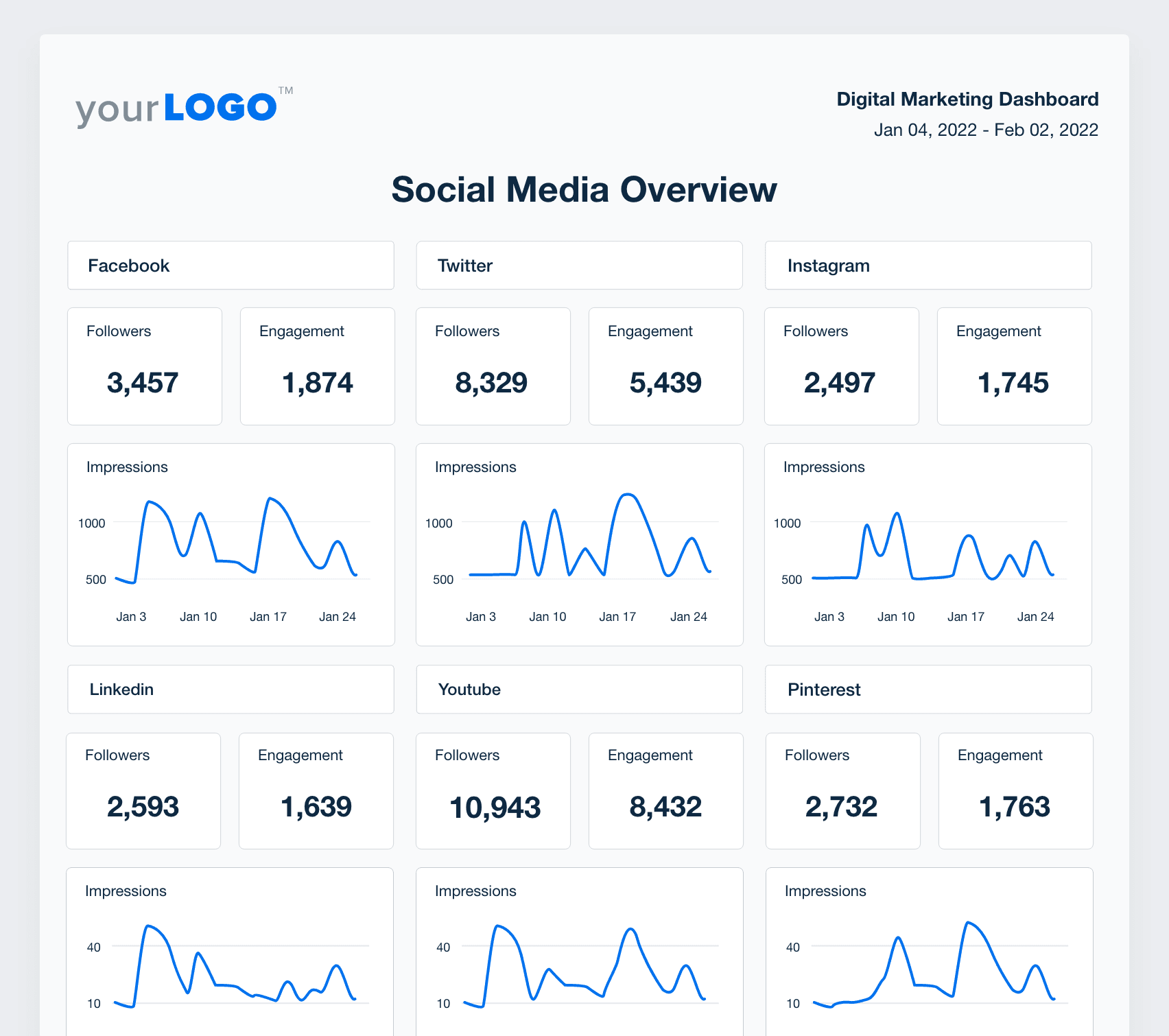
Switching between multiple social media platforms to gather key performance indicators is a pain. Not with AgencyAnalytics! Access all your clients’ social media channels from one streamlined marketing analytics platform: Connect to Facebook, Reddit Ads, Instagram, LinkedIn, Snapchat Ads, YouTube, and many more.

Managing and reporting on your client’s social media metrics has never been easier.
View All Integrations
A screenshot of sample Social Media data from the digital marketing report template
View All Integrations
UNLIMITED CLIENT & STAFF USERS

To Each Their Own Login

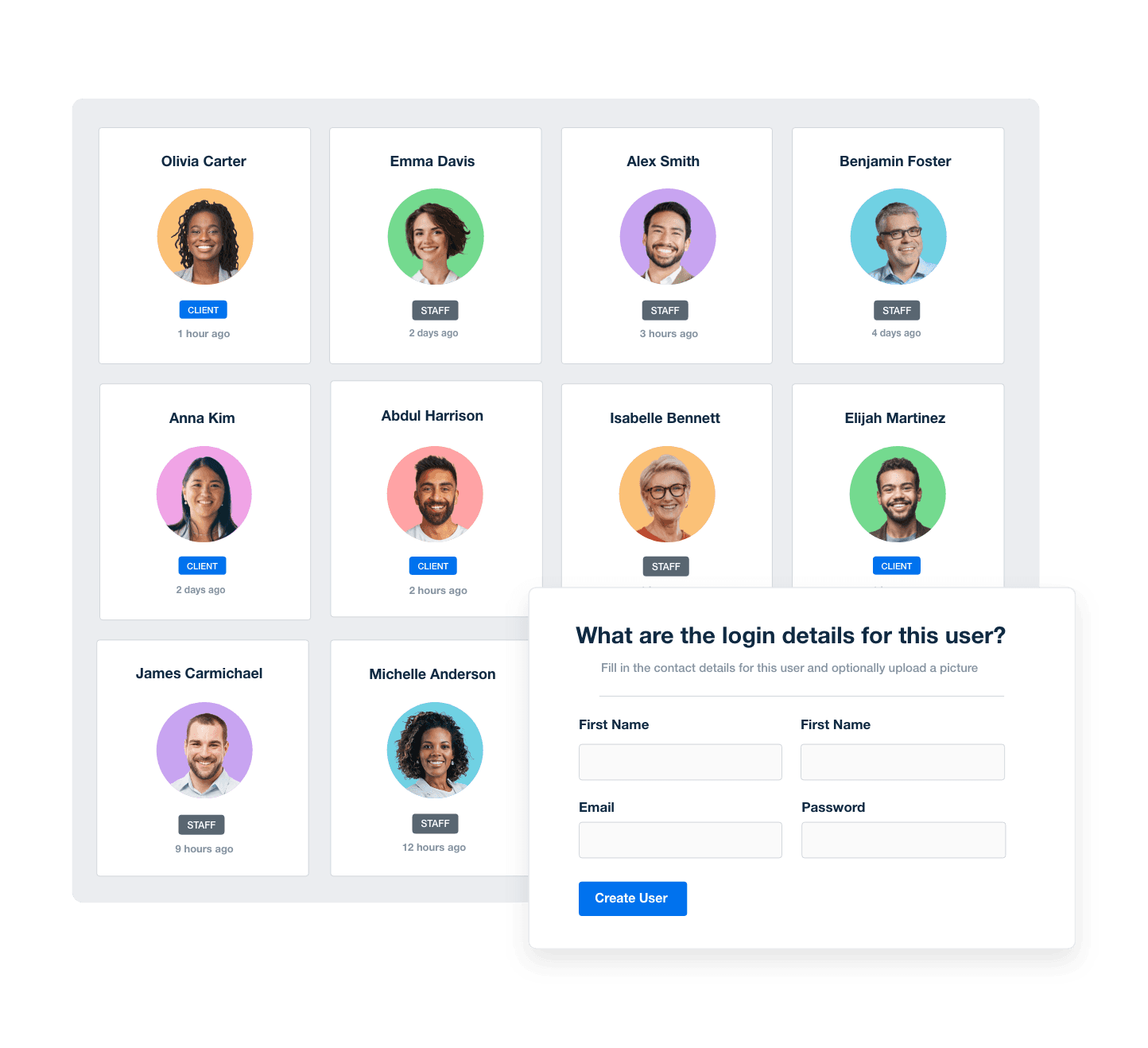
Transparency is key to retaining clients. Give them their own login to a live dashboard so they can access their data on their own time. With the right plan for your marketing agency, create unlimited client and user accounts and manage what each one sees.

Improve your workflows and reduce the back-and-forth phone calls by offering clear data at everyone’s fingertips.
Manage Your Entire Agency
Screenshot of AgencyAnalytic's staff and client management software
Manage Your Entire Agency
YOUR AGENCY’S BRANDING

White Label Your Marketing Reports

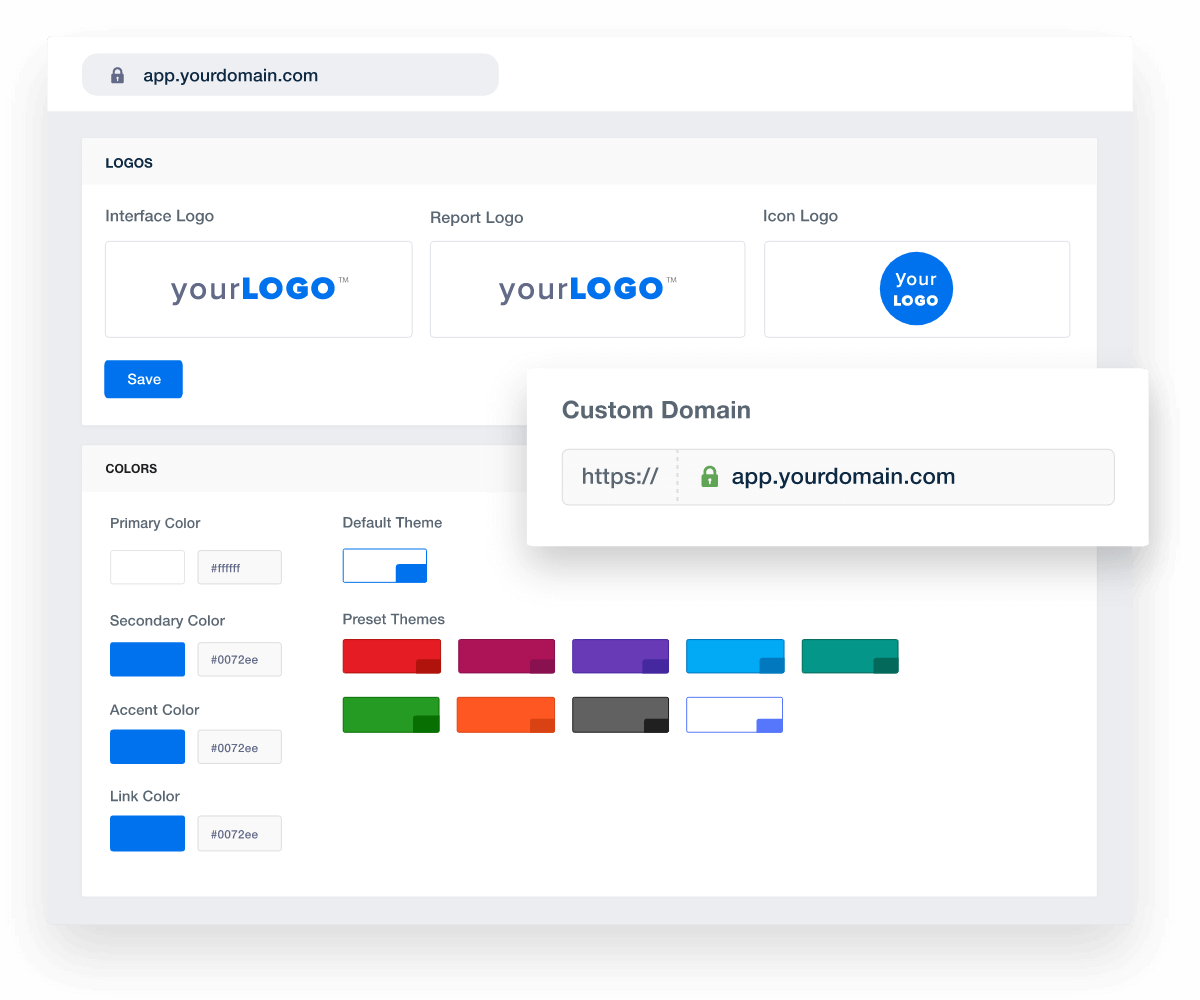
Match your dashboards and reports with your agency’s brand. Upload your agency logo, use your brand’s color palette, and more. With AgencyAnalytics, your reports will look like they were built in-house! 

Have more than one brand for your marketing agency? Create multiple white label profiles including different logos & color schemes for different client-facing brands on select plans. Host your marketing dashboards on your own custom domain and send reports from your own email for the full white-labeled experience.

Add Your Agency's Branding
An example of how to set up white labeled marketing agency reports and dashboards
Add Your Agency's Branding

Sign up for your free trial now!

No credit card required. No setup hassle. Just instant access to automated reporting, custom dashboards, and multi-channel insights.

Start Your Free Trial
An icon showing a user clicking to start a free trial
Start Your Free Trial

10 Sections Included In The Digital Marketing Report Template
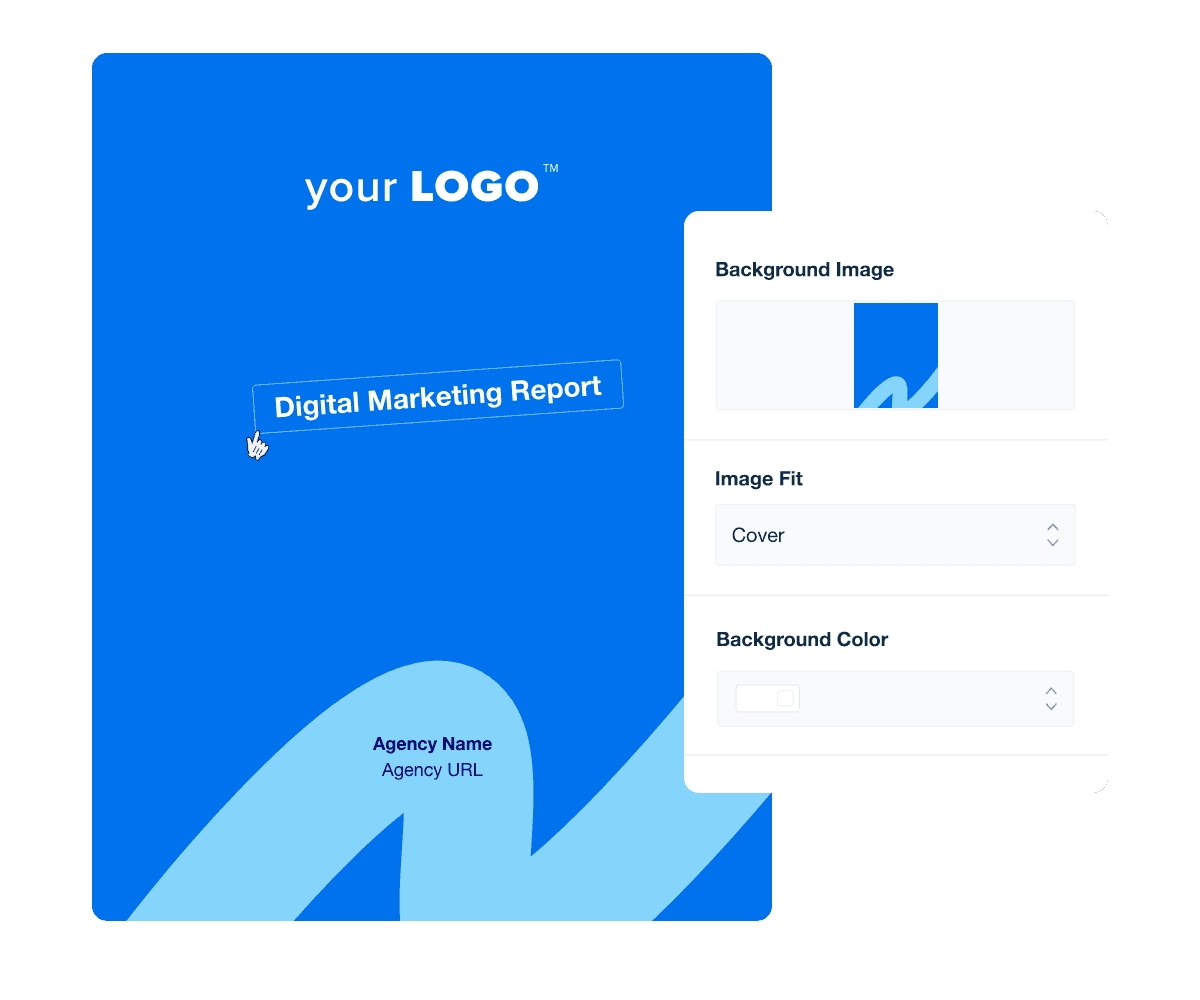
First impressions count, and the same holds true for digital marketing reports. Forget the generic, uninspired covers and sections of yesteryear. Instead, kickstart your marketing report templates with a custom-designed cover page that embodies professionalism right from the start.

With the Report Cover and Section Design Customization Feature, changing the background color to match your client's branding is a breeze. Or, quickly and easily upload a custom image to reinforce your agency’s brand identity. Tweak titles and image widgets to further align with your unique style. These design customizations can be carried and adjusted throughout your report.

The executive summary section is where you can write out an analysis of the past month’s performance for your client.

Since your digital marketing strategy spans across several different tools and platforms that your client likely isn’t familiar with, it’s important that you give them a monthly overview of all performance updates.

That way, the next time your client opens a report, they're not just met with numbers and graphs. Instead, they'll have a clear understanding of their results and clearly see your agency's dedication to excellence.

Your clients are busy running their businesses, which means they may not always have the time to understand every detail of digital marketing. This section bridges that gap by clearly defining the key metrics used throughout the report. It ensures they’ll quickly grasp what each term means and how it reflects campaign performance.

By making data easy to understand, you’ll empower clients to see the value of your work, stay confident in the results, and maintain full transparency in how success is measured.

When measuring the overall success of a digital marketing campaign, your first order of business is to track how many people are visiting and engaging with your client’s website. When you know this information, you can make changes to your broad strategies to maximize effectiveness and show the results of your marketing efforts.

This section of the digital marketing report shows all the KPIs associated with site-wide traffic, helping you see how well your client's campaign is running.

This section highlights how your clients’ campaigns are performing in terms of conversions, purchases, and on-site engagement. It provides a clear view of total conversions recorded, the number of purchasers interacting with key content, and the overall revenue generated during the reporting period.

You’ll also see patterns in user behavior through event activity, showing how often visitors interact with pages, forms, and other key touchpoints. These insights help identify which actions drive the most engagement and which areas offer opportunities to increase conversion rates. This professional digital marketing reporting tool pulls data straight from Google Analytics, so you won't have to worry about manually collecting screenshots.

Custom design your Digital Marketing report template cover, section pages, and more!

Build custom digital marketing reports that deliver results

Save time and impress clients with a powerful, results-driven report template. Access the free digital marketing report template today!

Preview the Template
Illustration of a user at a marketing agency trying the client reporting features from AgencyAnalytics
Preview the Template

Search engine optimization (SEO) is an integral part of many digital marketing campaigns. If leads can’t find your client’s website, then you’ll never experience any success. This is why it’s so important to track the changes in the website’s SEO ranking. In early months, it’s understandable if your client’s website doesn’t rank as high as you’d like. However, if you’re not seeing positive change throughout the month, something is wrong with your SEO strategy.

Your clients rely on clear evidence that marketing efforts are driving real opportunities. This report section showcases the leads generated through active campaigns, where they originated, and how they’re progressing through the pipeline.

By breaking down lead sources, conversion trends, and pipeline status, you’ll illustrate how marketing directly supports business growth. This helps clients see the tangible results of your strategy, turning visibility and engagement into meaningful, revenue-driving outcomes.

The social media overview section of the marketing report shows you the most important metrics for each of the social media platforms you’re managing for your client. Most importantly of all these metrics, you’ll see overall customer engagement on each social channel you manage, giving you the information you need to prove to your client that social media is critical to marketing success.

Engagement in the social media marketing report section is broken down into total followers and total post engagement. For example, if you’re tracking Instagram, you’ll see how many followers on Instagram your client has, and the total number of likes you’re receiving on all of your posts.

This section of the digital marketing report is entirely customizable to include metrics that matter most to you and your clients. You can include total ads cost (which is calculated only when someone clicks an ad), cost-per-click, conversions, impressions and more. Each of these metrics helps you understand exactly how well your PPC campaign is performing, as well as the areas that need work.

Use the information here to make adjustments to your campaigns in order to maximize ROI and minimize total cost. You can also break this information down and organize it by specific ad groups or different campaigns. This is incredibly helpful when you’re running multiple campaigns simultaneously for your client.

Email marketing remains an essential aspect of any marketing campaign, even though it often gets overlooked for the newer and flashier marketing tools. When you’re running an email campaign for your client as a part of your digital marketing strategy, you’ll want to know how many people are reading the emails you’re sending and whether or not those people are doing what you want them to do with the emails.

To track these things, this section of the marketing report will display metrics for each campaign like open rates, click-through rates, unsubscribed, and the number of emails that bounced. These individual metrics give you an idea of how compelling the offers and calls to action in your emails actually are. Use this section to explain to your client how well certain campaigns are performing and why they’re doing well or not so you can target better strategies moving forward.

This section brings together the key takeaways from your clients’ digital marketing performance over the reporting period. It highlights what worked well, where improvements can be made, and how each channel contributed to overall growth. By summarizing campaign outcomes across traffic, engagement, and conversions, you'll clearly demonstrate the results of your agency’s efforts.

The next steps outline the actionable priorities for the coming period—whether that’s optimizing high-performing channels, refining underperforming campaigns, or testing new strategies based on recent data. This ensures your clients stay informed, aligned, and confident in the ongoing direction of their marketing strategy.

Collection of AgencyAnalytics SEO tools for marketing agencies

FAQs About Custom Digital Marketing Report Templates

Still have questions about how to create and use custom Digital Marketing Report Templates? Don’t worry, we’ve got you covered.

  • A Digital Marketing Report Template should include key metrics like website traffic, conversion rate, bounce rate, and average session duration. Add campaign-specific data from sources like Google Ads, Google Search Console, social media insights, and email marketing reports to show how different campaigns support the overall marketing strategy.

  • Use the template to track marketing performance across various channels and connect data to business goals. With all your client's KPIs to support the marketing objectives in one place, agencies review what’s working and improve overall campaign performance based on relevant and important data. Whether you are creating a weekly or monthly marketing report, the time spent on gathering data is now spent focusing on performance and strategy.

  • Yes. Automate the marketing reporting process by scheduling weekly reports, monthly marketing reports, or a quarterly marketing report with just a few clicks. Automatically gather data from multiple sources and deliver fresh, user-friendly insights to the client's marketing team. Whether you are creating a social media marketing report, a PPC report, or a multi-channel monthly marketing report, everything is automated and ready to present data to clients using a professional monthly marketing report template.

  • A template standardizes how you present marketing analytics reports, improving efficiency and accuracy. It supports anything from a local to a global marketing strategy by making it easier to gather data, spot trends across social channels, and share updates that support digital marketing efforts with your sales team or stakeholders.

  • Templates eliminate manual data gathering by pulling from multiple sources automatically. Marketing teams generate performance reports in less time, freeing up bandwidth to focus on campaign execution instead of formatting a weekly marketing report or daily report from scratch.

  • Yes. It's easy to customize the template to align with client goals by selecting data from a web analytics dashboard, adding PPC analytics, or layering in social media marketing results. Instead of manually pulling metrics from multiple platforms or stitching together spreadsheets, templates connect to live data sources and populate reports instantly. You spend less time on repetitive reporting tasks and more time analyzing results and optimizing strategy.

  • AgencyAnalytics provides a full suite of templates, including a Social Media Report Template, PPC Report Template, SEO Report Template, Email Marketing Reports, and a Marketing Analytics Report Template. Each one helps monitor content marketing, PPC, and social media marketing campaigns while giving the full picture in one platform.

  • Yes. The Digital Marketing Report Template is free to use for all AgencyAnalytics customers. Start with a pre-built reporting template, add your client’s data, and track results from different platforms in just a few clicks.

  • Agencies tracking paid ad performance start with the PPC report template. They follow up with organic search insights using the SEO performance report, and present social media results using the social media marketing report. The website analytics report template summarizes visitor behavior, while the digital marketing report template pulls everything together in one client-friendly summary.

More templates
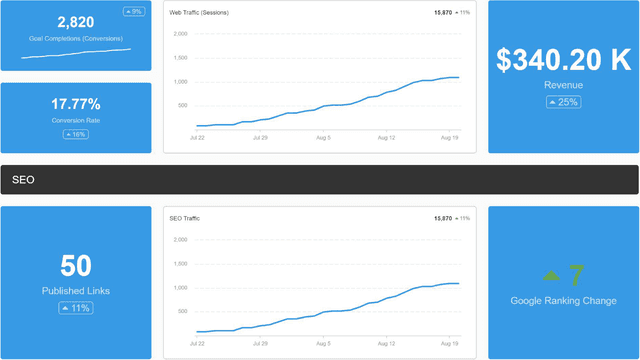
Digital Marketing Dashboard Template Example

Digital Marketing Dashboard

Bring all your client’s digital marketing metrics together in one place. From SEO and PPC to social and email, a customizable dashboard makes reporting faster and clearer—for both your agency and your clients. Join over 7,000 successful agencies and experience the benefits of using a customizable digital marketing dashboard!
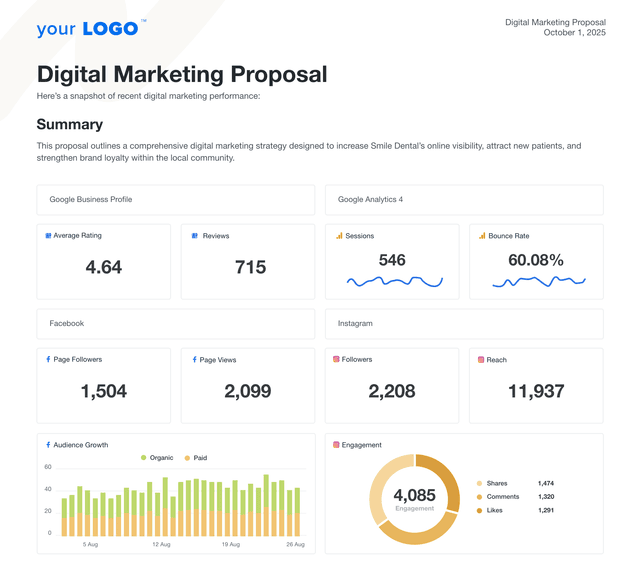
An example of a professional digital marketing proposal template

Digital Marketing Proposal

Deliver polished, persuasive pitches in less time. The customizable digital marketing proposal template helps agencies present services clearly, tie directly to client goals, and confidently walk through their strategy. Skip formatting headaches and start with a structure designed to scale.
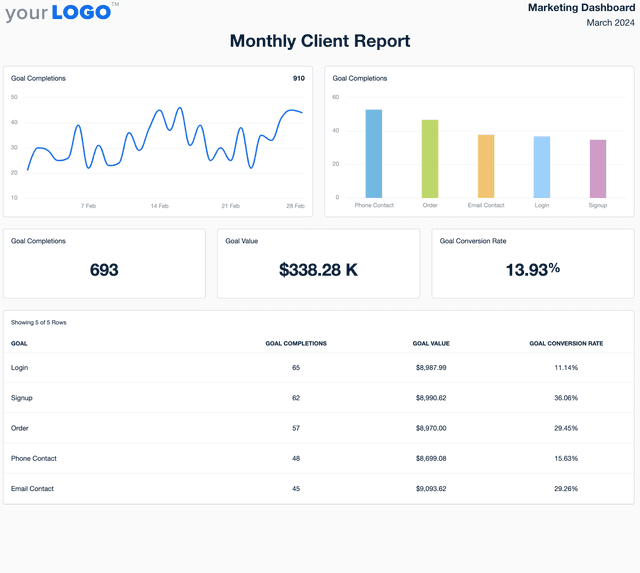
Client Report Template Example

Client Report

Skip the tedious report-building. The customizable Client Report Template automatically pulls key metrics, giving you a polished, easy-to-share update that keeps clients informed—without wasting your team’s time.
View All Templates

See how 7,000+ marketing agencies help clients win

Start Your Trial Now

Free 14-day trial. No credit card required.

Callout Get StartedSwoosh
Logo
G2 Users Love Us
AgencyAnalytics - G2 Leader Winter 2026
AgencyAnalytics - G2 Momentum Leader Winter 2026
G2 Crowd

4.7 out of 5

Capterra

4.8 out of 5

Product
Platform features
Agency solutions
Data integrations
Compare platforms
Reviews
Pricing
Company
About
Careers
Hiring
Media Kit
Contact
Get Started
Start Free Trial
Book a Demo
Quick Start Guide