AgencyAnalytics
AgencyAnalytics
  • Pricing
  • Login
  • Start Trial

Bing Dashboard for Paid and Organic Performance Monitoring

Track Bing SEO and ad campaign performance in one customizable dashboard. Monitor clicks, conversions, and impressions in real time while providing clients with clear, actionable insights. Spend less time switching between tools and more time improving ROI.
Start Your Free Trial Preview Dashboard
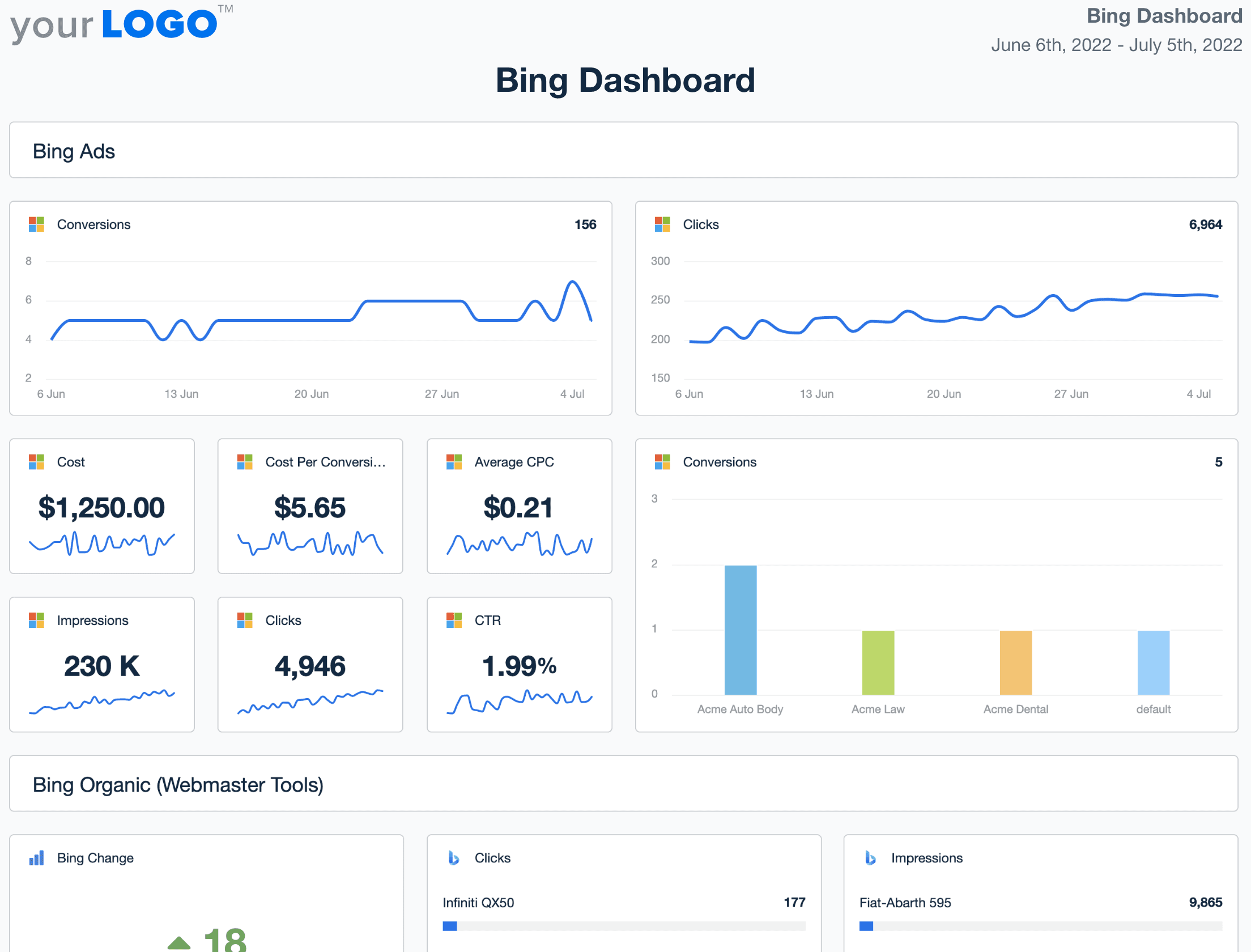
Bing Dashboard Template Example

Customizable Bing Dashboard for SEO and PPC Strategy

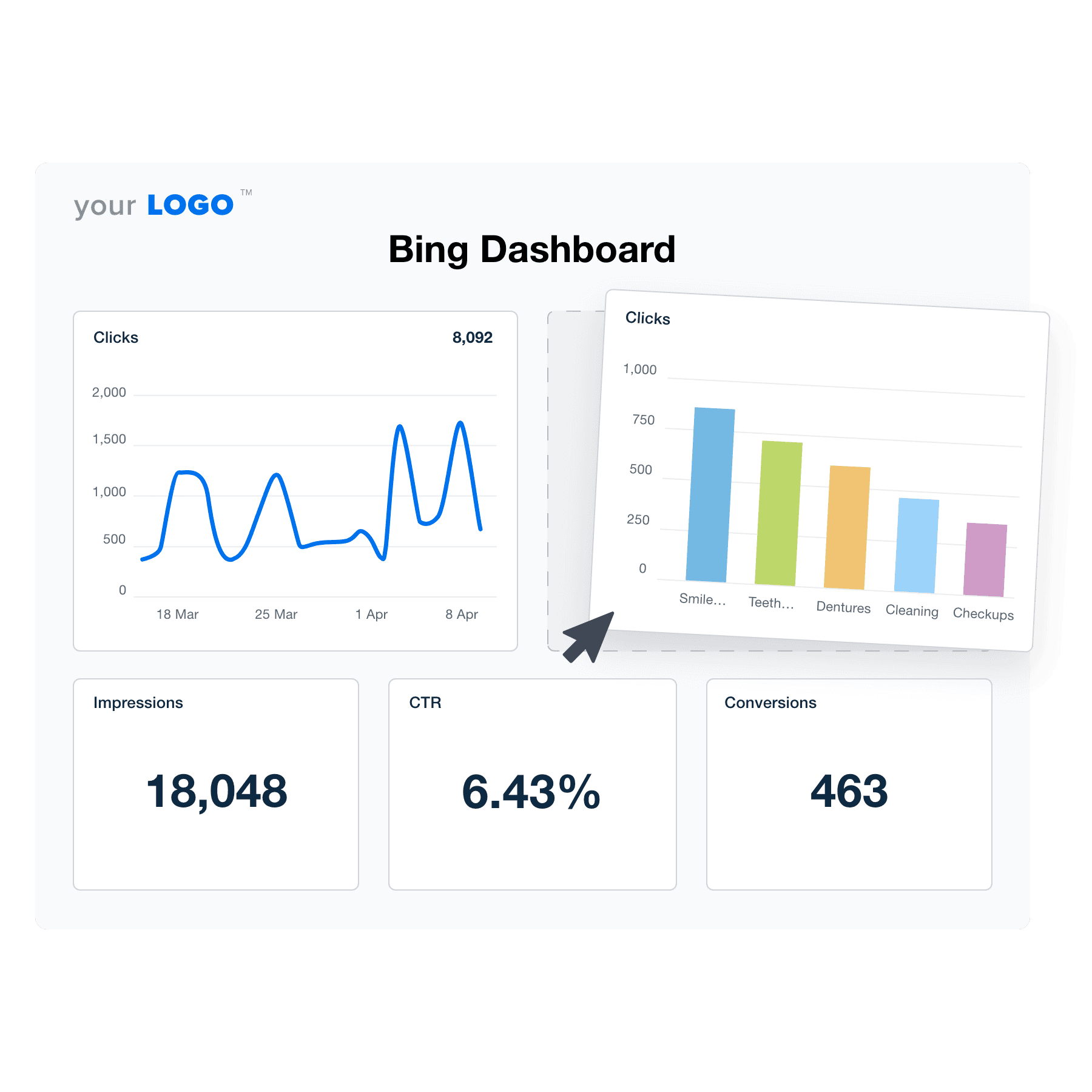
A white label Bing dashboard brings together organic and paid Bing performance in one clean interface—ideal for agencies managing both search visibility and ad results on Microsoft's platform. Track key KPIs like ad spend, CTR, and impression share across campaigns. Customize widgets, track keyword rankings, highlight branded search impact, and compare Bing performance with Google to identify growth opportunities in overlooked channels.

For clients, it’s a polished, real-time dashboard that clarifies how Bing campaigns contribute to their overall marketing success. For your agency, it’s a timesaver that supports smarter budget allocation and deeper campaign insights.

Preview Dashboard
An illustration of the drag-and-drop Bing dashboard builder for marketing agencies
Preview Dashboard

Easily Report on All Your Clients Bing Analytics

Start Your Free Trial

Why AgencyAnalytics Makes The Best Dashboards For Bing

PPC REPORTING MADE EASY

Automate Your Client Reporting in Minutes

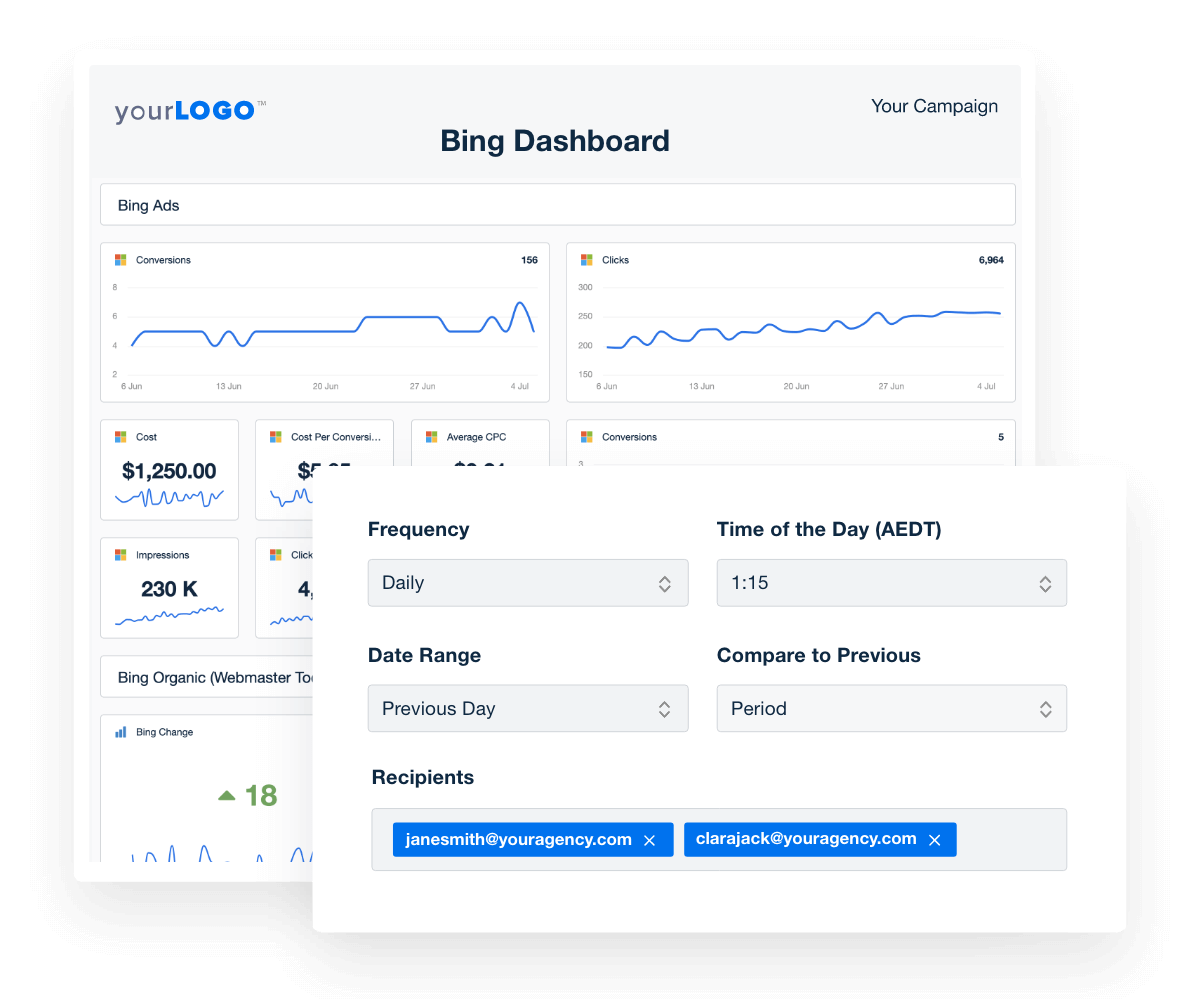
AgencyAnalytics’ automated client reporting platform built for marketing agencies. Customize your Bing dashboard and turn it into intuitive client reports in minutes. Include your PPC markup to avoid confusing your clients, add your brand colors and logo for a full white labeled experience your clients deserve. You can even put your reporting on autopilot and sit back as the reports automatically create and send themselves. 
Learn More About Automated Reporting
bing ads dashboard template for automated reporting
Learn More About Automated Reporting
CONVERSIONS, REVENUE, AND CLICKS OVER TIME

Tell A Story Your Clients Want to Hear

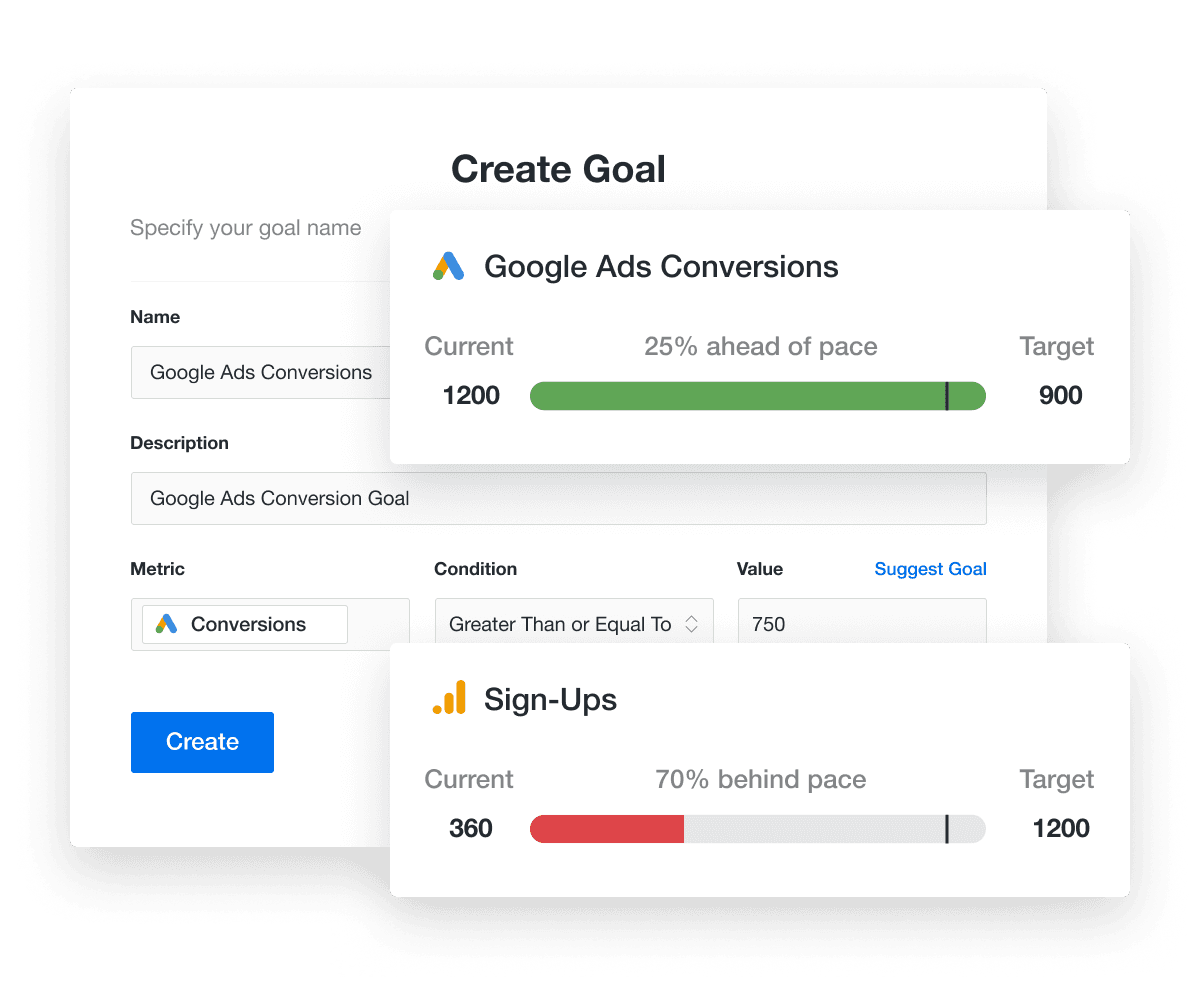
Clear communication is key to retaining clients and guaranteeing long-term success. Show the value your agency is bringing to its clients, and how they're tracking against their goals. Showcase the conversions and revenue that you're generating for your clients, as well as improvements in campaign performance for any date range.
Discover Goal and Budget Tracking
An example of how to highlight progress in marketing campaigns by tracking performance goals
Discover Goal and Budget Tracking
SHOW THE DATA THAT CLIENTS EXPECT

Comprehensive PPC Metrics for Campaign Performance Insights

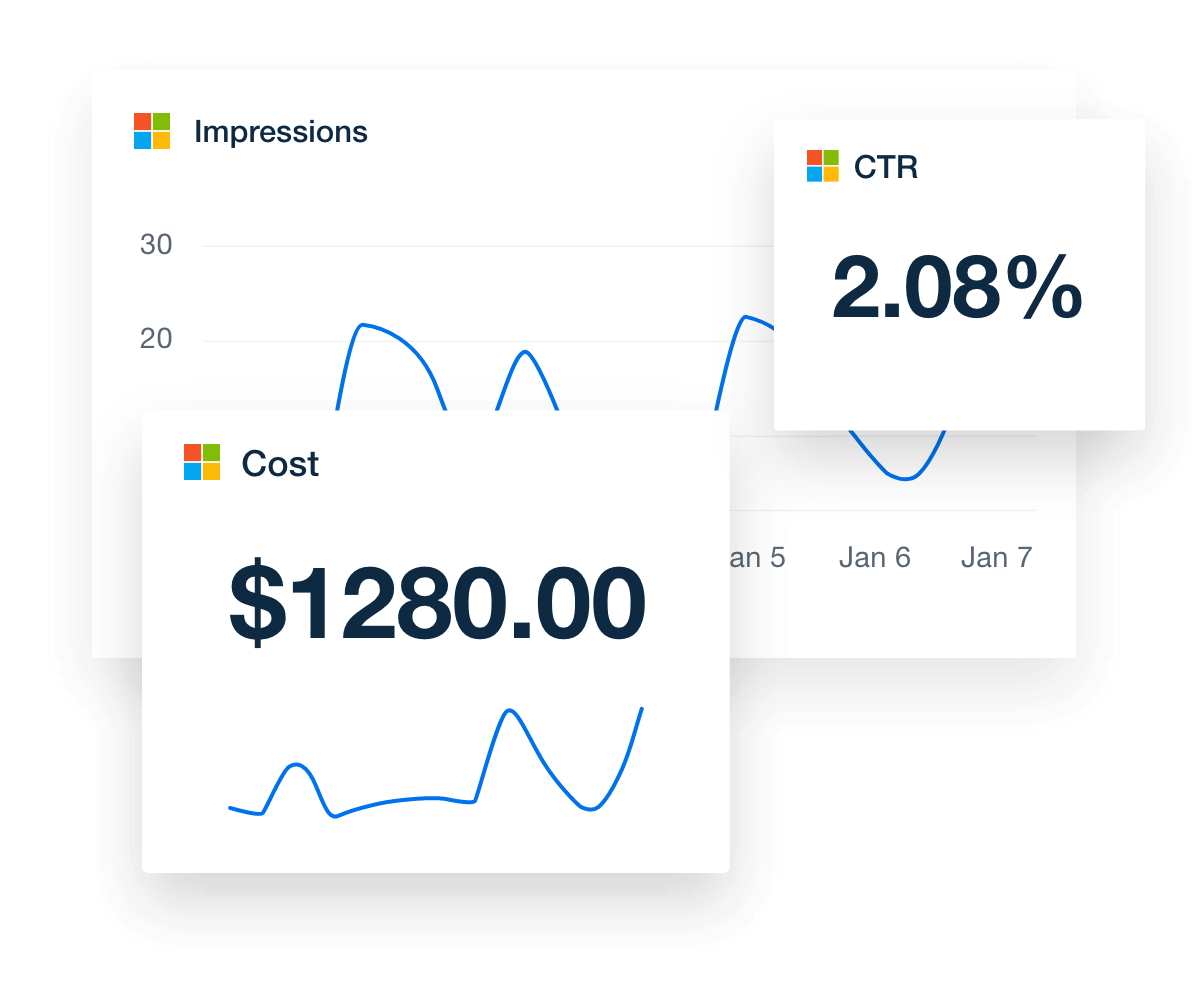
Analyze your clients' marketing data at the campaign, ad group, keyword, and conversion levels. Leverage the most critical industry-standard metrics including clicks, impressions, CTR, cost, and much more.

Preview the Live Bing Dashboard
bing ads ppc metric in dashboard
Preview the Live Bing Dashboard
BING WEBMASTER TOOLS TOP QUERY REPORTS

Identify Keywords Driving Traffic

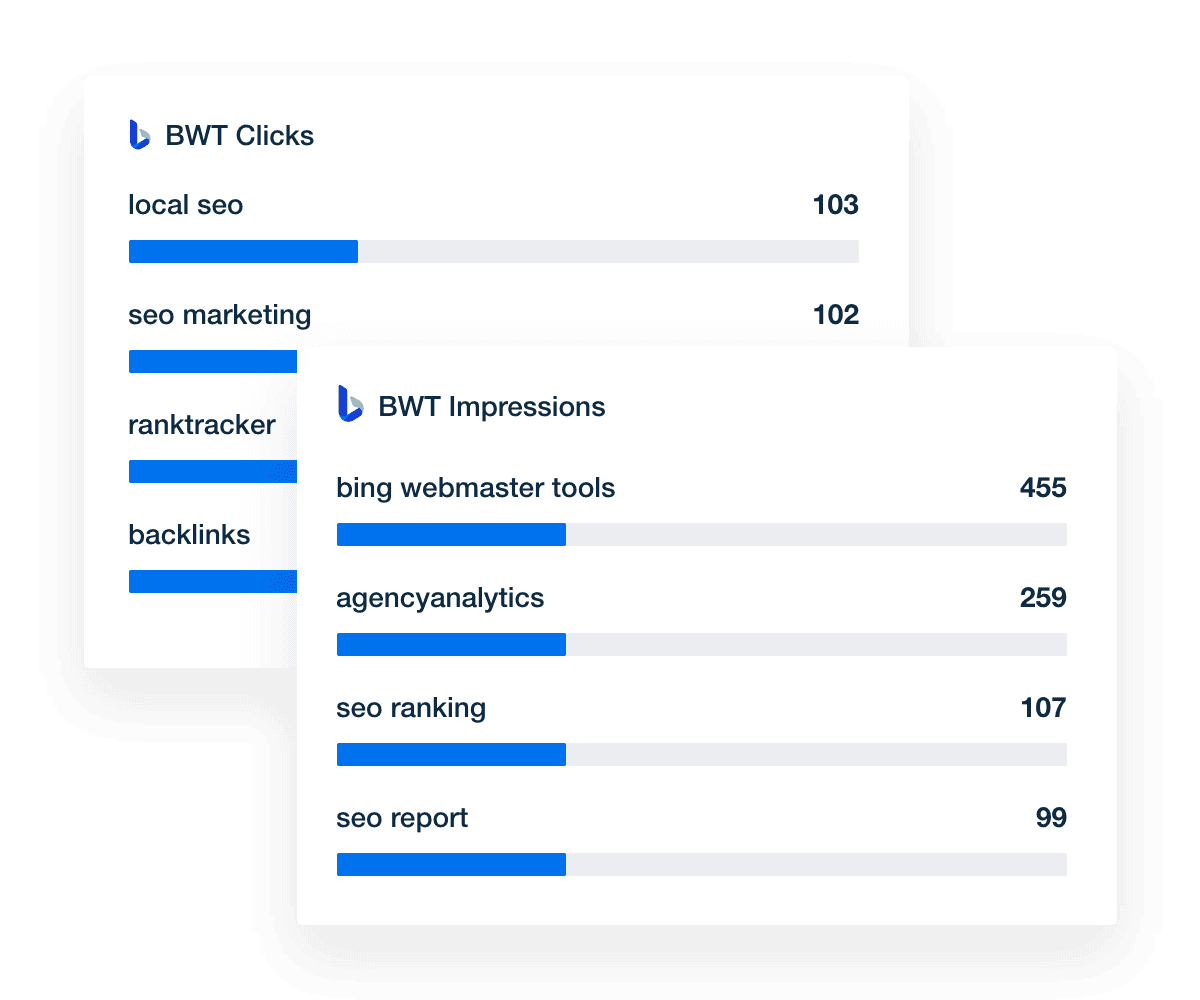
Identify the search terms that deliver the most value. Analyze metrics like average position, impressions, and clicks. Use this information to determine where you should focus your SEO efforts. Optionally, enable more detailed tracking by adding keywords to the Bing rank tracker.
Explore the Built-In Rank Tracker
bing ads keyword metrics in dashboard
Explore the Built-In Rank Tracker
BING WEBMASTER TOOLS TOP PAGES & CRAWL ERRORS

Detailed Page-Level Search & Site Health Analytics

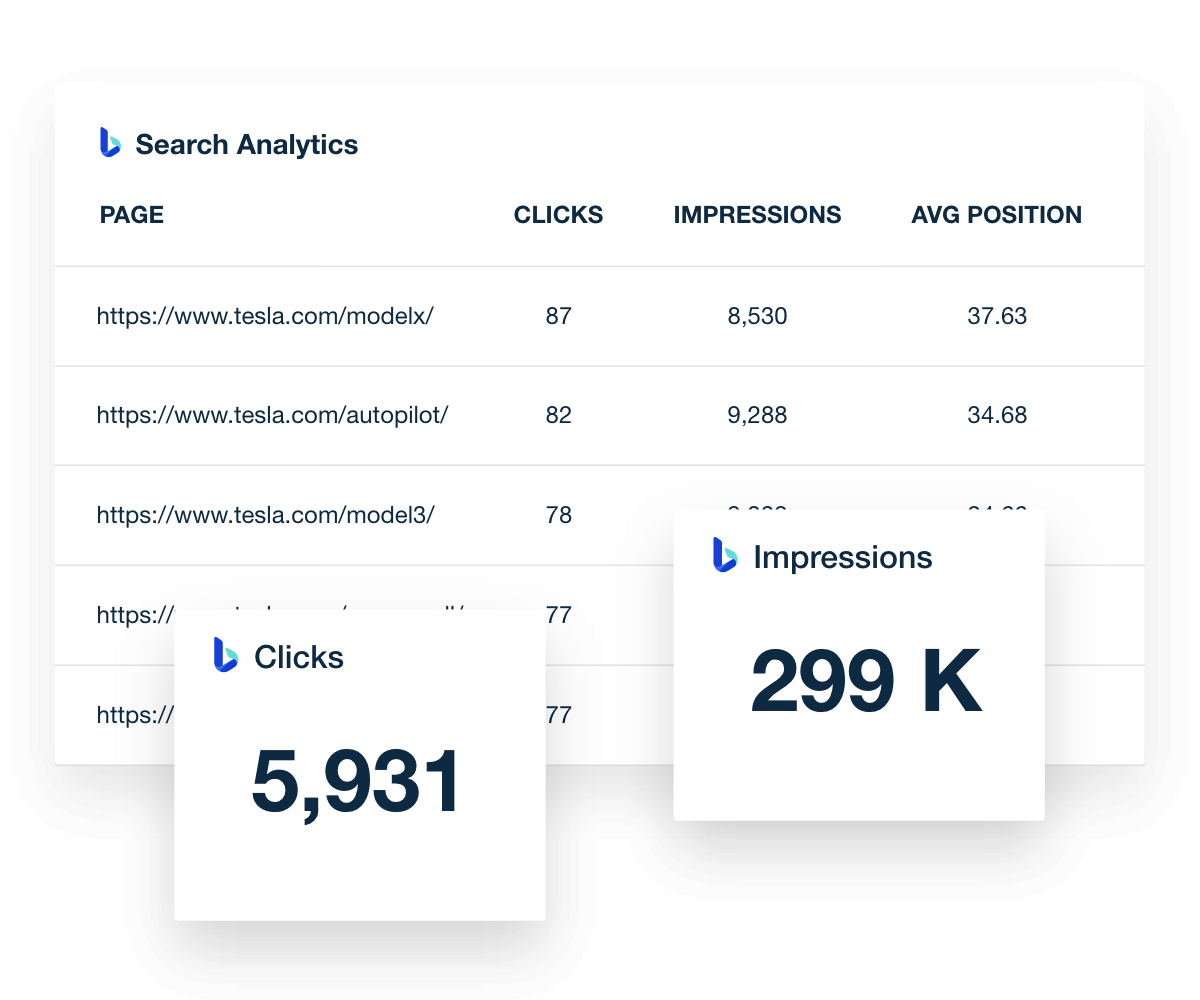
Your clients have invested a lot of time and money into developing their websites. Now they want to see this investment pay off! Show clients exactly which web pages generate the most clicks and impressions, and which ones have the highest average position.

Quickly navigate between each campaign so you never miss another crawl error damaging your client's search engine rankings.

Explore the Bing Webmaster Tools Integration
bing ads page-level details in dashboard
Explore the Bing Webmaster Tools Integration

Sign up for your free trial now!

No credit card required. No setup hassle. Just instant access to automated reporting, custom dashboards, and multi-channel insights.

Start Your Free Trial
An icon showing a user clicking to start a free trial
Start Your Free Trial

8 Sections To Include In a Bing Dashboard Template
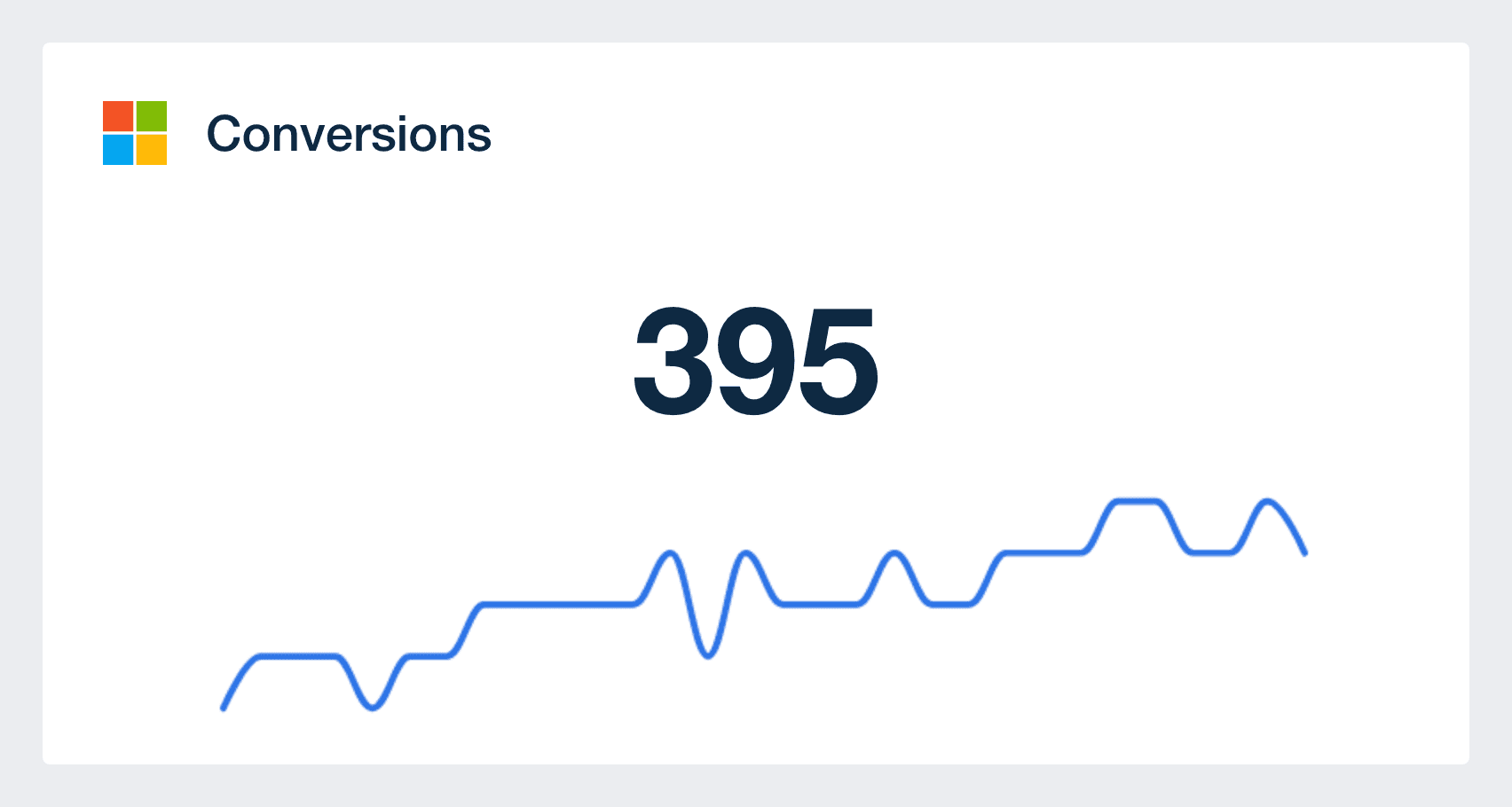
Conversions are the ultimate performance-measuring metrics for your Bing ad campaigns, so it makes sense that it should be a KPI you track on your dashboard. Exactly what a conversion is can change depending on a client’s end goal. Sometimes, a conversion can mean someone finding the client’s website and filling out a contact form. Sometimes it means finding the client’s website and purchasing a product.

Like many other ad platforms, Bing Ads doesn’t charge you until someone actually clicks on your ad. You’ll want to be sure you aren’t exceeding the budget your clients have planned, and this metric helps you ensure that. However, remember that this number can sometimes exceed your planned daily budget to gather more clicks and potentially more conversions. This is completely normal, and Bing Ads won’t exceed your total planned budget.

For the most part, advertising on Bing Ads is much cheaper than with other platforms. This is something many clients don’t know. Showing your clients the benefits of Bing Ads in conjunction with the lower cost can boost their confidence in your agency and your ability to bring them new business.

Because of Bing’s overall lower cost, you’ll also typically find that your ad campaign’s cost per conversion (CPC) is lower as well. CPC measures how much it costs your client to convert a new customer. It’s helpful to show your clients how far their ad spend goes on Bing ad campaigns, especially when compared to other ad platforms. Use the CPC number in comparison with the total cost of your campaign.

The number of people clicking on your Bing Ads is another metric that can give you a quick pulse on how well your ads or PPC campaigns are performing. However, you can’t rely on this Microsoft Advertising metric alone. This piece of your Bing dashboard is best utilized when compared to your conversions and click-through rate. Lots of clicks with little to no conversion can indicate a problem with your call to action or a client’s website.

Bing Ads that aren’t getting many clicks can indicate a problem with the ad copy, creative, or targeting.Consider your demographics and make tweaks where possible to optimize the ads that aren’t getting any clicks.

bing ads conversions

Build custom Bing analytics dashboards that deliver results

Save time and impress clients with a powerful, results-driven dashboard template. Access the free Bing analytics dashboard template today!

Preview the Dashboard
Illustration of a user at a marketing agency trying the client reporting features from AgencyAnalytics
Preview the Dashboard

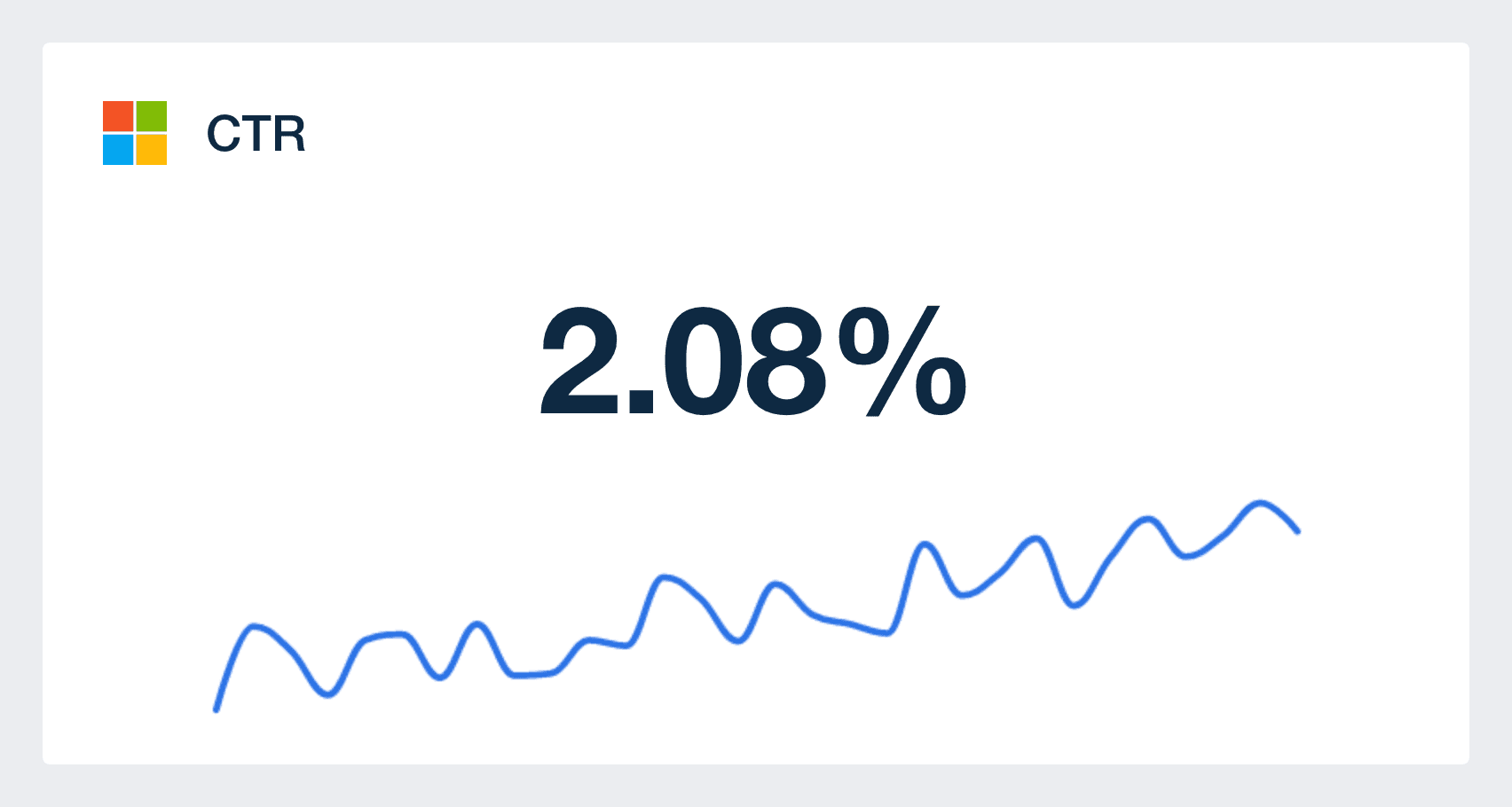
Your click-through rate, or CTR, is calculated by dividing the number of clicks by the number of people seeing your ad. This metric gives you a deeper insight into the effectiveness of your ads. If you have a low CTR, it could mean that your ads aren’t reaching your intended audience. Or maybe the offer isn’t compelling enough for your target audience.

Use your dashboard’s CTR to create a better overall outcome for your client. If the CTR is low, you might need to work with your client to come up with a more enticing offer. Or maybe you need to adjust the call to action. Compare the CTR with your conversion rate to narrow down the reason behind numbers that are too high or too low. For example, a low CTR could indicate a problem with the ad itself, while a high CTR and low conversion rate could mean you’re not targeting the right audience.

You can also report on CTR across all of your PPC campaigns with our PPC dashboard template.

Ranking high on all the popular search engines is one of the best ways to get noticed by new customers. A higher search engine ranking gives your clients’ websites more authority. The competition on Bing is much lower than Google, which gives you a unique opportunity to shine in your client’s eyes by generating more ROI with your Bing Ads.

Your AgencyAnalytics Bing dashboard automatically tracks your clients’ SEO ranking over time so you can show your client how effective your strategies are in gaining more visibility. If your rankings aren’t changing, or if they’re lowering, you can start making the appropriate adjustments.

The words potential customers use while searching for products or services are important facets to any SEO strategy and Bing Ads campaign. You should find the best keywords for your clients’ campaigns.

Your Bing dashboard then tracks which keywords are performing the best. This is a crucial piece of information that you can’t afford to ignore. If all your keywords are underperforming, you know that you need to find new ones to target.

Like other key metrics, your top clicked keywords should be used in tandem with other KPIs on this list, especially the SEO ranking change. If you aren’t moving up in the rankings, look to see if your keywords are having trouble.

Keyword impressions from Bing Webmaster Tools shows you how many times you showed. Keywords with a high number of impressions are most effective, and you should continue to capitalize on those keywords.

This list also gives you deeper insights into how a client’s target audience browses the web and what they’re searching for. You can use effective impressions to branch out into new keywords and create an even more effective ad campaign.

To make the most out of Bing Ads, linking a Microsoft account to a customizable reporting platform saves time by utilizing automated reporting systems and predefined templates.

The best dashboards for Bing campaigns provide a seamless experience for generating impactful reports, even without advanced skills in data analysis. The Bing integrations ensure that your PPC reporting is efficient and powerful, giving your agency the insights it needs need to optimize client campaigns.

bing ads ctr metric in dashboard

FAQs About Custom Bing Dashboards

Still have questions about how to create and use custom Bing Dashboards? Don’t worry, we’ve got you covered.

  • A Bing Dashboard combines both Microsoft Advertising data and Bing organic search metrics into a single, unified view. It helps agencies evaluate paid performance and organic visibility in one place, simplifying the client reporting process.

  • To create a white label Bing dashboard, connect your Microsoft Advertising account and enable Bing organic data within AgencyAnalytics. Then apply your agency’s branding and customize the layout with key metrics. In a few clicks, you’ll have a branded dashboard clients can access under your domain.

  • The Bing dashboard tracks a mix of paid and organic metrics. From Microsoft Advertising, view impressions, clicks, conversions, and cost data. For Bing organic, track clicks, impressions, and CTR. Together, these insights offer a full picture of Bing search performance.

  • Integrating Bing with AgencyAnalytics brings both Microsoft Advertising and Bing organic data into one dashboard. This dual view enhances the client reporting process by offering complete visibility into paid and organic search performance—no extra logins or manual exports required.

  • Yes. Clients can access up-to-date Microsoft Advertising metrics and Bing organic search data directly through the dashboard. This live access improves transparency and keeps them informed without needing to request updates.

  • Absolutely. The Bing dashboard within AgencyAnalytics is fully customizable. Highlight specific Microsoft Advertising KPIs, surface Bing organic insights, and tailor the layout to align with each client’s goals. Branding, widgets, and layout options can all be adjusted in just a few clicks.

  • Popular dashboards include the PPC dashboards for tracking PPC performance, the digital marketing dashboards for measuring digital marketing impact, and the SEO client dashboard for SEO campaign reporting. Agencies also use the website analytics dashboard to provide web analytics overviews and the social media dashboard to review social media metrics.

More templates
Digital Marketing Dashboard Template Example

Digital Marketing Dashboard

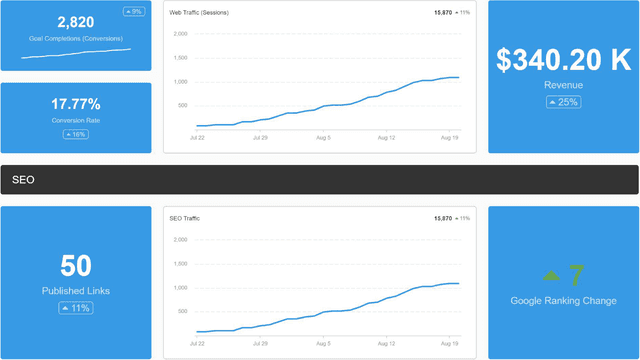
Bring all your client’s digital marketing metrics together in one place. From SEO and PPC to social and email, a customizable dashboard makes reporting faster and clearer—for both your agency and your clients. Join over 7,000 successful agencies and experience the benefits of using a customizable digital marketing dashboard!
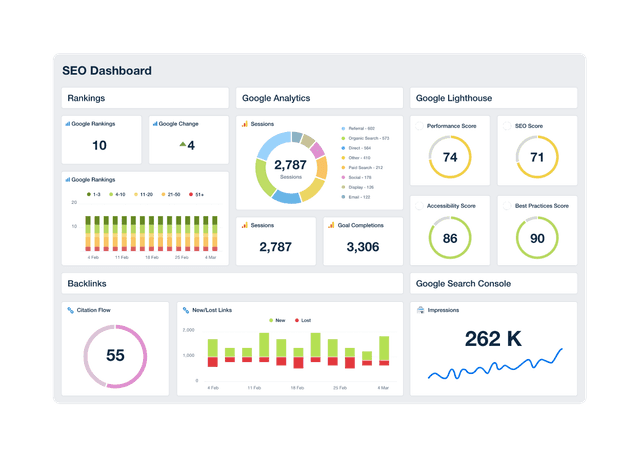
An example of a professional and customizable SEO dashboard template

SEO Dashboard

Track keyword rankings, organic traffic, backlinks, and goal completions in a customizable SEO reporting dashboard. Automate reporting, give clients live access to campaign data, and use up-to-date insights to improve performance and prove ROI. Join over 7,000 satisfied customers and experience the benefits of using an SEO dashboard!
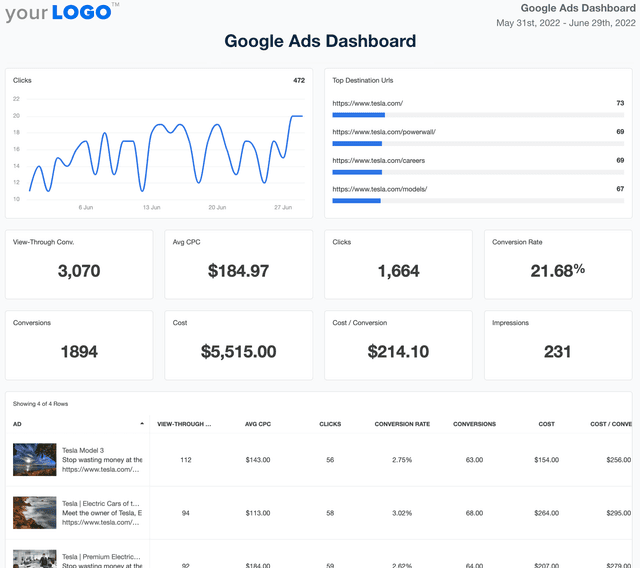
Google Ads Dashboard Template Example

Google Ads Dashboard

Track ad spend, conversions, and ROI in a fully customizable Google Ads dashboard. Consolidate multiple accounts in one place, automate reporting, and provide clients with live insights that optimize ad performance and budget allocation.
View All Templates

See how 7,000+ marketing agencies help clients win

Start Your Trial Now

Free 14-day trial. No credit card required.

Callout Get StartedSwoosh
Logo
G2 Users Love Us
AgencyAnalytics - G2 Leader Winter 2026
AgencyAnalytics - G2 Momentum Leader Winter 2026
G2 Crowd

4.7 out of 5

Capterra

4.8 out of 5

Product
Platform features
Agency solutions
Data integrations
Compare platforms
Reviews
Pricing
Company
About
Careers
Hiring
Media Kit
Contact
Get Started
Start Free Trial
Book a Demo
Quick Start Guide