AgencyAnalytics
AgencyAnalytics
  • Pricing
  • Login
  • Start Trial

Core Vitals Report Template for Clear Website Performance Insights

Page speed, user experience, and mobile performance—share it all in one report. The customizable Core Vitals Report Template tracks essential web vitals so you easily identify issues, fine-tune site performance, and show clients exactly how your agency is making an impact.
Preview Template Start Your Free Trial
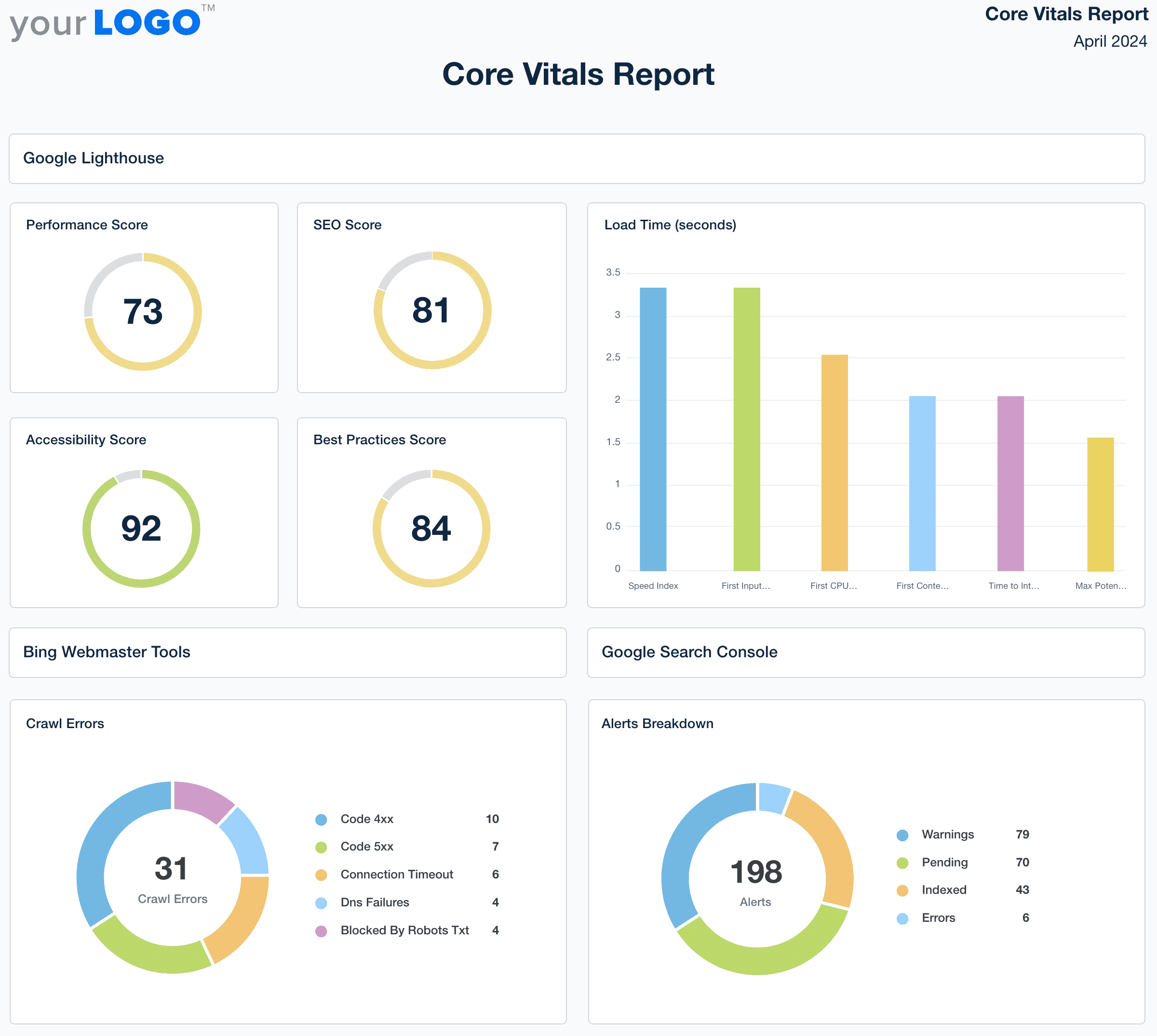
Core Vitals Report Template Example

Customizable Core Vitals Report Templates for Web Performance Insights

Create professional, branded reports that clearly communicate Core Web Vitals to your clients. Tailor layouts, apply white-label branding, and use drag-and-drop visualizations to highlight key metrics like page speed, mobile usability, and overall user experience.

Templates pull live data from 80 marketing platform integrations, eliminating manual work and making it easy to deliver consistent, actionable insights. Save time while reinforcing your agency’s expertise in technical performance and site health.
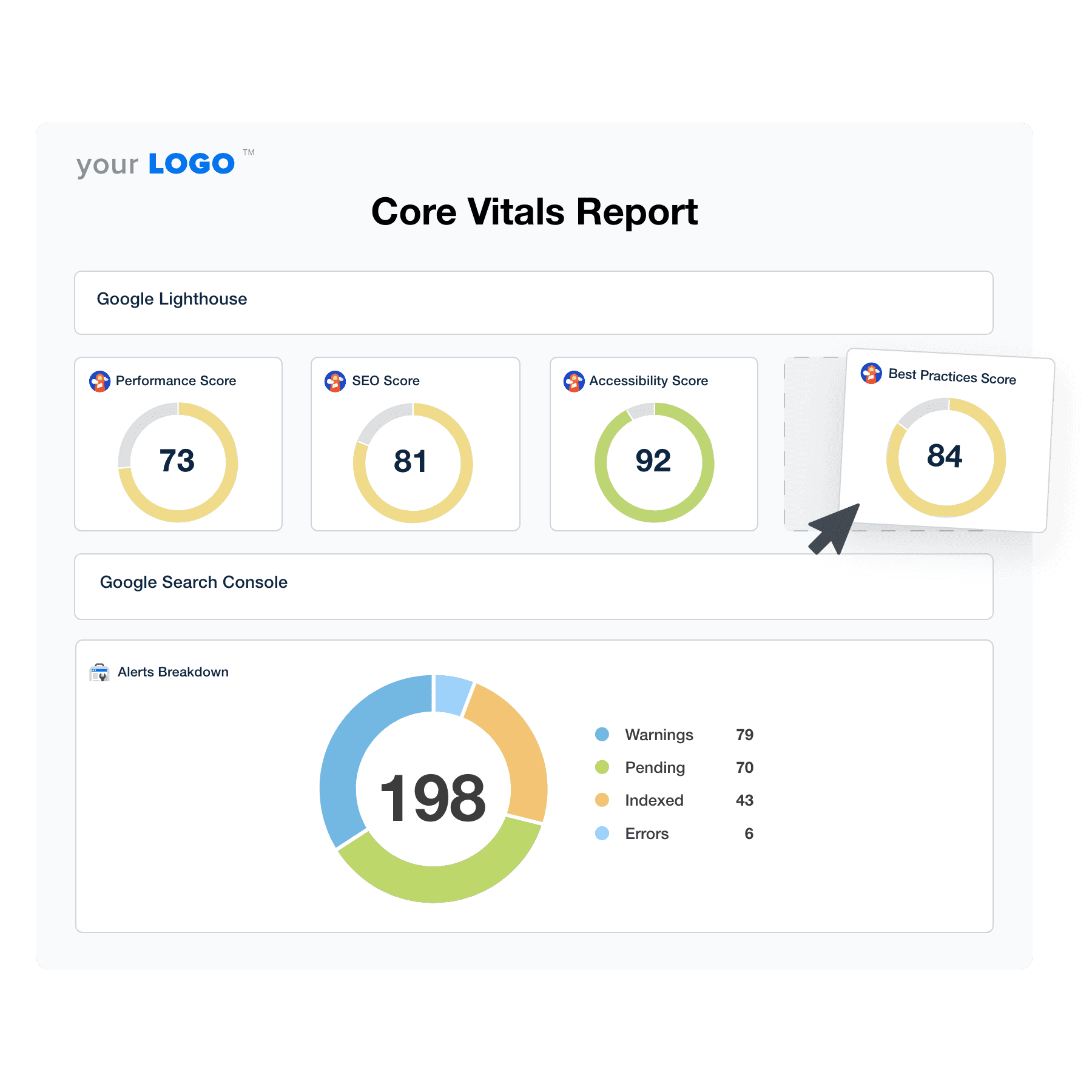

Create Professional Core Vitals Reports in Minutes
Illustration of the Drag-and-Drop Core Vitals Report Template Builder from AgencyAnalytics
Create Professional Core Vitals Reports in Minutes

Easily Report on Your Client's Core Vitals

Start Your Free Trial

Custom Core Vitals Reports as Unique as Your Agency

Never Miss a Deadline

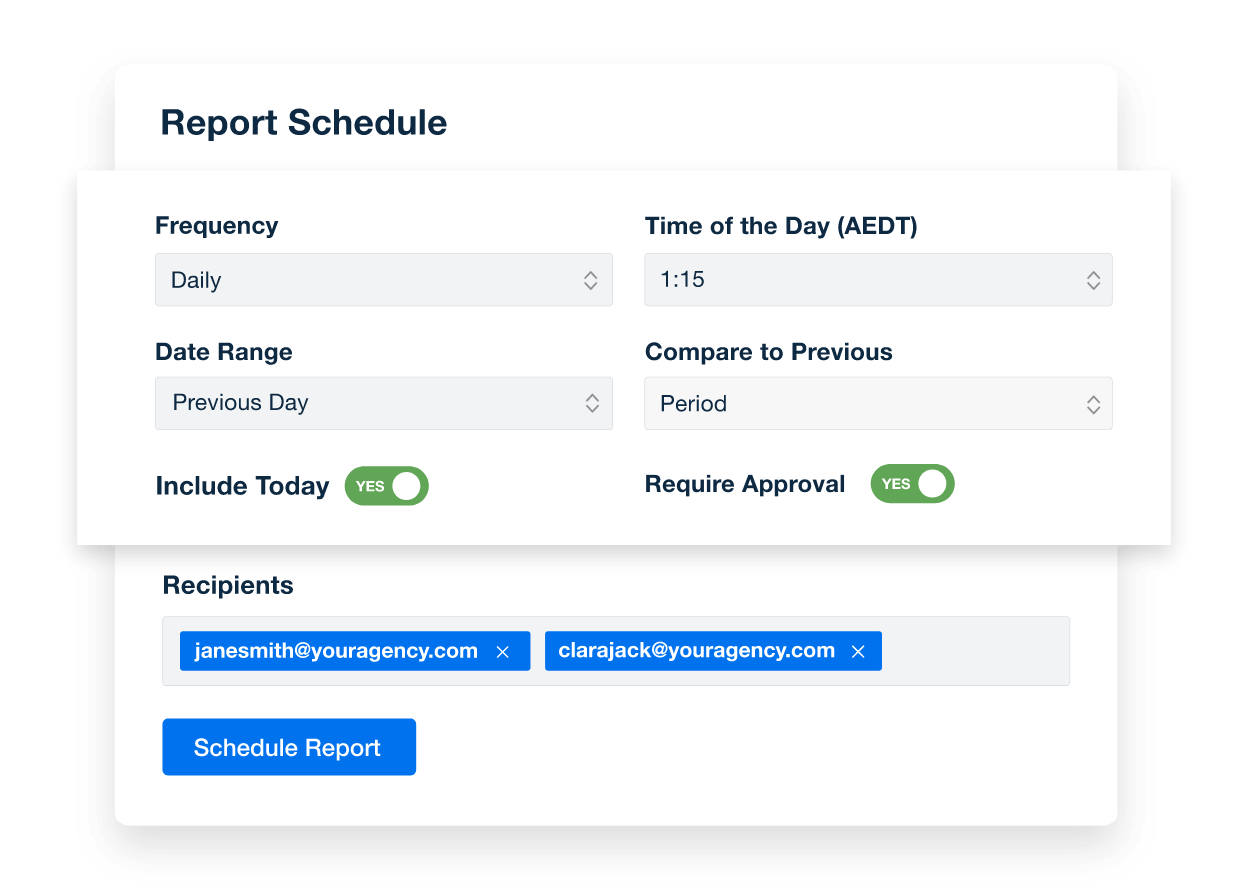
Put Your Core Vitals Reporting on Autopilot

Set up scheduled client reports to ensure timely and consistent updates. By automating the process, your team will focus more on strategic initiatives and less on meeting deadlines, boosting productivity and client engagement with regular, insightful updates.
Create Custom Dashboards
An example of how to schedule automated marketing reports for marketing agency clients
Create Custom Dashboards
Manage All Your Client's SEO Data

Seamless Connectivity

With 80 marketing platform integrations, your agency effortlessly consolidates data from every campaign into one unified report. This enables you to automate data collection and analysis, ensuring you spend less time on manual tasks and more on driving client success. Boost efficiency and showcase your comprehensive approach to every client with ease.

View All Integrations
An example of the available marketing platform integrations AgencyAnalytics offers to connect your clients' marketing data
View All Integrations
Your Brand—Front and Center

White Label Your Core Vitals Reports

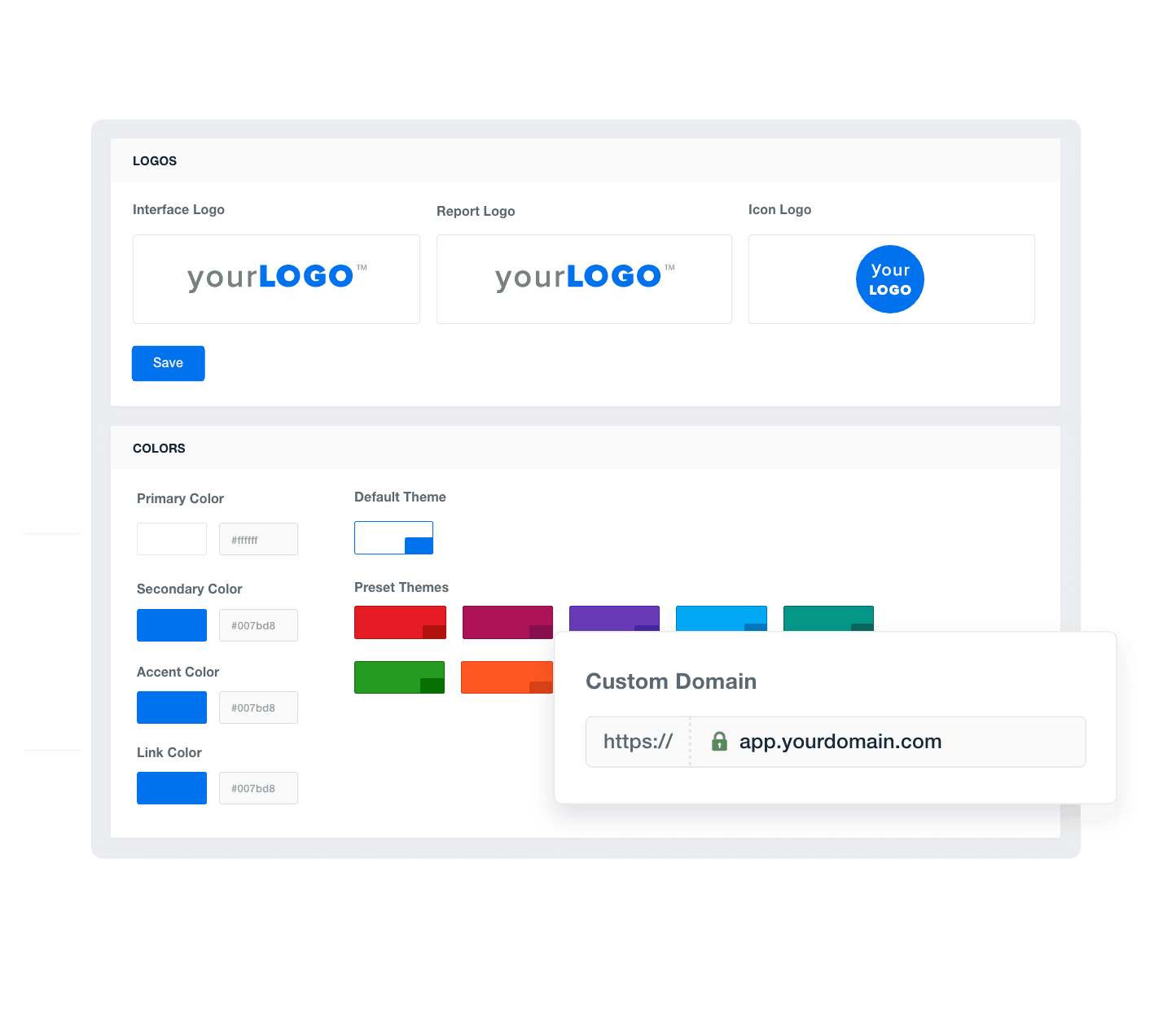
White label client reporting puts your agency’s brand in the spotlight. Customize reports with your logo, brand colors, and design to make every client interaction feel distinctly yours. Enhance your professional image and reinforce your agency's identity in every delivered report, building stronger brand recognition and client loyalty. 
Add Your Agency's Branding
An example of how to add your marketing agency's branding to customizable marketing reporting software
Add Your Agency's Branding
Set Your Sights on Success

Set Core Vitals Goals and Hit Targets

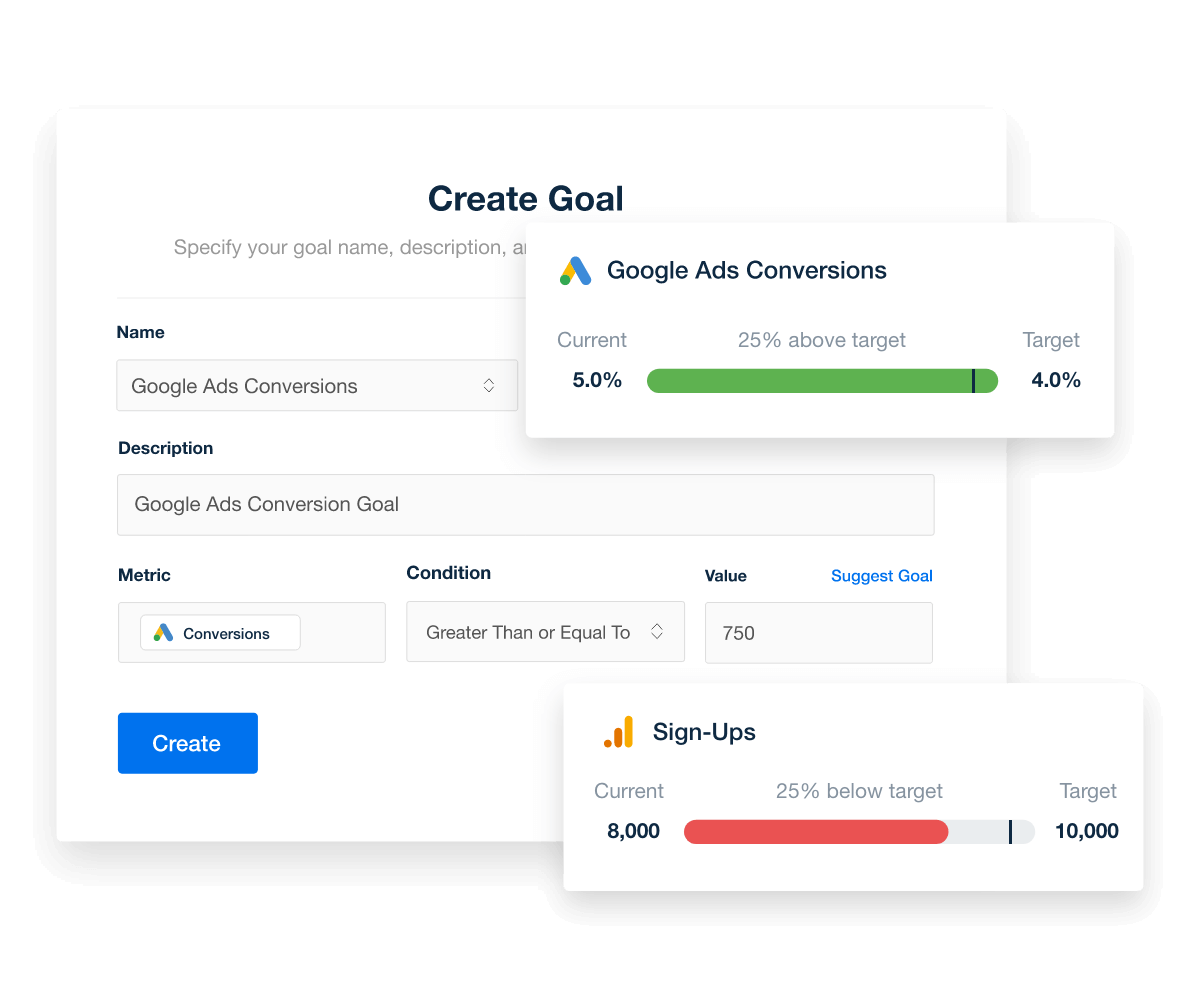
Set custom goals that match your clients' campaign targets, empowering your agency to monitor progress with pinpoint accuracy. Showcase your strategic depth and commitment and boost your agility in optimizing campaigns. With every goal met, reinforce your reputation as a proactive partner.
Explore Goal & Budget Tracking
Set and automatically track marketing goals, thresholds, and campaign performance targets
Explore Goal & Budget Tracking
Support Every Step of the Way

Customer Support is Our Top Priority

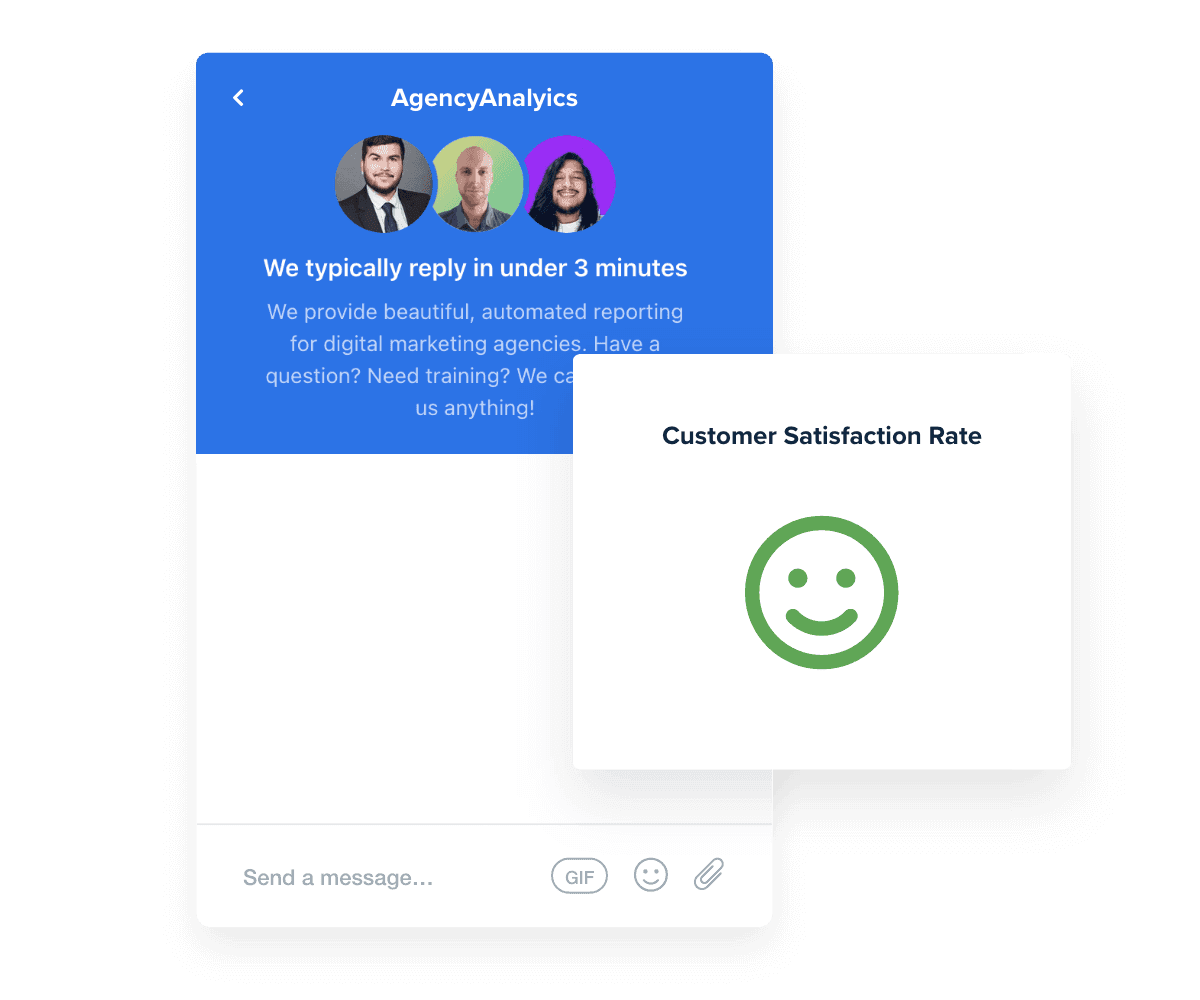
At AgencyAnalytics, we understand that support needs to be as dynamic as your agency. That’s why our live chat is available 24/5, with an impressive average response time of under three minutes. 

Whether setting up a Chrome user experience report or navigating complex data, our support team ensures you deliver top-notch services to your clients. With a client satisfaction rate consistently over 95%, we’re your partner in excellence.
Read Reviews
Best in Class Customer Support for Marketing Agencies
Read Reviews
Report Smarter. Not Harder.

Automate Reporting and Focus On What Matters

Save time each month by seamlessly integrating the core web vitals metrics and data from over 80 sources into a single platform.

Harness crucial metrics from Google Analytics, Google Search Console, and more to provide clients with a comprehensive view of their website's performance and user experience.

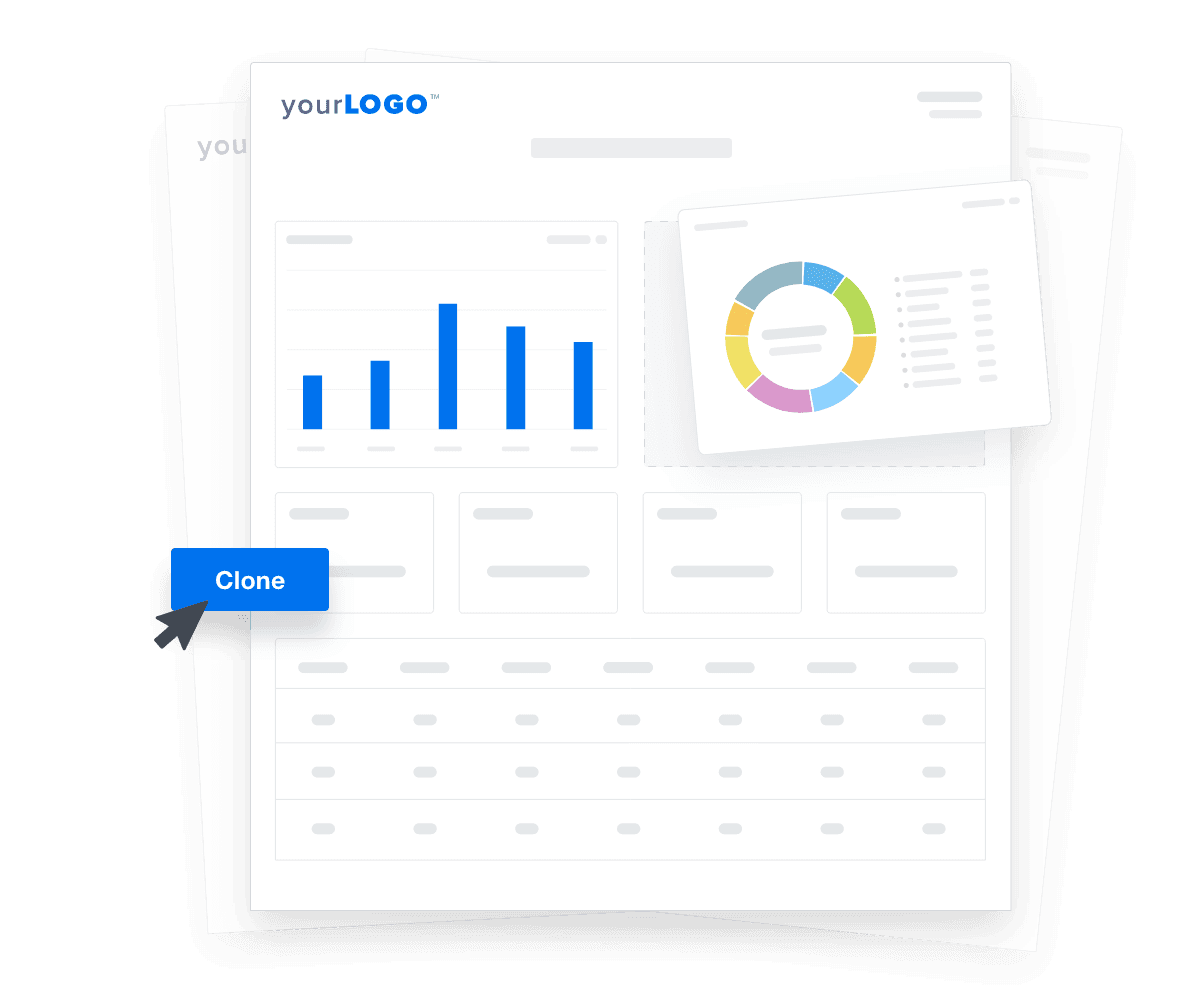
Tailor each core vitals report template or digital marketing dashboard to meet specific needs and effortlessly duplicate them to expedite client onboarding.

Create Custom Dashboards
An illustration of cloning marketing reports and dashboards for faster client onboarding
Create Custom Dashboards

Sign up for your free trial now!

No credit card required. No setup hassle. Just instant access to automated reporting, custom dashboards, and multi-channel insights.

Start Your Free Trial
An icon showing a user clicking to start a free trial
Start Your Free Trial

10 Sections To Include in a Core Vitals Report Template
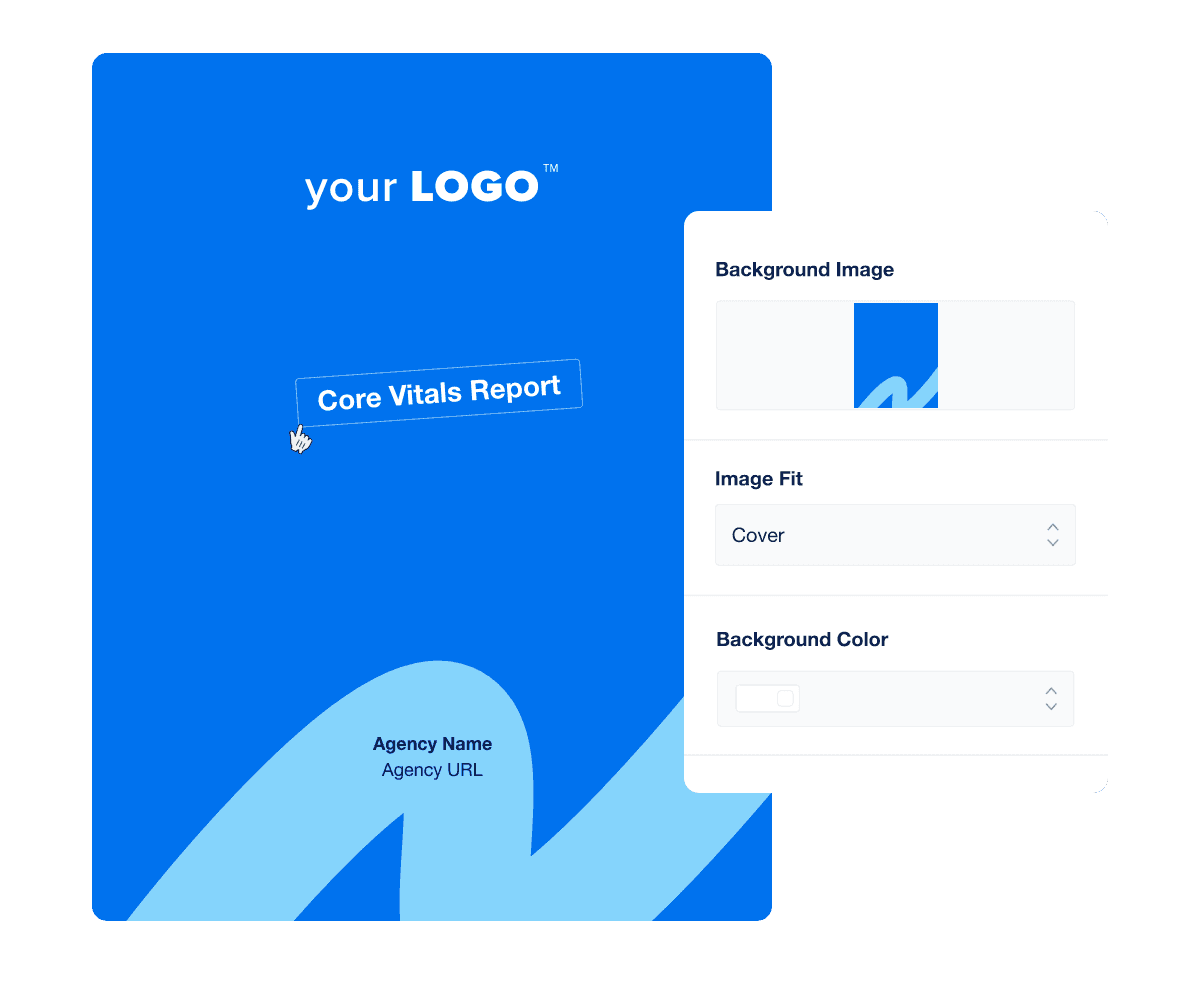
Forget one-size-fits-all reports that fail to make an impact. Distinguish your agency with a professional, branded core vitals report cover page designed to capture attention.

The cover page clearly outlines essential details, making it easy for clients to grasp the report's scope. Be sure to include the date the report was generated and specify the reporting period (e.g., Monthly, Weekly, Quarterly, or Campaign-Specific) it encompasses.

Customized covers and tailored report templates demonstrate your commitment to excellence, enhancing trust in your agency’s expertise in managing core vitals. The outcome? Clients are impressed and more likely to stick with your agency, which boosts retention rates and cements your reputation for delivering outstanding value.

Clients who are pressed for time need insights, not just data. An executive summary provides a succinct overview that captures attention and communicates the essential findings. It offers clients a top-level view of the most critical Core Vitals metrics, helping them understand site performance and make informed decisions quickly.

Creating an effective core vitals report summary requires clear communication and a focus on critical metrics for core web vitals assessment. Here are three best practices to guide your approach:

  • Highlight Key Metrics: Focus on the most impactful core vitals, such as Largest Contentful Paint (LCP), First Input Delay (FIP), and Cumulative Layout Shift (CLS).

  • Use Direct Language: Keep the summary straightforward and jargon-free to ensure clarity.

  • Actionable Recommendations: Always conclude with practical steps that can be taken to improve core web vitals metrics discussed.

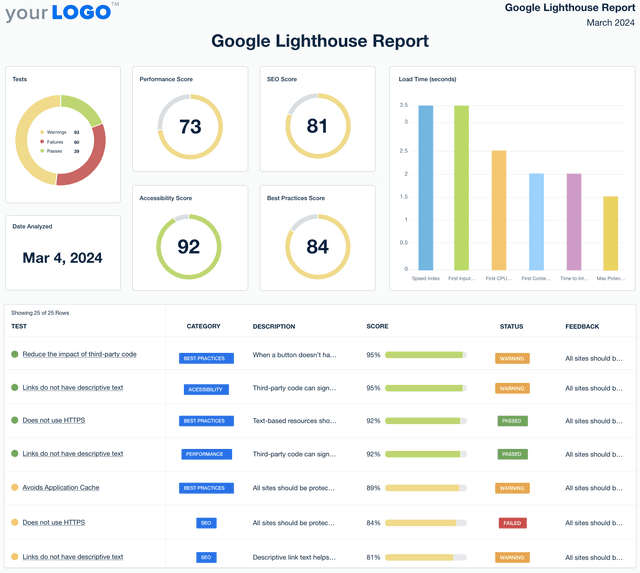
Performance score is one of Google’s core web vitals to include in your report. It shows how well a web page meets user needs. It combines several performance metrics to give a single, straightforward score.

Including Google Lighthouse’s performance score in your reports shows clients the overall health of their web pages. It takes complex data—like how quickly a page loads (site speed) or how it responds to user input requests (user interactions)—and sums it up in one clear score.

By featuring this score, you directly link your work to improvements in Google core web vitals and other major benchmarks considered important for a quality user experience. This supports the value of your services and aligns your strategies with measurable success, making it easier for clients to see the benefits of continuing their investment.

An SEO score assesses how well a website is optimized for search engines. It evaluates content quality, keyword usage, site structure, and mobile-friendliness and combines them into a comprehensive score.

Including Google Lighthouse’s SEO score in your core vitals reports lets clients see a clear, quantifiable measure of how their website performs against SEO best practices. This score provides a snapshot of the site's current performance and highlights areas for improvement.

By translating technical optimizations into a single score, you demonstrate direct benefits like improved site visibility and higher rankings. This helps clients understand the value of their investment in SEO and encourages ongoing commitment to enhancing their web presence.

An accessibility score is a crucial core web vitals metric that quantifies how well a website meets accessibility standards. It ensures all users, including those with disabilities, can navigate and interact with the site effectively.

Including Google Lighthouse’s Accessibility Score in your core vitals reports clarifies the extent to which a site is user-friendly for people with various disabilities. This score evaluates elements like text size, color contrast, keyboard navigation, and alternative text for images.

It showcases your commitment to creating inclusive web experiences and highlights the practical improvements made under your guidance. By improving accessibility, agencies help clients expand their audience reach and enhance user satisfaction, which is key to retaining users and improving overall site engagement.

Core Vitals Cover Page Example

Build custom Core Vitals reports that deliver results

Save time and impress clients with a powerful, results-driven report template. Access the free Core Vitals report template today!

Preview the Template
Illustration of a user at a marketing agency trying the client reporting features from AgencyAnalytics
Preview the Template

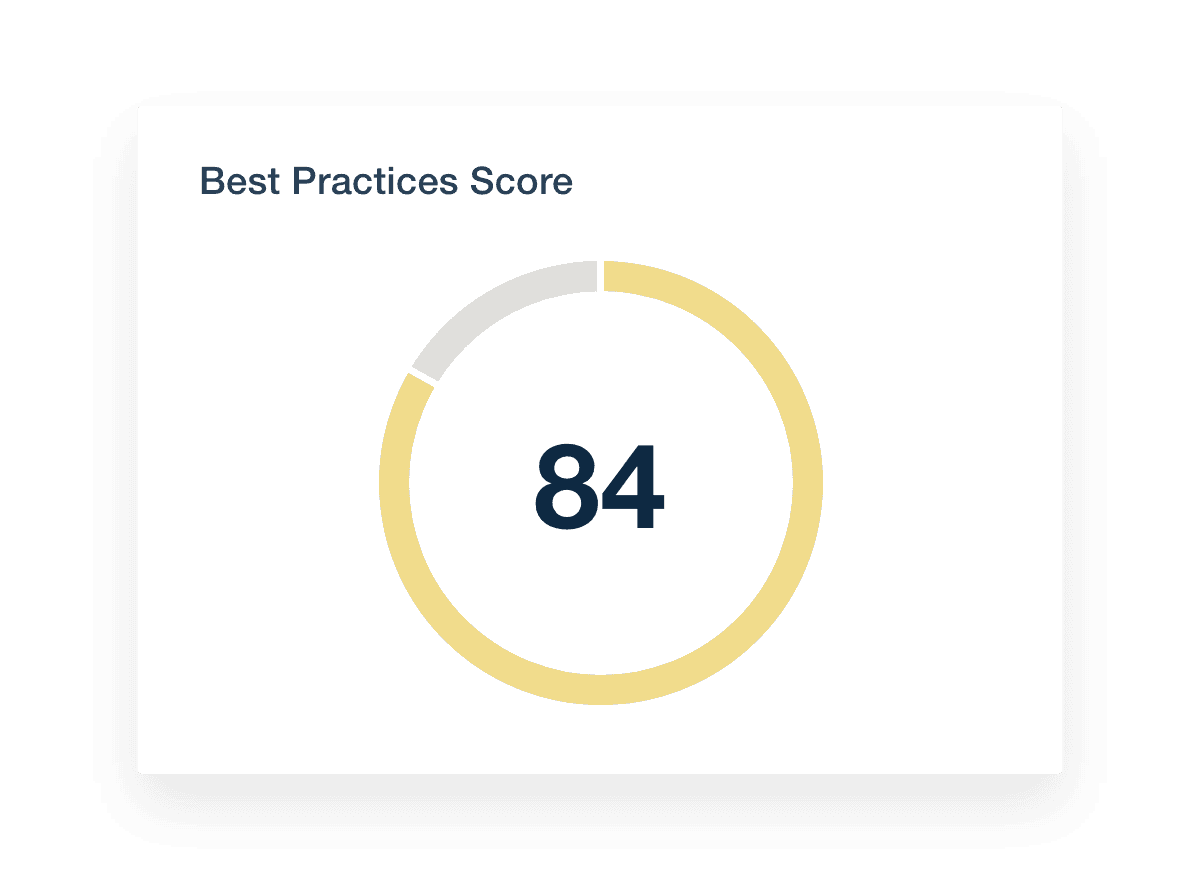
A best practices score evaluates how well a website adheres to modern web development standards and practices, focusing on security protocols, clean code, and optimized formats.

Including Google Lighthouse’s best practices score in your reports offers clients a straightforward measure of their website’s technical health. This score assesses critical elements that impact a website's performance and security, such as secure connections, modern image formats, and the absence of console errors.

The best practices score demonstrates your expertise in maintaining high standards in web development and shows tangible evidence of your agency’s impact on improving digital infrastructure. Clients see clear, quantifiable benefits of your work, which supports continued investment in their site's optimization and maintenance.

Load time measures the speed at which a web page becomes fully visible and usable to a visitor. It’s a critical component of web performance, directly influencing user satisfaction and engagement.

Including load time via Google Lighthouse in your reports provides a clear, direct view of how quickly a site responds to user requests. Load time directly impacts how users perceive a site—faster load times mean happier users and potentially higher conversion rates.

By demonstrating improvements in load time, you effectively showcase your agency's capability to enhance user experience and site performance. This helps retain clients by showing continuous improvement and positions your agency as committed to delivering top-tier web performance.

Crawl errors occur when search engines like Google attempt to reach a page on a website but fail. These errors may severely impact a site’s visibility and search engine ranking by preventing pages from being indexed correctly.

Including crawl errors in your reports (e.g. via the Bing Webmaster Tools integration) is crucial for transparency and corrective action. For marketing agencies, tracking and reporting these errors show your proactive approach to SEO management. It highlights issues like broken links or server errors that could hinder a site’s performance.

By identifying and resolving these errors, you demonstrate your agency’s diligence in ensuring that every page on the client’s site is accessible and indexable by search engines. This improves the site's SEO health and reinforces client trust in your agency’s capability to manage and optimize its digital presence effectively.

Google Search Console alerts notify website administrators of issues that could affect their site’s performance in Google search results. These alerts can cover various topics, from indexing problems to security concerns.

Including Google Search Console alerts in your reports is crucial for maintaining optimal site health and search visibility. For marketing agencies, these alerts are valuable tools for preemptive action and informed decision-making. They provide early warnings about potential problems that need immediate attention, such as mobile usability issues, manual actions taken by Google, or security threats like hacking.

Reporting these alerts to clients demonstrates your agency’s commitment to keeping their site running smoothly and securely. It also underscores the value of your continuous monitoring services, helping clients understand the ongoing nature of SEO and the necessity of swift responses to preserve their rankings and user experience.

Google PageSpeed evaluates a web page's performance and provides a score based on its speed and other user experience criteria. This score reflects how well a page adheres to best practices for speed and optimization.

For marketing agencies, Google PageSpeed metrics offer a clear, quantifiable insight into how various optimizations—like compressing images, leveraging browser caching, and minimizing JavaScript—enhance site performance.

Presenting Google PageSpeed scores helps clients understand the direct impact of these changes, linking your efforts to improved load times and better user experiences. This makes it easier for clients to see the value of your services, encouraging continued investment in their site's optimization to achieve higher performance.

Core Vitals Best Practices Score

FAQs About Custom Core Vitals Report Templates

Still have questions about how to create and use custom Core Vitals Report Templates? Don’t worry, we’ve got you covered.

  • A Core Vitals Report Template is a structured framework designed to assess and communicate a website's performance based on Google's Core Web Vitals metrics. It enables marketing teams to monitor core web vitals data, such as loading speed, interactivity, and visual stability, providing insights that are critical for optimizing web pages and enhancing overall site performance.

  • Essential metrics to include in a core web vitals report template are:

    • Largest Contentful Paint (LCP): Measures loading performance.

    • First Input Delay (FID): Assesses interactivity by tracking the time between a user's first interaction and the browser's response.

    • Cumulative Layout Shift (CLS): Evaluates visual stability by quantifying unexpected layout shifts during page load.

    In addition to these core metrics, incorporating data on render-blocking resources, accessibility scores, and SEO performance can provide a comprehensive view of a site's performance.

  • By systematically tracking core web vital metrics, marketing teams can identify areas where a website may be underperforming. This insight allows for targeted optimizations, such as minimizing render-blocking resources or improving server response times, which can enhance user experience, reduce bounce rates, and positively impact search engine rankings.

  • Yes, Core Vitals reporting can be automated using tools like AgencyAnalytics. Instead of struggling with tools like Google Data Studio (aka Looker), automation ensures that reports are consistently updated with the latest data, saving time and reducing the potential for human error. This allows marketing teams to focus more on strategy and less on manual data collection.

  • Utilizing a Core Vitals Report Template offers several advantages:

    • Consistency: Standardizes the reporting process across different projects or clients.

    • Efficiency: Streamlines data collection and analysis.

    • Clarity: Presents complex data in an understandable format for stakeholders.

    • Actionability: Highlights specific areas for improvement, facilitating informed decision-making.

  • Absolutely. The template can be tailored to align with specific business goals, branding guidelines, or reporting preferences. Customization options may include selecting particular metrics to focus on, adjusting visual elements, or integrating additional data sources to provide a more holistic view of a website's performance.

  • Starting with the digital marketing monthly report template, agencies give clients a full overview. SEO results are detailed in the SEO monthly report template, while the PPC reporting template covers paid ads. Social media insights come from the social media analytics report, and user behavior is summarized in the website analytics report.

More templates
Google Lighthouse Report Template Example

Google Lighthouse Report

Technical site audits shouldn’t feel like decoding a foreign language. The customizable Google Lighthouse Report Template organizes Core Web Vitals and site performance data into an easy-to-share report that helps clients make smarter optimization decisions.
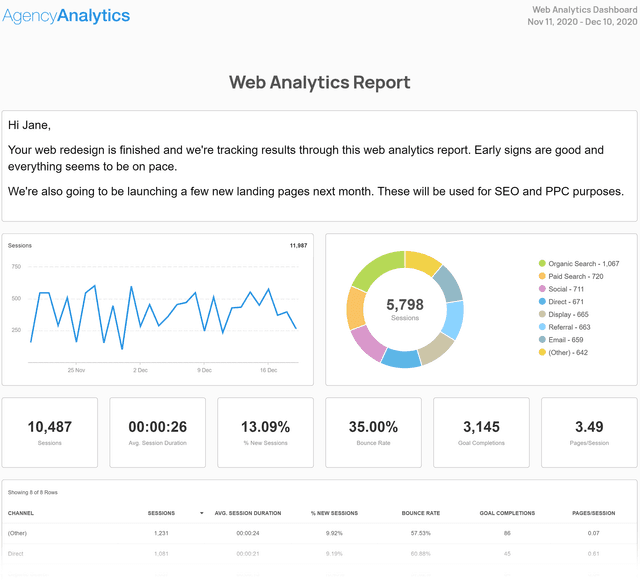
Web Analytics Report Template Example

Web Analytics Report

Traffic alone doesn’t tell the full story. The customizable Web Analytics Report Template organizes key site metrics—like visitor behavior, engagement, and conversions—so you show clients what’s working and where to improve.
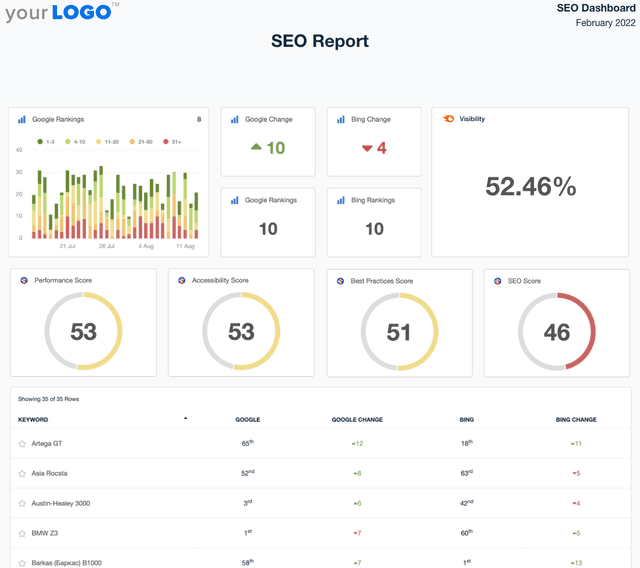
A screenshot of an example SEO Report template

SEO Report

Sending SEO reports shouldn’t mean spending your Friday night formatting screenshots in a PDF. Use a client-ready SEO report template to summarize rankings, traffic, backlinks, and key wins—then export and share in minutes.
View All Templates

See how 7,000+ marketing agencies help clients win

Start Your Trial Now

Free 14-day trial. No credit card required.

Callout Get StartedSwoosh
Logo
G2 Users Love Us
AgencyAnalytics - G2 Leader Winter 2026
AgencyAnalytics - G2 Momentum Leader Winter 2026
G2 Crowd

4.7 out of 5

Capterra

4.8 out of 5

Product
Platform features
Agency solutions
Data integrations
Compare platforms
Reviews
Pricing
Company
About
Careers
Hiring
Media Kit
Contact
Get Started
Start Free Trial
Book a Demo
Quick Start Guide